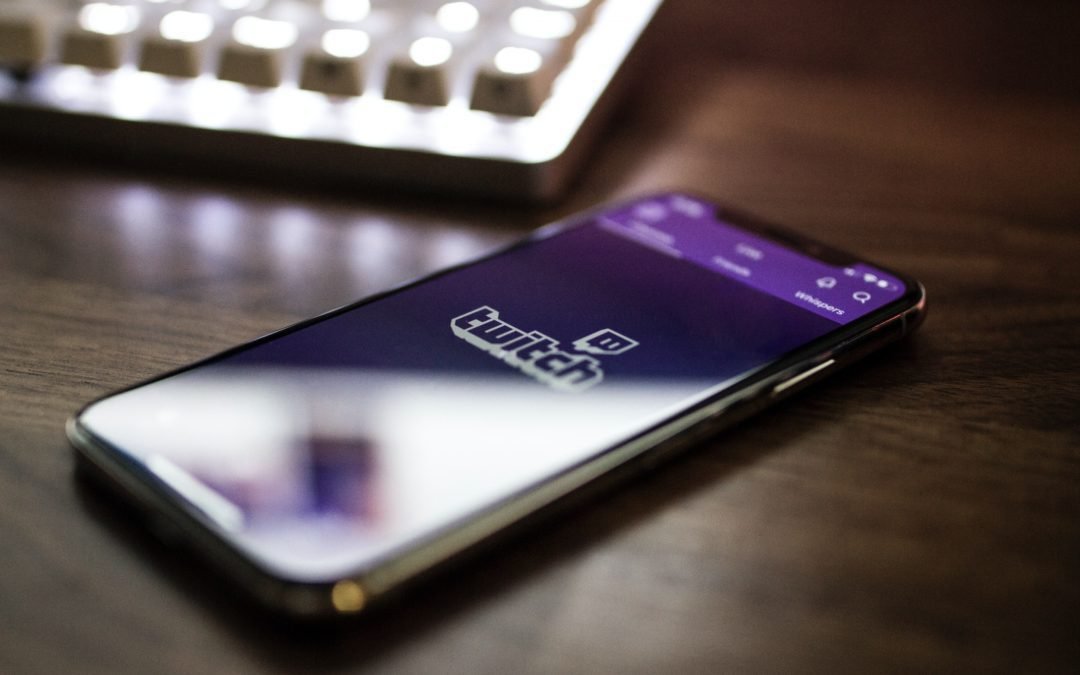
Livestreaming is taking over the world of online entertainment, especially for gamers, and the platform called Twitch is dominating the field.
I’ve been twitching about Twitch as I just didn’t feel comfortable talking about it as I didn’t yet know the ins and outs of this site, thus the twitching. I knew some, I just didn’t know as much as I should, especially as a parent of a teen. I finally took the time to learn more about this popular site and there is A LOT of parents need to know.
You can find almost anything on Twitch to watch, such as people sharing or creating artwork, TV channels showing reruns of old episodes, live vloggers, and everything in between. But how much of this content is safe for kids?
You can view any Twitch stream for free with no account signup. However, some channels are marked as “mature” by their owners. Only accepting that you are of age, whether you are or not, allows you to view the channel. Signing up for a free account allows you to participate in a channel’s chat room. The chat cannot be turned off, only hidden. However, if the creator has “follower-only” or “sub-only” chat turned on, you can read it, but you cannot post anything. Following a channel means you are notified when that channel goes live. Subscribing to one requires you to pay a monthly fee to support the creator, starting at $4.99 per month. You also get special emotes and usually a shoutout on the stream.
Some channels have automatic bots, and sometimes real people, acting as moderators in the chat to keep an eye on any kind of language or arguments the creator deems inappropriate. Those with special privileges can either delete comments or ban a user entirely from the channel. Users can set their own profanity filters if they so desire, but other than that and the discretion of the moderators, there are no other ways to filter content for young viewers. There is also no time limit setting. During my view time I witnessed way too much profanity from the people I was watching, which parents should be aware of.
Participants can donate to content creators in multiple ways, such as donations, “bits” (another form of digital currency), and by subscribing to the channel if they have access to a credit card or PayPal account. Some channels will have links in their descriptions that lead to outside sites where donations can be accepted.
Only certain content creators can have subscribers. It involves gaining enough followers over a period of time. Some will entice users to subscribe or follow by wearing skimpy clothing, promising exclusive content, or other rewards. Some will play certain games requested by their audience, which may include violent or sexual acts. Twitch has certain policies in place to block the most offensive of content, but things will slip through the cracks at times.
Twitch allows people to feel like they are connected to the person they are watching. Some also make friends with others in the chat room of a particular streamer, so educate your children on the risks of meeting virtual strangers. As are most things in life, Twitch is best enjoyed with supervision and in moderation.
Parents please be in the know with what your kids are viewing, one way is to ensure they don’t use headphones when viewing so you can hear the conversation. My personal opinion is that Twitch should be 18 and older not 13 and older.
For continued advice and learnings on how to help your family stay safe and smart with the technology you use, follow
As parents and grandparents, we all worry about the content kids view online, especially on their mobile phones, where we can’t always look over their shoulder. Tik Tok is one of the most popular viral video platforms and one I am most concerned about. No, I don’t yet allow this app on my 13-year old’s phone. I’m not saying I won’t change my mind but right now because of his age and some of the content I’ve viewed on Tik Tok and due to his tendency to get squirreled watching nonsense on his phone It’s just not the time.
Tik Tok is a social network intended for ages 13+ (with parental permission). Members can generate their own videos and share them amongst friends and the general public alike. Most videos are of people dancing, lip-synching, or short and funny skits. However, some of the songs used in these vids contain words and phrases inappropriate for younger ears. And of course, some styles of dance are more tasteful than others and videos of underage drinking can be found.
For those who feel Tik Tok is okay for their kids, but still want to safeguard them from some of the content there are a few ways to lock down what your kids view on Tik Tok.
● Create a private account. By default, new accounts are set to public, which means anyone can see videos you post, anyone can send you direct messages, and your location information is out there for all to see. You can switch from public to private under the Privacy and Safety options in the app.
● Visit the Digital Wellbeing section. Parents can enable several settings here, such as screen time management, restricted mode, and family pairing (see below).
● Set limits with Screen Time Management. The app allows up to two hours, but you can set it as low as forty minutes. Lock it down with a custom passcode.
● Turn on Restricted Mode. This setting blocks some mature content, but unattended kids may still stumble across inappropriate videos from time to time. This is truly the only real method to filter out content on Tik Tok. This can also be locked with a passcode.
● Download the app on your phone and enable Family Pairing. This allows you to control the two settings above and disable direct messaging to your kid’s account.
Despite the safeguards put in place, there are workarounds to bypassing them. Let’s be honest, kids are smart. All they have to do is create a new account with a different email address or phone number, lie about their age, and they have full access again. The best way to monitor what your children view is to share an account with them. Parents of older kids can ask about what content creators they watch and get to know them on their own. Take a look at the most recent viral videos and challenges on Tik Tok to make sure nothing inappropriate or dangerous is going on. Do what you can, but always keep in mind, no method is foolproof.
Dale here – working hard to keep families safe and smart with tech
For continued advice and learnings on how to help your family stay safe and smart with the technology you use, follow
Remember the ‘OLD SCHOOL’ scams where you’d get an email from someone (usually based in Nigeria) who’s made a fortune in the billions and who wants to bring the money into your bank account for some unknown reason? Well, there aren’t too many Nigerian scams these days, but the new version of this shows up with a phone call from someone pretending to be from Microsoft or some other well-known organization, who insists they are monitoring a virus or other dangerous malware that’s currently residing on your device.
They might ask you to visit a webpage and download a piece of software that will allow them to access your computer remotely.
If you let them get that far, they will run a script that shows a wealth of useless information on the screen, do you think they are helping. But in reality, they are running keylogging and hacking software in the background. Some are bold enough to ask you to log into your bank when you are linked with them, ‘Just, to make sure that everything works”.
Be smart and wary, and stay away from random calls offering to help you. Microsoft does not call you out of the goodness of their heart. This is a common scam – Be aware! Be Smart!
For continued advice and learnings on how to help your family stay safe and smart with the technology you use, follow
Billions of dollars have been paid out in ransomware attacks. Last year showed attacks were at an all-time high, with over 184 million ransomware attacks. Small businesses are just as susceptible as large businesses. Hospitals, police stations, and entire cities have been brought to a halt by ransomware. About 50% of victims pay the ransom, this guarantees it’s not going to subside anytime soon.
Ransomware is a type of malicious software, or malware, designed to deny access to a computer system or data until a ransom is paid. That’s right; everything today is about money.
Ransomware typically spreads through phishing emails or by unknowingly visiting an infected website.
Yes, this is why your company requires you to take all those data privacy e-learnings! A single employee falling for a phishing attack puts the entire organization at risk.
How does it work? Once the email attachment is opened or the infected link is clicked, the attack can begin immediately, or it can be programmed to start at a select date and time. During the attack, the computer(s) lock-up and malware start encrypting the entire hard drive. And finally, it displays a message detailing the type of ransomware and how the individual or company must pay for the release of their data. The time frame to pay the ransom is typically 72 hours.
Here are two essential ways to protect yourself from ransomware attacks:
Know what social engineering is and how it’s used against you. Social engineering is used to trick people into opening attachments or click on what appears to be legitimate links. Protect yourself and your company’s network and be extra cautious before opening attachments or clicking on links.
Keep your devices and apps updated. This will not only minimize your risk of a ransomware attack, but it also protects you from most of the other malicious viruses.
As ransomware attacks become more sophisticated we see them spreading to mobile devices. Future state, think about connected cars. How might it look when individuals start to be locked out of their own car until a ransom is paid – this is not going to stop and it’s going to get ugly.
No matter how much IT and Security knowledge that swirls around in my brain, I still need members of my design and development team to keep me on track. Electric Edge Media dumbed down the importance of social media for me, helped me identify my audience, and understand the power of a website and blog.
Is this for real? Yep, unique virtual card numbers for each online merchant does minimize your online shopping risk. But, let me be clear they aren’t without risk, they just reduce risk.
So how does this work? Well, virtual numbers that connect back to your original personal credit card number are assigned, and in some cases even allowing you to use a different virtual number for each online merchant. One of the biggest benefits of using virtual numbers is that if a merchant is hacked you just disable the virtual number associated with the merchant but all your other virtual numbers are still intact.
It certainly sounds great but for me, this feels extremely overwhelming. I can barely keep my digital data organized there is no way I could keep track of more numbers. Not this guy! But the good news for you and me, as I dug deeper into understanding how these virtual card numbers worked I learned that most banking institutions provide a managing service that will help us keep track of and manage our virtual card numbers, ENO with Capital One is such a service. Thank goodness. It’s great to know there is a way to help keep track of all the moving pieces of these new virtual cards.
I haven’t yet ventured into this sphere but when I do I’ll bring you along on the journey with me and we can learn together.
Has anyone tried using virtual card numbers yet? If so, how was your experience?