Are you curious about Virtual Private Networks (VPNs)? Maybe you’ve heard a little bit about them, but you’re not sure what they are or if they’re right for you. We’ve spent quite a bit of time researching the most popular VPN questions and we’ll answer those questions about VPNs, so you can decide whether or not one is right for your family. We cover everything from what a VPN is to how they work and who can use them.
What Does A VPN Do?
A VPN, or Virtual Private Network, is a vital tool for protecting your online identity and activity. By routing your traffic through a secure server, a VPN encrypts all of your data, making it unreadable to anyone who might try to intercept it. This not only keeps you safe from hackers and government surveillance but also prevents ISPs from selling your data to advertisers. Additionally, a VPN can help bypass firewalls and access restricted websites.
VPNs are an essential tool for anyone who values online privacy and security. If you’re not already using one, I highly recommend using one. There are many benefits to using a VPN that you can take advantage of.
How Do VPNs Protect You?
A VPN, or Virtual Private Network, is a tool that helps to protect your online privacy and security. A VPN works by encrypting your internet traffic and routing it through a secure server. This means that your ISP (Internet Service Provider) and any other third party cannot see what you are doing online. Your data is also protected from any malicious attacks.
VPNs are particularly useful if you are using public Wi-Fi, as they help to keep your data safe from any potential hackers. They are also helpful if you want to access websites that may be blocked in your country. By connecting to a VPN server in another country, you can bypass these restrictions.
There are a number of free VPN services available, but be aware that most of them are not as secure as paid services. For example, free VPNs may sell your data to third parties or include ads in your browsing experience.
That said, there are some good, reputable paid VPN services that offer a high degree of security and privacy. If you’re looking for a reliable and safe way to browse the internet privately and securely, a paid VPN service is the best option. We covered everything you need to know about free VPNs and which ones we think are the best.
Are VPNs Illegal?
I just want to set the record straight on this because I hear the myth of “VPNs are illegal” quite often. VPNs are not illegal. However, there are some activities that can be illegal when using a VPN. For example, if you use a VPN to commit cybercrime or engage in other illegal activity, then you could be breaking the law. Similarly, if you use a VPN to access blocked content or bypass government censorship, you may also be breaking the law in some countries. So it’s important to know what you’re doing before you connect to a VPN. That said, there are many legitimate uses for VPNs, and as long as you use one responsibly, there’s no reason to think that using a VPN is illegal. If you are traveling to another country and plan on using a VPN to access the content you’d otherwise get at home, double-check that country’s VPN laws. Better safe than sorry.
Do I Really Need A VPN?
Let’s be real, there aren’t a lot of things people in this world need. Now, if you’re wondering whether you need a VPN, the short answer is: it depends. I use that a lot, but in the tech world, there are so many diverse users that there are not many one-size-fits-all solutions. VPNs can be useful in a variety of situations, but they’re not necessary for everyone. Here’s a brief rundown of when you might want to use a VPN:
If you want to keep your browsing history and online activity private from your internet service provider or government agencies.
If you’re concerned about online security and privacy and want to make sure your data is encrypted
Or if you’re accessing the internet from a public Wi-Fi network and want to safeguard your personal information.
I dove quite a bit into the Pros and Cons of using a VPN that cover a range of these topics on the essential practicality of using one.
Will A VPN Slow Down My Internet?
There’s no need to worry about a VPN slowing down your internet connection. If anything, using a VPN can actually improve your internet speeds by giving you access to a more direct and efficient route to the internet. In most cases, a VPN will actually make your internet connection faster and more reliable. The only time you might experience a slowdown is if your chosen VPN server is located further away from your actual location, which can sometimes happen if you’re using a free or lower-end VPN service. But even in that case, the difference in speed will usually be negligible. Have no fear about slower speeds when you use a VPN. For the most part, it won’t slow down your internet connection!
How Much Do VPNs Cost?
A VPN can cost as little as a few dollars per month or as much as a few hundred dollars per year, depending on the features and level of service you require.
Many businesses and individuals find that a mid-priced VPN service is the best option, as it provides good value for the money while still offering a range of features and options. However, if you only plan to use a VPN occasionally or for very specific purposes, then a lower-priced option may be all you need.
There are a few potential disadvantages of VPNs. First, VPNs can be slow (depending on the service). This is because your data has to travel further to get encrypted and then sent back to you. Second, VPNs can be costly. Some providers charge a monthly fee, while others require you to purchase a subscription. Finally, not all VPNs are created equal. Some providers may be less reliable or have fewer servers in different locations around the world.
Can You Get Hacked Through VPN?
Using a VPN doesn’t make you invincible and immune to all things malicious that happen on the internet. Yes, you can get hacked through a VPN. A VPN creates a virtual encrypted tunnel between your device and the VPN server. This tunnel provides some level of security but is not foolproof. A hacker who is able to bypass the security of the VPN server could potentially access your data.
That said, using a VPN does provide some extra security and privacy that is not available when you are not connected to a VPN. If you are concerned about your online privacy and security, using a VPN is not just a good idea, it’s a great idea. Just be aware that it is not 100% foolproof and hackers may still be able to find ways to access your data.
What Does A VPN Not Protect You From?
A VPN will not protect you from viruses or other malware that may be on your device. It will also not protect you from someone monitoring your internet traffic or tracking your activities. Finally, a VPN will not protect you from being hacked if your device is already compromised.
What Is The Safest VPN?
There are a lot of different opinions on what the “safest” VPN is. It really depends on your specific needs and threats. For example, if you’re worried about government surveillance, then you might want a VPN that encrypts your traffic and provides strong security features. On the other hand, if you’re mostly concerned about hackers or identity thieves, then you might want a VPN with robust anti-spyware and anti-malware protection.
Ultimately, the safest VPN is the one that best meets your particular needs. Do some research and talk to people whose opinions you trust to find the right VPN for you. In my opinion, I love ExpressVPN and personally use it. I also layer on a little more security by using Firewalla Purple which has a built-in VPN.
Can VPNs Be Traced?
VPNs are an incredible way to protect your privacy and keep your data safe, but can they be traced? The answer is yes, VPNs can be traced, but only if the person or company doing the tracing has access to certain information.
For example, if you’re using a VPN service that is based in the US, then the US government could request access to logs of your activity on that VPN. However, if you’re using a VPN service that is based in a country with strong privacy laws, like Switzerland or Iceland, then it would be much more difficult for anyone to track your activity.
If you’re looking to hide your location, a VPN is a great tool. By routing your traffic through a VPN server, you can change your IP address and effectively disguise your location. However, it’s important to remember that VPNs can’t make you completely anonymous – if someone is determined to find out where you are, they may be able to do so by tracking your traffic. Nevertheless, using a VPN is a great way to protect your privacy and change your location online.
Can My Employer Track My Location Through VPN?
A VPN (virtual private network) is a secure connection between two or more devices. It can be used to connect your computer to your company’s network while you’re on the go or to encrypt your internet traffic and protect your privacy.
Your employer cannot track your location through a VPN. A VPN creates an encrypted tunnel between your device and the VPN server. This protects your data from being intercepted by anyone else on the network, including your employer. Your employer can see that you’re connected to the company’s network, but generally speaking, they cannot see what websites you are visiting or what files you are downloading.
Can I Leave A VPN On All The Time?
There is no one-size-fits-all answer to this question, as the best decision for you will depend on your specific needs and preferences. However, in general, it is a good idea to use a VPN whenever you are online, as it can help protect your privacy and security.
Which VPN Works With Netflix?
There are a lot of VPNs that work with Netflix, but the best one for you will depend on your specific needs. Here are a few of the most popular VPNs that work with Netflix:
ExpressVPN: This is a great all-around VPN that works with Netflix and other streaming services. It’s fast and reliable, and it has servers in over 80 countries.
NordVPN: This is another good option for streaming, and it has servers in over 60 countries. It’s also very affordable.
CyberGhost: This VPN is especially good for streaming, and it has servers in over 50 countries. It’s also very easy to use.
What Is A VPN Router?
VPN routers are special types of routers that have been pre-configured to connect to a VPN service. This means that you can connect any device that is capable of connecting to a router (e.g., desktop computer, laptop, tablet, smartphone, etc.) to the VPN service by simply connecting it to the router.
VPN routers are ideal for people who want to use a VPN service but don’t want to have to configure each individual device on their network to use the VPN service. They are also ideal for people who travel and want to be able to connect devices that they wouldn’t normally be able to connect (e.g., gaming consoles, Apple TV, etc.) while they are away from home.
Do I Need A VPN For My Business?
VPNs can be an essential part of a business security plan, especially if your employees work remotely. A VPN creates a secure connection between your device and the VPN server, allowing you to access the internet safely and anonymously.
When choosing a VPN for your business, be sure to choose one that offers strong security features and unlimited bandwidth. We’ve done a lot of research on which VPN is best for business.
Should I Use A VPN For My Phone?
There are a lot of reasons why you might want to use a VPN on your phone. A VPN can help protect your privacy by hiding your identity and location, and it can also allow you to access content that’s blocked in your region.
Whether or not you should use a VPN depends on your needs and what type of VPN service you’re using. If you’re looking for privacy and security, then a paid VPN service is probably the best option. However, if you just want to access content that’s blocked in your region, then a free VPN service might be enough.
If you can’t tell, I really love VPNs. When it comes to data security and data privacy, I think it’s a no-brainer that everyone should be using a VPN. With that said, here are my favorite VPNs:
Express VPN
ExpressVPN is one of my favorite VPN services. Not only are they a major player in this niche, but with servers located all over the world and unlimited bandwidth, you can’t go wrong! Plus their support is impeccable. I’m happy to say that after trying out several competitors’ services it’s nice knowing there’s one provider who will always have an answer for me when I need one fast (and reliable).
Norton Secure VPN is a great option for those who need to protect their information from hackers. One of Norton’s best features is their split-tunneling and anonymous browsing with a no-log policy. Essentially that means things like online purchases are never tracked!
Did you know that there are viruses that can infect your smartphone? Yes, even iPhones. Are you ever afraid that your mobile phone might get a virus? You’d be surprised how many people are aloof to mobile viruses and just throw caution to the wind. What I’ve learned through the painful experience of others is they’re quite common and can cause a lot of damage. If you’re not careful, you could end up losing all your data or even worse. That’s why you need to enhance your awareness of the most common viruses that infect phones.
Your phone can get a lot of threats or viruses that can be damaging to your device, so it is important to notice changes in your phone so that you can apply the right solution. One reason why I think it’s important that you get to know all of your devices is because if something seems off or it’s not operating like you’re used to, chances are something is wrong. As the power-user (and owner) of those devices, it’s vital to know if something malicious is infecting your device. If you want to know more about the types of viruses or the signs that can assist you in detection, then we’ve got you covered.
Let’s briefly break down the most common viruses that can infect your phone. It is important to keep in mind that the term “virus” is utilized for any type of security risk. Furthermore, it is worth mentioning that viruses can be regarded as a particular form of malware. I lump them all together because they are malicious in nature. Hackers are extremely smart and they usually hide the virus in infected attachments, legitimate apps, or fake emails. So, you must not only be aware but highly suspect of just about anything nowadays. I love the saying, “An ounce of prevention is worth a pound of cure.” Couldn’t be more true with mobile viruses.
Adware
It should be noted that usually, pop-up ads are for promotional purposes. But if their quantity enhances, then it can be an indication of adware. Pop Ups, where a new window opens in the background of your mobile browser, are uncommon though, and should be a solid tip that something is going on.
Furthermore, it can track all of your activities and can steal data from your device. While adware is not technically a “mobile virus”, it can be just as annoying and I think it checks the boxes on most of the characteristics of a virus. If you suspect that adware has been installed on your phone, there are a few steps you can take to remove it. We hit on those at the end of this.
Spyware
Most commonly, this virus is linked to legitimate applications. This virus keeps track of your activity, username, password, and location. Usually, it is difficult for users to notice the appearance of this virus on their mobile devices.
While spyware is often used for malicious purposes, there are also some legitimate uses for it. For example, parents may install spyware on their child’s phones in order to keep track of their online activity and ensure that they are staying safe. Mobile spyware is becoming increasingly common as people rely more and more on their mobile devices for communication and online activity. If you think you may have spyware installed on your phone, it is important to take action quickly in order to protect your information and privacy.
In computing, a trojan horse is a type of malware that seems harmless at first but is actually malicious. It’s named after the trojan horse from Greek mythology because just like the trojan horse fooled the Trojans, trojan horse viruses fool users into thinking they’re safe. Once installed on a phone, trojan horse viruses can allow attackers to gain control of the device, steal sensitive information, or even damage files.
Trojan horse viruses can be difficult to remove and they may cause extensive damage to your devices. Fortunately, there are steps you can take to protect your mobile phone from trojan horses and other malware. And if you think your phone might be infected, there are also ways to remove Trojan Horse viruses safely.
On a phone, this type of virus is spread with the help of texts. A worm virus is a type of malware that can spread itself from one device to another without the need for user interaction. The main objective of worms is to enter as many mobile phones so that the hackers will become able to load malware on those devices and then eventually steal all the data. While there are many different types of worm viruses, they all share a common ability to self-replicate and spread quickly. As a result, worm viruses are often highly destructive and can be very difficult to remove once they have infected a system.
Ransomware
The main goal of this virus is to encrypt the user’s personal information so that he/she will not be able to get access to it. In my opinion, ransomware is one of the worst kinds of mobile viruses you can get. Ransomware is a type of malicious software that blocks access to a phone system or encrypts its files until a ransom is paid. It’s a growing problem for individuals and businesses (and not just for mobile users) as ransomware attacks become more common and more sophisticated. Typically, ransomware targets businesses and organizations where there are large coffers of user data.
There are many different types of ransomware, but they all have one goal: to extort money (or sometimes more access) from their victims. Ransomware can be spread through email attachments, malicious websites, text messages, or compromised ad networks. Once it’s on your system or mobile device, it can encrypt your files or lock you out of your mobile device entirely. If you’re a victim of ransomware, you’ll usually see a demand for payment on your screen, often in the form of Bitcoin or some cryptocurrency. The best way to protect yourself from ransomware is to back up your data regularly and to be cautious about anything (emails, attachments, links, text messages, friend requests, etc) you click on. Remember my rule “If you aren’t expecting it, don’t open/click on it”
Common Signs Of A Mobile Virus
If you want to detect a virus in your phone, then here are some signs that will assist you in knowing about the presence of the virus.
Data Usage
If your phone is using more data than normal, then there is possibly something wrong. Again, pay attention to the little nuances of your devices. Take a few moments each month to look at your data usage to spot potential spikes.
Apps Crashing
Another sign of the virus is a sudden (and more frequent) uptick in app crashes. But there can be some other causes, such as phone storage, so first check that before you sound the alarms. However, if you notice apps are crashing and really have a difficult time functioning properly, you better get some help.
Usually, pop-ups are just advertisements and there is no need to be concerned. But if their intensity increases, then it can be an indication of a bigger security issue on your mobile device.
Fraudulent Charges
Viruses can make you pay more and, in this way, can loot money from you. I like to frequently look at my charges on the credit card to make sure they match with what I actually spend. Furthermore, if your account does get fraudulent charges, don’t settle only by calling the credit card company and canceling the card. In some cases, you might only be treating the symptom and the underlying root problem may be a virus on your phone (or another device).
Inadvertent Sent Messages
One common sign is the inadvertently sent text message. We’ve probably received one of these from someone in our contacts at one point. It’s usually a simple message sent unbeknownst to the sender that will say something to get the recipient to click on a link. Usually something like, “You won’t believe what so and so sad about you” or “Did you see who just died?” followed by a shortened URL link. These are very common on social media platforms, but I’ve seen more and more of these sent through text messaging.
You Should Take Mobile Viruses Seriously
There are many ways to keep your mobile devices safe these days, but installing an antivirus app will give you some solid protection. The iOS on iPhones and Android phones is fairly secure (although there are still risks), so it’s not mandatory for everyone who owns one of those platforms BUT…it will give you that extra layer of security. However, if a virus does sneak into an email, a link, a text message, or social media app (which they do and will) then I highly recommend Norton 360 Mobile Security to help detect anything malicious before it infects your phone.
Norton 360 Mobile Security
Norton 360 Mobile Security is a great antivirus app for both iPhones and Android devices. It integrates everything into one application, including efficient privacy protection through its VPN service, helpful when you’re out there on public WiFi surfing without having your identity theft locked down. This way not only will it help keep malware and other viruses off of your phone but also protects you against hackers in general by blocking dangerous links or websites before installing them (and even warning if something unsafe has already been installed).
Another solid option for an antivirus for your phone is Lookout. With impeccable features that address security and privacy and even identity theft protection, Lookout is one of the more robust antivirus options for your phone. One thing I commend Lookout for is their plan options for antivirus. They have three-tiered plans for people who just want to get started to the more advanced users who need advanced protection. Personally, I recommend the Premium Plus option. You can get Lookout antivirus for both iOS and Android.
I would be remiss if I didn’t talk a little bit about ESET mobile security. This app is probably one of the better free versions that have adequate antivirus protection, up-to-date real-time scanning, regular security reports, a detailed activity log, and what they call an On-The-Go scanner for USB (which is awesome). That’s just the free goodies. If you’re one who is a little on the cheap side or just wants to experiment with a type of service you’ve never tried before, getting the free version of ESET is a great place to start.
For the premium paid version, ESET mobile security antivirus is a great option because it offers comprehensive protection against viruses, malware, and other online threats. It also has a wide range of features that can help you manage your privacy and keep your data safe. With ESET mobile security antivirus, you can rest assured that your phone is well protected against the latest threats.
Apple Airtags and similar Bluetooth tracking devices have been lifesavers in helping users find their electronics, keys, wallets, pets, and other valuable items. However, as new technology comes out, hackers and predators rise to the occasion and find new ways to use and abuse the technology. We’ve previously discussed the benefits of a few types of Bluetooth devices. As with any technology, there are always pros and cons to each type; however, safety is always a concern whether it’s for you or your children.
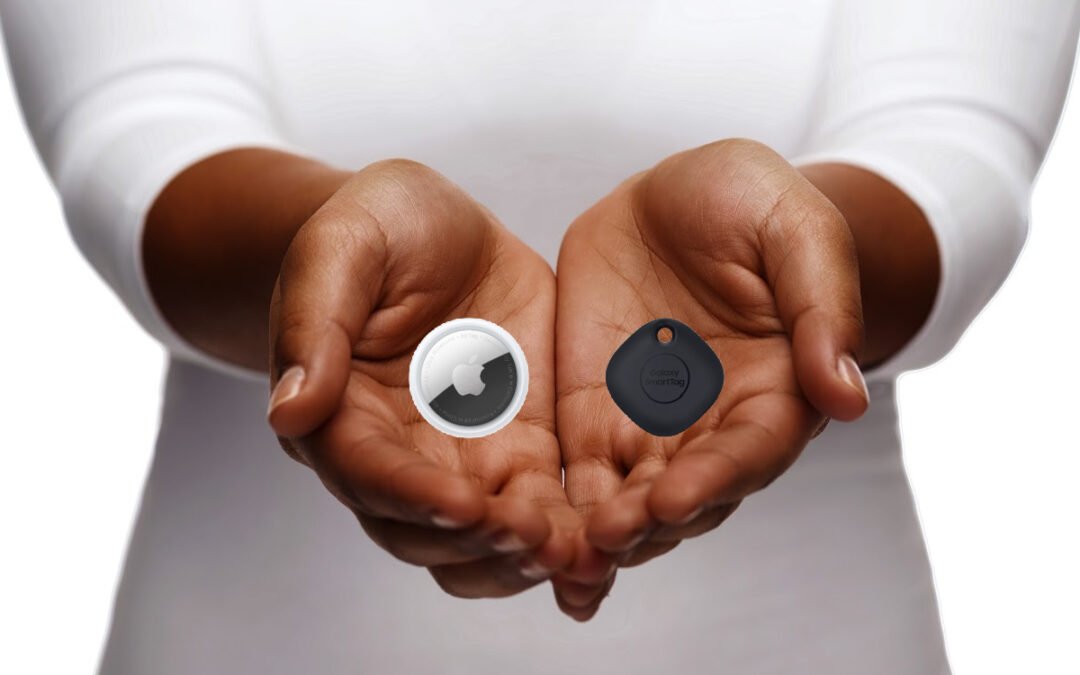
Apple Airtags come in as one of the top Bluetooth tracking devices with a pricing of around $30 per device. One of the benefits we discussed is the overall size of the Apple Airtags as they come in a quarter size and can be attached to hard-to-find items. The most convenient feature is the Precision Finding Feature which allows Apple users who have an iPhone 11 or newer to have the location and distance to the object they need to find. If you’re using these trackers for finding your belongings, these are great features. However, the two positive features can drastically become negative if someone is using these for malicious activity.
The Problem With Bluetooth Trackers
The first problem is the size of these Bluetooth trackers. Since they are the size of a quarter, predators can easily attach them to a person’s purse, backpack, car, bike, etc. without the person noticing. The combination of the size and Precision Finding Feature means that predators can discreetly place and track the Apple Airtags completely unnoticed. In February this year, in Dayton, Ohio at Wittenberg University, an 18-year-old freshman received a notification on her iPhone that an unknown accessory had been detected and that the accessory had been with her for some time, revealing her location to the registered owner. The device had tracked this woman from the airport where she picked up a friend, to the university campus 50 miles away. However, when the police inspected the exterior of her car, they couldn’t find the Bluetooth device anywhere.
Apple does provide information on their website on what to do if you receive a notification about an Apple Airtag, including the steps to disable it. However, the website lists multiple steps per item, which seems rather difficult given a moment of vulnerability. Most other sites say you can remove the battery on the Apple Airtag once you find it. Various states including Colorado, Georgia, Michigan, Connecticut, and Texas have reported the abuse of AirTags with reports of domestic stalking and car stealing attempts. If you receive a notification about an unknown device, law enforcement recommends that you find the nearest police station, fire station, or another safe space that isn’t your home or place of work. If someone is stalking you, you don’t want them to know your frequent locations. Apple does offer help with the Find My Feature and the Item Safety Feature which allows users to search for unknown Airtags. Although Apple Airtags cannot sync with Android phones, you can use your Android phone to find an unknown Airtag and to see if you’re potentially tracked.
Android users have options like the Tile Mate Bluetooth Tracker, the Cube Smart Bluetooth Tracker, and Samsung’s SmartTag. As we discussed before, the Tile Mate has pretty snazzy features, including being water-resistant and having a tracking distance of 250 feet. For $25, this makes it cheaper than an Apple Airtag and great for finding belongings and even kids. As for keeping your children safe, it’s great for their backpacks and personal belongings. Even if they spill their lunch or drinks, the Tile Mate is water-resistant, so you can still know where your kids are despite everyday messes. Tile Mate works with iOS and Android devices, so its versatility is one of its best benefits. It also works with smart systems like Alexa, Siri, and Google Assistant. Tile Mate offers a convenient QR code that when scanned, provides the user contact information when lost.
With all the negative stories of stalking and car theft, Tile Mate created a new feature called Scan and Secure. This allows Tile Mate users to download the Tile app and scan for other Tile devices that may be with them. The Tile website does list the steps necessary to make the app work, however, the Scan and Secure app takes 10 minutes and recommends the user to move away from the location in question. Please visit their website for more information.
The Cube Smart Bluetooth Tracker
The Cube Smart Bluetooth Tracker is like Tile Mate and works with Apple and Android devices. The Cube has waterproof abilities and comes with a rechargeable battery. As with many Bluetooth devices, the Cube can locate any of your personal belongings with ease. It can even locate anything with GPS precision as it comes with a GPS app. With all this being a huge help to us, it also has its downfalls. With GPS precision, comes a predator’s ability to abuse trusted devices to locate you, your children, and/or your loved ones.
Samsung’s SmartTag
Samsung’s Smart Tag is a Bluetooth tracking device used exclusively for Samsung users. This is a big downfall. However, it gains attention with its easy setup. Even the most novice of device users can set this device up with the SmartThings app and start using it. It offers a long-term battery life and one-button interactivity. There’s much less information on this device, yet there are reported cases of malicious activity.
Bluetooth tracking devices offer many benefits, but as with all forms of technology, there are safety concerns. You can install the Tracker Detect app which can locate Apple Airtags and other similar compatible devices to help ensure you, your children, and your loved ones’ safety. If you feel like you or someone you know is a victim of domestic violence, stalking, or Bluetooth tracking abuse, please reach out to your local law enforcement.
Do you worry about viruses infecting your mobile devices? You should! In today’s digital world, it’s more important than ever to protect your gadgets from the thousands of different types of malware and viruses out there. We are faced with a constant barrage of hacks and cyber attacks and our smartphones are a focal point. We wanted to explain what viruses are, how they can infect your devices, and how to protect yourself. And just because you have a new Android or new iPhone doesn’t mean you’re immune to these virus attacks either.
How Do Viruses Infect Phones?
Although your phone will not get a virus like your PC there are still various kinds of malware that can infect your phone. Despite the marketing messaging of phone manufacturers, you can still get some nasty malware on your mobile device, especially if you’re being careless and not digitally responsible. If you are concerned about how the malware will enter your mobile, then here are some ways:
If you download apps on your phone
By downloading various kinds of nefarious content on your phone (porn is a big one)
If you link your mobile phone to other devices
By jailbreaking your smartphone
What Do Viruses Do To Your Phone?
The main objective of malware is to steal sensitive data from your Android or iPhone. That is their goal because once they have personal data, they can access financial data. Furthermore, it is important to keep in mind that hackers can benefit from the malware by gathering your personal information.
The malware is also used to send text messages to other telephone numbers and in most cases, the victim is completely unaware that his/her phone is being utilized. Another negative side of the malware is that it slows the performance of your mobile phone. Let’s keep in mind that viruses are malicious software designed to wreak all kinds of havoc for you.
Viruses On Android
When it comes to Androids, there is a moderate risk with the threat of malware on Android. One reason behind it is more freedom in the operating system. That’s one thing I hear often from Android users (compared to Apple) is that “I can do more with my Android”. Well..with that freedom comes an extra risk as well. Android lets users download apps from other sources than the official app store and that can be a problem.
In addition to that, from time to time users of mobile phones will customize the OS of the Android to get it to fit their requirements. With those customizations can sometimes come security holes. That’s why it becomes challenging for Google to make sure that all of the customers are utilizing the Android OS’s most secure version.
How To Know If Your Android Has Got A Virus?
There are various signs that will show that your Android is infected by malware.
The appearance of apps will appear unfamiliar or different
Crashing of apps (more frequently than normal because crashes do happen)
You’ll almost notice an increase in mobile data that you used (even though your consumption habits may not have changed. This is one reason why I review my data usage regularly).
Overheating (more than normal).
A quick drop in your phone’s battery life and health
How Do You Get Rid Of Viruses From Android?
If you want to get rid of the virus, then you should go for an antivirus app for Android. Once you get an antivirus app, you can run an antivirus scan. After that, you will have to follow instructions regarding the way of detecting and removing the virus on Android (it will all depend on the app you choose). These are standard operating procedures across most antivirus apps for mobile devices.
Now…Apple fans, you’re not off the hook either. I know you like to think that iPhones are superior in everything compared to Android, BUT…it is also true that iPhones can indeed get viruses as well. Despite what you might have heard in your cubicle pods or around the cooler in the breakroom that your iPhone device can never get malware, it’s just not true. The iPhone is a hotbed for mobile malware attacks. Furthermore, if you want to protect your iPhone from such attacks, then you must take sensible precautions.
A very popular malware attack is the pop-up ad on Safari. You may get trapped by a pop-up ad that claims your phone is in need of additional software to solve the problem (or you’ve won a free iPad), and most of the time that software is malicious.
How To Know That My iPhone Has Got A Virus?
Here are some of the most notable signs that show your iPhone potentially has got a virus:
Pop-up ads have become more frequent
More often, crashing of apps (more than normal because app crashes also happen on iOS)
An elevation of mobile data being used (again…make sure you’re monitoring data usage on your mobile devices).
Just like Android, one of the best ways to get rid of viruses is by getting an antivirus app, running a scan, and then following the next steps.
So…Do I Really Need Antivirus Software For My Smartphone?
In this day and age, it’s more important than ever to take steps toward securing our devices from viruses. While the iOS on your iPhone and Android devices is a fairly secure platform (although there are still risks), many people choose to install an antivirus app for extra protection against malware that can sneak onto these mobile devices through emails or social media sites like Facebook when you’re not looking out for them! And since the iPhone and Android operating systems do escape some types of malicious software nowadays, meaning they’ll never completely shield us automatically without added features, I highly recommend getting one with good scanning capabilities as well as other helpful tools such as threat detection.
There are a handful of really good antivirus software on the market for both Android and iPhones. If I had to choose one, it would be Norton 360 Mobile Security. This antivirus app is great for both iPhones and Android devices. You will get everything integrated into a single application, including an antivirus and VPN service that helps protect your privacy on public WiFi as well! It’s battery efficient because it doesn’t require constant monitoring like some other antivirus apps do (yes..battery life is important to me). This way you can use the phone normally while still getting all these great features such as being alerted about malicious links or websites before installing them (and even getting a warning when there are dangerous ones already installed). And I’ll be honest, I love getting 100% malware protection without slowing down device performance. Aggressive apps annoy me and Norton’s developers have done a fantastic job making sure device performance isn’t sacrificed in the name of security. It’s a delicate balance, but they’ve managed to do it and do it well.
When it comes to creating passwords, many of us just aim to make them strong enough and unique enough without much thought to other security measures. And some of us just have one password we use for all of our accounts. Let’s be real, that’s not the best practice in internet security. You do have an obligation to your own digital citizenship and to be smart when it comes to creating passwords. There are a few things you can do to make your passwords even more secure and I want to dish on some easy ways to do this. One of the most significant issues in the digital world is weak passwords. Sadly enough, passwords are like our last line of defense against hackers attempting to access our personal information. Most users are unaware of the importance of the strength of passwords. And because of this, we make it too easy for hackers to invade our personal digital spaces.
Ways To Make Passwords Strong
We all know that we need to create strong passwords for our online accounts, but sometimes it can be hard to come up with something that is both unique (at least unique enough not to be hacked) and easy to remember. With how many times we’re asked to create a new online account for this service and that app, it’s no wonder we get lazy with password creation. Here are some tips for creating passwords that will keep your information safe.
Password Tip #1: Make it Long
Hackers try every possible way to invade once they have fixed their gaze on an account (or service). The first thing they want to do is guess your password. This step is done by taking help from all the data they have collected about you. You’d be shocked how much personal information of yours is on the internet widely available to the public. Do I like that? No. But that’s a debate and an issue for another day.
One clever tactic they use is something called Brute Force Attack. Each password is nothing but a combination of letters, symbols, and numbers. Brute Force Attack is a type of hacking where a hacker uses a “brute force”, or an automated trial and error method, to discover the password or key to a system. Hackers use brute force attacks when they don’t have any other way to access the system or if they want to take over a large number of accounts quickly. A brute force attack can be very time-consuming and expensive for hackers, so most of them only use this method as a last resort. However, brute force attacks can be very successful and lucrative, especially if the hacker has access to a large amount of computing power.
For this method to be successful for hackers though, a computer program tries every single combination possible. The shorter your password, the easier it is for the program to find it. So, make sure to make your passwords as long as possible.
Password Tip #2: Make it Nonsense
Your password should be long but being long is not enough. Make it so nonsensical that it means nothing in the world at all. You might be thinking, “What’s that going to do?” Quite a lot.
A few years ago, online data breaching and illegal account invasion got the limelight on social media platforms. It’s one reason why 2FA really picked up steam.
I remember watching a few YouTube channels doing pranks on people for the sake of both entertainment and awareness. They would go to random people in public and ask them a few questions about their passwords. Most of the people disclosed their passwords by answering a few questions. And these YouTubers were able to easily hack them. Why? It’s because most of us make passwords out of special memories, events, dates, and things like that.
My favorite password principle: No Normal Words! For example, I’ve created a personal (and effective) way to make hard-to-crack passwords. It’s easy to remember, yet hard to crack. Use the syntax of the internet as part of your password. Don’t use “jokersucks”, but something like “WWW.j0k3r$uck$.c0m!”.
Password Tip #3: Do Not Renew Every Time
We are flooded with passwords. There comes a point in our lives where it is physically and mentally impossible to remember every single password because the number of accounts you hold is many. So what most people do is come up with one password and recycle it whenever they need a new one. From their point of view, it reduces the probability of losing a password. They’re trying to make it easy on themselves. I get it. But from a security perspective, it’s probably the dumbest thing you could do.
Why? It significantly increases the chance of getting all their accounts hacked after having only one getting hacked. If you find it challenging to manage all passwords, use a good password manager like LastPass. It will help you in today’s digital world of massive vulnerability.
Should I Use A Password Manager?
We’ve gone into quite a bit of detail about the essential use of having a password manager. When you figure most people have at least 50 online accounts, it’s a smart idea to use a password manager. In my opinion, LastPass is the best password manager I’ve ever used. It has everything that you need in one place: easy access, encryption, and security tools like two-factor authentication or secure sharing with family members and colleagues.
MFA is an abbreviation of Multi-Factor Authentication. It involves not just typing in your password but proving it for the second time by Google Authentication or some other way. Hackers cannot invade your account when it requires two-factor authentication.
The Bottom Line!
A study was conducted on the passwords of users. The results showed that most users use the simplest passwords, with 111111, QWERTY, 123456, and abc123 being the most commonly used ones. In fact, it is estimated that 24% of Americans have used words like “password” in their passwords! Don’t be that person, please. Make your password long and nonsense for absolute security. And just practice common sense digital governance.
There are many reasons why browser launches and page loads may be slower than usual. You just opened tons of tabs, right? However, a ready-to-use browser should work well on all computers.
If you use several extensions, you will notice a change in your browser’s memory/CPU footprint and, in some cases, how you interact with a website. This is often one of the things that can cause your browser to slow down.
How Do Browser Extensions Work
Today, most web browsers support extensions that add, modify, or remove certain features of the browser itself or the website. Browser extensions are small pieces of software that can modify and enhance the functionality of your browser. I love them. They are usually created by third-party developers and they can do anything from adding new features to your browser to changing the way existing websites look. You can install the extension to block ads and tracking, add features to your website, track item prices, change new tab pages in your browser, and correct spelling.
While browser extensions can be very useful, they can also pose a security risk. That’s because they often have access to all of the same data that your browser does, including sensitive information like passwords and credit card numbers. As a result, it’s important to be careful about which browser extensions you install and to only install extensions from reputable sources.
What’s The Big Deal With Browser Extensions Then?
Many users are worried that browser extensions will slow down their computers. The slowdown depends on the browser and depends on the extension as well. If Chrome is slow, you may not have a problem with another browser. The extension usually causes a slowdown, so the developer’s responsibility is to optimize the extension as much as possible (I’ve seen some pretty crappy code in some popular extensions, which cause speed and performance issues). Do extensions slow down your browser? Yes, but other factors play a significant role in slowing down.
One of the main culprits in slowing down your processes is extensions overall increase website CPU usage. Many Chrome and other browser extensions can run extra code on every page you open, although well-built extensions only run code where necessary. I’ve found many of the free versions of browser extensions to have poorly written code. How the code is written and when it runs is vital to performance. Running additional codes all the time can have a noticeable effect on your browsing speed and performance.
What Did We Find In Our Research and Analysis
We ran really basic research and analysis on some popular browser extensions and this is what we found. Some extensions use more CPU than others. Surprise! Not really.
Honey (a very popular shopping extension) adds 636 ms of CPU time during installation and use
Grammarly (the most popular and most used grammar checker) adds 300ms! If I did not use Grammarly every single day, this one would be gone. The added benefit of having this extension far outweighs the performance lag that accompanies it. However…if another grammar-checker extension came along with similar features to Grammarly, I’d consider uninstalling Grammarly and giving that new one a look.
Evernote Clipper and StayFocused, add over 200ms each.
Of all the content blockers tested…
Ublock used the least amount of CPU to load the tested page (about 131ms).
AdGuard, AdBlock, and AdBlock Plus consumed more CPU in the tests performed to test extension impact.
Extensions that do not use the best methods and codes (extensions designed for a particular website but designed to run on all websites) have a disproportionate impact on performance. That’s one reason why I think Honey is a resource hog. Personally, I think Chrome extension developers should avoid running content scripts on document start and aim to make the contained JavaScript as small as possible. Usually, developers are one of the issues. It’s easy to fix a small code or everything that makes an extension heavy. That’s one reason I like the LastPass browser extension.
No. As I alluded to earlier, you have to do your own cost-benefit ratio analysis on an extension by extension basis. Many people will install an ad blocker because they don’t want to see ads and they think ads slow down the browsing experience. BUT…what they don’t realize is that 90% of the ad blockers out there slow your browsing experience down more than it would if you had just seen the ads in the first place. Here are some of the other general results we found in testing:
The average extension does not significantly impact the performance of browsers. Now…this all relative. If you have 4-5 Chrome user accounts and each one has 5-6 opened tabs running 5-6 browser extensions…well then…there will be significant performance issues.
The more extensions you use, the more significant the impact on the browser’s performance. Again…only enable the extensions you use.
Some extensions, especially those with page-by-page actions, have a significant impact on the performance and speed of the browser.
A Helpful Tip For Those Who Use (And Love) Browser Extensions
Google Chrome has a reputation for slowing down your PC by using most of its RAM and CPU. This is especially true if you have extensions open and there are some additional tabs on the side.
Therefore, it is advisable to switch to another web browser, such as Opera GX. This browser is based on the same Chromium engine as Google Chrome, all Chrome extensions are compatible with Opera GX. So…if you’re one of those individuals who LOVES using browser extensions, I would highly recommend experimenting with Opera GX.
Are Browser Extensions Worth It?
Browser extensions can be a great way to customize your web browsing experience and add new features to your favorite websites. While some extensions are designed for specific tasks, such as ad-blocking or translation, others are more general-purpose and can be used to personalize your browser in a variety of ways. Whether you’re looking for ways to boost your productivity or simply make your browser look more unique, there’s definitely an extension out there that can help. Best of all, many browser extensions are free to install and use. I love them. But are they worth it? You might be surprised at how much they improve your web browsing experience. For business and productivity, I think browser extensions are amazing. Most of the ones I use are heavy on utility (they are a means to an end) and I usually shy away from those that are for show or trying to make my browser pretty.
Installing many extensions and unwanted plugins will affect your browsing experience regardless of whether they are enabled. That’s why you should be judicious and tactful with them. However, if you have many activated extensions, the effect is even worse. Disabling extensions and enabling only one extension at a time may speed up your browser.