If you’re like most people, you most likely rely on your iPhone to keep you connected with the world (both personal and business). Whether you’re looking for the best antivirus app or just want to make sure your data is secure, these tips will help keep you protected. Apple has designed the iPhones to be secure (and Apple’s tech is phenomenal), BUT…this does not mean they don’t need any antivirus protection. iPhones are still exposed to multiple threats, including suspicious links, websites, unauthorized applications, data theft, etc.
As an iPhone user who cares about security and protecting your personal data, you should seriously invest in a reliable antivirus application to avoid data theft and cyber-attacks. Below are a few antivirus applications you can consider to keep your iPhone safe from malware attacks.
Norton Mobile Security
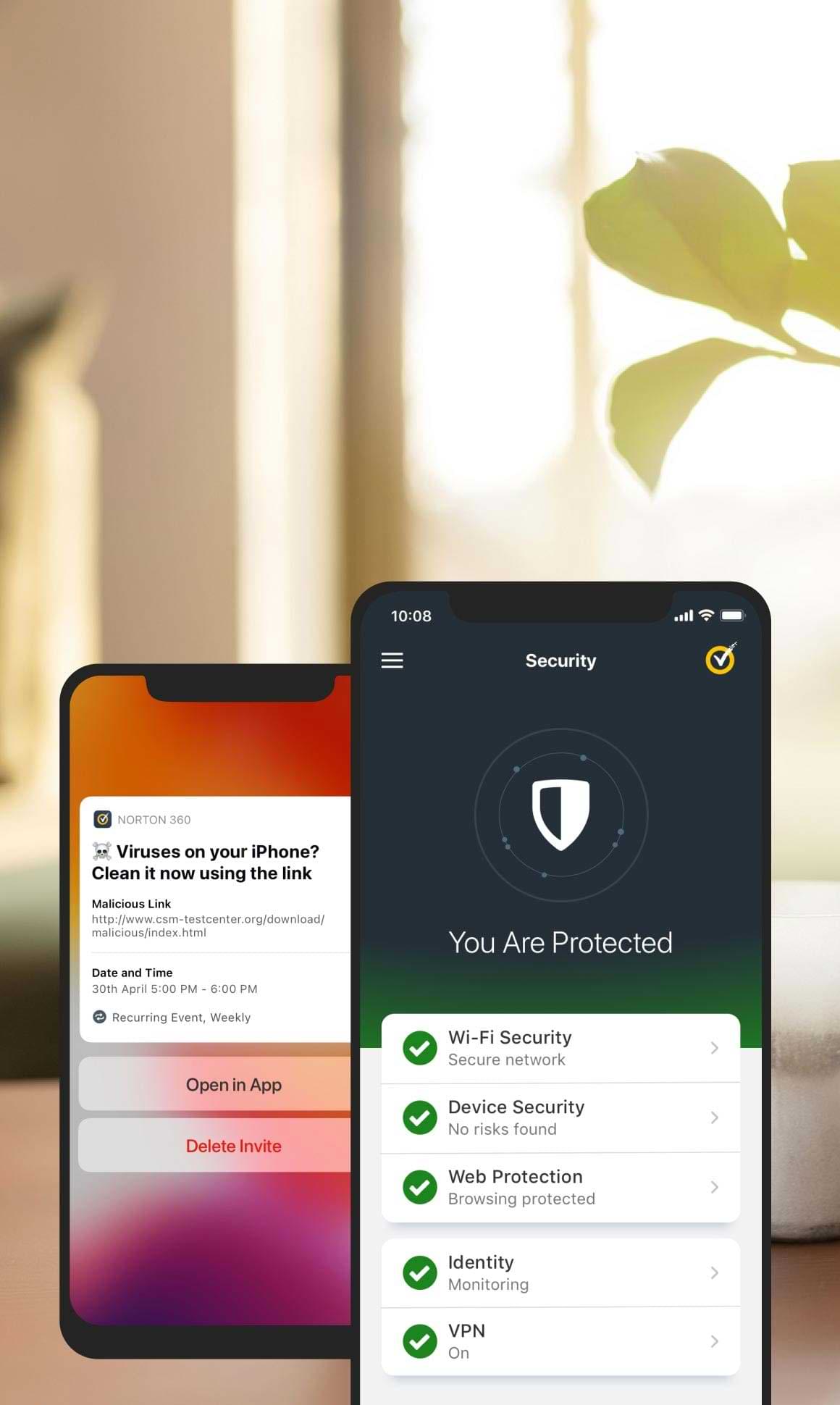
If you are looking for an easy-to-use antivirus application for your iPhone with multiple other features, then Norton Mobile Security should be on top of your priority list. It has many valuable features, including web protection that attacks malicious and dangerous links in text messages, emails, applications, and browsers.
Norton Mobile Security comes with a VPN that helps you secure your network and makes you anonymous. I love the idea of having an extra layer of VPN for security. Other features include Wi-Fi scanning that protects you from untrusted public internet connections. Device security warns you when your operating system requires to be updated. It also protects you from malicious text messages.
The most significant feature of NMS is dark web monitoring, which distinguishes it from other applications. Norton continuously scans the dark web for your personal information utilizing Lifelock technologies. It could contain various information elements like your email address, bank details, insurance details, etc. This and the VPN features are why I think Norton is the best antivirus app for iPhones.
You can opt for Norton Mobile Security with one device subscription ($14.99/Year). However, it offers another version called Norton 360 deluxe ($49.99/Year) that connects up to five devices.
TotalAV is another reliable antivirus software for iPhone users. The best part about it is its easy-to-use nature, making it a good fit for beginners and non-tech-savvy individuals. Therefore, if you are looking for a simple and user-friendly antivirus, TotalAV Mobile Security is a lifesaver.
It contains multiple valuable features, including protection from malicious links, monitors data breaching, photo clean-up, and device tracking. This application’s best feature is device tracking, which allows you to effortlessly track your iPhone in case you lost it or it got stolen. Granted, you do have the Find My app on your iOS devices, but this additional coverage creates an ever tighter level of security for your iPhone.
Another valuable feature of TotalAV is its VPN, which lets you securely access servers worldwide. It has a fast network, allowing you to stream your favorite shows without facing a slowdown in your web connection. We’ve written quite a bit about VPNs and we love that more apps are adding VPNs to their value prop.
TotalAV would be a great choice if you are looking for a simple antivirus for your iPhone with a competitive integrated VPN. You can also opt for its web protection services combined with its internet security packages that range from $29.00/year and connect up to 6 devices, including Android, iOS, and Windows. In terms of overall security value, I think it’s hard for any other app to compete again TotalAV.
Here is another promising malware and virus protection application for your iPhone. McAfee Mobile Security is a valuable combination of multiple features and a reliable VPN. The most significant part of this antivirus app is it does not affect your iPhone’s battery health despite constantly monitoring data breaches in the background. Besides, it is an easy-to-use application and every feature is effortlessly accessible.
The significant security features of McAfee Mobile Security include a data-breaching monitor, a Wi-Fi scanner, a VPN with unlimited data (this alone is worth the price), and circumvents dangerous links from text messages, websites, and screen notifications. The VPN keeps you secure while browsing on unsecured internet connections.
The drawback of McAfee Mobile Security is the most recently updated version on its basic plan does not provide you with anti-theft features and a secure media vault that once was available. They’re going to make you pay a little extra for it. You can get these services for a single device with a yearly subscription. However, other versions are also available that let you secure up to 10 devices, including Windows, Android, and Apple. This version’s yearly subscription begins from around $30/year.
Avira’s free security mobile app is perfect for beginners. It’s going to get you familiar with the industry and gives you a chance to really familiarize yourself with threats and security language. It is free antivirus and malware protection for iPhone users and has great privacy protection features. The most significant feature of Avira Free Mobile Security is its Privacy Manager, which prevents Apple from saving your conversation with Siri on its servers. Other features include anti-theft, a VPN (yes…a FREE VPN), photo clean-up, call blocker, breach monitor (Premium Version), anti-spam (Premium Version), Phone tracking, and Phone lock.
The free version has limited VPN data and does not provide anti-spam and data-breaching monitors. BUT…you can opt for the premium version of Avira (Avira Prime) starting from $39.99/year and connect up to five devices across all operating systems.
As our lives move increasingly online, it’s more important than ever to take steps to protect our devices from viruses and other malware. While it’s true that the iOS for our iPhones is a fairly secure platform, there are still some risks that come with using the internet on your iPhone. That’s why many people choose to install an antivirus app on their devices. But do you really need an antivirus for your iPhone?
Since iPhones’ operating systems can escape malware to some extent, you still need an antivirus with some extra features. And just looking at the price of some of these (heck…Avira is free), you’re literally talking pennies a day to get that added security benefit for your iPhone. What do I recommend? Thoroughly do your research on antivirus regarding additional features and their compatibility with other operating systems to make a wise decision. Experiment with a free version (or look for a free trial). After all, merely a single virus can ruin your whole experience.
Do you have an Android smartphone? Did you know phones can be at risk of viruses? Just like your computer, your Android phone can be at risk of getting viruses and other malware. With malicious software and hacks on the rise, we wanted to discuss the best antivirus options for Android smartphones. We will also provide tips on how to keep your phone safe from viruses and malware.
Smartphones are an integral part of our routine life. Previously they were merely a source of communication. But the introduction of the internet has transformed smartphones into mini PCs. You can send and receive important data, including files, images, documents, etc. The availability of such essential data puts your android smartphone at the risk of malware and data-theft activities.
It makes your android smartphone susceptible to viruses and requires a reliable antivirus application. Though Google kicks out suspicious applications through the play store, you should not merely rely on it and it’s best to invest in a promising antivirus application. Below are listed a few antivirus software that lets you protect your phone from malware, and some of them contain multiple other unique features.
Bitdefender Mobile Security
It is the most reliable antivirus for android smartphones, among other available options. It provides robust protection against malware and data-theft activities without draining much battery of your android smartphone. It contains multiple features, including an app lock that lets you lock up certain apps through a PIN.
Another versatile feature of Bitdefender is “Scam Alert,” which warns you about suspicious links in messages and screen notifications. It also possesses web protection that warns you about dangerous sites that might steal your passwords and other sensitive data. This added benefit is one of the features I absolutely love about Bitdefender. You also get a VPN if you choose Bitdfender’s services, but it is a limited version. You have to pay extra if you want more data.
If you want to install Bitdefender only for your Android device, it will cost you about $14.99 annually. That’s definitely a reasonable price. However, another version of Bitdefender Total Security enables you to install this software on up to five devices, including PCs, Macs, Laptops, iPhones, and Android tablets and smartphones. It costs you worth $44.99 for the first year and $89.99 per year after that. It’s close, but Bitdefender Mobile Security is my choice for the best antivirus app for android.
Norton 360 Mobile Security is another top-notch antivirus for android smartphones. With Norton 360, you will get everything integrated into a single application, including an antivirus, a VPN, and an ID protector. Norton 360 escapes 100 percent of the malware without compromising the battery health of your phone or its performance. If you’re someone who struggles with battery usage issues, this is the antivirus option to keep your eye on.
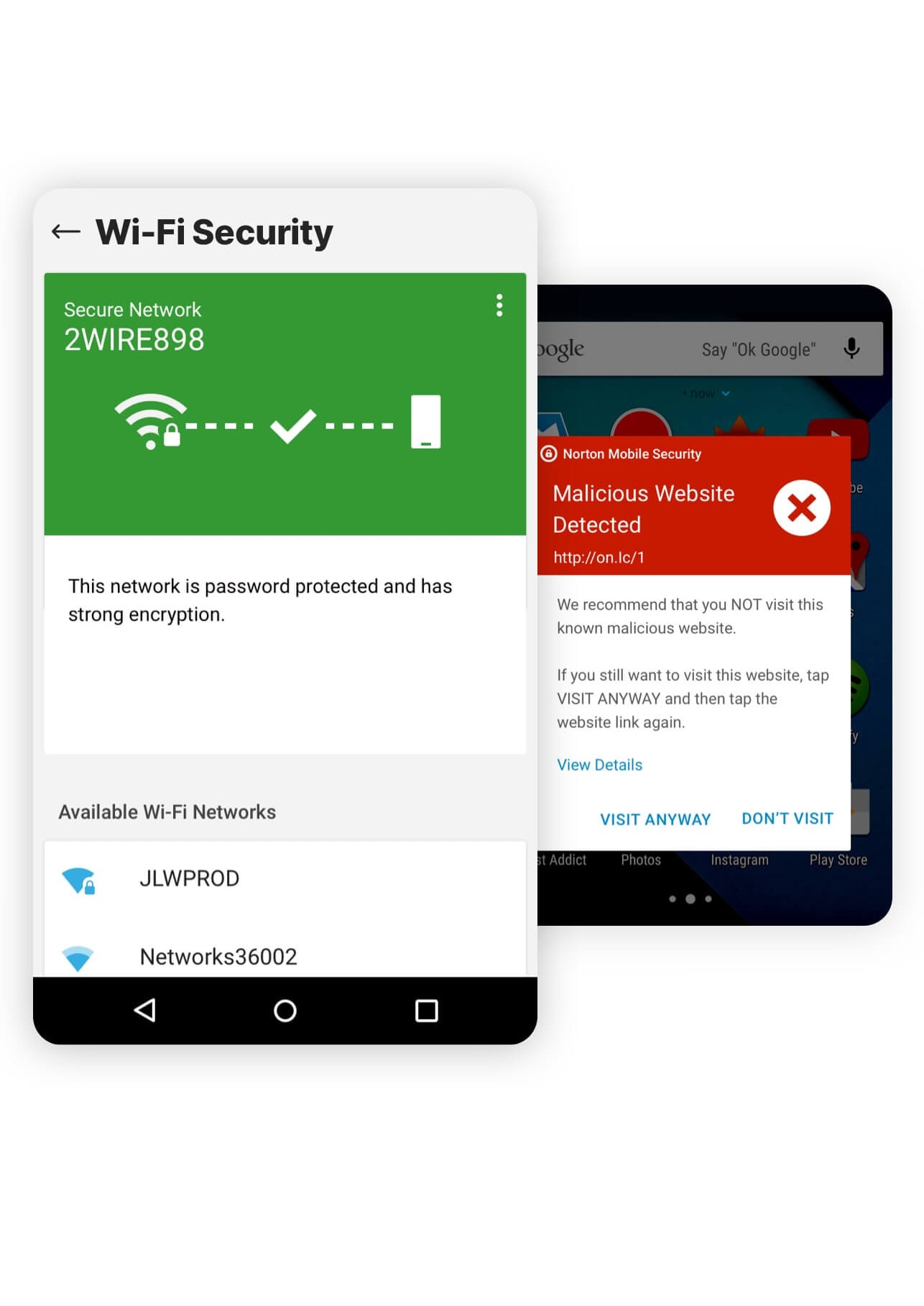
Besides malware, it also alerts you from dangerous links in text messages and suspicious web pages and warns you about public Wi-Fi networks. Norton 360 possesses another versatile feature, and that is an app advisor. Norton’s app advisor lets you know about risky apps before installing them from the play store and warns you about existing applications on your phone.
Previously Norton was a free antivirus software, but now it comes with a monthly subscription. The subscription ranges from $15 per year for a single device subscription. Furthermore, you can also opt-in for Norton 360 Deluxe, which lets you connect with up to five devices and costs you about $35 for the first year and $105 after that. Again…if you’re looking for antivirus protection on multiple devices, I love this option.
Subscribing to the standard version of Norton and not the basic version allows you unlimited VPN and dark web monitoring. Features like call blocking and device recovery (stolen) are available on each Norton 360 Mobile Security version.
McAfee Security has replaced its free version known as Mobile Security. This new version contains VPN integrated into a single app. To use its services, you must subscribe to it since it does not allow you a free version.
McAfee Security is another reliable antivirus for android smartphones that can escape 100 percent of the malware. The protection from malware runs in the background instead of manually running it to perform a virus scan. Can you run into performance issues with McAfee running in the background? Yes. But you have to weigh your options and do your own benefit-risk analysis on if you really want to be at risk with viruses on your phone.
Another feature of McAfee is a Wi-Fi scanner that alerts you about public Wi-Fi networks if it is not safe. We’ve talked exhaustively about using public Wi-Fi networks (and even your friend’s Wi-Fi for that matter). This little feature is a nice added bonus I love. You will also get the option of using a VPN if you connect to a risky Wi-Fi network. For that option of unlimited data for VPN, you need to set your subscription to auto-renewal mode. Otherwise, you will merely get 500 MB of data for VPN per month.
You can also keep track of your personal information like email addresses, bank accounts, social identities, and many more using McAfee Security, which warns you about possible data breaches. However, you need to set your subscription to auto-renewal. Otherwise, you can merely control ten emails.
There were some features like call blocking, warning about dangerous links, app locking, and anti-theft features that are missing that I think would really move this app up there with Bitdefender and Norton 360 if it had them. However, if you are looking for a reliable antivirus only, McAfee is a perfect fit for you. It’ll cost you $49.99 annually and connects up to ten devices, including Windows, iOS, Android, and Macs.
No…Not All Antivirus Apps For Android Are Created Equal
There are plenty of options for antivirus for your android smartphones. However, you need to be extra careful while investing in any. Be diligent in finding the right one for you. AV-Comparatives tested 250 antivirus applications for Android smartphones. Less than a third of all applications worked against malware. Shocker? Not really. Antivirus software is a dime a dozen nowadays and most hardly do their intended job effectively. Out of the ones we reviewed, I wouldn’t trust any but these three if I was going to download an antivirus app for my android phone.
Your iPhone is a great device, but it can also be a target for scammers, spammers, and phishers. They may try to steal your personal information or even your financial information. Fortunately, there are several ways you can protect yourself from these threats. We want to show you how to block scam calls, spam messages, and phishing emails on your iPhone. The chances of you being exposed to one of these hacking tricks are probably high. And protecting yourself is quite easy. What we’ll show you is just another level of protection you can add to help beef up the security of your devices.
Let’s be real, spam calls are out of control. Back in the day, anything with a caller ID of “unknown caller” or a distant or free area code could be ignored. Today, thanks to an automated system that disguises phone numbers, scammers and spammers can call you from numbers that appear to be in your neighborhood. Many people receive multiple spam calls a day. If you have a business phone, it’s even worse. One time I counted over 50 spam calls in one day. They’re just not going away.
Spam calls are becoming more and more common, but why? There are a few reasons for the surge in unsolicited calls. For one, phone spam is cheaper than email spam. It only costs a few cents to send out thousands of automated calls and there’s no need to worry about bounced messages or spam filters. Additionally, caller ID spoofing makes it easy for scammers to disguise themselves as someone you know or a trusted organization. This can be especially effective if they use a local area code or a number that looks similar to your own. The advancement of artificial intelligence has made it possible for scammers to create realistic-sounding automated calls that are difficult to distinguish from a real person. Finally, another reason why they are on the rise is because we fall for these spam calls! If they didn’t work, companies and spammers wouldn’t use them. Period.
Spot Scams And Fraud Calls, Emails, And Text Messages
Spotting scams, fraud calls, emails, and text messages can be tricky. Sometimes they can look very legitimate. However, there are a few things that you can watch out for to help keep yourself safe. It is essential to recognize scammers and their different techniques to trick us. Here are some popular methods:
Deceptive emails and other messages that appear to come from legitimate companies, including Apple and Google
Misleading pop-ups and ads disguised as Apple Support
Fraudulent phone calls or voice emails indicating security issues on the device
Fake promotions offering free products and prices
Unsolicited calendar invitations and subscriptions
How To Mute Unknown Callers
If you’re like most people, you probably don’t want to answer calls from unknown numbers. Unfortunately, there’s no way to automatically mute unknown callers on the iPhone. However, there are a few ways to make it more difficult for unwanted callers to reach you.
First, open the settings. Then tap Phone.
Scroll down and tap Mute Unknown Callers.
You will see a description of the feature and a switch to turn it on on the next page when you turn on this feature.
iPhone uses Siri Intelligence to determine if the call is from a known number. If you find your phone number in a contact, message, email, or recent outbound call, you will receive it as usual.
If you can’t find it there, whether it’s an actual phone number or a private number, it will be sent directly to your voicemail without ringing (even quietly). This reduces unnecessary calls, but you may miss some of the expected calls. This happens to me from time to time and it is annoying, especially if you want to talk to the “unknown caller”. For example, let’s say you contact a repair person on the Internet for help on your vehicle. You get sent to voicemail and leave a message. If they were to call you back (and their number wasn’t saved in your contacts), the return call would be silenced and sent straight to voicemail. Again…if you are expecting a call from an “unknown caller”, you can easily be frustrated with this feature. In the future, we hope Apple’s AI can reconcile this in the next iOS update. If you don’t want to send these calls directly to voicemail, you can easily disable this feature by turning the switch back off.
You can do more than send a call to voicemail without being noticed. A phone spam filter app can effectively eliminate most spam calls you receive, even if they come from a unique fake number. You need to download the apps from the App Store. Popular options include Robo Shield, Truecaller, and Robokiller. These apps usually have a subscription fee, but they may be worth a few dollars a month to stay safe.
In some cases, you want to block incoming numbers entirely and there is a way to do that. Tap the circled “i” info button next to the number and scroll down to “Block Caller”. Then, on the next screen, tap Block contacts. If you want to unblock blocked numbers, go to Settings> Phones and Blocked Contacts. You will see all the numbers you have blocked in it. You can delete any number by tapping [Edit] on the upper right, pressing the red (-) minus button, and then pressing [Unblock].
Bottom line: It’s On You To Secure Your Devices
Scams and fraud calls and messages are very common these days. It is important to use extreme caution for your safety. There’s no shortage of scams on the internet and it’s super important to be responsible and protect yourself from them. One way to do this is to be aware of the most common scams out there. Do a little research. We’re trying to help and we promise to stay on top of all the latest hacks and cybersecurity threats we can find. For example, be aware of phishing scams. These are legitimate criminals sending emails that look like they’re from a legitimate company in an attempt to get your personal information. Another common scam is malware, which is software that’s designed to damage your computer or steal your data. And then there’s ransomware, which is a type of malware that locks you out of your own computer until you pay a ransom. These threats are real and I personally know individuals and devices that have been affected by these nefarious hacks. These are just a few of the many scams out there, so it’s important to do your research and be aware of what to look for. There are also plenty of scams that hit your phone, so it’s important to be equally vigilant when it comes to your mobile device. Be smart and stay safe out there!
This is the age of digital media, and smartphones have become an integral part of our lives. Since they are portable, they are the most common type of digital tool and mobile data is gobbling up the data market share everywhere. Being a prominent part of our lives, you cannot ignore the demand for securing your smartphone. This is a massive priority and one you need to take seriously.
Since smartphones are becoming more advanced day by day, people use this device for multiple purposes. Just stop and think about how and where you use your smartphone? You use smartphones to access the internet, for business purposes, and to store personal data. Where it has brought so much ease and practicality to our lives, smartphones have also opened doors to the world of cyber-attacks at the same time. As you can see, there is a high demand for securing your smartphone from potential attackers.
I like to think of a smartphone as working like a pocket computer. They are equally vulnerable to malware and cyber threats. Attackers target your sensitive data like credit or debit card numbers and other personal information. We wanted to dive into the simple ways how you can protect your smartphone.
Useful Tips To Secure Your Smartphone
It’s no secret that smartphones are becoming increasingly popular and more important in our lives. With all of our personal information and sensitive data stored on them, it’s essential to take steps to protect your device from hackers and scammers. Here are a few most useful tips for securing your smartphone:
Lock Your Phone
Starting with the most common yet effective hack for securing your smartphone. Never keep your phone unlocked when you are away from it. Unfortunately, if someone steals your phone and you have not locked it, they can access all your data. You can also set default timing to lock your phone automatically. The most effective way to lock your phone is through a fingerprint scanner. You can also opt for many other options like PIN codes, Face IDs, and Patterns. I love leveraging biometrics to unlock my phone and I highly urge you to do the same.
Encrypting Your iPhone
It’s really easy to encrypt your iPhone. You’ll want to open Settings and select Face ID & Passcode. Make sure this is enabled. Once you enable this, if you scroll to the bottom of the screen it will say “Data protection enabled”.
Encrypting Your Android
Encrypting your Android device requires a few extra steps, but is effective. You’ll want to select Settings, then Security, and then Encrypt Device. There might be additional steps you have to perform depending on your phone. You will want to continue with the instructions to complete the encryption process.
Another common mistake that puts your smartphone at risk of cyber threats is using weak passwords. Additionally, some people set repetitive passwords for all their applications. So if someone gets access to one of your passwords, he can easily access all your other information from other applications.
So it is wise to set strong passwords that are unique to your every smartphone application. It is better to set two-factor authentication for apps for securing your smartphone. According to a smartphone security report by Verizon, only 38 percent of users in an organization use two-factor authentication. That’s almost half. Let’s get with the program, people.
The outdated operating system of your phone can act as a bridge between your smartphone and potential hackers. The chances of malware from the outdated operating system are higher in Android smartphones than on iPhones. Most attackers take advantage of vulnerabilities in the OS of your smartphone.
Many people turn off the option for automatic OS updates on their phones, which leads to many security issues. So you need to make sure that your smartphone is running on the latest OS. It allows you to stay ahead of potential hackers and help in securing your smartphone.
Beware of Public Wi-Fi
The most versatile feature of smartphones is accessing the internet anytime and anywhere. Whether you are at a restaurant, friend’s place, or airport, the first thing that you search for is Wi-Fi. No doubt public Wi-Fi helps you connect with your loved ones, but you should stay alert whenever using public Wi-Fi. I’d highly recommend getting a Firewalla Purple or using a VPN if you want to go the public Wifi route.
VPN (Virtual Private Network) is the most reliable solution for securing your smartphone from public internet sources. It masks your original IP address and assigns you an anonymous IP address. So they keep your phone protected from potential malware.
Installing an antivirus solution on your phone is an effective strategy for securing your smartphone from data-theft activities. There are plenty of options when it comes to choosing any malware protection application. Besides, there are many misconceptions about installing such applications on your phone. Many people think that it slows down the phone. However, it all depends upon the application that you opt for.
So, it is wise to do proper research on security applications and make sure you are investing in a reliable smartphone security application. There are many junk applications and file cleaners out there as well. Use your judgment skills and reviews of users before downloading any.
Avoid Cloud Storages
Cloud storages are very common nowadays. Many platforms provide you with alternative ways to save your data, but you should be careful before choosing any. They can interrupt your smartphone’s security. You can use many other hardware options to save your data, like memory cards or a USB. If you have to use cloud storage (and I admit…I do on occasion), make sure they have encrypted data and a high standard when it comes to security.
Previously, our cell phones were only a source for making calls and sending messages. Sometimes I wonder if the flip-phone culture was a better world to live in. With the introduction of the internet and GPS-like functions, people use smartphones for social networking, businesses, storing private data, and the list goes on. Whether someone steals your phone or you become the victim of any smartphone hack, you can end up giving your data to the hands of potential attackers. You need to keep your phone secured at all costs.
With so much of our lives now lived online, it’s more important than ever to make sure our smartphones are secure. Here are just a few reasons why securing your smartphone should be a high priority:
We Live In The Smartphone Universe
Good. Bad. Indifferent. We can argue if this is a good thing or not in another post, but the fact remains…we use our smartphones for everything: From keeping in touch with friends and family to online banking and shopping. If our phones fall into the wrong hands, our entire lives could be at risk. From financial records and access to identity…we store a lot on those smart devices.
Smartphone Tech Is Getting Smarter
Smartphones are becoming increasingly sophisticated, which means they’re also becoming increasingly valuable to criminals. In fact, nearly half of all global mobile data traffic is now generated by smartphones.
Your Personal Data Matters
Our phones contain a wealth of personal information about us, including our addresses, contact details, and even our whereabouts thanks to GPS tracking. So if our phones are lost or stolen, we could be at risk of identity theft or fraud.
It’s Not Just Personal. It’s Professional
Smartphones are also being used more and more for work purposes. If our smartphone falls into the wrong hands, sensitive work information could be compromised.
Do you ever feel like you need a security badge to access your email account? Or that you need a secret password just to buy something online? If so, you’re not alone. The internet can be a scary place, especially when it comes to our personal information. That’s why two-factor authentication is becoming increasingly popular (and from a user perspective…very annoying). But what is two-factor authentication, and do you really need it? We wanted to highlight this ever-evolving security measure that’s being used just about everywhere.
What Is Two Factor Authentication? Do I Really Need It?
Two-factor authentication (2FA), a sort of multi-factor authentication (MFA), is a security procedure that cross-verifies people using two separate types of identity. It’s most widely used with business and finance applications, but it’s being used more and more with email addresses and particular evidence of ownership of a mobile phone. Even if an attacker gets beyond the initial authentication stage, two-factor authentication (2FA), used in conjunction with username/password verification, makes it far more difficult for these hackers to get unauthorized access. As annoying as they seem (I bet I have to authenticate a dozen times a day at least), they are another layer of security one has to appreciate when it comes to keeping our data secure.
Two-factor authentication (2FA) is a security measure that is often used in online banking, social media, finance applications, and e-commerce to protect the most sensitive portions of a website (such as admin panels or places that contain credit card information and personal data). Additionally, two-factor authentication allows businesses and governmental institutions to be more productive and efficient by enabling workers to conduct distant jobs with significantly fewer security worries. When I hear people complain or ask me how important 2FA is and whether they need it, without hesitation I respond, “YES!” Although it is not a bullet-proof method to keep hackers or malicious software from diving into our personal and sensitive data, it is essential when it comes to security. Let’s dive into why two-factor authentication is so important…
Why Do We Need Two Factor Authentication?
Let’s reiterate this: Passwords are still critical for your security. Just because you’ve enabled 2FA doesn’t mean you can have easy to guess passwords like “Password1234” (and yes…that is a very popular password used on the internet by real people). Having a hard-to-guess password just doesn’t have the same impact as it once did. Passwords that are too easy to guess (even hard ones to a certain extent) are often reused across several websites. More than that, hackers have amassed a staggering amount of personal information (a lot of public), including usernames and passwords. Because of these factors, passwords on websites are no longer as safe as they once were.
The usage of two-factor authentication on any essential internet (web-based) account, such as a bank or trading account, is critical. We pound the drum quite often at DDID about security and your personal data. If you use an app or a service that has two-factor authentication, it is vital that you enable it immediately.
Here’s a brief overview of the benefits of enabling two-factor authentication (2FA) and some of the more popular methods of where it’s used.
1. Text Messaging
Text messages are used as a two-step verification method. Your registered mobile device number will get a login code through text message. Two-factor authentication from this method is simplified to its most basic form. You just need a phone and a wireless connection to get started. Sending a text to personal accounts often uses 2FA, but it’s not without its drawbacks. There are some vulnerabilities using this method. Someone might impersonate you to the phone provider, seize your phone, and get illegal access to your accounts by posing as you.
Employers that do not have their own personal phone lines should be mindful of using this strategy. Using an employee’s personal phone number puts the company in danger of a fired employee causing significant harm or just having access once they leave. Personal phone plans may not cover all locations, so workers on overseas business trips run the risk of losing access to their accounts.
2. Authentication Application
Authentication app 2FA generates an authentication code using a mobile app (Authy and Authenticator are two very popular apps with this). Once you’ve entered this code, you’ll be able to log in. Users don’t need a wireless network to utilize applications, as opposed to text messaging. Anyone with an internet connection may view their account. Apps like Google also provide a list of backup codes in the event of network issues. As much as I hate to have to use one of these authentication apps to gain access to one of my accounts, this is a very popular and very effective way to secure your data with 2FA.
3. Biometric Two-factor Authentication
It’s possible to use biometric 2FA to protect your account by requiring that you provide something that is uniquely yours in order to log in. The camera on your computer or tablet may scan your retina or face for biometric verification. Or your fingerprint may be required for tablet biometric verification.
These approaches are becoming more popular, but there are certain drawbacks to keep in mind. Biometric data theft is on the rise. Information about your retina or fingerprint, unlike a password that can be changed, would compromise your security and privacy forever. However, I still think this is the most effective usage of 2FA.
How Does Two Factor Authentication Make Your Account More Secure?
You’re taking an extra step to ensure that you’re making good security choices when you sign in. Even if someone has your password, they won’t be able to access your account from a different device since the verification will be transmitted to your phone number (or other methods). When someone attempts to log in to your account and clicks “submit,” a page asking for a code will appear. This code has been sent to the registered mobile phone number by SMS. Depending on your account settings, certain applications may utilize other devices signed in to send you notifications. Two-factor authentication has a wide range of options.
When it comes to protecting your online account, never rely just on a login and password. We’ve highlighted that quite a bit above. It’s too simple for hackers to get into your accounts these days, as seen by the recent spate of corporate security breaches.
Two-factor authentication is not, however, a perfect method of preventing commerce fraud.
These 2FA recommended practices should be followed in addition to the use of text messages, authenticator applications, or biometric approaches.
Use A Business (Or Google) Number
Use a business number for SMS 2FA authentication instead of your personal phone number
It’s fairly uncommon for phone service providers to be duped by sophisticated hackers into altering their account information. You may instead use a dedicated Google Voice number that you can always maintain and that a phone service provider cannot modify.
Avoid Resetting Your Password By Email
This one is hard to avoid, but more services are allowing you to reset passwords other than using your email. Resetting your passwords through email is a time-saving option. Using merely your username and password will allow a hacker to access your account without having to go through any additional 2FA steps you’ve put in place.
Use Multiple Verification Methods
If it’s available, I highly recommend using more than one kind of verification to ensure your identity.
With several 2FA methods, you can protect many accounts. And the more 2FA methods you use, the more secure your information becomes.
DALE TIP: If I get a text message from Amazon (or Walmart, Instagram, Facebook, Netflix, etc) saying that I need to “Click this text link to finish my two-factor authentication 2FA”…and I didn’t initiate the 2FA process, I don’t click the link.
An Easy Security Measure To Protect Your Data
I will yell from the rooftops over and over again: Enabling two-factor authentication is one of the EASIEST and MOST effective ways to beef up your online security. If you’re not doing it, you’re taking a risk with your personal information. In the digital world, two-factor authentication is gradually becoming the standard, so you better hop on board and get with the program. It is already available in most banks, cloud storage providers, and social networking platforms. When feasible, use two-factor authentication (2FA). Prevention is always better than cure, as they often say.
Want to secure your online presence from malicious activities but don’t know what tool you should use to achieve your security on your Android device? Then you have come to the right place 😉 We’re going to break down all the essential information about the best VPNs that can be used to secure your Android device.
Virtual Private Network is an effective security tool that safeguards your online activities on your devices like your Android phone or tablet. VPN helps you get peace of mind and free web browsing securely and privately. You can also hide your identity and location from advertisers and online trackers through a VPN. I’m a big fan of having a VPN for your desktop and laptop, but equally as big of a fan when it comes to mobile devices as well.
Many VPNs are available on the market today. When I started diving in to do more research, I was amazed at how far VPNs for smartphones have really evolved just in the last year alone. Because of that, it is crucial to make a proper and informed decision based on this list that contains the best VPNs for Android in 2022. Luckily, I was able to come to a conclusion on some of the best VPNs for your Android.
What Is A Virtual Private Network (VPN)?
A virtual private network or VPN is a network encryption tool that provides security and privacy to your web browsing. Without VPN, any observer can easily monitor and check your web traffic. VPN helps to hide your identity and location from all online observers.
VPN encrypts all web traffic by sending it to a secure server operated by the company. The crucial thing is that VPN hides the IP address of your Android phone, which keeps away the active snoopers. All these encryption functions are to protect your online activities.
Additionally, some VPNs also provide antivirus support to your android. This feature is not available in all types of VPNs, but those who offer it, ensure you enjoy robust protection from malware attacks.
Why does Your Android Need a VPN?
A VPN has a vital role in Android smartphones because they access and use the internet and cellular internet which can be compromised if not used properly. VPNs help secure your phone’s identity and location to prevent harmful threats.
Best Android VPNs in 2022
The list of the best android VPNs updates every day based on features, services, and ranking. As previously notes, VPNs for smartphones is a growing market, so we wanted to key in on those VPNs that have stood out most recently. The following are the top five Android VPNs today:
NordVPN
NordVPN is one of the best and most reliable brands in the VPN market. The main thing that makes it a unique and trusted brand is its design. The App has a user-friendliness interface and is easy to use, just like their desktop VPN. It offers the following features to its users:
It offers a 30-days free trial to new users
You can connect six devices with this application. If you have a family of Android users, that’s a nice bonus.
It has 5300 plus servers. This is an important feature of VPNs.
NordVPN has about 94 countries included in its server list.
The VPN I personally use is ExpressVPN. It is also considered one of the top and best virtual private networks for your Android. ExpressVPN is super reliable, very fast, and easy to use the VPN tool in the market. And just like its NordVPN competitor, it has a great user interface for desktop and mobile. ExpressVPN offers the following services:
It also offers a 30-day free trial period
ExpressVPN has 60 plus server locations and 3000 plus servers. Not as robust as NordVPN, but still impressive.
SurfsharkVPN is one of the cheapest and most comfortable VPNs today and quickly becoming a favorite of mine. Surfshark VPN does not leave behind when it comes to features. Surfshark is the only VPN that does not put a barricade on the connected devices.
It offers a free trial for 30 days
It has 65 plus server locations and 3200 plus servers
It does not limit connected devices
Includes a kill switch, CleanWeb, end-to-end encryption, Bypasser (so you can still do online banking), and a strict no-logs policy.
ProtonVPN is also considered one of the best VPNs that provide widespread online privacy and is the only option on the list of the free tier. ProtonVPN may not be the best choice if you are looking for a low price and unlimited access to devices.
It has only 1669 servers and 63 locations. Not nearly the number we see with its competitors.
It does not offer a free trial BUT has a Free Tier.
You can use it on ten devices at a time. You don’t get unlimited device use, but this feature is definitely a nice bonus.
This is the Android VPN that is for beginners due to its understandable interface and unique design. If you are looking for precision-tuning, then IPVanish is your Android VPN. It can generate visual graphs of internet activity.
It is a customizable VPN
It has over 75 server locations and 1600 plus servers
How Do I Know If I Need A VPN For My Android Device?
If you’re like most people, you probably use your Android device for a variety of tasks every day. Most people are spending close to 3 hours a day on their smartphones. From checking email and browsing the web to streaming video and sharing photos, your phone is always with you, always providing a constant connection to the outside world. But think about that for a moment, this means ALL of your Android activities are being tracked by your carrier, websites, apps, and even the government. If you’re concerned about your privacy, then you may be wondering if you need a VPN for your Android device.
Remember what a VPN does: it’s a tool that encrypts all of your internet traffic, making it impossible for anyone to snoop on your activities. I love that. It’s like the invisibility cloak Harry Potter wears, but for your Android phone. When you use a VPN, all of your data is routed through an overseas server, making it appear as though you’re located in another country or city. As mentioned above, this has a number of benefits, including bypassing censorship and accessing geo-restricted content. But perhaps the most important benefit is that it keeps your information safe and secure from prying eyes (be it government, hackers, or businesses).
But do you really need a VPN for your Android device? If you’re concerned about privacy or security, then the answer is probably yes. A VPN will encrypt all of your internet traffic and keep your information safe from hackers, government surveillance, and a list of other places keen on collecting your information. But if you’re really not that concerned about your data being hacked or used for marketing or business material, then you probably don’t need one.