As a society, we’ve all been captivated by social media. Many people find themselves scrolling through Instagram, Facebook, Tiktok, and other social media sites unaware of the thousands of Social Media Scams Stealing Accounts across the world. How can anyone avoid these scary scams that steal personal information, images, and even people’s identities?
We’ve discussed 5 Online Scams To Watch Out For, which included internet scams from phishing to fake websites and more. Scammers are clever enough to attack others based on demographics like age and location. Older generations seem more vulnerable to online and phone scams either requesting money or asking for too much information. According to the Federal Trade Commission (FTC), 2021 consumers reported over $392 million in online shopping fraud, which spanned over ages 18 to 80. Despite news outlets and educational seminars discussing internet fraud and scams, people are still falling prey.
Social Media Scams
Scrolling through social media apps has quickly become a leisurely activity, whether people are in line waiting, grocery shopping, or sitting at home. We're noticing many adverse effects of too much social media. This includes our social skills, sleep patterns, and relationships. Social Media Scams are also causing adverse effects as our social and bank accounts are feeling the heat.
Social media’s demographics vary, but the age group of 18-39 takes the largest hit by scammers. After all, these ages grew up with the internet and social media. Google launched in 1998 which means the majority of the 18-39 age group from 16 and older have learned on and with the internet and Google. According to the FTC, social media users lost near $607 million this year as of June 30th. Users reported that social media was the number one contact method for personal scam attempts. Let’s focus on the top social media sites: Instagram, Facebook, and Tiktok.
Instagram quickly became popular, ranking number two on social media platforms, next to its sister company Facebook. It has over 1 billion accounts with over 500 million daily active users. With Instagram's success comes many downfalls, including various scams. Instagram scams seem to flood users daily from comments and personal DM’s (direct messages) to unknown tagging.
Romance Scam
Love is in the air according to Instagram scammers! Online dating is a huge social media influence. Dating apps are common and couples are finding love all over the internet and social media. With Instagram, users receive likes and comments on their pictures. Scammers continue to build the relationship through DM’s, eventually creating a love relationship. Once the social media scammer gains their victim’s trust, they ask for money for bills, travel, health, etc. Many victims cave and once the funds are deposited, the scammer moves on.
Merchandise Scam
Instagram continually focuses on productive and lucrative business approaches. Businesses started selling products on Instagram, even having pages users follow to suggest products. Unfortunately, scammers took full advantage of this and created fake merchandise pages, taking social media scamming to another level. Buyers would either never receive the product and never get their money back, or buyers would receive merchandise that was not as advertised. This scam added to the FTC online shopping scams we mentioned earlier.
Hacker Scam
This is probably the hottest scam going around Instagram. I’ve personally seen friends and family members suffer from lost accounts, images, money, and regret. The slimy scammers target an already scammer user’s friend list. They send multiple messages about needing account verification or password help. The friend is a good pal and tries to help out. However, the link they are receiving is a link for resetting their own account for the hacker to access. Instagram will never DM any users for account verifications. These hackers will then harass the user for money before they give the account back.
Facebook users have a larger age demographic than Instagram. Facebook is the number one ranking social media app and the number one searched website on Google. Although the previous scams still can happen on Facebook, scammers are using other ways to steal personal information and money from users.
Marketplace Scam
Marketplace is a tool Facebook has for selling and buying items from other Facebook users. It’s a virtual yard sale. The scam comes once the buyer (scammer) contacts the seller and sends money through a cash transfer app like Zelle, PayPal, Venmo, or others. However, once the scammer deposits the funds, they send the seller a notification claiming they need to send an added amount to upgrade to a “business account,” but of course, that’s not true.
Rental Scam
The housing market is crazy and people are struggling to find places to live. Social media Facebook scammers target rental ads for their scams. They list a place for rent, using photos and descriptions of real properties they randomly found. They convince the potential renter that they need to place the first and last month’s rent to secure the unit or home. They suggest a deposit of some form to gain or view the unit. However, the scammer always has an emergency and delays the agreement. Meanwhile, they ask for additional funds or personal information where they can steal identities and more money. The rental property is fake, so it’s a hard lesson for the potential renter.
Tiktok Scams
Tiktok is a new, trendy social media app that focuses on videos and sounds for user engagement. It’s changed the way Instagram and Facebook also target users. There’s been funny Tiktok challenges, sing-a-longs, and even educational videos. However, this social media app gained its audience through silly dances. Since it’s the newest app, its audience is younger than Facebook and Instagram.
Catfishing Scam
Catfishing is when someone creates a fake account to manipulate followers/fans/friends.
These scammers use videos and posts to pretend to be someone they aren’t. They ask for money, account verification, etc. Catfishing combines previous social media scams with identity theft.
How to Avoid Social Media Scams
Social media sites all state that they will never send you a personal message through their site or apps. They will only contact you through direct emails and those emails will not redirect you to any third-party apps or websites. Instagram, Facebook, and Tiktok are all free to sign up and keep an account. The only time they will require any payment is when you are looking to advertise with them. Facebook has an in-depth advertisement opportunity and uses Instagram as a synced advertisement opportunity.
You can spot fake accounts or social media scammers when their accounts are new, have no posts or followers, or if their messages are poorly written. We suggest using common sense, but when in doubt, do your research. If you’re concerned about a fraudulent account or activity, you can report the accounts to each social media site you’re using.
Keep in mind that frequent password changes can help you avoid hackers and scammers. We also recommend that you always set up two-factor authentication. Curious what that is? Check out our previous article: What Is Two Factor Authentication. You’ll learn how it can help protect you and your social media accounts.
Are you struggling to keep track of all your passwords? Do you dread the thought of trying to come up with a new, secure password for every account? As the use of password managers increased among individuals and companies, researchers got curious about the efficiency of these apps. Many studies prove that a manager can strengthen a password and improve the security of an account. In fact, when most of us have 50+ online accounts, the chances that we are using one or two passwords for all of them are pretty high. And that leaves us vulnerable to a lot of online threats. But what is the best password manager? Say hello to LastPass.
LastPass is a password manager that can easily manage your passwords for different websites and online accounts. LastPass can also create extremely strong passwords for you, so you don't have to remember them all. We wanted to dive into this software and show you how we use LastPass and talk you through some of the basics of how it works. We'll also hit on some of the benefits of using this password manager. Whether you're just starting out with tech or you're looking for an easier way to manage your passwords, there’s definitely something here for you to learn.
*This post contains affiliate links and I will be compensated if you make a purchase after clicking on my links
There is no point in using a password manager if it is not easy to use. It’s one of the criteria I value with software. LastPass does not burden the user with complicated navigations and options. Its security combined with simplicity. The easy-to-use interface is evidence of how a minimum of effort is required on the part of users to maintain a LastPass account.
Ease of use is one aspect. But what about security? LastPass is not only a secure option for individuals to save their social media and bank accounts but also for larger companies. In fact, around 61,000 businesses rely on this manager for the digital security of their employees.
A Robust Integration Platform
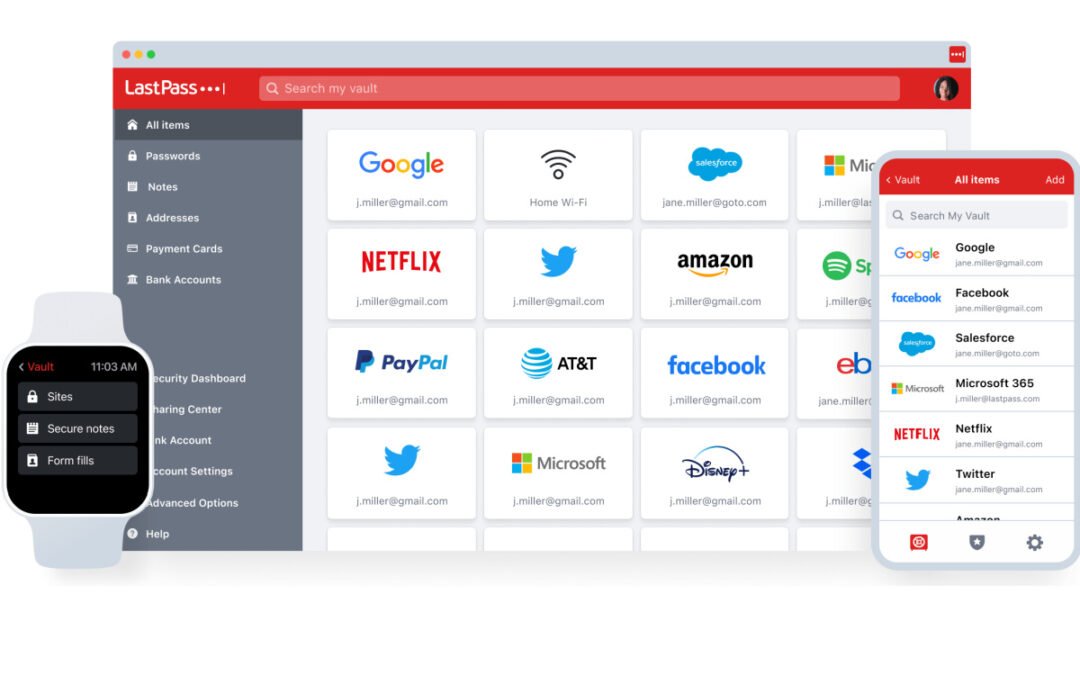
I use LastPass for everything. I can’t think of one account where I don’t manage my login details without LastPass. What kind of accounts do I use LastPass with? Google, Netflix, Disney+, PayPal, all my social media, Spotify, Dropbox, Amazon, and on and on. What I love about LastPass is you can get these platform integrations on one device with their free option. Should you go the Premium route, you can have access to all your accounts in your “vault” (where your passwords are stored) across all of your devices. So not only is the integration cross-platform, but it’s also cross-service, which is user-centric and why I love the company.
Better yet, check out the Family Plan (which I highly recommend). Some of the features of the family plan, which offer impeccable protection when it comes to password and account security include:
Continuous monitoring of your family’s emails for data breaches
Instant notifications when any of your family’s sensitive information might be compromised
Account access for up to 5 users for one family account
LastPass access on every single device of your family’s
I generally don’t like to use price as an indicator for reviewing how well a product or service performs. Quite frankly, if something delivers value, I’ll pay for it (premium or not). BUT…you get all of these features and incredible benefits for $4/month, which is fantastic from a value perspective.
*This post contains affiliate links and I will be compensated if you make a purchase after clicking on my links
Features With Security As The Priority
Everything about LastPass oozes simplicity and oozes security. Here are the most notable features that have made security (and your personal data) a priority:
Log In And Go
LastPass is one of those services that make life easier. Once you've saved your password, it'll always be there when the time comes to log in and get things done!
Passwordless Login
You can bypass login screens and get all the access you need using their authenticator instead of a password. This feature almost creates a bulletproof shell around people accessing your personal data.
Password Generator
I love when passwords are auto-generated, but prior to LastPass, I was relying on my browser (Chrome, Safari, Edge, etc) to store my passwords. Granted, there is a little bit of a security layer doing it that way, BUT…you’re still relying on those browsers not getting hacked. LastPass’ built-in password generator creates one of the most secure combos to help protect you (and your online accounts) from hackers.
Dark Web Monitoring
In my opinion, this single feature alone is worth the price of LastPass. If LastPass didn’t do anything but this…it would still be more valuable than what you pay for. Seriously. They scan the dark web looking for any mentions, signals, or cues that your personal information has been compromised.
Digital Record Storage
One very popular (and unsafe) practice I see people do is storing their personal information on their phone through a photos app or notepad app. You couldn’t ask for a more unsafe way to store personal and sensitive information on your device. LastPass allows you to store everything from garage door passcodes, insurance cards, passport info, driver’s license info, credit cards, and any type of sensitive information.
These are just a handful of my favorite benefits of LastPass. Granted, there are a lot more benefits, but I wanted to keep this simple, yet hit on the benefits I think are invaluable.
Intuitive Navigation
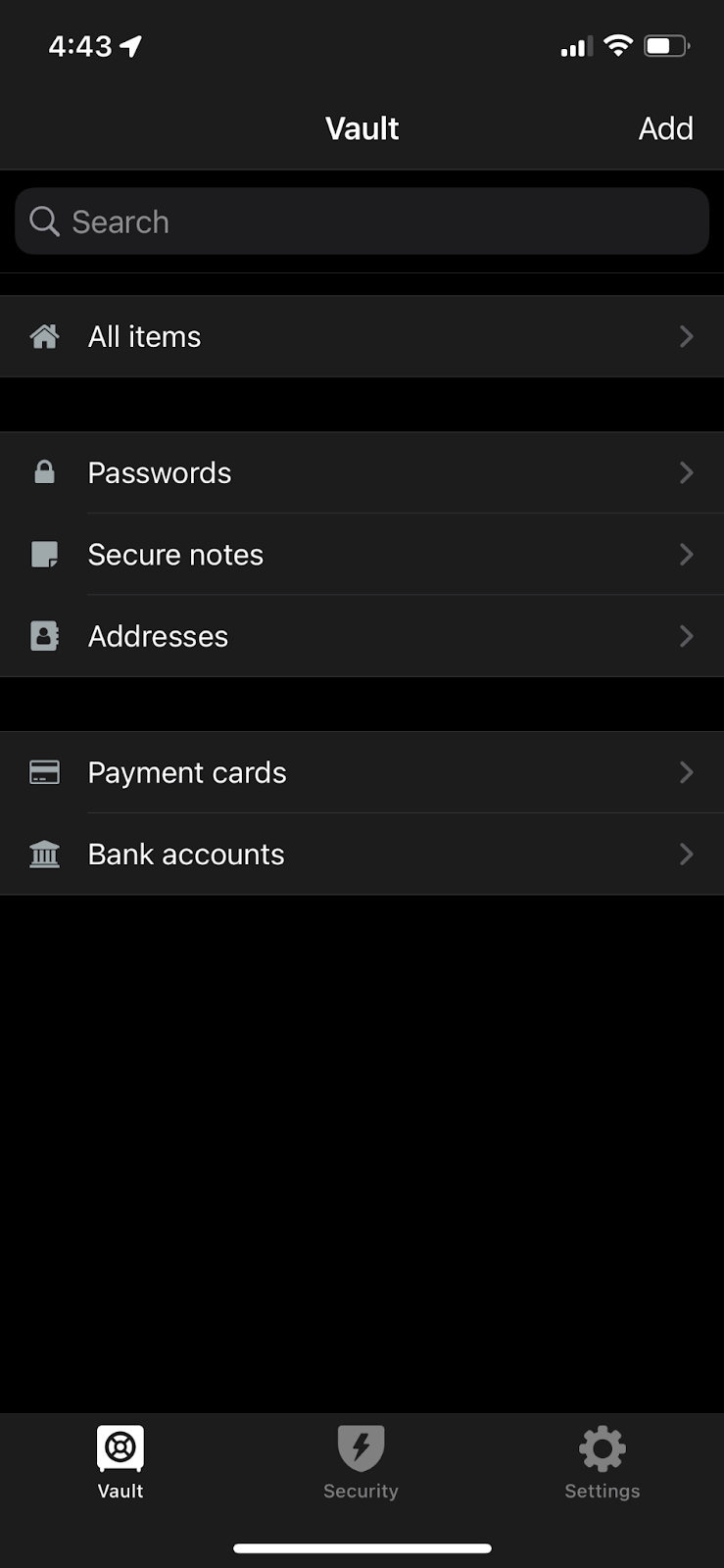
Not all password managers are intuitive, but LastPass is. I hate it when apps are hard to navigate. Quite frankly, I question if hard-to-use apps even have a QA team that tests the software. Nonetheless, on this app, you have a vault where all your passwords are stored. There is a search bar at the top where you can instantly type in to find the required password. The Plus sign at the bottom will allow you to add new passwords to the vault.
Other than passwords, you can also store and secure addresses, payment card information, bank accounts, and notes. All these options are available in the left column. Moreover, you can disable auto-fill and initiate it again as per your liking.
Share Folders with Others
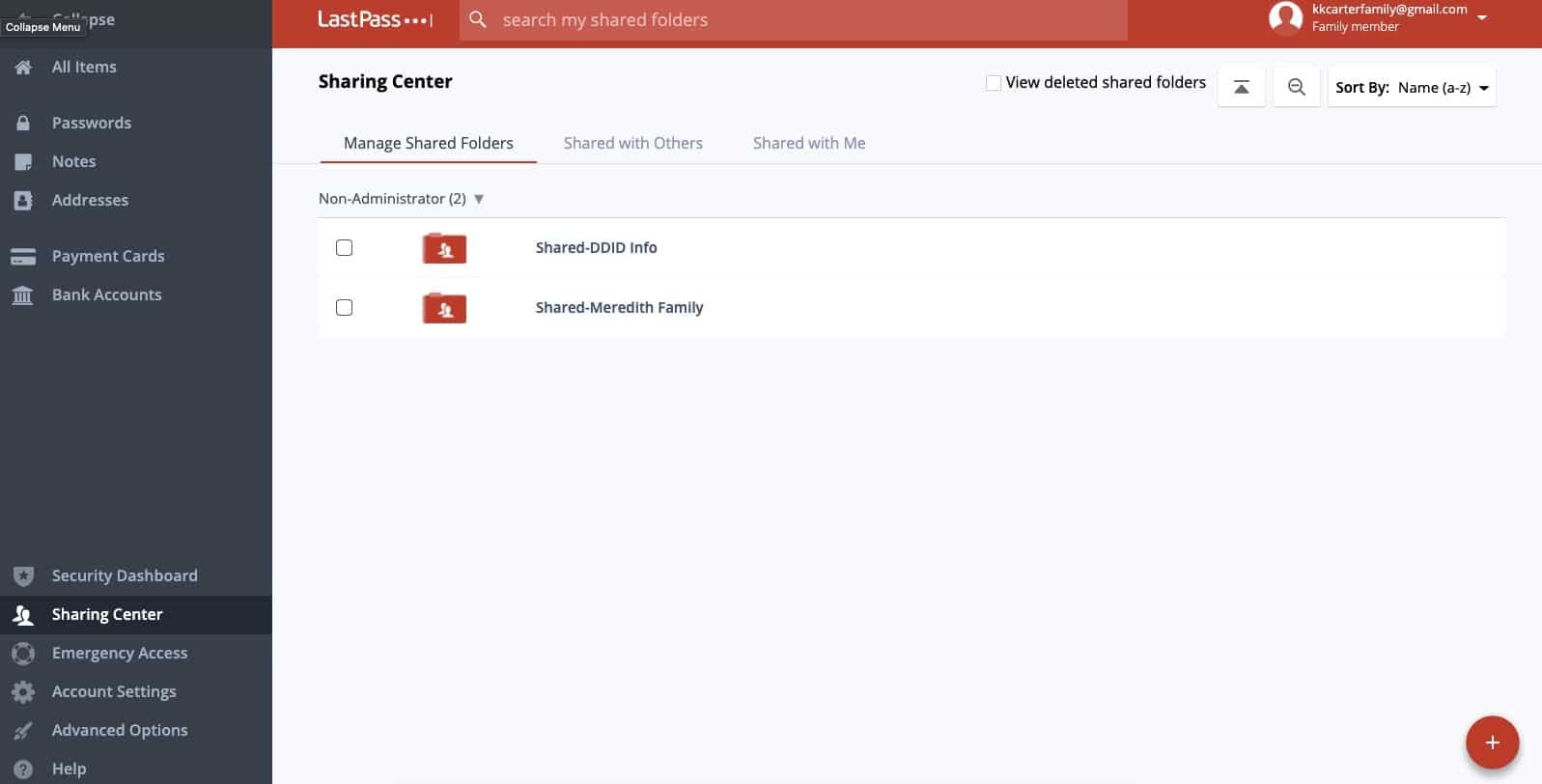
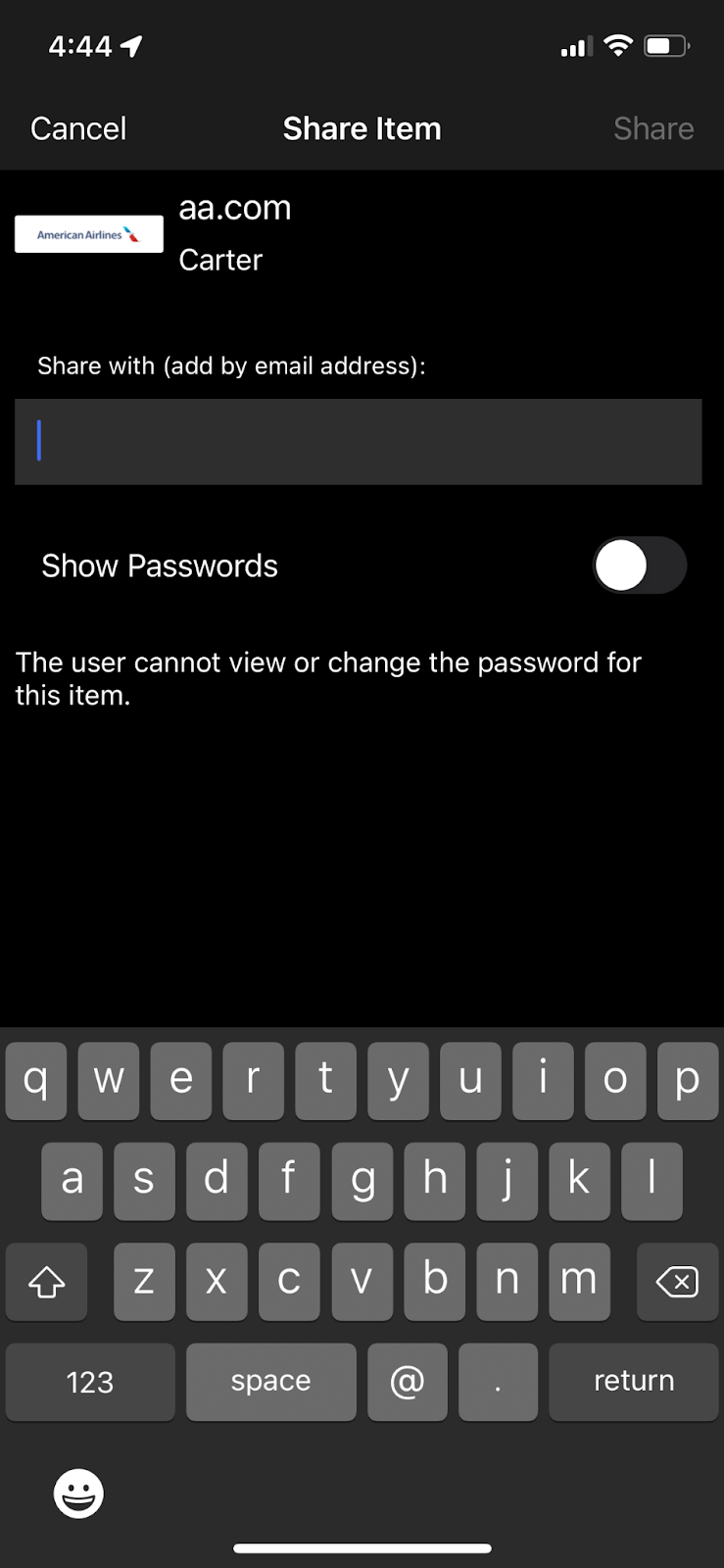
One of the best features of LastPass is the shareability factor. You will not find another password manager that beats LastPass in this aspect. In the left column, there is an option for Sharing Center. It allows you to share folders with others. The people you are sharing with should also have a LastPass account.
If you are using a free account, you can accept and view folders being shared by others. However, the premium account will allow you to create new folders, share them, and edit access. The Shared with Others and Shared with Me categories are also helpful and the layout of sharing information across users is flawless.
Strengthen Your Passwords with the Security Challenge
Another great feature of LastPass is the Security Challenge. This helps users create the strongest possible passwords. LastPass has valuable metrics to measure the strength of a password. They’re the category kings with password security, so it makes sense that they’ve created an algorithm to help you create the BEST passwords on the planet. When you are in your vault, click on the Show My Score option to find out how strong each of your passwords is. It will highlight for you what passwords are good enough and which ones are weak.
Final Verdict: Why Haven’t You Got LastPass Yet?
LastPass password manager is an easy-to-use that excludes all the password-relevant workload from your life. I implore you to at least try out the free version of LastPass and take note of how much time, energy, and thought you will save when it comes to managing all of your online accounts. It is available in a free version as well as a premium version. From generating strong passwords to storing them in a vault, there are many useful functions that this manager has to offer you.
Apple Airtags and similar Bluetooth tracking devices have been lifesavers in helping users find their electronics, keys, wallets, pets, and other valuable items. However, as new technology comes out, hackers and predators rise to the occasion and find new ways to use and abuse the technology. We’ve previously discussed the benefits of a few types of Bluetooth devices. As with any technology, there are always pros and cons to each type; however, safety is always a concern whether it’s for you or your children.
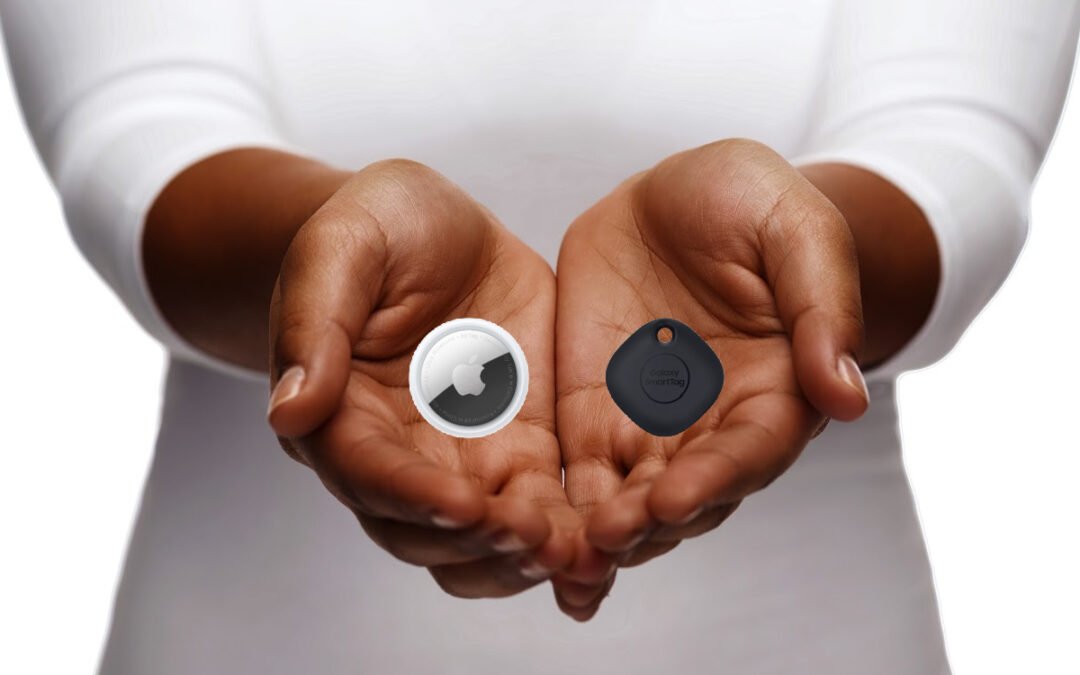
Apple Airtags come in as one of the top Bluetooth tracking devices with a pricing of around $30 per device. One of the benefits we discussed is the overall size of the Apple Airtags as they come in a quarter size and can be attached to hard-to-find items. The most convenient feature is the Precision Finding Feature which allows Apple users who have an iPhone 11 or newer to have the location and distance to the object they need to find. If you’re using these trackers for finding your belongings, these are great features. However, the two positive features can drastically become negative if someone is using these for malicious activity.
The Problem With Bluetooth Trackers
The first problem is the size of these Bluetooth trackers. Since they are the size of a quarter, predators can easily attach them to a person’s purse, backpack, car, bike, etc. without the person noticing. The combination of the size and Precision Finding Feature means that predators can discreetly place and track the Apple Airtags completely unnoticed. In February this year, in Dayton, Ohio at Wittenberg University, an 18-year-old freshman received a notification on her iPhone that an unknown accessory had been detected and that the accessory had been with her for some time, revealing her location to the registered owner. The device had tracked this woman from the airport where she picked up a friend, to the university campus 50 miles away. However, when the police inspected the exterior of her car, they couldn’t find the Bluetooth device anywhere.
Apple does provide information on their website on what to do if you receive a notification about an Apple Airtag, including the steps to disable it. However, the website lists multiple steps per item, which seems rather difficult given a moment of vulnerability. Most other sites say you can remove the battery on the Apple Airtag once you find it. Various states including Colorado, Georgia, Michigan, Connecticut, and Texas have reported the abuse of AirTags with reports of domestic stalking and car stealing attempts. If you receive a notification about an unknown device, law enforcement recommends that you find the nearest police station, fire station, or another safe space that isn’t your home or place of work. If someone is stalking you, you don’t want them to know your frequent locations. Apple does offer help with the Find My Feature and the Item Safety Feature which allows users to search for unknown Airtags. Although Apple Airtags cannot sync with Android phones, you can use your Android phone to find an unknown Airtag and to see if you’re potentially tracked.
Android users have options like the Tile Mate Bluetooth Tracker, the Cube Smart Bluetooth Tracker, and Samsung’s SmartTag. As we discussed before, the Tile Mate has pretty snazzy features, including being water-resistant and having a tracking distance of 250 feet. For $25, this makes it cheaper than an Apple Airtag and great for finding belongings and even kids. As for keeping your children safe, it’s great for their backpacks and personal belongings. Even if they spill their lunch or drinks, the Tile Mate is water-resistant, so you can still know where your kids are despite everyday messes. Tile Mate works with iOS and Android devices, so its versatility is one of its best benefits. It also works with smart systems like Alexa, Siri, and Google Assistant. Tile Mate offers a convenient QR code that when scanned, provides the user contact information when lost.
With all the negative stories of stalking and car theft, Tile Mate created a new feature called Scan and Secure. This allows Tile Mate users to download the Tile app and scan for other Tile devices that may be with them. The Tile website does list the steps necessary to make the app work, however, the Scan and Secure app takes 10 minutes and recommends the user to move away from the location in question. Please visit their website for more information.
The Cube Smart Bluetooth Tracker
The Cube Smart Bluetooth Tracker is like Tile Mate and works with Apple and Android devices. The Cube has waterproof abilities and comes with a rechargeable battery. As with many Bluetooth devices, the Cube can locate any of your personal belongings with ease. It can even locate anything with GPS precision as it comes with a GPS app. With all this being a huge help to us, it also has its downfalls. With GPS precision, comes a predator’s ability to abuse trusted devices to locate you, your children, and/or your loved ones.
Samsung’s SmartTag
Samsung's Smart Tag is a Bluetooth tracking device used exclusively for Samsung users. This is a big downfall. However, it gains attention with its easy setup. Even the most novice of device users can set this device up with the SmartThings app and start using it. It offers a long-term battery life and one-button interactivity. There’s much less information on this device, yet there are reported cases of malicious activity.
Bluetooth tracking devices offer many benefits, but as with all forms of technology, there are safety concerns. You can install the Tracker Detect app which can locate Apple Airtags and other similar compatible devices to help ensure you, your children, and your loved ones’ safety. If you feel like you or someone you know is a victim of domestic violence, stalking, or Bluetooth tracking abuse, please reach out to your local law enforcement.
Do you worry about viruses infecting your mobile devices? You should! In today's digital world, it's more important than ever to protect your gadgets from the thousands of different types of malware and viruses out there. We are faced with a constant barrage of hacks and cyber attacks and our smartphones are a focal point. We wanted to explain what viruses are, how they can infect your devices, and how to protect yourself. And just because you have a new Android or new iPhone doesn’t mean you’re immune to these virus attacks either.
How Do Viruses Infect Phones?
Although your phone will not get a virus like your PC there are still various kinds of malware that can infect your phone. Despite the marketing messaging of phone manufacturers, you can still get some nasty malware on your mobile device, especially if you’re being careless and not digitally responsible. If you are concerned about how the malware will enter your mobile, then here are some ways:
If you download apps on your phone
By downloading various kinds of nefarious content on your phone (porn is a big one)
If you link your mobile phone to other devices
By jailbreaking your smartphone
What Do Viruses Do To Your Phone?
The main objective of malware is to steal sensitive data from your Android or iPhone. That is their goal because once they have personal data, they can access financial data. Furthermore, it is important to keep in mind that hackers can benefit from the malware by gathering your personal information.
The malware is also used to send text messages to other telephone numbers and in most cases, the victim is completely unaware that his/her phone is being utilized. Another negative side of the malware is that it slows the performance of your mobile phone. Let’s keep in mind that viruses are malicious software designed to wreak all kinds of havoc for you.
Viruses On Android
When it comes to Androids, there is a moderate risk with the threat of malware on Android. One reason behind it is more freedom in the operating system. That’s one thing I hear often from Android users (compared to Apple) is that “I can do more with my Android”. Well..with that freedom comes an extra risk as well. Android lets users download apps from other sources than the official app store and that can be a problem.
In addition to that, from time to time users of mobile phones will customize the OS of the Android to get it to fit their requirements. With those customizations can sometimes come security holes. That's why it becomes challenging for Google to make sure that all of the customers are utilizing the Android OS's most secure version.
How To Know If Your Android Has Got A Virus?
There are various signs that will show that your Android is infected by malware.
The appearance of apps will appear unfamiliar or different
Crashing of apps (more frequently than normal because crashes do happen)
You’ll almost notice an increase in mobile data that you used (even though your consumption habits may not have changed. This is one reason why I review my data usage regularly).
Overheating (more than normal).
A quick drop in your phone's battery life and health
How Do You Get Rid Of Viruses From Android?
If you want to get rid of the virus, then you should go for an antivirus app for Android. Once you get an antivirus app, you can run an antivirus scan. After that, you will have to follow instructions regarding the way of detecting and removing the virus on Android (it will all depend on the app you choose). These are standard operating procedures across most antivirus apps for mobile devices.
Now…Apple fans, you’re not off the hook either. I know you like to think that iPhones are superior in everything compared to Android, BUT…it is also true that iPhones can indeed get viruses as well. Despite what you might have heard in your cubicle pods or around the cooler in the breakroom that your iPhone device can never get malware, it’s just not true. The iPhone is a hotbed for mobile malware attacks. Furthermore, if you want to protect your iPhone from such attacks, then you must take sensible precautions.
A very popular malware attack is the pop-up ad on Safari. You may get trapped by a pop-up ad that claims your phone is in need of additional software to solve the problem (or you’ve won a free iPad), and most of the time that software is malicious.
How To Know That My iPhone Has Got A Virus?
Here are some of the most notable signs that show your iPhone potentially has got a virus:
Pop-up ads have become more frequent
More often, crashing of apps (more than normal because app crashes also happen on iOS)
An elevation of mobile data being used (again…make sure you’re monitoring data usage on your mobile devices).
Just like Android, one of the best ways to get rid of viruses is by getting an antivirus app, running a scan, and then following the next steps.
So…Do I Really Need Antivirus Software For My Smartphone?
In this day and age, it's more important than ever to take steps toward securing our devices from viruses. While the iOS on your iPhone and Android devices is a fairly secure platform (although there are still risks), many people choose to install an antivirus app for extra protection against malware that can sneak onto these mobile devices through emails or social media sites like Facebook when you're not looking out for them! And since the iPhone and Android operating systems do escape some types of malicious software nowadays, meaning they'll never completely shield us automatically without added features, I highly recommend getting one with good scanning capabilities as well as other helpful tools such as threat detection.
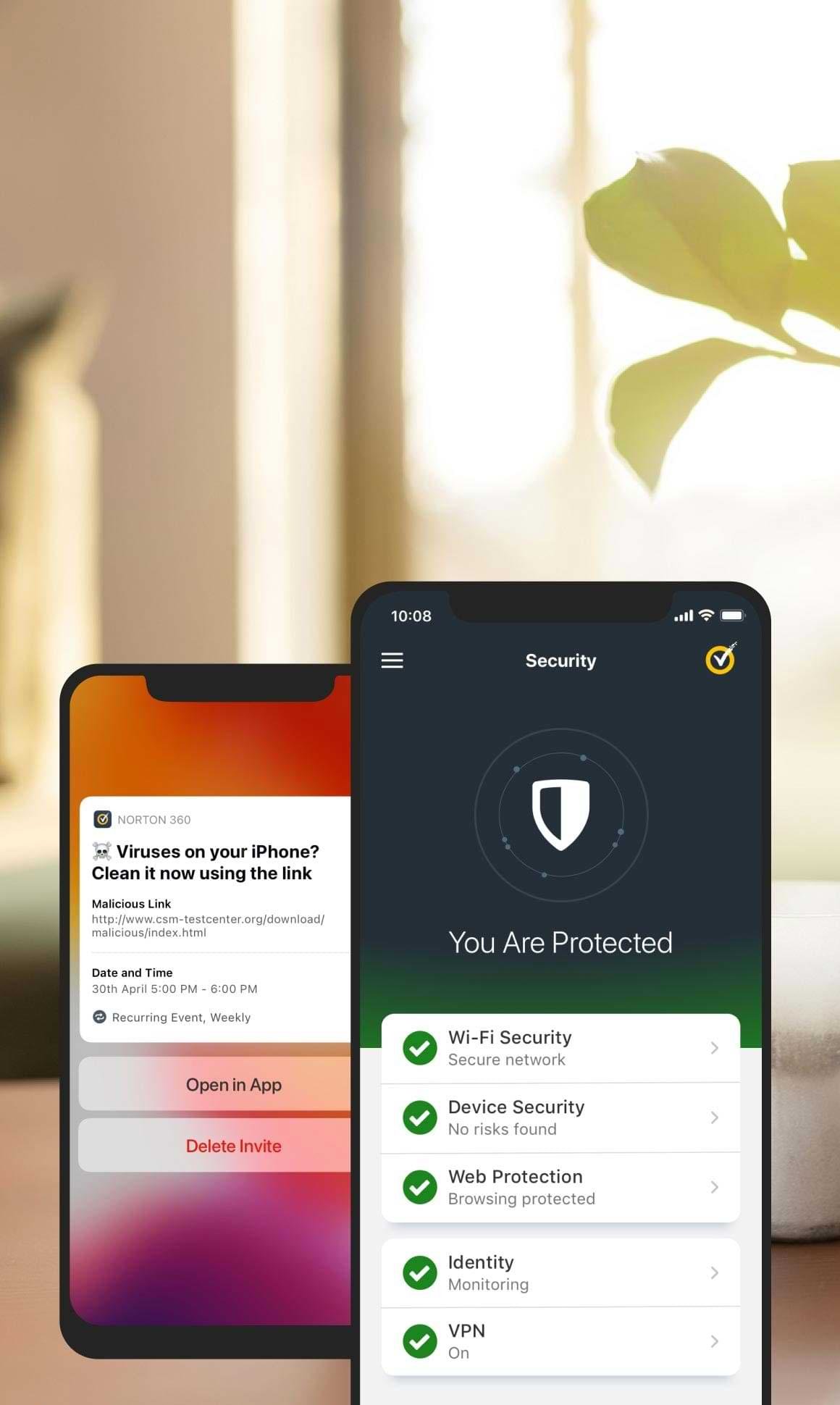
There are a handful of really good antivirus software on the market for both Android and iPhones. If I had to choose one, it would be Norton 360 Mobile Security. This antivirus app is great for both iPhones and Android devices. You will get everything integrated into a single application, including an antivirus and VPN service that helps protect your privacy on public WiFi as well! It's battery efficient because it doesn't require constant monitoring like some other antivirus apps do (yes..battery life is important to me). This way you can use the phone normally while still getting all these great features such as being alerted about malicious links or websites before installing them (and even getting a warning when there are dangerous ones already installed). And I’ll be honest, I love getting 100% malware protection without slowing down device performance. Aggressive apps annoy me and Norton’s developers have done a fantastic job making sure device performance isn’t sacrificed in the name of security. It’s a delicate balance, but they’ve managed to do it and do it well.
Most of human life is now dependent on digital media, at least in developed countries. And that’s not going to slow down anytime soon either. You need a login for just about everything, from bank accounts to social media platforms and all kinds of apps. I read a report not too long ago that said the average user in the U.S. has nearly 100 online accounts! As the number of accounts each person holds increases, the effort they want to put into creating the password decreases. Not going to lie, there were some times when I’d just create the easiest thing I could remember. Then came password managers. The better way to save time (and a lot of headaches) is to get a password manager.
What is a Password Manager?
As the name depicts, a password manager manages your passwords. Sounds simple? Well…because it is. But what exactly does it do, and how? There are mainly three things that a password manager does.
It generates passwords for every site you visit or sign up at.
It saves all your passwords in a vault.
It fills in passwords automatically when you want to log in.
When you have a good password manager, there is nothing about passwords you have to worry about. This product can exclude all the workaround passwords for you and make your digital world the simplest and the most secure.
3 Undeniable Reasons Why You Need A Password Manager
Sometimes it feels like passwords are a necessary evil in our online lives. We need them to protect our most sensitive data, but remembering dozens of different passwords is practically impossible. And if we only use the same password over and over again (without a secure password manager), then we’re putting our security at risk. That's where password managers come in. They keep all your passwords safe and accessible, so you never have to remember them again. Here are three reasons why you need a password manager:
Set A Master Password And Remember It
A password manager will take care of all your passwords, but there is something that falls on your shoulders. It’s not hard either. It is to remember the master password. It is your password to the manager account, where all your passwords are saved. Just. One. Password. Let that sink in. I absolutely love it.
Compare the work of remembering all your passwords with that of retaining just one. The former is a lot to put up with. Your life will become much more manageable. You will be able to focus on other things that are more important once passwords are excluded from your list of worries. Here’s the tricky part, your “Master Password” should be very complicated. No normal words or words that someone could guess about you (in my case, nothing about Batman is allowed!). I’ve come up with a great way to create a Master Password that is easy to remember, yet hard to hack. Try using the syntax of the internet within your password. So instead of “batmanrules”, use WWW.b@tmanrules. c0m! See easy to remember but really hard to hack!
It Creates The Safest Place For Your Passwords
Once you get a good password manager and set up your master password, it is time to apply multi-factor authentication. MFA is a lock on your password manager account. The key can be anything from your fingerprint to your voice or a complex combination of letters and symbols. MFA will keep your account safe from hackers by failing all invading attempts.
Make Your Logins Automatic
The amount of ease you can get by installing a password manager is not describable in words. Honestly, you can only know the beauty of this once you have the manager. Once your password manager has all your passwords saved, every time you visit a site you have an account on, the manager will automatically fill in the username and password. It’s simple tech to use.
Good password managers such as LastPass can even save your credit card information and other credentials. Banking, Email, Social Media, everything is in safe hands when you trust the LastPass manager with your passwords.
Best Password Managers I Recommend
Firstly, there are so many password managers out there. We’ve written an entire review on which ones are the best and why. Because I know there is a range of user types reading this I’ll keep it simple:
Best Free Version Password Manager: Bitwarden
All around, Bitwarden is one of the best password managers. I love this one because of its free application (a great way to get people in the door using this beneficial technology). It’s secure, open-source, and works with all kinds of operating systems (Linux, macOS, Windows, iOS, and Android).
I’m just a massive fan of LastPass. It’s what I use for everything. LastPass is DDID’s Pick for Password Managers that I unapologetically recommend to family, friends, and colleagues. Hands down, LastPass is atop the list of best password managers. It does have a free version (try before you buy). I love the security dashboard, premium tech support, seamless technology, and the ability to share passwords (securely) with family and others. Oh…and encrypted storage is vital as well.
Like the other two, this also has a free version you can check out before you buy. Because this is one of the best password managers when it comes to shareability, it has to work flawlessly between platforms and operating systems. This is where 1Password just shines. Want to share with someone in the family? Easy and secure. What about a business colleague? Dunzo. All are encrypted and they won’t even know your password.
You can read our best password managers review to check out all the details and find the right password manager for you. We break down all the features and things you should look for in a password manager.
The fast-paced lifestyle we all live often leaves us no time to develop strong passwords for every online account we have, let alone have to remember them. Can you imagine having to remember 100 unique passwords? Not happening. And if you use just one (or even a handful) passwords for all your accounts, you could be putting your personal data at risk. Raise your hand if you’re okay compromising your online security to save time and energy? Not me! Because hackers are becoming more innovative, it is vital you find a password manager you like and incorporate it into your digital life.
If you're like most people, you most likely rely on your iPhone to keep you connected with the world (both personal and business). Whether you're looking for the best antivirus app or just want to make sure your data is secure, these tips will help keep you protected. Apple has designed the iPhones to be secure (and Apple’s tech is phenomenal), BUT…this does not mean they don’t need any antivirus protection. iPhones are still exposed to multiple threats, including suspicious links, websites, unauthorized applications, data theft, etc.
As an iPhone user who cares about security and protecting your personal data, you should seriously invest in a reliable antivirus application to avoid data theft and cyber-attacks. Below are a few antivirus applications you can consider to keep your iPhone safe from malware attacks.
Norton Mobile Security
If you are looking for an easy-to-use antivirus application for your iPhone with multiple other features, then Norton Mobile Security should be on top of your priority list. It has many valuable features, including web protection that attacks malicious and dangerous links in text messages, emails, applications, and browsers.
Norton Mobile Security comes with a VPN that helps you secure your network and makes you anonymous. I love the idea of having an extra layer of VPN for security. Other features include Wi-Fi scanning that protects you from untrusted public internet connections. Device security warns you when your operating system requires to be updated. It also protects you from malicious text messages.
The most significant feature of NMS is dark web monitoring, which distinguishes it from other applications. Norton continuously scans the dark web for your personal information utilizing Lifelock technologies. It could contain various information elements like your email address, bank details, insurance details, etc. This and the VPN features are why I think Norton is the best antivirus app for iPhones.
You can opt for Norton Mobile Security with one device subscription ($14.99/Year). However, it offers another version called Norton 360 deluxe ($49.99/Year) that connects up to five devices.
TotalAV is another reliable antivirus software for iPhone users. The best part about it is its easy-to-use nature, making it a good fit for beginners and non-tech-savvy individuals. Therefore, if you are looking for a simple and user-friendly antivirus, TotalAV Mobile Security is a lifesaver.
It contains multiple valuable features, including protection from malicious links, monitors data breaching, photo clean-up, and device tracking. This application's best feature is device tracking, which allows you to effortlessly track your iPhone in case you lost it or it got stolen. Granted, you do have the Find My app on your iOS devices, but this additional coverage creates an ever tighter level of security for your iPhone.
Another valuable feature of TotalAV is its VPN, which lets you securely access servers worldwide. It has a fast network, allowing you to stream your favorite shows without facing a slowdown in your web connection. We’ve written quite a bit about VPNs and we love that more apps are adding VPNs to their value prop.
TotalAV would be a great choice if you are looking for a simple antivirus for your iPhone with a competitive integrated VPN. You can also opt for its web protection services combined with its internet security packages that range from $29.00/year and connect up to 6 devices, including Android, iOS, and Windows. In terms of overall security value, I think it’s hard for any other app to compete again TotalAV.
Here is another promising malware and virus protection application for your iPhone. McAfee Mobile Security is a valuable combination of multiple features and a reliable VPN. The most significant part of this antivirus app is it does not affect your iPhone’s battery health despite constantly monitoring data breaches in the background. Besides, it is an easy-to-use application and every feature is effortlessly accessible.
The significant security features of McAfee Mobile Security include a data-breaching monitor, a Wi-Fi scanner, a VPN with unlimited data (this alone is worth the price), and circumvents dangerous links from text messages, websites, and screen notifications. The VPN keeps you secure while browsing on unsecured internet connections.
The drawback of McAfee Mobile Security is the most recently updated version on its basic plan does not provide you with anti-theft features and a secure media vault that once was available. They’re going to make you pay a little extra for it. You can get these services for a single device with a yearly subscription. However, other versions are also available that let you secure up to 10 devices, including Windows, Android, and Apple. This version’s yearly subscription begins from around $30/year.
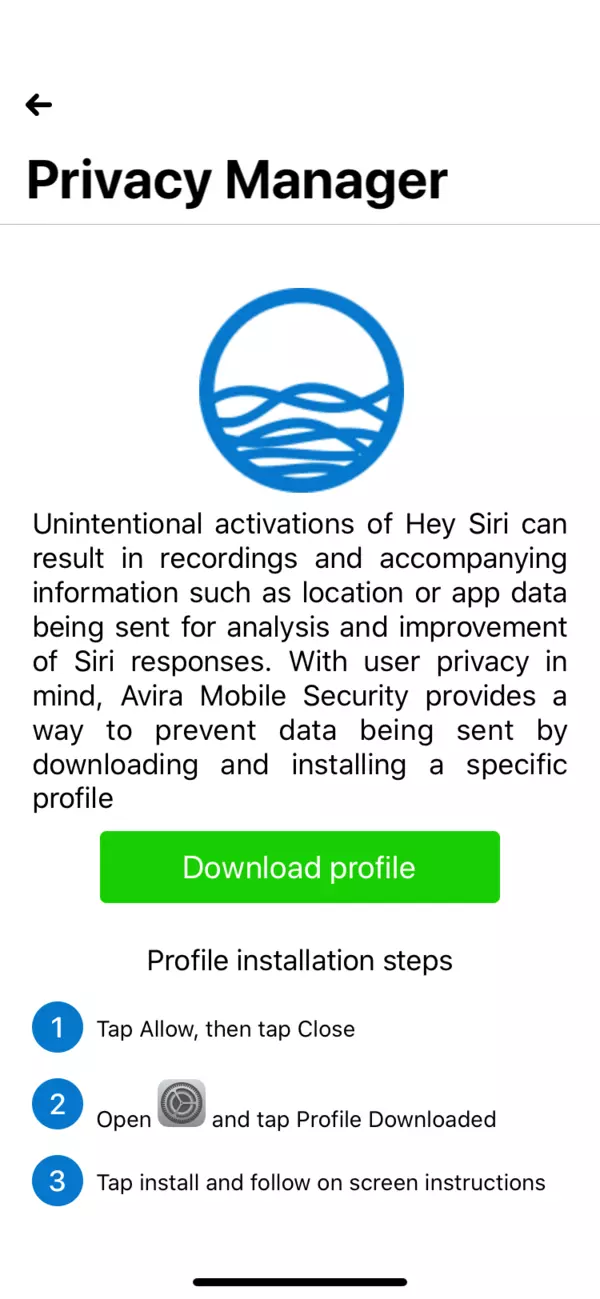
Avira’s free security mobile app is perfect for beginners. It’s going to get you familiar with the industry and gives you a chance to really familiarize yourself with threats and security language. It is free antivirus and malware protection for iPhone users and has great privacy protection features. The most significant feature of Avira Free Mobile Security is its Privacy Manager, which prevents Apple from saving your conversation with Siri on its servers. Other features include anti-theft, a VPN (yes…a FREE VPN), photo clean-up, call blocker, breach monitor (Premium Version), anti-spam (Premium Version), Phone tracking, and Phone lock.
The free version has limited VPN data and does not provide anti-spam and data-breaching monitors. BUT…you can opt for the premium version of Avira (Avira Prime) starting from $39.99/year and connect up to five devices across all operating systems.
As our lives move increasingly online, it's more important than ever to take steps to protect our devices from viruses and other malware. While it's true that the iOS for our iPhones is a fairly secure platform, there are still some risks that come with using the internet on your iPhone. That's why many people choose to install an antivirus app on their devices. But do you really need an antivirus for your iPhone?
Since iPhones’ operating systems can escape malware to some extent, you still need an antivirus with some extra features. And just looking at the price of some of these (heck…Avira is free), you’re literally talking pennies a day to get that added security benefit for your iPhone. What do I recommend? Thoroughly do your research on antivirus regarding additional features and their compatibility with other operating systems to make a wise decision. Experiment with a free version (or look for a free trial). After all, merely a single virus can ruin your whole experience.