We answer the most common questions we hear when it comes to Home Automation. Is home automation worth it? How much is it? We answer these questions and more! As this industry evolves and innovates, we will be adding a lot of useful information as it relates to home automation and smart homes, so bookmark this page! If you don’t see a question on this list, leave a comment or contact us and we’ll do our best to help you out.
What Is Home Automation?
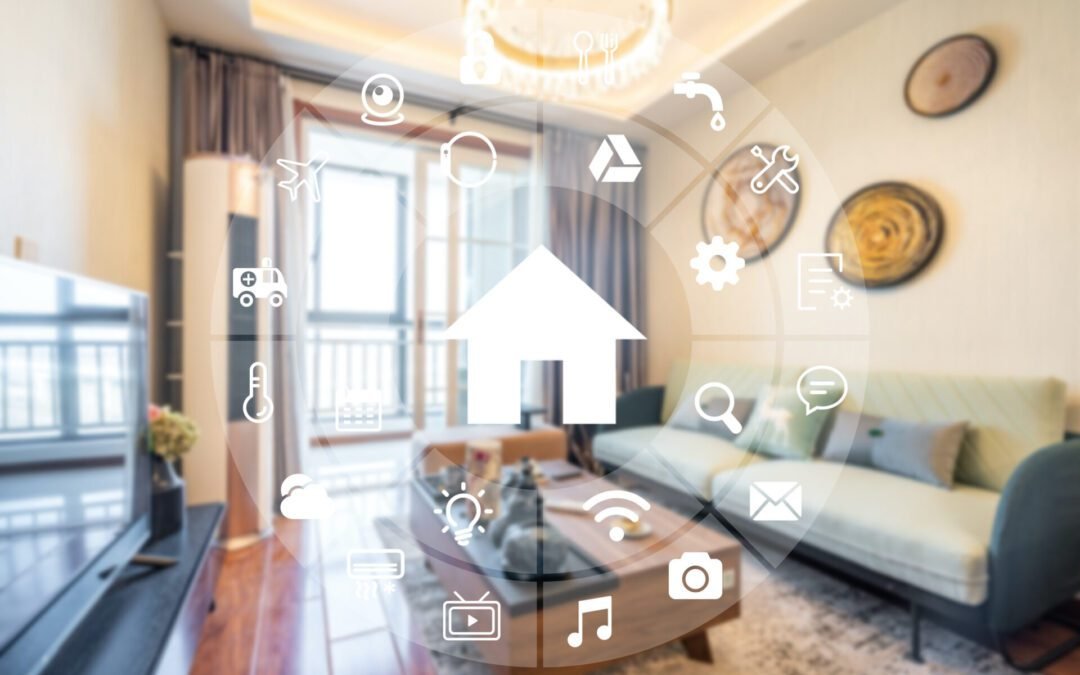
Home automation is the process of automating the various tasks in your home. This can include anything from turning lights on and off to controlling your HVAC system or even multiple tasks like dimming the lights in the home theater room followed by turning on the TV and playing a movie with one command. There are a number of different technologies that can be used for home automation, including smart switches, voice assistants, and home hubs. The type of technology you choose will largely depend on your needs and preferences.
If you’re interested in starting a home automation project, be sure to consult with a professional to get started. They will be able to help you select the right technology and create a plan that meets your specific needs.
What Is The Best Home Automation?
There is no one-size-fits-all answer to this question, as the best home automation system for you will depend on your individual needs and preferences. However, some of the most popular home automation systems include SmartThings, Wink, Home Assistant, Google Nest, Amazon Alexa, Apple HomeKit, and for you geeks, open-source solutions like Home Assistant are available as well.
SmartThings is a comprehensive home automation system that allows you to control lights, locks, thermostats, and other devices with your smartphone or tablet. Wink is also a comprehensive system that allows you to control a wide range of devices, including lights, locks, thermostats, blinds, and garage doors. And Home Assistant is an open-source home automation platform that lets you control lights, switches, fans, temperature sensors, and more.
Is Home Automation Worth The Money?
Although there’s no easy answer to this question, we whole-heartedly say “YES!” It also depends on how you integrate it into your lifestyle. If it is worth it depends on a number of factors, including your budget, the features you’re looking for, and how tech-savvy you are.
Having a fully functioning home automation system is well worth the money. It doesn’t matter if you have a professionally installed system or one you did yourself. It will save you time, save you money, make your home more secure, and a list of other benefits to make your life better. Home automation truly can make your life easier. For example, if you have a smart lockset, you can unlock your door with just a touch of your phone or as you pull up in your driveway. You can schedule lights to come on and off in the morning. You can see who is at the door with a Ring doorbell and decide, “Do I really want to pause my movie, walk up the stairs, and talk to the neighbors?” With Amazon Echo, you can literally program a routine to tell you the traffic conditions at a set time. There are definitely more positive reasons why home automation is worth the money.
How Much Does It Cost To Install A Home Automation System?
To start with a good foundation for your home automation system, you can plan on a base of about $200 to $400 to install a home automation system. However, the cost may vary depending on the specific system you choose and the size of your home. The cost will also depend on if you do DIY home automation vs a professional install. Although a professionally installed home automation system is easier on you the user, the costs can be significantly higher (plus you will have a monthly fee added to it).
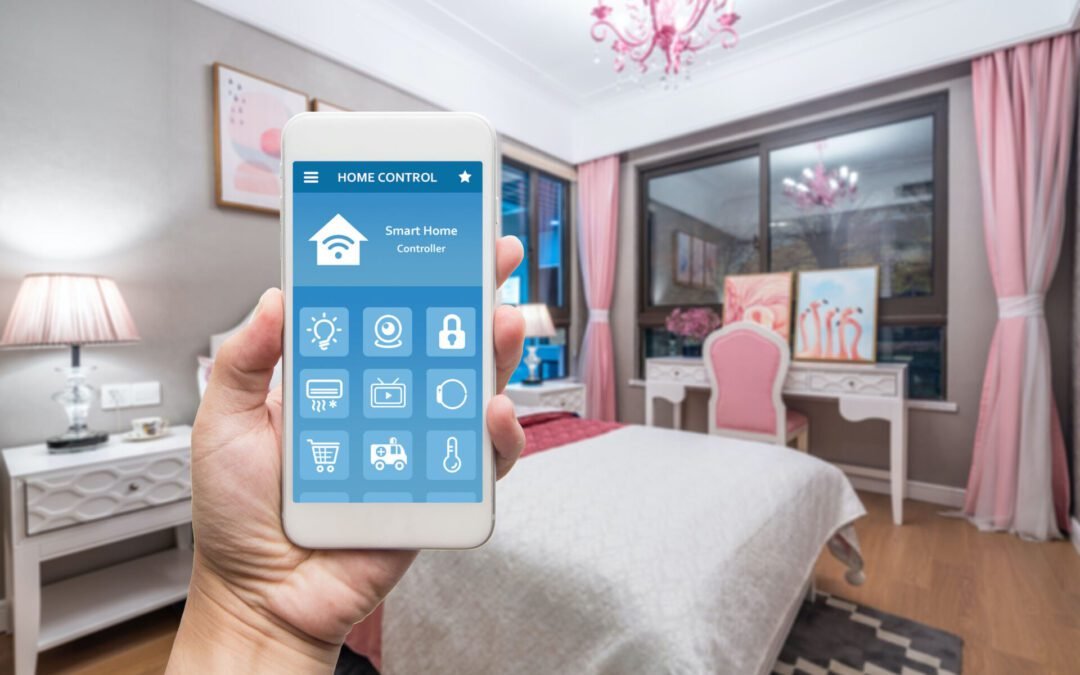
Many home automation systems can be controlled using a smartphone or tablet, which means you can easily turn things on or off with ease, perform simple functions and tasks, and a lot more while you’re away from home. If you’re looking for a way to make your home more energy-efficient, a home automation system is a great option. Looking for a way to make your home more secure, a home automation system is wonderful.
What Are The Cost Savings With Home Automation?
If you haven’t quite convinced yourself yet about the cost of getting a home automation system, consider the cost savings. There are dozens of cost savings associated with having a functioning and optimized home automation system. Aside from the energy savings associated with home automation, there are a handful of other cost savings:
Insurance Savings:
Let us preface this by letting you know that every insurance company is different and not all devices and home automation systems will qualify for insurance discounts, but many insurance companies will offer a discount (and it depends if it’s professionally installed or done by you). You can expect to get around 10% of a discount with a home automation system. Some companies will reduce your premiums based on a specific device as well: smart smoke detectors, smart thermostats, and water and gas sensors are some of those devices that might score you some savings. It’s important to check with your home insurance provider first. They might even suggest a device or service you were unaware of.
Home Protection:
There are millions of home break-ins every year. Get a Ring camera and just get involved with the Ring community and you’ll see how big of a problem it is. Home protection is one of the chief reasons for home automation. And it’s a justified reason. Locked doors. Locked windows. Shutting the garage door while you’re miles away. Set an alarm while you’re on vacation (because you forgot when you were headed for your flights). Activate your external cameras with a flip of the finger. Having this remote access to protect your home can save you (and it does save millions of Americans each year) quite a bit of money. Worried about porch thefts? Using a Ring Camera and a MyQ garage door opener addon, I can order something on Amazon and when they deliver, the driver gets a one-time code to open my garage to place my package inside out of reach of those evil little thefts. And yes, the camera keeps an eye on the delivery driver and notifies me that my package arrived. It’s so awesome!
Your Time:
The great Jim Rohn said, “Time is more valuable than money. You can get more money, but you cannot get more time.” And it’s true! Perhaps the most valuable cost savings with home automation is your time. If set up properly, these automation tricks can seriously save you hours and hours over just a handful of months. Just quickly reflecting on the ways it’s saved us time, I came up with a few important ones: locking all the doors at night (don’t have to get out of bed), did I shut the garage (I’ll just ask Alexa to shut it), don’t have to meander downstairs to get the door every time the neighborhood kids knock wanting to play with my kids (it’s quite frequently), helping create shopping lists and to-do lists, and easily buying something through Amazon with a voice prompt. The point is, there are savings all-around if you know how to run one of these systems and utilize them for what they’re really meant to do.
What Can I Do With Home Automation?
Honestly, what you can do with home automation is endless. You can control your home’s temperature, lighting, security, and appliances with home automation. I can pause all of my kids’ devices with a simple voice prompt.
You can also use home automation to monitor your home’s environment, control devices, and a ton of other really cool things. For example, you can use home automation to ensure that your windows and doors are closed properly. Program it to warn you when a window or door opens (if you’re home or away). By the way, I love telling my Google Assistant “Secure the Batcave” and my alarm is set, deadbolts throughout the house lock, all the lights in the living areas all turn off but the light above the kitchen sink dims to 1% as a nightlight, and if my garage door is open, it closes. Come on, if that doesn’t give you “geek-chills” then I don’t know what would! You can automatically open your garage or the front door when you come home. You can schedule all devices to lose connection to the network at a scheduled time. The list goes on and on and on. It seems like each day there’s a new, cool innovative way to use home automation.
What Should I Automate In My House?
You should automate EVERYTHING you can in your house! We say that jokingly, but we kind of mean it. If it can be automated, then you should leverage home automation and the technologies we have to make your life better. What are the best home automation ideas? Seriously though, there are a few things that are prime candidates for automation that we’d recommend as a starting point:
Heating and Cooling: Automating your heating and cooling can save you a lot of time and money. There are a number of different ways to do this, so find the one that works best for you. For example, if you have a smart thermostat, you can program it to automatically adjust the temperature based on your schedule and preferences. This can help reduce your energy bill by up to 30%.
Lights: Automating your lights can help you save energy and money. You can also use light automation to create the perfect atmosphere for any occasion. One of my favorite home automation hacks with lighting is setting them to turn on in my son’s room for a set time each morning. I also like to do it myself and I can control how warm the lighting is at certain times of the day (prefer warmer tones in the morning when I first awake vs bright lighting during the afternoon and evening). You can either set up timers so that your lights turn on and off automatically at certain times, or you can install sensors that will detect when someone is in the room and turn on the light accordingly. Another great hack I love is using my Phillips lightbulbs which can display different colors, while I’m away. There’s a scene (this is what they call their automation actions) that comes on in the evening, makes it look like someone’s watching TV in a room. Again AWESOME!
Security: Automating your security system can help keep your home safe and secure. All you have to do is Google “cool ring camera stories” and you’ll get some really entertaining and interesting stories. You can also use sensors to detect when someone enters or leaves the house, or you can use cameras to keep an eye on things from anywhere in the world.
Home Automation vs Smart Home: Is There A Difference?
There is definitely a difference between home automation and smart home. Home automation refers to the automating of basic tasks like turning on/off lights or adjusting the temperature. A smart home, on the other hand, goes beyond automating these tasks by adding features that make your life easier and more convenient, like being able to control your devices remotely or getting notified when someone enters your home. In my opinion, it’s not an either-or scenario, but how you can leverage both to make your life better and more efficient. Again, if the technology you use in your home disrupts your life, you’re not using it right.
How Can I Do Home Automation Myself?
There are a few ways that you can do home automation yourself. One way is to use a home automation hub. A hub allows you to control all of your devices from one central location. Another way is to use a smart home platform. A smart home platform lets you control your devices using voice commands or mobile apps. Finally, you can also use standalone devices to automate tasks in your home. For example, you can buy a thermostat that automatically adjusts the temperature in your home based on your preferences or a light switch that turns on and off based on whether someone is home or not. Whichever approach you choose, be sure to research the devices and platforms that are available before making a purchase.
Is Home Automation Hard To Setup?
It can be. There are many home automation DIY options, but some of them can be quite challenging to set up. For example, if you want to control your lights with a smartphone or computer, you’ll need to install a home automation hub and program it to work with your specific devices.
However, there are also many home automation DIY solutions that are very easy to set up. For example, if you want to control your lights with a smartphone or computer, all you have to do is install a compatible light switch. So it really depends on what type of home automation you’re trying to achieve.
There are a ton of smart plugs on the market. You know you should buy a smart plug, but which one? Dale Dumbs It Down is going to share some of our favorite smart plugs we’ve seen on the market. We’ve already discussed what you look for in a smart plug and now we want to get into the specifics of which smart plugs we like.
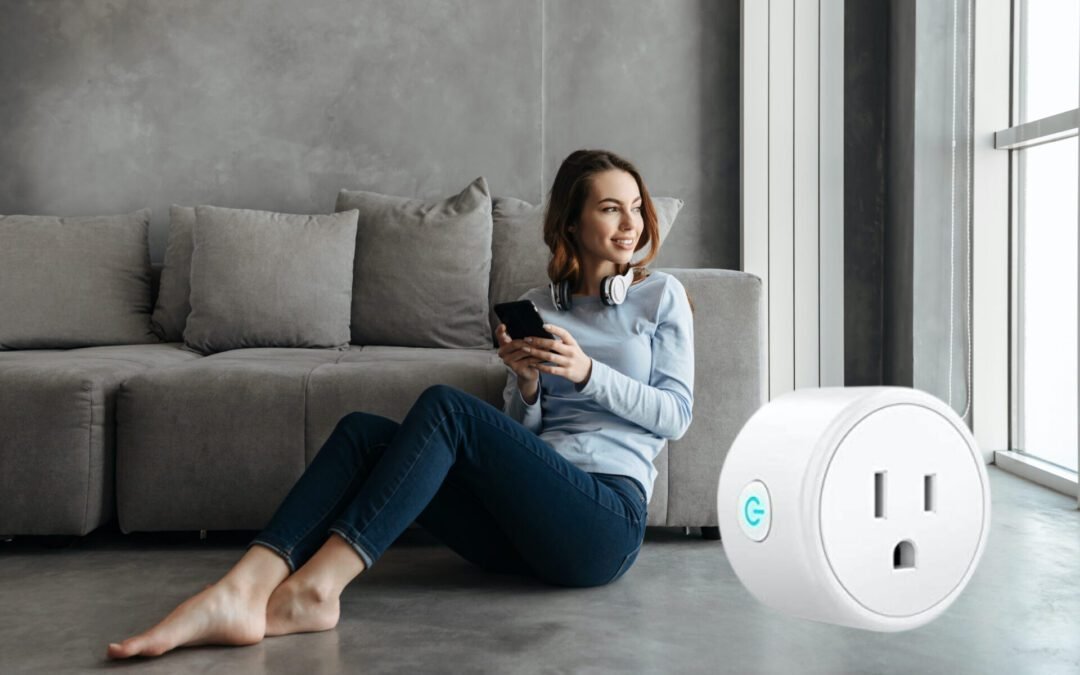
We believe EVERY home should have at least one of these awesome little smart tech wonders. Why? Because they are relatively inexpensive and the value they deliver is just awesome. “Hey Alexa, turn on my bedroom lights.” “Hey Google, turn on my Christmas lights in 10 minutes.” Yes…these are actual prompts you can command with a smart plug. Smart plugs are easy to use, simple to set up, yet…not every smart plug is created equally.
Four Smart Plugs We Love
So we gave you a little insight on what to look for in a smart plug, but we want to dive into the specific brands we kinda like. We’ll dive a little bit into what we like and don’t like about smart plugs through the perspective of looking at four of our favorites we’ve had our eye on for quite some time.
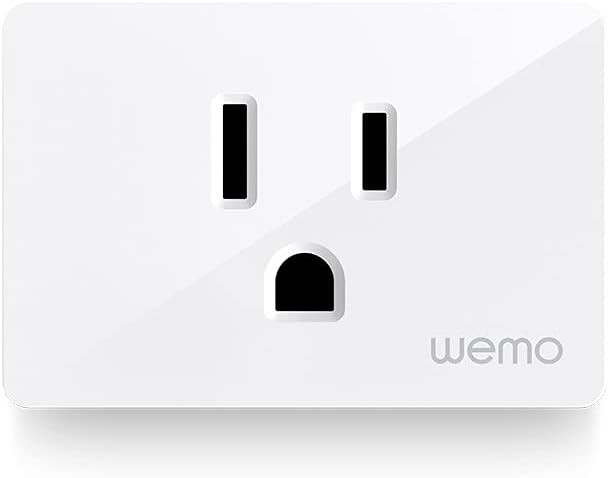
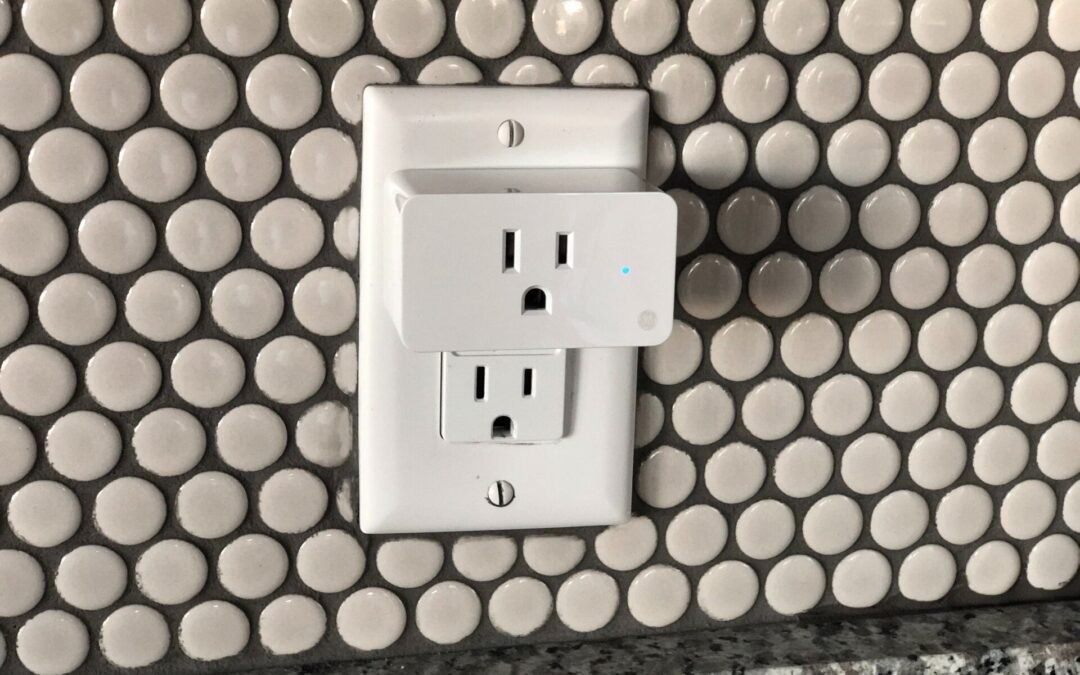
Let’s chat a bit about the Wemo WiFi Smart Plug. Has a cool name. Sold us there. But this thing comes in at around $20 on Amazon and has a four out of five-star rating. Sometimes you have to take Amazon reviews with a grain of salt, even the verified ones. A couple of the things we like about this plug right here is that it is nice and slim, so you can stack two of them per outlet. A simple design feature that does matter. The Wemo smart plug also has features like setting up schedules and an auto-off timer. This is going to allow you to turn your device on and then have it automatically turn off after a certain amount of time. Kinda cool. This little bonus is nice.
The Wemo smart plug also has some cool features like Away Mode which is going to simulate you being at home even when you’re not by turning lights or devices on and off. This is kind of like a home security feature. This device also integrates with Apple’s HomeKit, Amazon Alexa, and Google Assistant so you’ve got most of the popular integrations with this smart hardware. What about what we don’t like? One thing we didn’t like about this device is that it is a bit pricier than its competition with similar features. Also, it doesn’t have any in-depth features as far as monitoring your power usage or the actual run time of your devices. This can be utilized through Google Wifi on your Google app, but being able to measure it directly from the plug is a nicety they could have added.
The next one we want to dive into is the Wyze Smart Plug. This one comes in at around $12 and has a four and a half out of five-star rating on Amazon. Not bad of a rating. The Wyze smart plug has a lot of great features for its price. It packs value on top of value with smart tech which we love! You can set up things like schedules, on and off timers, and…it’s got Vacation Mode. The Wyze Smart Plug also integrates with Amazon, Google, and IFTTT for some extra home automation. Home automation is something you need to invest in if you want to really leverage the value of smart devices! This smart plug device also provides a runtime report so you can see how long a device has been on. Do you have kids who like to game a lot? Hook this up to their gaming platform for accurate monitoring. Another thing we love about the Wyze smart plug is that it is extremely affordable. We told you about the great things about the Wyze and there are many. In fact, the good far outweighs the bad! But what about what we didn’t like? One thing we wish this smart device had is that it monitored your power usage. It has a run time report, why not a power usage report? Seems like a simple addition that would have really pushed its value prop to the next level. For a device this inexpensive that little feature would be just icing on the cake because it is so affordable.
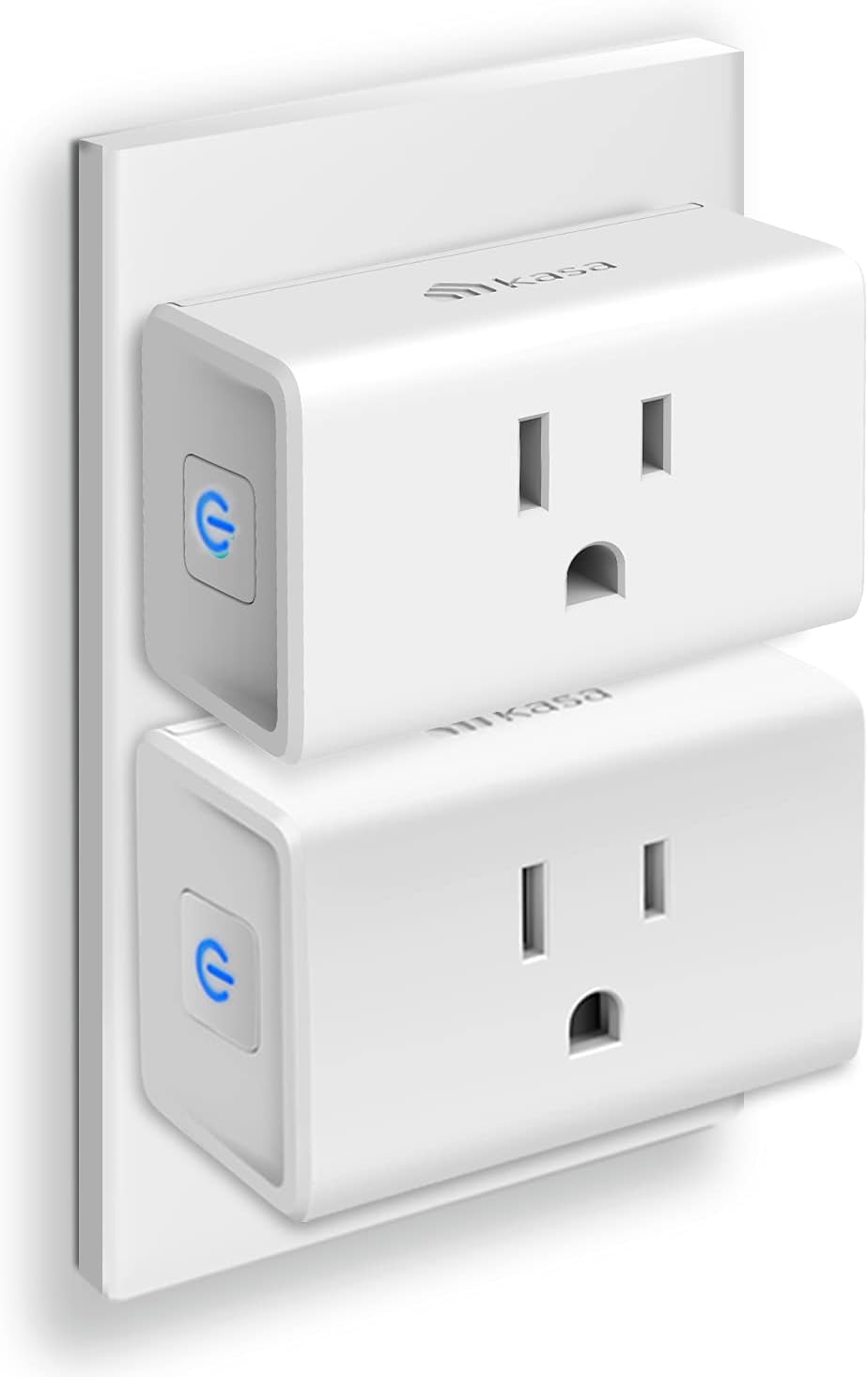
Next in the lineup is the TP Link’s Kasa Smart WiFi Plug. This cool smart wifi plug retails at around $17 on Amazon for a two-pack! It also has a four and a half out of five-star ratings. This wifi smart plug is very comparable to the Wyze Plug. One of the things we love about this smart device is that you can set schedules, timers, and scenes in the mobile app. It also has group control which is nice. The Kasa integrates with Alexa and Google Assistant for some additional smart home automation. The Kasa does have Home and Away Mode, so it can turn your lights and devices on and off if you’re not home. We love this feature.
This cool little smart plug also has a runtime report so you can see how long devices have been running. What about what we don’t like? With the Wyze Plug, you’re not gonna be able to monitor power usage with this device. Again…we think that is a simple feature TP-Link could have added at a relatively low cost. How much more would be willing to pay for this smart device if it had that added benefit? Probably around $3-$5 more dollars. The mini model is much nicer than the stand-alone device because it can feel a bit bulky and takes up the entire outlet. So you can’t plug anything in next to it.
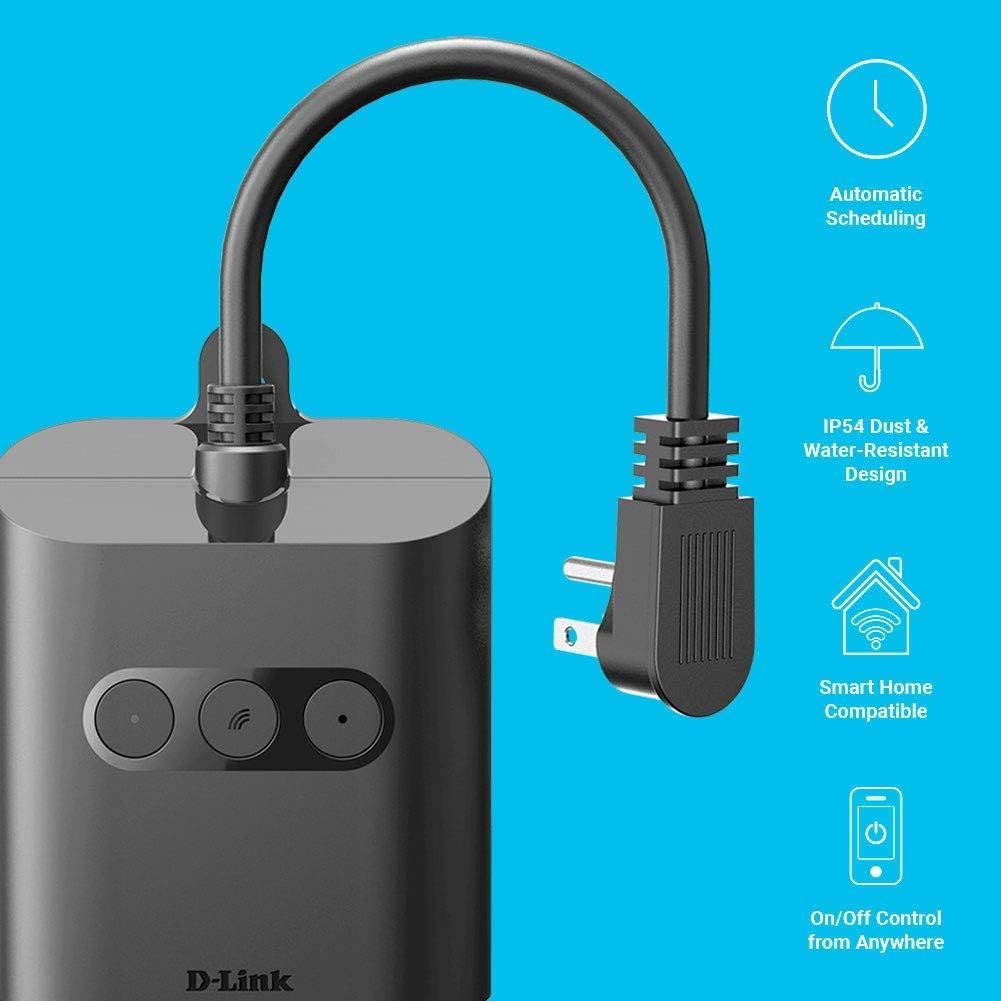
The D-Link Wi-Fi Smart Outdoor Plug is a great option if you’re looking to control some devices outside. This thing is IP54 dust and water-resistant. That is such a cool feature! You can set up schedules and on and off-timers. It works with Amazon, Google, and IFTTT for that smart home integration you should be striving for. And the great thing about this device is it has two outlets that work independently of each other. Again…another simple feature we love. In addition to that, it also has a USB outlet. What about some of the things we’re not too hot about with the D-Link smart outdoor plug? With the smart plug for the outdoors, you can’t turn it on and off. Not that big of a downer. But it’s always on but it’s nice to have it.
Not a deal-breaker, but perhaps on the next version we’ll get a toggle on/off feature. The D-Link smart outdoor plug retails on Amazon for around $35 and has a four out of five-star rating. Another thing we’re not too keen on is it’s not Apple HomeKit compatible and has no power monitoring. There’s also no runtime monitoring or actual power usage monitoring in this device. Again…not a deal-breaker, but some features they could possibly add to the next version of this cool outdoor smart plug.
With most smart devices, we love smart plugs because they do have a pretty high value-to-cost ratio. For what they do and how much easier they make our lives…getting a smart plug is a no-brainer. So our favorite plug out of all the ones would be the Wyze Smart Plug. This smart tech device is honestly the best bang for the buck, works with all the major systems like Amazon, Google and IFTTT for any home automation that you want to set up, and it is super reasonable on price. If you have any questions about smart plugs or how to set up your home to make it the best smart home, follow us at Dale Dumbs IT Down for more smart home tips.
Home automation? What is that? Do I need to know what it is? Home automation is awesome! Dale Dumbs It Down is going to share some of our favorite principles with Home automation. What we’re going to cover in this article are just the basics you need to know when it comes to home automation and some of the guiding principles we use when it comes to getting started. These core ideas apply to just about everything home automation. If you’re just getting started, then these principles will be good to go over and be mindful of as you select home automation devices. If you’re already building out your smart home, this may still spark some new ideas and how to make your home automation gameplan even better!
Home Automation: Where Do I Begin?
While smart home tech has definitely improved and is much more accessible in recent years, it’s still a bit of a conundrum for some people and there’s a lot of noise out there on what to do. Unfortunately, a lot of that information is wrong, by the way. More likely than not, you’ve most likely been inundated with ads, commercials, and advice on the hundreds of choices for smart outlets, smart lightbulbs, smart vacuums, smartphones, smart locks, smart thermostats…everything! How are you supposed to know? In another post, we’ll dive into some of our favorite smart home devices, but until then we want to dish on some of the principles to follow before you even think about home automation.
Basic Principles With Home Automation
One of the most valuable pieces of information we can give you is to have a game plan based on principles before you start diving into smart devices. It is not uncommon for some people to be into a smart home setup 10-15 devices where only a handful of them communicate with each other. The last thing you want is to have your Amazon echo control some devices, while your Google Assistant controls another set of devices. You might be chuckling at this, but it does happen.
Principle #1 – Make A Plan
This isn’t always as easy as you think, but don’t just start buying the first smart device for your home without having some kind of an idea or plan. Are you a Google Home fan? What about Amazon? Do you already have a basic setup now? Think about what you want. And don’t just fall for the price as a reason to buy something. One of the biggest mistakes people make with smart home devices is buying cheap. Just don’t. You want the best. Think about the functionality and features in your home that you’d like to automate to save energy, save time, avoid effort, or make your life easier. Smart plugs are a must. We think every room in your house needs at least one. Smart televisions…yeah…they’re awesome. Another must-have: Smart thermostats. They control your heating and cooling costs in your house and do some incredible monitoring to optimize heating and cooling. Smart lights that know how to turn themselves on and off when the house is empty are fun little devices. Smart locks are just awesome because you never know when you are going to accidentally leave the door unlocked on your way out. The point is: Have a plan. If you already have Google Home devices, you’ll want to make sure the smart devices are compatible with Google Assistant. Like Amazon Echos..stick with that. A great way to start is to list what devices you want and then map out what that will look like.
Principle #2: KISS (Keep It Simple Stupid)
It’s cliche, but we don’t care. Keep it simple stupid. No matter what you do, smart home tech should be adding to your user experience and making your life easier. It should never make something more difficult or cumbersome to do than the non-smart home method. If using smart home devices is making your life a living hell, you’re doing it wrong. And you won’t be the only person frustrated. Your family will be frustrated as well if you tell them that they have to stop using the wall switch and instead have to use their smartphone to turn something on or off. If you have to use 10 apps to use 10 devices…yeah…you’re doing it wrong. A good smart home adds functionality and application on top of what you already do every day. Smart devices should augment your day-to-day life, not add more drama to it. And another tip: don’t be afraid to start over. Yes, you probably will already have invested some decent amount of cash, but you’d be surprised how many people will buy used smart devices on eBay. Don’t be afraid to reboot.
Principle #3: Don’t Be Married To One Brand
Versatility in the brands you choose isn’t a bad idea. Keep your options open. The first thing to understand is that you don’t have to stick with just one brand. Just because you have a Nest Security Camera doesn’t mean you need to use all Nest products. You can mix and match these devices, but you need to make sure they all support at least one common platform. What does that mean? This means you have to do your research, make a plan (principle #1), and decide what platforms are important to you to support. Do you want voice support? Do you like to utilize the app interfaces? Are you interested in Alexa, Google, or Siri? Knowing these answers will help you narrow down your options. Do you already have an existing network of smart devices? Then make sure each smart device works natively or can tie into something like IFTTT (If This Then That). This is why we highly recommend buying products that support as many platforms as possible. There are devices that support Alexa, IFTTT, Google, and HomeKit right out of the box. Versatility is key.
Principle #4: Your Security Matters
This cannot be understated enough. Security should be the highest priority with smart home automation. When you’re using some of these major platforms you’re going to be giving away a lot of data about your family. Plain and simple. That’s the trade-off. Make sure you’re buying into a company you trust. Do your research. Do a simple search “Wzye security issues” or something similar. Read through their privacy policy and make sure your data is getting handled in a way you’re comfortable with. Make sure the brands have an action plan when or if there is a security breach. It is on them to notify you when your data is compromised. And it happens. Some of the largest corporations have had major data break-ins. Not that that’s an excuse BUT those companies have an action plan. As a result of T-Mobile’s latest security attack, they offered all of their customers a free subscription to an identity theft service. There are some platforms like Home Assistant which are self-hosted and completely in your control. Your data remains your own. This is awesome. With other services that’s definitely not the case. And very much related to that, not all devices are created equal when it comes to cyber security. Some may have old software that has security holes that hackers can take advantage of (another tip…perform regular hardware and software updates…it’s worth it!). We also talked about locking down your Google Assistant here.
Dale Dumbs It Down Can Help With Home Automation
There are so many other principles to operate from when doing home automation. And home automation is not basic by any means. It is a concept that can be as simple as you want it OR it can be very complex with literally a hundred devices connected to your personal life. One thing for sure is when first getting into home automation pay attention to having a plan, keeping it simple, being versatile in the brands you choose, and most importantly… making security a major priority. If you have any questions about home automation or how to set up your devices to make it the best smart home, follow us at Dale Dumbs IT Down for more smart home tips.
Your kitchen isn’t complete until you have at least one of these smart kitchen appliances for your home! Learn what we’ve discovered when it comes to smart tech for the kitchen! Smart appliances are growing in popularity, which is a good thing if you haven’t made the move to smart tech. The market is beginning to move from early adopters to influencers which means the technology is only going to get better. According to recent reports, 19% of the U.S. owns at least one smart appliance. Each year, more and more new smart gadgets and appliances are being made available for the consumer. The smart appliance market is hitting that point where the benefit has superseded the price to the consumer.
Here at DaleDumbsITDown, we wanted to feature smart kitchen appliances for an array of reasons. Chief among them is how useful (practical) the smart appliance is, ease of use (do I have to read instructions for hours to figure it out?), how likely are they to enrich our lives, and does it make our lives easier…or is just another one of those kitchen appliances or smart gadgets that we only use a couple of times and then never use it again.
Five Smart Kitchen Appliances Your Kitchen Will Thank You For
There are so many smart kitchen appliances on the market right now. Admittedly, some of these look really fun. Some are “smart” and we don’t really know why. Does every appliance in the kitchen need to be smart? Possibly. Smart fridges and smart dishwashers make sense. But smart blenders? Debatable. We take a look at a handful of smart appliances and detail some of our favorite features and how they can impact your life in the kitchen.
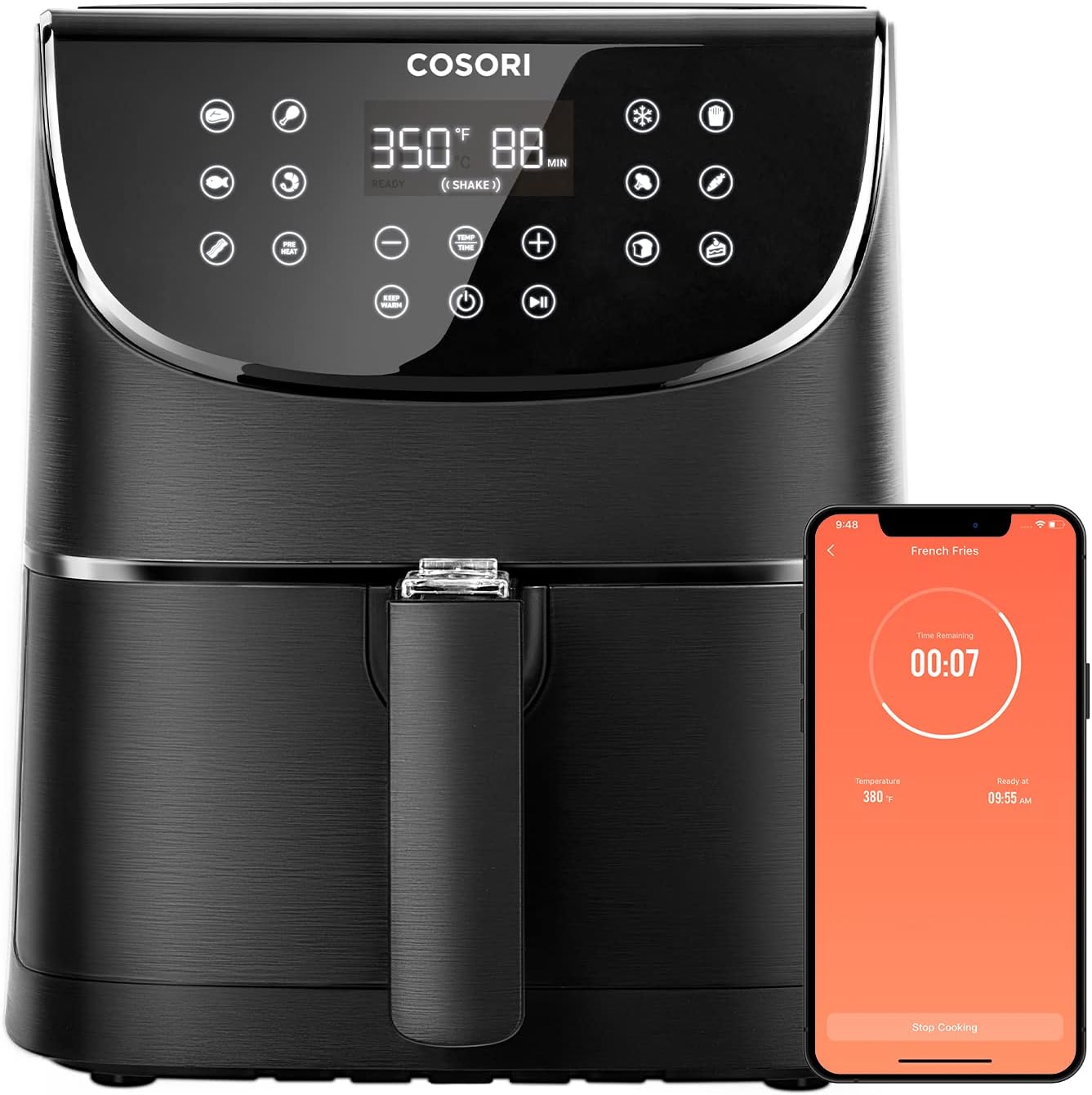
If you haven’t experienced the pure joy that comes with using an air fryer, then stop what you’re doing right now and go buy one of these. Seriously. Stop reading and go buy one right now. Air-fried food is incredible. Air fryers really grew in popularity a few years back, but their place as a staple in the kitchen appliance arsenal cannot be understated. Food tastes better in an air fryer. Period. This one from Cosori is a smart air fryer. Now…before you roll your eyes, the smart, WiFi-enabled air fryer is definitely clever and practical. This one works with Alexa and Google Assistant and is nearly 6 quarts. It also cooks meals quicker than a regular oven and uses 85% less oil for cooking. Aside from being able to say, “Hey Google, preheat the air fryer”, the free-to-download app comes packed with nearly 200 original recipes on your phone. But here’s the cool part: you can actually choose the recipe and begin cooking that specific recipe all within the app. The only thing that would make this the perfect smart kitchen appliance is if it actually prepared the food and served it on a plate for you 😉
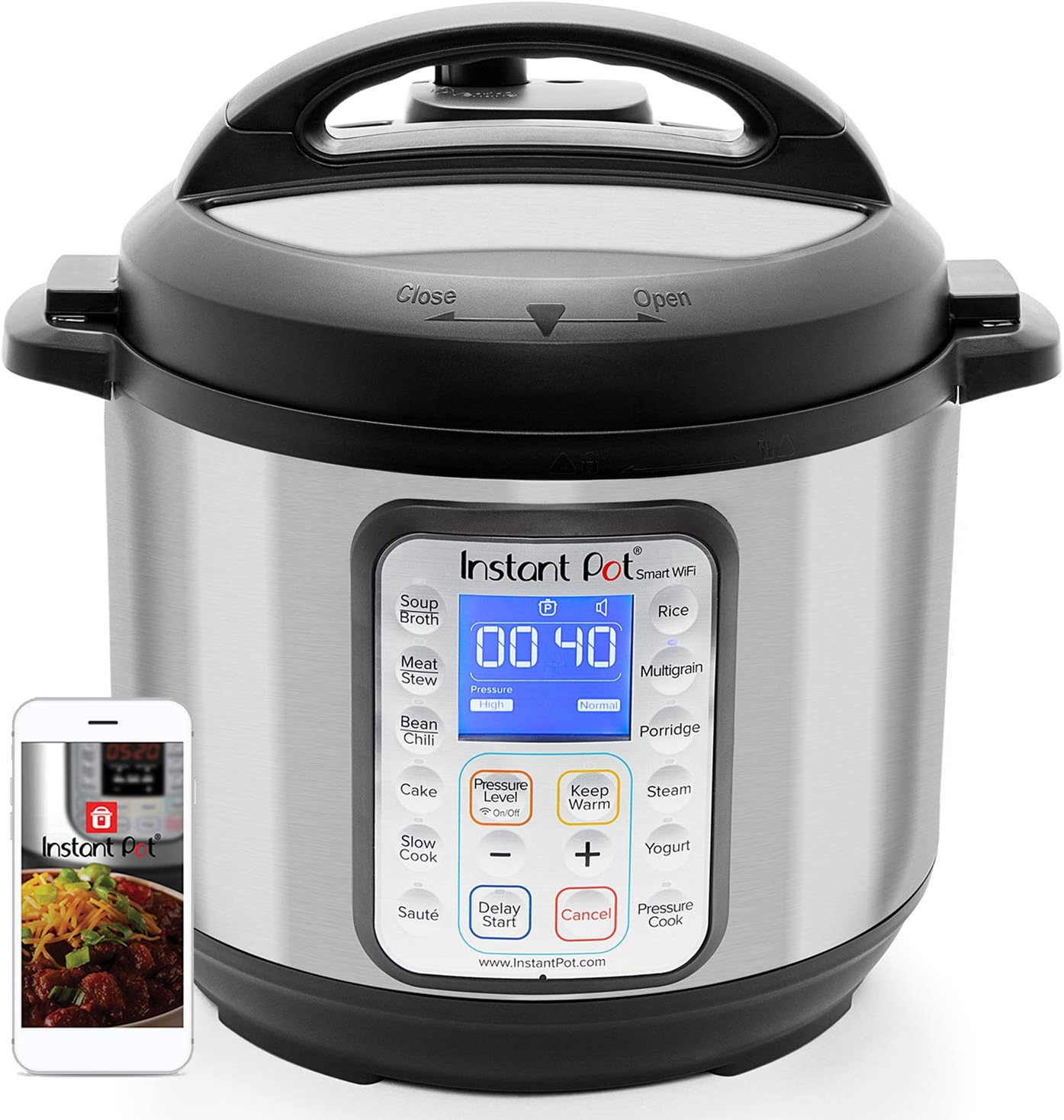
One of the most popular kitchen appliances over the last few years has been undoubtedly the instant pot. Now, there are some naysayers, but we believe most of those are driven by two types of people: those who have never tried cooking with the instant pot or those who have never tasted food from an instant pot. It only takes one time doing one meal with this amazing appliance to have you hooked for life. Enter Smart technology. When we first saw this, we were like “Really…Wifi-enabled instant pots? Cmon, man!” But after diving into the detail of what a smart instant pot can do, we’re kinda giddy about this smart kitchen appliance. For starters, this is the first multi-use programmable pressure cooker to hit the market. You simply download the app, find a recipe, follow the instructions, and you will have a very tasty meal. You don’t have to stir, watch, or take care of the meal while cooking either. Once you pair your mobile device to the Instant Pot App, you can completely control your cooker, check the progress of your meal, and…get notifications when it is ready! With this specific model, you’ll also get access to 1,000’s recipes that are Alexa enabled. The other added benefit to this is the Instant Pot community is MASSIVE. So yeah you’re going to get a TON of recipes from the app and the brand, but there are literally millions of recipes on the web for instant pots. On top of the really cool features of having a smart instant pot, here are some other incredible benefits: You get 8 kitchen appliances in one: pressure cooker, slow cooker, rice cooker (makes the best jasmine rice in the world), yogurt maker, cake maker, saute pan, and food warmer. We’ve even eggs sous vide in one before. 13 smart programs which make cooking extremely easy and efficient. Multiple safety features so you don’t have to worry about cooking with a pressure cooker Massive 6-quart capacity makes it ideal for cooking for small and large parties Don’t let the smart technology of an instant pot scare you away from getting one of these. And don’t be fearful of cooking with a pressure cooker. The tech inside of these is so much more advanced than your parent’s old school pressure cooker that you probably thought was the next closest related thing to a time bomb. Check out this incredible smart kitchen appliance.
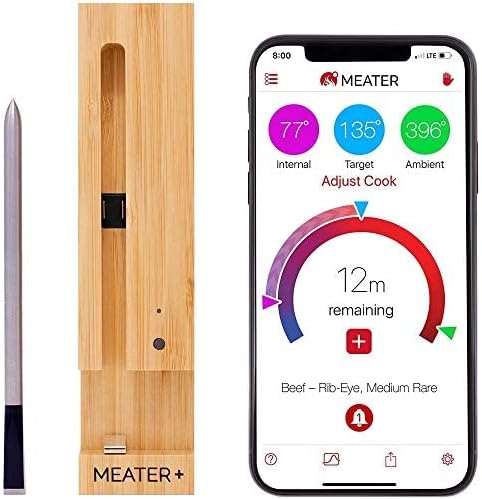
Smart Meat Thermometer? Really? Yes! It would shock you how many people get food poisoning each year from undercooked meat. According to the CDC, about 1 million people get sick from just poultry alone every year. It is a problem and this Smart Meat Thermometer can prevent a lot of pain for a lot of people. Not only was this the first truly wireless smart meat thermometer, but it also touts itself as having dual temperature sensors which can measure the ambient and external temperature of your meat. And don’t worry about temperature maximums either: the sensor max can handle temperatures as high as 530 degrees! This model does come with an app and process that ensures perfectly cooked meat. Their guided cooking system literally gives you step-by-step cooking directions. That is just one thing we love about this smart kitchen appliance. It’s simple to use. Simple to set up. Alerts you when your food is finished. It will even estimate the cooking time as well. No more hanging around the kitchen waiting for food to get done! No more dry meat. No more over-cooked chicken. No more undercooked chicken either…YUCK!
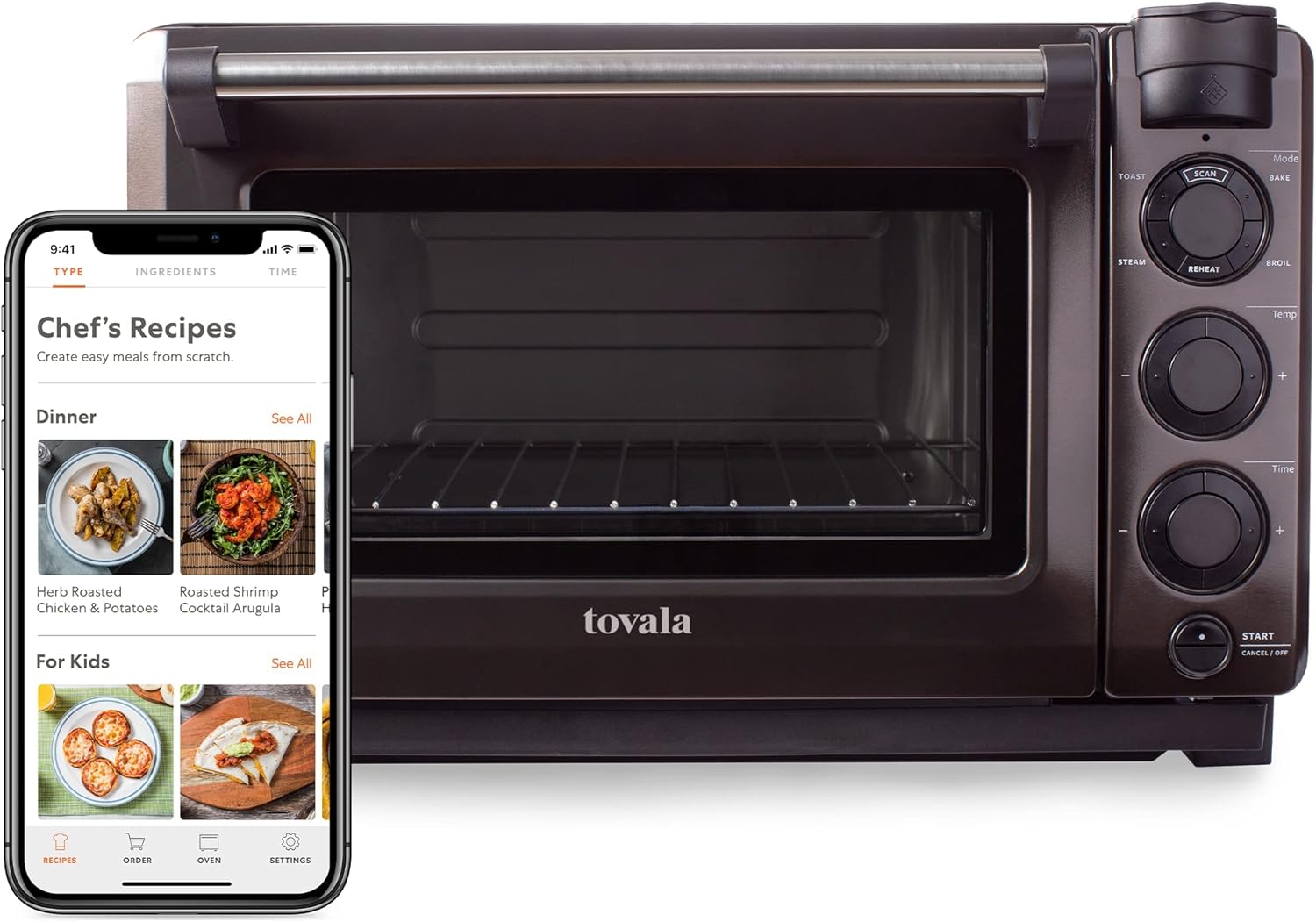
The Tovala Gen 2 smart steam countertop oven is amazing. That’s all that can be said about this. It truly is smart technology. The features and benefits of this smart appliance are so clever and useful! You can tell the company and product development teams behind the scenes have put a lot of ingenuity, effort, and innovation into this product. Yes, you get five cooking modes with multiple functions (steam, broil, reheat, bake, etc). Yes, you get a ton of recipes that are really easy to follow. BUT…this smart oven goes multiple levels deeper with its smart tech. The Tovala smart oven scans and cooks the food you want. The app interface is kinda cool too. Aside from having an easy-to-follow UX, you can simply set the cook mode and time from the app and track everything. You’ll even get a notification when it’s finished. But for those who are extra busy in their lives (or just lazy or just not a good chef), you can subscribe to oven-ready meals. Yes…you can plan out your weekly menu, purchase Tovala meals, scan the meal, and literally do nothing and have an incredible tasting meal. Tovala is next-level convenience with cooking. We love this product because of the support you’ll get when trying to cook delicious meals. Not only do we like this smart oven because of its backstory (you should check it out…it’s cool), but it’ll simplify your life. Some appliances do get in the way and we only use them like once or twice a year and we often just loathe its existence (sorry juicers…you’re the worst at this). This is one of those smart kitchen products that can really make a difference for your home.
Robot vacuums are the best. Most people on average spend about half an hour a week vacuuming. Convert that to total time and it’s about 60-70 days of their life spent going back and forth and back and forth through all areas of their home. Can you see where we’re going with this? These clever smart home appliances have been around for a while, but we love that each new model gets better and more innovative. The latest from iRobot is the Roomba s9+ and this thing can clean. Not only does it clean, but it also has automatic dirt disposal which allows itself to self-empty for up to 60 days. It’s literally hands-off tech for a couple of months and when you do have a little bit of maintenance, it’s a simple process. Some of the other features and benefits we love are the effectiveness to which it cleans, its ability to clean across multiple surface types, and the coolest benefit is the smart tech. Say your neighbors are coming over in an hour and your entryway is dusty and has little specs of garbage (we’ve all been there), simply say “Roomba, clean the entryway.” One simple command via voice assistant is all you need. This latest version has even better Smart Mapping so your smart vacuum knows the difference between your kitchen, your living room, and under the kitchen table. The iRobot Roomba s9+ is the smartest and most efficient smart vacuum on the market. iRobot continues to pour a lot of time, research, and energy into its products. That’s another reason why we love this smart appliance for the kitchen. It’s worry-free, hands-free, time-saving, efficient at cleaning, is personalized for your home’s needs, does what it’s intended to do, has great customer service, and is kind of cool. Having one of these smart robot vacuums around the house has a future-esque feel to it. We highly recommend the iRobot was a smart kitchen appliance every home should have.
Understanding The Value Of Smart Appliances For Your Kitchen
Remember the purpose of a smart kitchen appliance: make your life easier. Most of these smart appliances cost more than their regular “dumb” counterparts. It’s not just the technology in these smart appliances for the kitchen which makes the cost go up, but the massive amount of increased value they offer for your lives. They are supposed to save you time so you can focus on other important things in your life
Don’t know which smart plug to get for your smart home? We understand! Dale Dumbs It Down is going to break down what to look for in a smart plug.
“Hey, Google…turn on my living room lights.” So easy. So practical. It’s kinda hard not to feel a little special being able to command devices in your home with a simple voice prompt. And if you haven’t tried using a smart plug, you’re missing out! There are a ton of different smart plugs on the market with different awesome features. But what is the difference between them all? What should you look for in a smart plug?
They seem to come in all different shapes and sizes, some of them you can set up different schedules while with others, you can set up timers that can turn on and off at a certain time. Some work with different platforms as well. This is a major point to make with smart plugs: make sure the smart plug connects with the platform already integrated in your smart home. Amazon, Google, and HomeKit are the standard. There are so many different questions out there. We want to quickly touch on a handful of important things you need to look for in a smart plug.
What To Look For In A Smart Plug
There are a lot of different smart plugs out there but not every plug is going to be right for you and your family. The price range on these can run from around $6 to as high as $60!
Budget + Simplicity
If you’re more on a budget, you’re gonna be looking for something that just has simple features, turning your device on and off. Maybe setting up a schedule or two. With any smart plug, you will get what you pay for it. Period. But simplicity, because you’re on a budget, isn’t always the norm. Sometimes, the simple feature of just being able to turn devices on or off is exactly what you need. Determine the purpose of the smart plug. This is key. In one of our rooms, we have a special plant light and we turn it on when there isn’t a lot of sunshine during the day. A simple on and off toggle is perfect for that situation.
Features You Want In A Smart Plug
Most smart plugs offer tremendous value by delivering on what they promise to do. But maybe you want to spend a little bit of extra money and really get something that is just feature-packed. A smart plug that’s gonna be able to monitor the power usage from your device in addition to enabling Vacation Mode or Schedule Modes. Perhaps you want timers? These are really nice features if you’re the geek type and love to leverage smart technology to make your life easier.
Dedicated Apps And Integration
Something else to consider with all smart plugs is if they have their own dedicated apps. If they do, this usually indicates the company is dedicated to the product. We highly recommend downloading and signing up with an account for the app. What this will do is unlock more features than if you were to use it only on Amazon Alexa or Google Assistant environment. In most cases, you can use both and the app integrations and how the apps communicate with each other are pretty seamless. Another thing to consider is how you control these plugs through their apps from anywhere in the world as long as they are connected to WiFi.
Location In Your Home
There are some smart plugs on the market right now that have been designed to work outdoors. They feature water-resistant features and tech inside of them so they’re protected inside. Don’t make the mistake of getting one of these higher-end priced smart plugs and then use it inside. And as mentioned earlier, depending on where you decide to utilize your smart plug should play a major role as to what brand you want to go with.
Your Home Needs Smart Plugs
These are just a handful of things to look for when deciding on getting a smart plug. We take a look at the smart plugs we really like, but one thing is certain…every home should have a smart plug or two. They are simple technology but massively practical and do make life a little easier with little disruption to our lives.
I overheard a friend reference his Google Home as the uninvited guest in every conversation. I immediately responded, but is it? I kidded him that the invite came when he purchased the devices and set them up in his home. I, too, have invited a plethora of smart devices into my home for the convenience and the cool factor that comes with having the latest and greatest technology. Yes.
Digital assistants can listen and record everything you say even when you haven’t activated it.
But, understand that technology isn’t limited to just digital assistants. Your phone, tablet, and in some cases your laptops are doing the same things. If this unnerves you, all is not lost as Google Assistant will let you change a setting so it won’t record your voice. And Alexa allows you to delete recordings already made. If all this makes you uneasy, you can delete the recordings already made by Alexa and Google Assistant — but of the two, only Google Assistant lets you pause the process so that your voice won’t be recorded in the first place.
My Favorite Thing About Digital Assistants ‘Nana, my mom grounded me in my room. Will you get her in trouble for me?.’ This phone call from our grandson using his Alexa, who lived states away from us, was the highlight of my wife’s week a short while back. My 6-year-old grandson disobeyed his mom and got sent to his room. With Alexa in the room with him, it’s was as easy as him saying ‘Alexa, call Nana,’ and he had direct access to a listening ear who wanted to hear all about how unfair his mom was. For millions of us worldwide, ‘shelter-in-place didn’t mean shelter-all-alone as technology brought comfort to those who live alone and allowed loved ones across the globe to connect and strengthen bonds.
Digital assistants can help you:
Make shopping lists and order groceries online for delivery or pickup
Connect all your devices to your home audio system
Keep your phone unlocked as you approach, or lock it when you leave or fall asleep
Turn on your home lights to make coming home easier
Sync up all your devices, so they play the same music at the same time All this makes for a highly convenient lifestyle, and the technology is getting better every day.
So I do use and value the benefits of having digital assistants. But the jury is still out whether Alexa or Google Home is my favorite. I have both in almost every room of my house, and I often pitch them against each other, trying to analyze which one is best.
My articles and social media sites are full of my thoughts on smart home devices, the good, the bad, and the ugly. As a tech guru, a parent, a grandparent, and a cyber security expert, I lean towards embracing technology advancements.
But I encourage everyone to use them responsibly to keep you and your loved ones safe and smart with all the guests you’ve invited into your home -both the human and digital guests.