Whether you’re a tech guru or not, at some point you’ll need to replace your router. But how do you know when it’s time? You know it’s been a while since you’ve updated or replaced your router, but maybe you don’t know the tell-signs of when it’s time to kick the old router to the curb. Here are a few tips to help you decide. Plus, we’ll give you some ideas on what to look for when shopping for your next router. Whether your current router is on its last legs or you’re just looking for an upgrade, we’ll point you in the right direction.
How To Tell When To Replace Your Router
I’m always amazed at how long people will hold on to their routers. When I get asked. ‘How come my internet is slow?’ or ‘Do you know why I keep losing connection to my internet?’, most of the time the first area I’ll respond with deals with routers. Your router is not only responsible for WiFi speed and signals, but there are various other factors to consider, such as security protocols. If you are using an old router, many issues can arise in your network. But, how do you distinguish an old router? How can you really tell when it’s the right time to replace your router? Let’s break down all the factors you should consider.
If you’re like most people, you don’t think about your router until it stops working. It kind of reminds me of having a printer (yes, there are still people who use printers). Most people don’t get a new printer until it stops working. And by then (and especially with routers), it’s usually too late. Routers are one of those pieces of technology that we often take for granted until they stop working properly. So how do you know when it’s time to replace your router?
Using A Router Over 3 Years Old
If you have been using a router for more than three years, you should replace it right away. I used to believe 5 years was a good shelf life for a router, but with the innovation in smart home automation and having so many devices in our homes as “smart”, three is the new standard. You can usually start to notice small performance issues with your old router. However, the biggest problem is its security features (some of the things you can’t see). Using an old router can heavily affect the entire network and all the connected devices. What does this mean for you? It means that hackers can find an easy way into an old router. Therefore, your data is not secure with that router.
WiFi Range and Speed Issues
The strongest selling point of a router is its speed compatibility and area coverage. People tend to buy the most powerful router to cover at least one home building. However, old routers can lose their signal strength over time. And the old tech in those older routers struggles to work with the new tech in our devices and new tech in our internet (for example, Wifi 6). You will notice the lack of signals in significant areas. A router is made of complex machinery that can start malfunctioning over time. It happens.
Another considerable issue is WiFi speed. If your internet is working fine, but you are getting poor speed, your router might be breaking down. It is one of the symptoms of poor connectivity. But, it clearly indicates the right time to replace your router. This is probably the most important signal that you need to replace your old router.
Poor Connectivity
Poor connectivity can include several issues. It includes losing your internet connection or not connecting to the network at all. Poor connectivity is caused by firmware and hardware issues in a router. It can also deal with having a lot of devices connected to your network. Some of those older routers weren’t even designed to have 20-30 devices connected. Nowadays, it’s not uncommon to have 50+ devices connected to your network.
However, it is important to ensure that it is indeed your router that is causing poor connectivity. Sometimes, the issues are loose cards, modem, and network outages from the provider. An easy way to identify the problem is to check all the lights on your modem and router. If all of them are green, your router is causing the issue.
Overheating
Usually, routers work all day long. Therefore, they can also heat up from time to time. While this is normal at times, regular overheating means hardware issues. It is caused by poor ventilation in a router. Older models were not built to sustain modern smart devices and connections. Therefore, they can heat up pretty quickly. Make sure to get a new router with proper cooling.
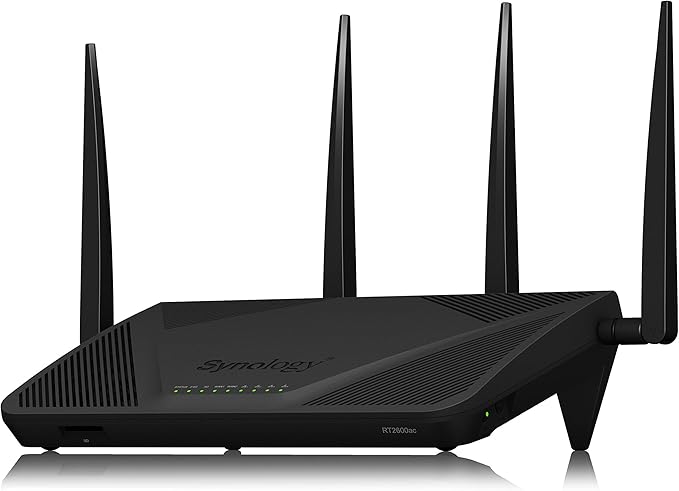
Yes, there are people who make the trek downstairs to their furnace room on a weekly basis to unplug and restart their router. If this is you, time to put ol’ Bessie the router down and opt-in for a new one. Some routers like the Synology RT2600AC have this as a feature. Mine reboots every Sunday at 2 am.
Yes, You Need A New Router Now
These signs indicate that your router is outdated. Make sure to buy a new model to prevent security, speed, and signal issues. But, remember that the router does not generate internet speed. It only passes the provided bandwidth to your home. Therefore, you should not blame a well-working router for internet speed issues.
Switching to Modern
Switching to a modern device is always a better option. A next-gen router will have all the upgraded features, including WiFi 6 capabilities. Plus, you will get more robust signal strength, larger area coverage, and tighter security protocols, such as WPA3. Here are a few next-gen routers we’ve reviewed and would highly recommend.
The Synology RT2600AC Router
Synology’s RT2600AC is a workhorse when it comes to throughput and range. It also has features that make this device an excellent choice for any home network, whether you’re just starting out or need something more advanced than what most people normally use! With so many huge brands in the market with great offerings, it can be difficult to choose which one will suit your needs best at first glance. Read our full review on the Synology RT2600AC router to determine if this is the right router for you.
EERO Pro Mesh Wifi Router
The Eero Pro is a new type of mesh WiFi router that promises to blanket your home with fast, reliable Internet. We put it through our test and found this device lived up to the hype! The best part? It’s an affordable and effective option even if you’re on a tight budget or just looking for something fancy without breaking the bank. Read our full review on the EERO Pro Mesh Wifi router to determine if this is the right router for you.
Gryphon AX Router
Mesh routers are all the rage, but do you really need one? The Gryphon AX is a popular choice for those looking to cut their internet bills. We take an in-depth look at what people say about this device and answer any questions on whether or not it’s the right decision for you and your home network. Read our full review on the Gryphon AX Router to determine if this is the right router for you.
Okay…so this is another question I get asked every now and again, so I thought it deserved some insight and reasoning. Every so often, your phone or other gadget needs to be reset. It can get bogged down with old files and apps, draining its performance. Sometimes a reset or a restart on your gadgets can help. Here’s why it’s important.
Should I Really Reset My Devices Regularly?
In a nutshell, the answer is “it depends”. As a general rule, smartphones are meant to be constantly connected to the Internet and a cellular tower. As a matter of fact, think about the basic concept of a “mobile phone”: the idea is that you may be reached at any time (and primarily anywhere). However, there are times when you’ll need to restart your phone. Restarting your computer will be required to apply any available OS updates, program installs, or application installs. So what if you’re device is running buggy or slow? Generally speaking, if anything is running slowly or buggy, a restart may help (for smartphones, PCs, and tablets). Manually shutting down apps and processes may also cure your issue. However…rebooting achieves the same thing while also freeing up RAM for use. That double whammy usually solves any issues you may be suffering, especially with smartphones.
Restarting your phone is a great idea if it’s suddenly becoming hotter than normal, regardless of whether or not it’s computing hardware. While these issues may be common, if they occur often, you may have a problem with your phone’s hardware and you probably need to take it to a professional to get looked at. Most of the time, your smartphone won’t need to be restarted at all. I know some people who have never restarted their smartphones. Granted, I doubt they use them that much or are downloading and installing apps. But it’s perfectly fine if you never restart your device. For me personally, I usually give a restart only once or twice a week, no matter how old it is. I use my phone quite a bit though and I’ve found it helps.
But Restarting My Devices Helps The Battery…Doesn’t It?
There are many people that believe the notion that restarting your phone every day saves the battery life of your device. I get why they have this sentiment. Most people are familiar with the irritating feeling of having a battery quickly drain to zero on your phone, especially if you are in the middle of something important. Many people believe that restarting their phone helps to preserve battery life, but is this actually true? Based on current research and expert opinions, it seems that while there may be some minor benefits to restarting your phone occasionally, it is unlikely that doing so will significantly impact battery life.
One reason why restarting your phone may not deplete battery life is that phones have sophisticated battery management systems these days. These systems constantly monitor battery usage and throttle the power output accordingly to maximize efficiency. Even when a phone appears to be fully drained, its battery may not actually be empty yet. In fact, many phones can go for several hours before reaching a truly dead state. Personally, I do recommend closing down apps if I’m not using them frequently.
Does running apps in the background run down my phone’s battery? The answer, it turns out, is a little complicated. Running apps in the background does use battery life, but it’s not a huge amount. In fact, if you’re not using an app, it’s actually better to keep it running in the background so that it can be quickly accessed when you need it. However, if you have an app that you’re not using but is still running in the background, it’s probably best to close it to conserve battery life.
How Do I Reboot My Smartphone?
If you’re having issues with your phone and need to reboot it, there are a few different methods that you can try. The first option is to simply restart your device by holding down the power button until the reboot menu appears on your screen. To do this on an iPhone, quickly press and release the volume up and home buttons together, followed by pressing and holding the power button until your phone restarts. For most Androids, hold down the volume down button and the power button, and after a little bit…the phone will restart. No matter which method you choose, just make sure that you do not remove your phone’s battery or let it run out of power while it is rebooting.
What About Restarting Tablets And PCs?
When it comes to tablets and PCs, things are a little different, but not by much. Personally, I think it’s important to restart an Intel or AMD tablet when you need to, such as when you’re installing new software or after a security check, or if the fans are spinning noisily or the device itself is overheated. As stated before, if things are sluggish and prone to errors I won’t hesitate to restart or reboot.
In my opinion, many people don’t restart their PCs as often as they should. In general, you should restart your PC at least once a week (it is recommended). This helps to clear out any built-up junk in the system and can help speed up your PC. If you’re having problems with your PC, restarting it can often fix the issue. Not always, but you’ll be surprised how often it helps. And, of course, if there’s a major Windows update, you’ll need to restart your PC to install it. So don’t be afraid to restart your PC on a regular basis, it can help keep your system running smoothly.
To Reset Regularly Or Not Reset Regularly? That Is The Question
Should you really reset your devices regularly? The answer is: it depends. I hate using that as an answer but it’s not always black and white with tech issues. If you feel like your device is bogged down or not performing as well as it used to, a hard restart or a good reboot may be in order. And if you’re experiencing battery issues, a reboot could help jump-start things again, but probably not. But if everything seems to be running smoothly, there’s really no need to go through the hassle of a full reset quite so often.
The best streaming devices are an essential part of any home entertainment setup, particularly because smart TVs don’t necessarily offer all the apps you need. However, choosing the finest streaming device may be difficult, but the Apple TV, Firestick, and Roku stand out as the best options for the majority of consumers. In addition, they will look and sound fantastic with Dolby Vision and Atmos.
Streaming devices are becoming more popular every day as people cut the cord and move away from traditional cable TV. If you’re looking for the best streaming device for your home entertainment needs, then look no further. We break down the different types of streaming devices available and recommend our top three picks. It doesn’t matter whether you’re a movie buff or a tv show binge-watcher, we’re going to make choosing one of these stream devices easy for you.
Roku
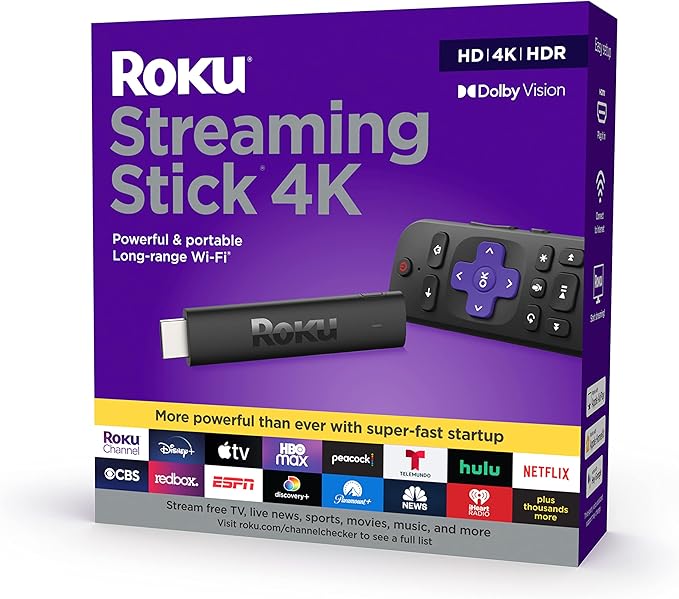
With hundreds of channels to choose from in its Roku Channel Store, Roku is known for its variety of services and applications. Amazon Prime, Hulu, Netflix, and Sling TV are just a few of the major streaming media providers accessible, as well as a slew of specialist applications and services for movies, sports, weather, news, and foreign content. Apple AirPlay is also supported which is awesome for those Apple fans out there.
Streaming sticks such as the Roku Streaming Stick 4K and the Roku Streaming Stick 4K+ are capable of delivering 4K video in HDR10 and Dolby Vision, making them one of our top choices for streaming in 4K. It is more expensive and larger than the regular Roku Streaming Stick+, but it offers features such as wired connection options and a remote with a headphone connector, which is not available with some of the others. If you don’t already own a media streamer, Roku also makes a soundbar that can stream media. Despite its $180 price tag, it’s more than fair for a simple stereo soundbar that can stream 4K content.
With Roku TV, Roku has also established itself as a major player in the smart TV market. At least 12 manufacturers, including Hisense and TCL, employ its technology on a large number of their TVs, which the business does not produce itself. Similar to Roku media streamers, Roku TVs are televisions that include a built-in video player. Roku TVs now come in a wide variety of sizes and resolutions, including 4K and HDR. But if streaming is your main concern, I’d definitely stick (pun intended) with one of the streaming sticks previously mentioned for a more enhanced experience.
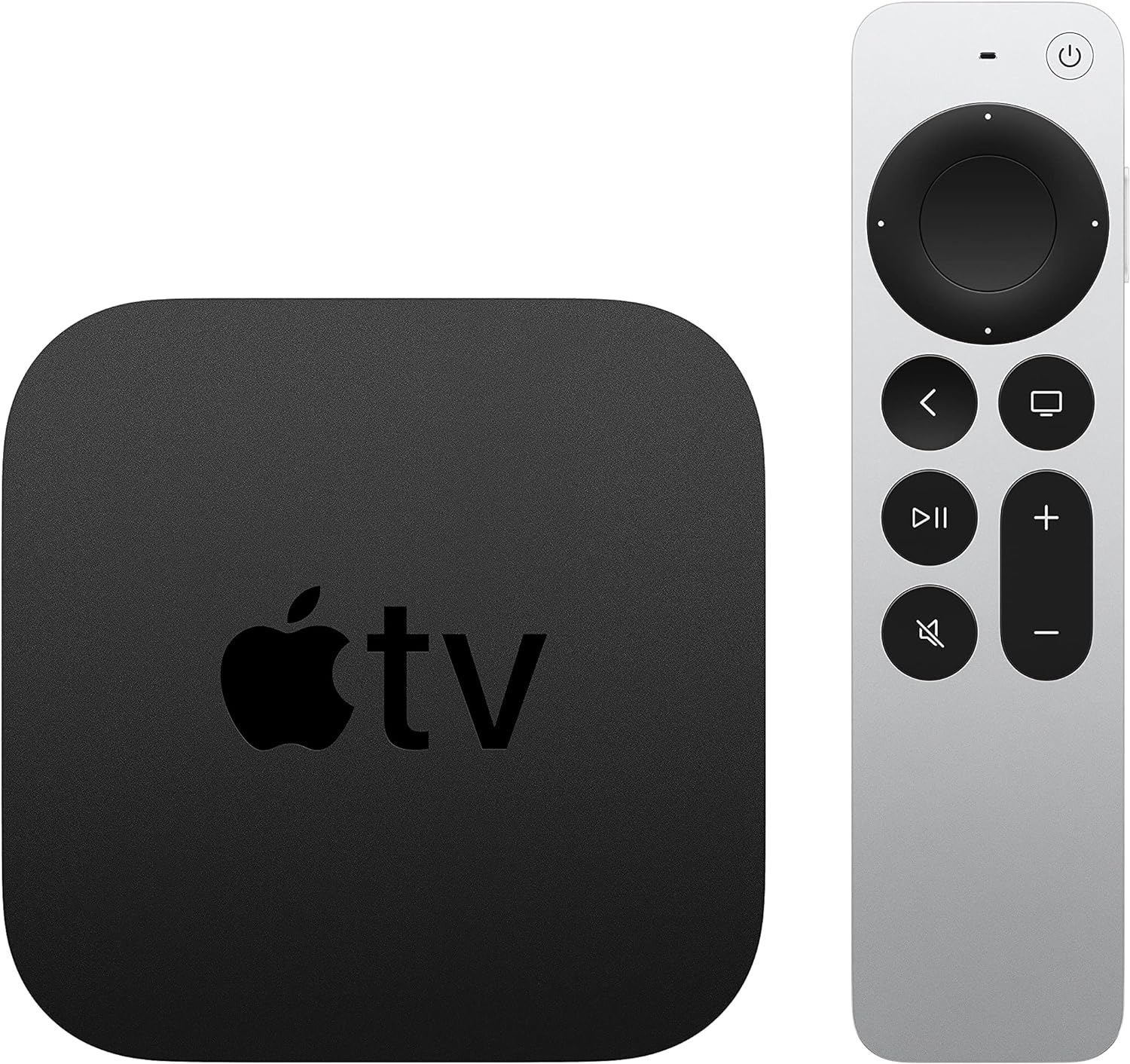
Apple TV is a preferable alternative for people who want to check all the boxes, or who only want an Apple device to use Apple Arcade for gaming or to take full benefit of their Apple One subscription packages. The Apple TV app now allows access to the vast majority of Apple-purchased movies and television shows, including content from Apple TV+, on a variety of other devices. Smart TV platforms such as Amazon Fire TV and Google TV, as well as game consoles such as the PlayStation 4 and Xbox One, are all supported by the service’s diverse selection of platforms.
Even while the Apple TV costs more than most other options, it has certain advantages for Apple devotees. While you do get a Siri-enabled remote and the ability to use it as a hub for Apple HomeKit with the Apple TV hardware, those are the only major benefits it has over some of the other streaming device options. The Apple TV may easily be overlooked in favor of a far less costly video streamer or the smart features built into your TV if you don’t want to construct a HomeKit-based smart home with it.
The Fire TV Stick Streaming Video Player allows you to watch streaming media on almost any HDTV in your home. Access to material such as movies, television programs, music, games, and more is provided via this sweet piece of equipment. Premium services like Netflix, Pandora, HBO NOW, and Amazon Video are also available. You may connect this HDMI-enabled gadget to your television through its 1080p video output. Dual-band Wi-Fi 5 is available on the Fire TV Stick for high-speed Internet access. With the latest Fire TV Stick 4K Max, you’ll be able to take advantage of WiFi 6 speeds that really take your streaming experience to the next level. Your connected smart devices can also wirelessly mirror and exchange content. By just speaking into the 2nd gen Alexa voice remote control, you can easily navigate the Fire TV and look for extra information on the internet, such as weather conditions and sports scores.
Amazon Fire TV Stick 4K vs 4K Max?
Which one should you get? I have both and I love both, BUT…the 4K Max is worth the extra $20. In fact, I like the 4K Max so much more that we’re going to buy another one and use the standard 4K stick as our new travel device. Amazon claims it’s 40% more powerful and after using it…right away I’d say that’s a massive understatement. We immediately noticed the 4K Max model has a smoother streaming quality and most importantly has quicker (better) navigation and operating function. It’s clunky at all. I’ve yet to experience an app crash, which almost every streaming stick I’ve ever had has that issue. The latency between operating the remote control and what you see on the screen is almost nothing. It truly is an awesome streaming stick and one we highly recommend.
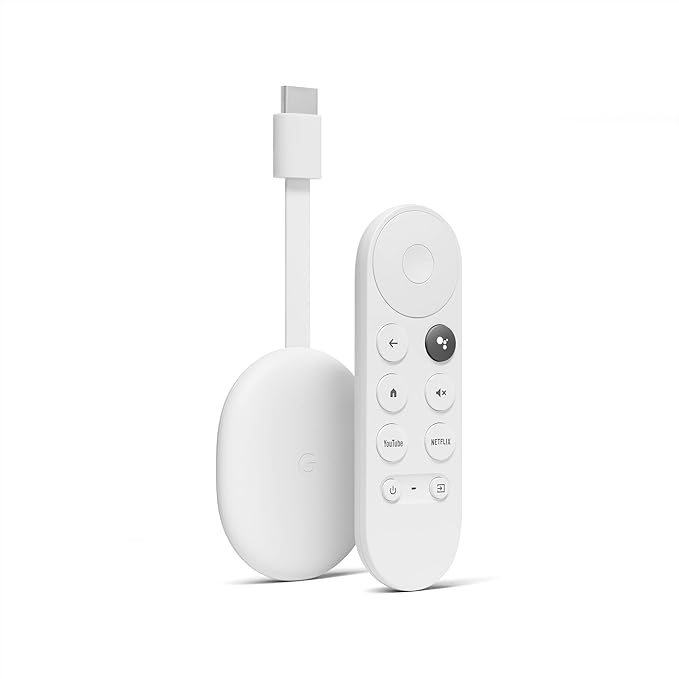
This is what I personally use a lot and personally love a lot! Chromecast with YouTube TV is a streaming device that lets you watch your favorite live TV shows, news, and sports. It’s simple to set up and easy to use. Just plug it into your TV’s HDMI port, connect to your Wi-Fi network, and start streaming. Chromecast with YouTube TV gives you access to all of your favorite channels, including ESPN, CNN, HBO…just about everything. Plus, you can pause and rewind live TV, so you never miss a moment. And with their cloud DVR, you can record your favorite shows and watch them later. Chromecast with YouTube TV is the perfect way to watch your favorite TV shows, news, and sports. I do appreciate that you can have simultaneous streams at once with YouTube TV along with a robust profile allowance. Currently, you can stream on 3 devices simultaneously and have up to 6 profiles on your account.
With Chromecast specifically, you can easily cast most content from your phone or tablet onto your TV. And it doesn’t matter if you have Android or Apple devices either. You can stream on both. Another added value you get with Chromecast that is very underrated is you can ask Google Assistant to play your favorite show, pause or resume playback, and even control the volume. Chromecast is a fantastic way to enhance your tv viewing experience.
Streaming Stick vs Streaming From Your TVs Software?
When it comes to streaming, there are a few different options to choose from. You can stream from your device, or you can stream from your TV’s software. Both have their own benefits and drawbacks, so it’s important to weigh your options before you decide which one is right for you. Which is better? Streaming from a device like Roku or Firestick or from your Smart TVs software?
One advantage of streaming from your TV’s software is that it is usually already installed on your TV. This means that you don’t have to buy an additional piece of equipment. Don’t have to worry about using another plug for a streaming stick. The biggest benefit of using your TV’s built-in software is a matter of convenience. And that’s about it.
Streaming sticks are a great option for people who want an easy-to-use streaming experience and one that isn’t going to be glitchy and choppy. One of the biggest complaints about using your TV’s built-in software is the glitch factor. And you can update your TV’s software all you want. They just haven’t perfected the stream quality and experience vs streaming sticks. The other is picture quality. It’s hard to beat streaming in 4K from a streaming stick over Wifi 6. Even if the TV claims to stream in 4K, I just find the experience in visual and audio better with a streaming stick. Another reason I like the streaming sticks is they are small and compact, so they’re easy to transport. We used to take our Firestick with us on vacation and it was super easy and convenient to watch in vacation rentals and hotels. And then another huge reason is when you stream from your TV’s built-in software, you’re kind of limited with what’s available on your TV’s app store. You have the same issue a little bit with a stick (not all channels/apps are on all streaming sticks), but it’s a much bigger issue with TV app stores.
Looking for the best outdoor Bluetooth speaker? I was first introduced to one of these a while back and now it’s a staple in our home. Our top three picks will have you jamming out in no time. Whether you’re looking for something small and portable or something with a little more power and reliability, we’ve got you covered.
Let’s face it, most of us all love music. It gets us pumped up for a workout, maybe gets us amped up for work, helps us relax after a long day, and is the perfect accompaniment to any party. But lugging around a heavy speaker can be a pain and Bluetooth speakers that are small enough to fit in your pocket often don’t have the best sound quality. This is one reason why I truly believe everyone should have an outdoor Bluetooth speaker. One that was designed specifically for the outdoors (because that matters). These speakers are designed to provide clear, powerful sound while being lightweight and portable. And because they’re Bluetooth-enabled, you can control them from your phone or other devices without having to be in the same room.
Polk Audio Atrium 4 Outdoor Speakers
These speakers were engineered with the outdoors in mind. Period. Polk Audio Atrium 4 is truly an enriched audio experience for users. If you use semi-quality speakers, Polk Audio Atrium 4 will provide you with a dramatic improvement in your listening experience.
There is a two-year warranty on the polypropylene body of the speakers. Despite their diminutive size, they generate excellent sound quality and volume, so you don’t have to worry.
Besides being aesthetically pleasing, the speed lock system is also quite convenient. During installation, this mechanism comes in helpful.
These speakers are built to withstand the rigors of daily use. The Polk Audio Atrium 4 is hard to beat in terms of value for money. They’ll run you about $200 on Amazon (the best price we could find), but the value return and sound quality + experience are definitely premium. It’s reassuring that outdoor speakers of this kind of excellent quality can be yours for a very reasonable price. It won’t put a dent in your wallet.
The molded-in bracing and mineral-filled polypropylene cabinet can withstand extreme environmental fluctuations. It’s not a problem if it rains because these speakers are waterproof. Atrium 4 is a reasonably simple speaker to set up as well.
Benefits
The sound quality is excellent
It can withstand all weather conditions, super durable
Includes stainless steel and brass hardware for 100% rust-free
Can be placed vertically or horizontally so you get a customized experience with aesthetics
It is reasonably priced.
Drawbacks
Require a more significant amount of power and you have to buy the Bluetooth receiver to truly unleash that remote feature. A receiver will run you about $80 and a little technical know-how to install.
As far as outdoor speakers go, you can’t go wrong with the Polk Audio Atrium 4. These speakers pack a powerful punch despite their small size and won’t bust your wallet. It will not disappoint you if you reside in a location that encounters extreme temperatures and crazy weather.
JBL FLIP 5, Waterproof Portable Bluetooth Speaker
The JBL Flip 5 speaker is an updated version of Flip 4’s cylindrical-shaped speakers. There is a range of colorful and cheery colors to choose from and more subdued black and white options for the Flip 5. A flat rubber panel stops the speaker from rolling around when it is placed upright or on its side. For people who want audio while they are engaged in any kind of water-related activity, this is the outdoor Bluetooth speaker to get.
There is a strap attached to one end of the speaker, and it can withstand submersion in one meter of water for up to 30 minutes with an IP-7 rating.
It is slightly more environmentally friendly because it is made from recycled plastic and packaged in a way that minimizes the impact on the environment. It’s the little things that matter and the fact that JBL is making this kind of environmentally-conscious action is definitely noble.
Additional features include stereo playback across two speakers with the Party Boost function. Making calls or using your voice assistant is impossible without a microphone.
Benefits
High-quality audio
Long-lasting battery (JBL boasts of up to 12 hours of playtime)
USB-C Quick Charge (the Flip 4 doesn’t have this)
A 20W power output
The sound is well-balanced and precise
There is a lot of depth and warmth in the bass.
Waterproof and rugged design
Warm and dynamic sound
Super easy to set up
Drawbacks
A wired connection to a computer is not possible
Lack of a microphone
Lack of a 3.5mm jack.
You can carry the JBL Flip 5 everywhere, rain or shine, without worrying about running out of juice before the party is finished with this speaker. And with a price tag of around $100, this just might be one of the best Bluetooth speakers around.
Bose Soundlink Flex Bluetooth Portable Speaker
This wireless waterproof speaker for outdoor travel is not only an Amazon Choice product, but it delivers all the goods you could ask for from a portable speaker. It truly is a remarkable product. Is that surprising? Not really, considering it’s built by one of the premier audio brands around. Bose did an excellent job with this model. What really stands out is the placement and functionality of its buttons. On the side or top of the speaker, a control strip runs along its length when the speaker is standing up. Immediately below the screen are the power button, the volume control (minus) button, the speakerphone pinhole microphone, and the left and right sides of the screen have Bluetooth pairing buttons. By pressing twice, you can skip forward, or three times, you can go backward. The multifunction button allows you to play music, make calls, and navigate tracks. Buttons are easy to find (no guessing what the button does ~ which I’ve seen a lot with these kinds of speakers) and easy to operate.
In addition to the rubber covering on the rest of the speaker, there are feet on both the back and bottom that allow you to pull the Flex forward or upward. Bose just hit perfectly on those little nuances you notice. The back-firing passive radiator is covered with a small grille on the back which is fully waterproof. The right side comes with a loop to allow the speaker to hang from a carabineer or hook. Some things that make for great audio include powerful sound, deep bass, and clear highs.
Benefits
The Bose Soundlink Flex is dust-tight and waterproof.
The speakerphone sound is crisp and clear.
IP67 waterproof standards
USB-C charging and a battery life of up to 12 hours per charge
Pairs with most Bluetooth enabled devices
Built-in microphone
Drawbacks
There have been some connectivity issues with the Bose Connect app with some consumers
Upper-mid EQ sounds aren’t as crisp vs the JBL Flip 5 (still good though)
Bose Soundlink speakers are one of the best choices if you are looking for good outdoor speakers for private settings. If you plan on being active and involved with a lot of people and water, you may want to opt-in for the JBL Flip 5.
Do You Really Need An Outdoor Bluetooth Speaker
Let’s be real: Do you really need an outdoor Bluetooth speaker? The answer may surprise you. While Bluetooth speakers are certainly not essential, they can be a great addition to any outdoor space (and indoor as well). Here are a few reasons why I love these cool pieces of tech: First, Bluetooth speakers provide great sound quality. Whether you’re entertaining guests or just enjoy listening to music outdoors, Bluetooth speakers can help you enjoy your favorite tunes in high quality. Secondly, Bluetooth speakers are portable. Portability is a huge feature of sound nowadays. If you enjoy spending time outdoors, Bluetooth speakers can be a great way to take your music with you. Picnics, backyard parties, small gatherings…it doesn’t matter. They’re small and lightweight, so you can easily pack them up and take them with you wherever you go. Finally, Bluetooth speakers are weather-resistant and very durable. Even if you don’t plan on ever using these in the outdoors or in inclement weather or around water…they’re still a solid option for portable sound.
With Covid-19 going back into the closet, travel is back on the rise. Traveling can be pretty exciting, but this excitement can turn into frustration if you are not appropriately equipped to survive every kind of stress and obstacle you may face during your trip. And who are we kidding, having the right kind of gadgets when you are traveling can make the world of difference! Having the best tech gadgets for travel has to be your priority if you want to enjoy your journey.
Let’s look at some scenarios that will help you understand the importance of some tech gadgets. Imagine yourself on a long-haul flight close to a screaming baby. Even worse, you have an uncomfortable and heavy backpack or carry-on…
Some Gadgets To Travel Light
These days, it seems like everyone is inseparable from their electronic devices (even when they travel!). Whether it’s a smartphone, tablet, laptop, or e-reader, we all have our favorite gadget that we can’t bear to part with. However, when it comes to travel, lighter is always better. Not only do heavier devices take up valuable space in your luggage, but they can also add a significant amount of weight. And let’s be honest, lugging around a heavy suitcase is no fun. Furthermore, devices with large screens are more likely to be damaged during transit. So if you’re looking to travel smart, leave the heavy-duty electronics at home and opt for a lighter gadget instead. Your arms will thank you for it! A word of advice only brings the heavy stuff if you have to. We get it, sometimes you need that laptop for a presentation or work conference. But a general rule of thumb when traveling with tech is to go light. And most of the time, only your smart tech gadgets can help you out in these situations. Let’s take a quick look at some best tech gadgets for travel.
Cable Organizer
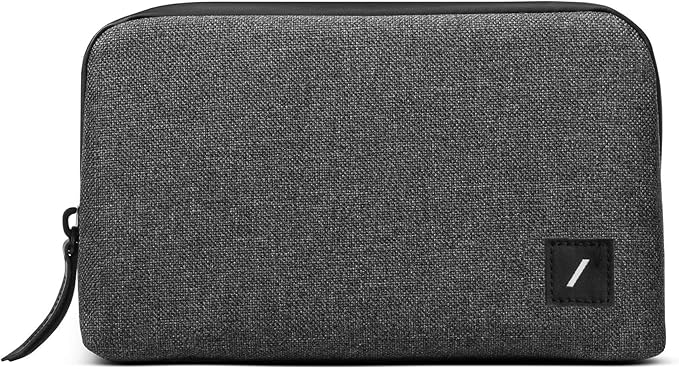
Before we talk about any other gadget, let’s focus on this cable organizer that helps us avoid cluttering our bag with various wires. Since we have different devices like mobiles, laptops, cameras, etc., their chargers are all crammed in our bags on our trip. A cable organizer is a great gadget that would make packing and unpacking super-convenient while traveling. This will prevent you from elbowing a stranger while looking for your charger.
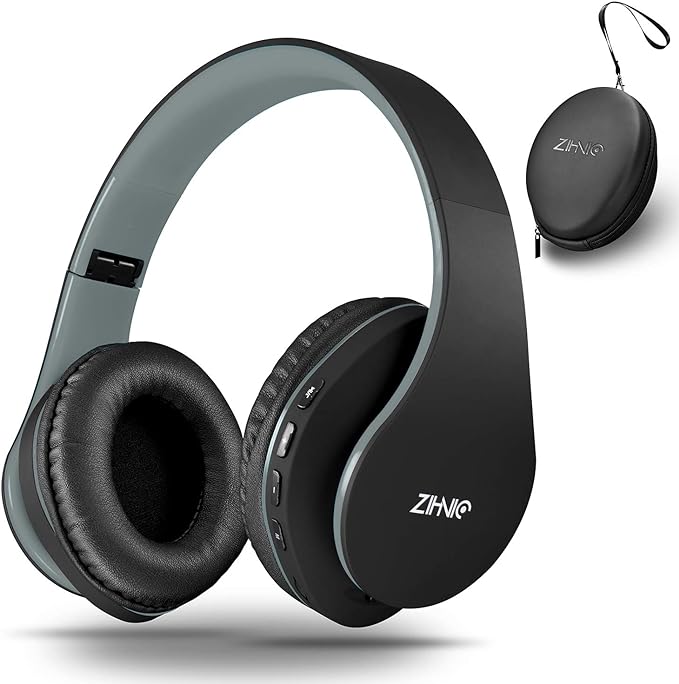
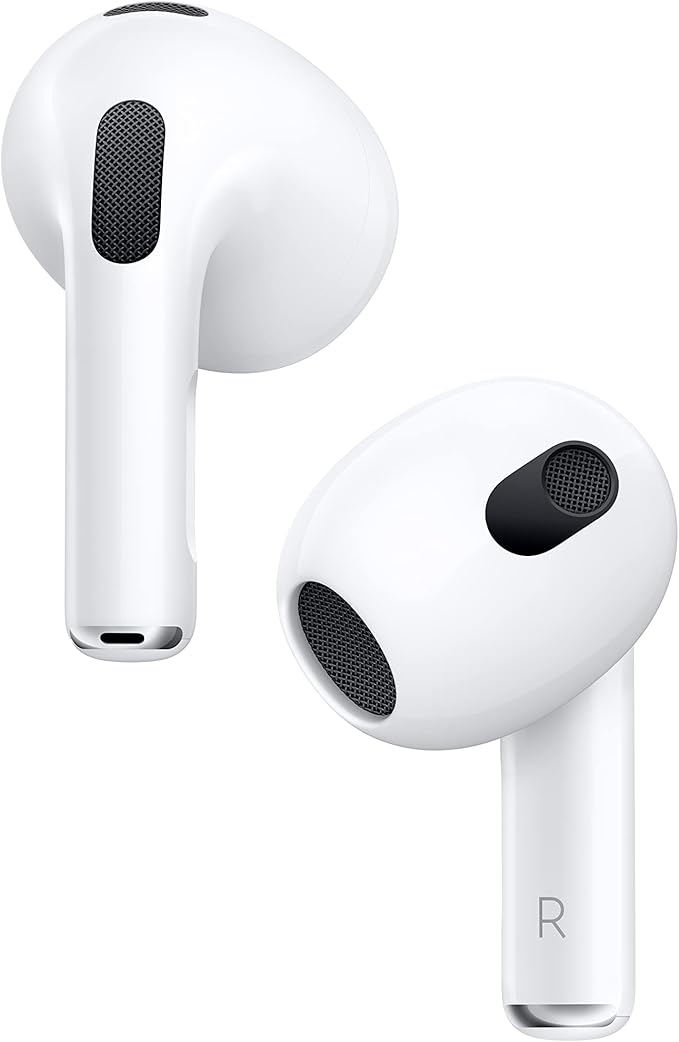
Are you wondering if wired headphones are cool again? Well, that’s not the case, but they can sometimes be the only option during your air travel. We know that the world has switched to wireless headphones, but various airlines still prohibit using them on flights. Do you want to sit through a long flight without music? That’s kind of boring. This is where wired headphones come into the picture again. Keep a paid or wired headphones on your bag and enjoy your flight with some rock music or romantic movie on your phone. That way, you don’t have to worry about losing your battery. Another reason why you might want wired headphones is if you have kids. Even if you don’t, it might be a good idea. Yes, it’s just one more cable to have to worry about and manage, but I once dropped my wireless earbud during a long flight. And yeah…never found it.
Our Favorite Wired Headphones For Travel
Zihnic Headphones (Wired + Wireless – $25.99 – LINK
Betron MK23 Earphones Wired in-Ear Headphones – $15.99 – LINK
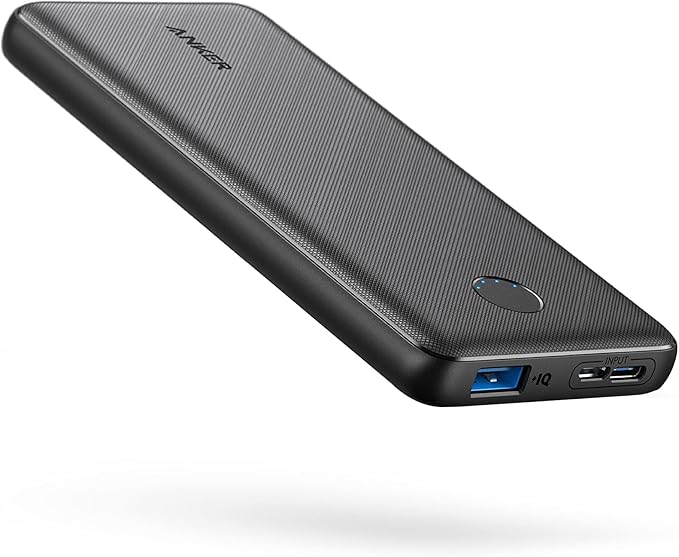
This is the most essential travel tech gadget any traveler would ever need. Your phone’s battery will be drained in GPS, translating apps, podcasts, book apps, and more. A dead battery is an inconvenience on normal days, but if you are traveling, a dead battery can be a huge mess. Low battery warnings can be frustrating, and you don’t want that happening. The best thing you can do is equip yourself with a portable battery bank and charge your devices. This will give you peace of mind and help you stay updated. Plus…some battery packs aren’t allowed on flights because of their output. So…here are some of our favorite battery packs when traveling.
Our Favorite Battery Packs and Power Banks For Travel
Miady 10000mAh Dual USB Portable Charger (2 Pack) – $21.99 – LINK
Anker PowerCore 10000 Portable Charger – $25.99 – LINK
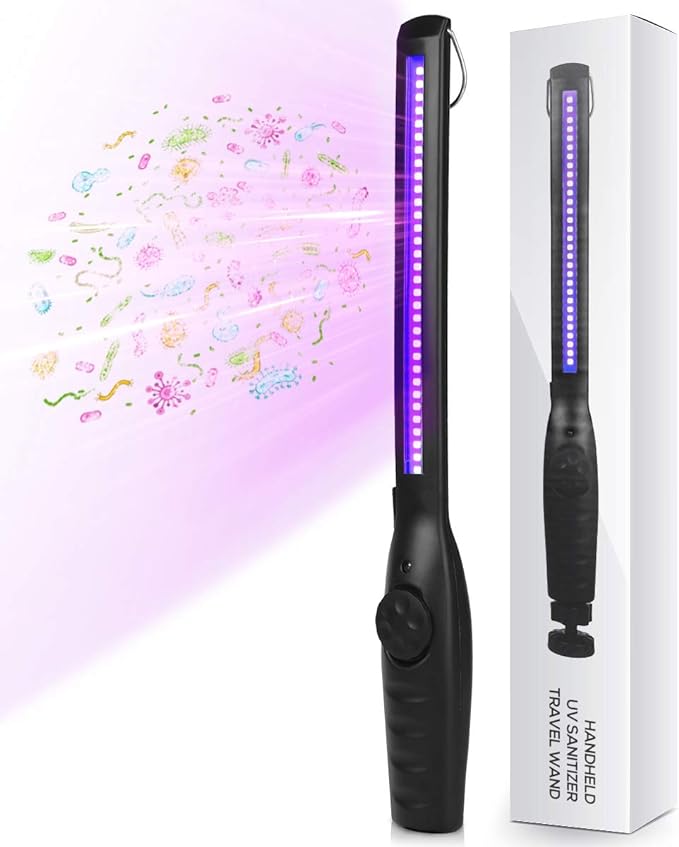
Portable UV Light
Not every adventurer will stay in a 5-star hotel in New York and dine-in in Michelin star restaurants. Some people like to stay in motels and eat in roadside cafes. Adventure comes with some challenges, but the most dangerous ones include germs, and this pandemic has taught us how harmful these germs can be. You can’t rub your hand sanitizer on every surface. This is where you can use your rechargeable UV light to kill germs. You can swipe this light over your bed or seat to kill the germs. So, keep this light in your backpack for your adventurous trip.
KLEAMS Portable UV Light Sanitizer Wand – $62 – LINK
Charging Adapter
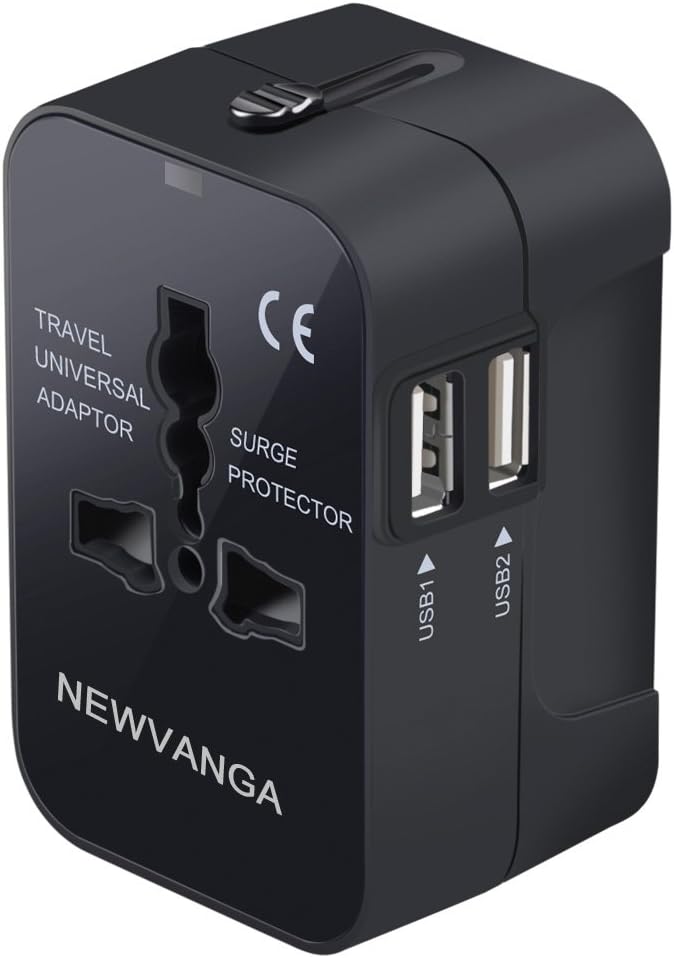
Another top-rated gadget in this list is a portable charging adapter. An adapter with several USB-A and USB-C ports is what you need. These adapters are Power Delivery enabled, which means that they have high-speed charging technology, so you don’t have to wait for long for your device to charge. You can get your device charged quickly and then leave for another adventure in the new city. This is a great tech gadget for travel because it has several ports that allow you to charge multiple devices at once on one power supply. So, don’t forget to keep this in your travel bag.
Our Favorite Charging Adapters For Travel
New Vanga Universal All in One Worldwide Travel Adapter – $14.99 – LINK
Ceptics International Power Adapter – $19.99 – LINK
AILKIN 3.1A MultiPort Fast Charger Plug, 3 Pack – $16.99 – LINK
Extra Long Cables
Extra-long cables might not be a necessity but what if your room has just one socket near the washroom or your airport has one available socket right next to Shake Shack without any sitting space? You will have to stand with your half-foot-long cable while your phone is charged. That is going to frustrate you one way or another. Having those extra few feet of cable will relieve you, so it’s better to be prepared for such situations.
Our Favorite Extra Long Cables For Travel
(USB C) Anker New Nylon USB C to USB C Cable (10ft) – $19.99 – LINK
(USB 3.) USB Extension Cable (10FT) – $8.49 – LINK
(Apple) Long iPhone/iPad Charger (10ft) – $12.97 – LINK
We understand that traveling can be a once-in-a-lifetime experience for some, whereas, for others, it is a way of earning their livelihood. In both these cases, being equipped is essential because you can quickly get into an unwanted hassle without having the same essential tech gadgets. And even if you only plan on traveling a long distance once or twice, these tech gadgets are excellent pieces to have as part of your everyday, home life.
When it comes to tech gadgets, there are a few must-haves for any traveler and we dished out some of our favorites. Personally, I think all of these are a must-have if you are doing any sort of traveling (by air, ground, or whatever!). Having the right tech gadgets can make a big difference in your travel experience, so make sure to pack accordingly and be smart. The last thing you want is to be hindered by not having something. No one wants to get into a mess when they are on holiday enjoying the beautiful scenery of Greece or the dunes of Peru. Ensure that you have all these supplies with you to avoid wasting your time looking for stores to find cables and chargers for your devices instead of enjoying your traveling experience.
As our connectivity and internet needs evolve, the technology behind WiFi also upgrades. With the introduction of new technology, WiFi has hit a new landmark known as WiFi 6. If we look into the history of Wifi, we find it was first introduced in the late 90s, and since then, it has been evolving and evolving quite well with our needs. WiFi 6 was officially introduced in 2018 and now it has started to show up on more devices.
After WiFi 5, this upgrade comes with a massive speed boost as it went from 3.5 Gbps to 9.6 Gbps. That’s nearly a 3x improvement. Users can be happier than ever. WiFi 6 is all set to improve speed and prepare for a wireless future. But…do you know exactly what it does, how it benefits you, and if you even have the hardware and service for Wifi6? We’re going to walk you through some of these things and do a little dive on this innovative advancement of Wifi and how it works and benefits its users.
What is WiFi 6?
Just like previous WiFi upgrades, WiFi 6 is another upgrade to the previous cordless networking systems. If we look at it from a domestic or business perspective, this upgrade is significant, but the numbers are also worth noticing for commercial and business usage. For the majority of the users, WiFi 6 is just a revised version with the same 802.11 standards ending with the xx suffix (like N, G, or AC).
The more straightforward labeling convention makes it extremely easy to know what generation of the technology is being used. This also helps determine the compatibility with devices that support a particular version of WiFi. In simpler words, WiFi 6 is a collection of different technologies to take action more efficiently and speed up overall processes.
We can’t deny that WiFi 6 is a substantial upgrade to the previous networking systems. Although the difference might not be immediately visible to an average user (the average internet speed right now in the US is around 70 Mbps), the numbers tell different stories. There are many incremental improvements resulting in a substantial upgrade. These changes include:
Faster Speed
Longer Battery Life
Better Performance in Crowded Areas
Faster Speed
The increased bandwidth of WiFi 6 leads to better and faster upload and download speeds. This is becoming extremely important as the file sizes continue to increase along with high-quality videos that require more data. WiFi 6 has accomplished a faster speed through more efficient data encoding, resulting in much higher throughput.
The new technology results in more data being packed into the same radio waves. The chips responsible for encoding and decoding these signals keep getting more powerful and robust with the ability to handle extra work. From a media consumption perspective, I love Wifi6. Watching movies in 4K (and hopefully in the future, 8K) on our QLED television is a next-level experience.
Longer Battery Life
Aren’t we all tired of low battery warnings interrupting our fun times? When the access points interact with a device, Wifi6 can tell the device exactly when to put the WiFi to sleep and when to wake it up to receive the transmissions. This is the best way to conserve power as you can put your WiFi on sleep whenever it’s not being used. This means longer battery life and fewer battery-low warnings for your devices.
Better Performance in Crowded Areas
We all have suffered from slow and lousy internet in crowded places. Most of us probably experience just at home. At one point when I had family visiting, our record was 54 devices on my network! Whether it’s a mall or an airport (or a home crowded with relatives for the weekend), slow internet can really frustrate you. You will have slow WiFi. You are around a lot of people with various WiFi-enabled devices.
The new and upgraded WiFi 6 is here to rescue you from this situation. WiFi 6 improves each user’s average speed by at least four times in crowded and congested areas with many devices connected to the WiFi compared to Wifi5. The good thing about this feature is that it is not only applicable to crowded places. This upgraded version of WiFi works effectively in dense apartments too.
Is Wifi 6 Worth The Upgrade?
The simple and immediate answer to this question is “yes”. If you use multiple devices and struggle with slow internet, you must get WiFi 6 because this upgrade will help you fix the issue. Not only this, if you want to future-proof your WiFi network, you should get this.
There are some ambiguities since the technology is relatively new and has not been perfected yet. People are hesitant to pay a hefty amount for a new thing like this, especially when it comes to upgrading hardware. But, the number that this upgrade has shown with speeds and battery life speaks for itself. You might want to consider changing your router if you have been using it for over three years because this technology requires upgraded hardware. You’re probably rolling your eyes, but router technology has made significant strides in innovation in just the last couple of years. I’d highly recommend most Synology routers with Wifi6 capabilities.
Are you stuck with an old wifi 5 router? Tired of waiting for websites to load? Ready to jump on the wifi 6 bandwagon? Here’s how you can get wifi 6 internet speed.
First, upgrade your router. If you’re still using an old wifi 5 router, it’s time for an upgrade. If you do decide to upgrade, do a little due diligence to make sure the router you choose is Wifi6 compatible. Many brands won’t list if they’re capable of handling Wifi6, so you kind of have to do your own research on specific routers. For example, the latest Google Nest Wifi mesh system does not have Wifi 6. It gets great coverage, supports a lot of connected devices, and even streams in 4K, but you won’t find anything about Wifi 6 support (although according to recent reports, the newest version of Google Nest Wifi will support Wifi 6, so stay tuned). Newer routers are built to support wifi 6, so they’ll be able to take advantage of the faster speeds that wifi 6 offers, but make sure the specific router you are eyeing has it. If you’re not sure which router to get like we mentioned above, DDID is a big fan of the Synology brand of routers, and just this week they announced the release of the RT6600ax (sidebar AX router (official release date is April 19th, 2022). Next, make sure your devices are wifi 6 compatible. This one might be challenging as most of us aren’t going to run off and replace our TVs, Speakers, laptops, tablets, etc just to upgrade them to WiFi6. But even if you decide to go that route of upgrading your devices and hardware, one of the niceties of these new technologies featuring Wifi6 (and especially Wifi routers) is they are backward compatible so you’ll continue to get support with your older devices. Even if you have a new router with Wifi 6 capability, your devices may not be able to get those kinds of speeds.
The inclusion and usage of WiFi 6 is likely to become more familiar with time. As fast internet has become necessary for people in homes and offices, users have embraced WiFi upgrades. New devices are also being designed to be compatible with this new WiFi upgrade. WiFi 6 has given rise to higher internet speed, quality internet, and overall efficient service. Not just speed but the more extended battery life feature has also attracted users to switch to this upgrade and enjoy the better-performing WiFi.