Every day, we hear about cyber attacks and the damage they can do. Whether it's a business or someone's personal information that has been compromised, these attacks are becoming more and more common. And as our lives move more and more online, the need for good cybersecurity becomes even more important. One way to help protect your home or business network is by using a firewall. A firewall is a piece of software or hardware that helps to prevent unauthorized access to your computer or network. There are many different types of firewalls available, but one you may want to consider is Firewalla Gold.
Firewalla Gold is a firewall designed for home and small business users. It provides protection against malware, ransomware, and other online threats. In this Firewalla Gold review, we dive deep enough to find out if this firewall hardware is the best device for monitoring your business or home network.
Firewalla Gold Explained
Firewalla Gold is a cybersecurity device that combines a router and a smart firewall in one compact design. How does it compare to other Firewalla devices? Comparing Gold to Firewalla Red and Blue, the Gold is packed with features and benefits (and we’ll get into all of those below). It can support over 3 Gigabit of throughput on top of the existing feature sets (versus 1 Gigabit of throughput you get with Firewalla Purple). Firewalla Gold introduces many exciting new functionalities. What kind of amazing functionalities? Router mode, network segmentation, and enhancement and rules. Firewalla Gold is a fully functional router. The new Firewalla Purple has some of these features as well.
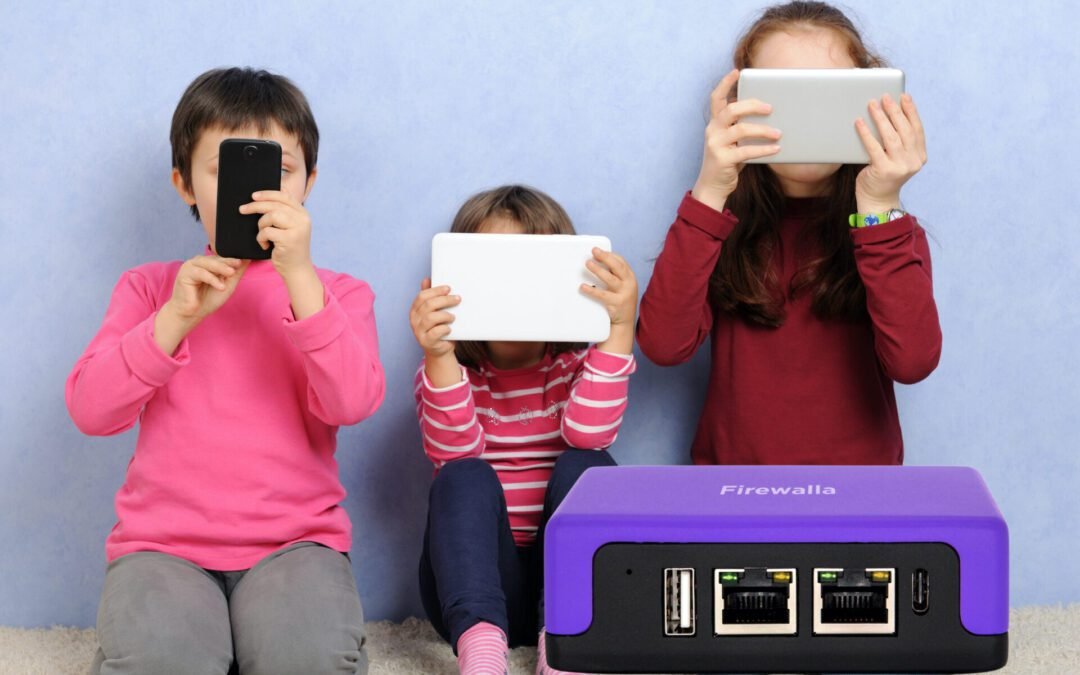
With four Ethernet ports with Gold, you can segment the network with physical LANS and VLANs to isolate traffic in different segments and apply different policies. For example, you can create a guest network as a VLAN and block devices in the guest network from accessing other parts of your network. You can also use a device group when you want to manage multiple devices with the same policy that you can set up and customize. For example, on your kids’ devices with one tap, you can control internet access for all devices in the group. Simple. As a parent, this is one beefy piece of hardware that can do a ton to help you monitor and manage your home network. There are many other design features we love, but here are some of our quick thoughts on the Firewalla Gold.
Our Quick Thoughts On Firewalla Gold
Pros: We love how Firewalla claims “Firewalla Gold [is] the world’s most affordable multi-gigabit smart firewall.” And after doing some research, this is primarily true. Firewalla Gold does a LOT. If you want privacy protection? You got it. Looking for optimal cyber security? Dunzo. Parental controls? Bingo. We counted over 20 useful and effective features and benefits of Firewalla Gold. It’s just layer after layer of enhanced and effective security for your home or business network.
Cons: This device does a TON! The amount of features and benefits along with all the other bells and whistles, and amounts of data you can find is incredible. So how is that a bad thing? Well…it can be a bit overwhelming. Although we didn’t find installing and using Firewalla Gold to be terribly difficult, we understand how many entry-level users could experience a learning curve with this piece of somewhat complex hardware. But diving into the tutorials and help support on their website will help reconcile any issues you face. Spending a modest 15-20 minutes to learn and understand how to install Gold will pay dividends. During the review, we really didn’t find anything of negative value about Firewalla Gold.
Verdict: Firewalla Gold is the perfect solution for any family that wants complete control of their home network. Whether you are looking to block pesky ads or protect against hackers, this device offers it all with ease and precision! Takes a little bit of time for setup, but the benefits are definitely there.
As if its innovative features weren't enough reason alone why every household serious about network security should consider getting one today...it also comes at an affordable price point (within the context of what it can do) which will fit even those tight budgets out there.
Firewalla Gold is a great solution for monitoring your home network security and even your business. It's a powerful firewall and intrusion detection system that will protect your data and keep you and your business and family safe online. This is a perfect device especially if you run a business from home. A few of my favorite features of this product are that it acts as a firewall, has a 3 Gigabit deep packet inspection hardware (compared to Purple’s 1 Gigabit), and has content and policy-based routing. Other features worth mentioning are:
VPN Client (for secure browsing and streaming, encrypts your data)
Bridge Mode which can bridge two networks seamlessly together
Simple plug and play features for setup (they claim 5 minutes…for most, it might take a little longer though)
Robust network segmentation
Enhanced and effective parental controls
Built-in ad blocker
Geo-blocking
Multiple WLAN Connections. You can hook up to 4 separate WLAN connections. For example, while I’m already using 2 connections, I can also use one for my fiber connection and another for my Starlink Satellite. I can load balance them, failover them, or load balance them with a priority level for each port. Firewalla Gold’s multiple WLAN connections feature is pretty sweet.
Has 32GB of storage
Firewalla Gold Is relatively small
A VPN encryption speed of 120 Mbits
This is a very robust piece of hardware and many will be overwhelmed with the amount of data you can get from Firewalla Gold. The trick is sifting out what is important to you as the user. And those priorities are probably going to be different from parent to a business person. You might understand some of what was mentioned above. But there may be some of you who won't exactly know what all of this is. And that’s okay. Just understand that it’s awesome tech. But features smeatures. How do all of these high-tech, enhanced features benefit you?
Bear with us because some of these benefits just won’t speak to you. Some of them we get geeked about and some are ones most people (parents…we’re talking to you) can relate to. Here are some of the benefits of the Firewalla Gold that you should be stoked about:
Incredible protection. Firewalla Gold will keep your devices and data safe from cyber attacks
Firewalla’s VPN client alone is worth the cost of the device. No monthly contracts. After a few years, on this benefit alone it can pay for itself.
Firewalla Gold will monitor and control internet usage of every device connected to your network. Want to restrict internet access on one device and not the other? Easy. Don’t want little Jonny playing online games between 5-7? Simple. Want to receive alerts and notifications about certain online activity on your network? Not a problem. Block adult content. Easy. Block porn. No sweat. Want application-based monitoring? Firewalla does it all.
The Firewalla app and its integration with the piece of hardware is flawless and easy to operate. If you do have issues, there are ample amounts of tutorials online to help.
Geo-Blocking is another awesome benefit because we can block any network traffic from China, Turkey, Russian, Taiwan, Romania, and any of those countries that have a high concentration of incredible hackers. This benefit alone can stop hackers from attacking your business and personal data.
Firewalla Gold is going to block ads, which let’s be honest…can be very annoying at times.
Building a well-oiled and well-protected network is a breeze. Block domains and domains with wildcards. Block IP addresses. Port-based blocking abilities. Notifications when any device is online or offline. Regulate network traffic so you can prioritize traffic and reduce delays. Get impeccable and useful data insights into your network usage.
It’s understandable why there would be a little bit of overwhelm when looking at all the amazing things Firewalla Gold can do. It has a lot of power to do some incredible things. Theoretically, it is built for the advanced user. BUT…Firewalla Gold is the piece of hardware that will make you feel secure knowing your home and business networks are protected.
How Do I Install Firewalla Gold (H2)
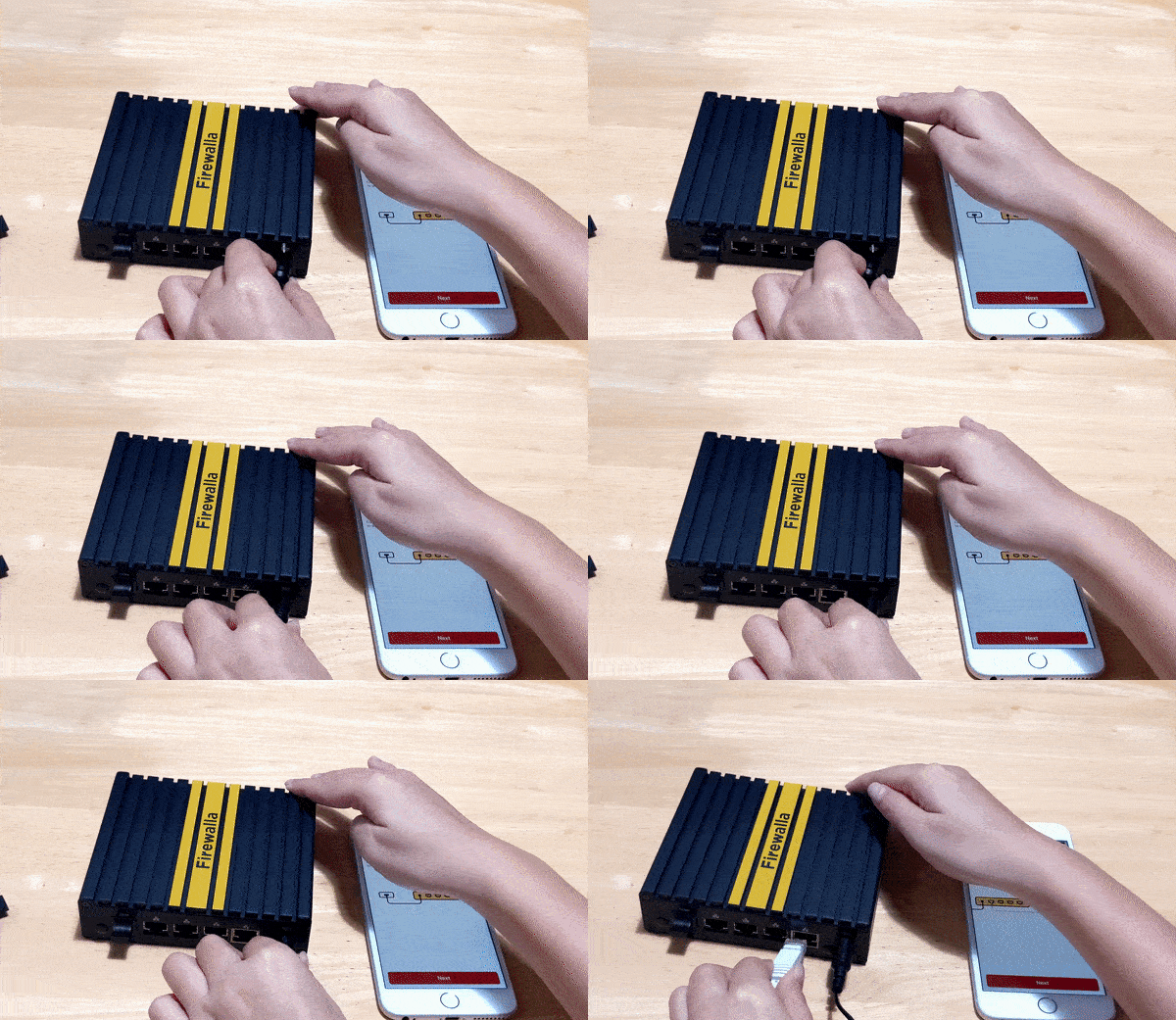
Firewalla makes it easy to get started with their products by providing a step-by step guide on how you can easily install them. First of all, download the free Firewalla app from either Apple Store or Google Play store and follow instructions for connecting devices including plugging in the power code provided along with cords that connect everything together nicely.
Firewalla Gold Help/Support (H2)
The company's support services are phenomenal. They offer a variety of ways to get help, including an extensive community and router compatibility checker tool that can pinpoint any issues you're having with your device in just seconds!
All in all, their support services include a help center, a community (and I have found a lot of useful information there), router compatibility look-up, install guides, user manuals, app download helps, troubleshooting guides, and your basic contact help support tickets.
Firewalla Warranties
We're happy to report that Firewalla is a brand we can trust. The warranty for their products stands behind its promise of quality and longevity, as well! All Firewalla hardware (Gold included) is backed by a limited one-year manufacturer’s warranty. In the scope of hardware devices, a one-year warranty is pretty good. This doesn’t mean you can be rough with the device. It is a Limited Warranty under normal use and service. They also have a decent return policy as well (30 days), but if you don’t buy directly from Firewalla (like Amazon, Indiegogo, or another reseller) you will have to follow those store policies on returns and refunds.
If you’re in the market for a new network security solution or are just curious about Firewalla Gold (or any of their other products like Firewalla Purple), we highly recommend giving this one a try. It’s an investment that could very well pay off in the long run thanks to its combination of features, benefits, vast online community, and customer service. Plus, if you do happen to have any issues with your device, Firewalla’s support is top-notch and they offer a decent hardware warranty that will make you feel at ease. They literally take the risk out of delivering you optimal security for your home or business. Grab a Firewalla Gold today!
These five accessories will take your Oculus Quest experience to the next level! From a headband that keeps you cool to a carrying case that protects your device, we've got you covered. This is our list and quick reviews of the top five Oculus Quest accessories you need now! If you're like me, you couldn’t wait to get your hands on one of these bad boys. But once you have it, you may find that there are a few things missing. This VR tech is pretty sweet and alone is still amazing. But adding these accessories is a must-have. Fear not, we’ve got you covered. These are the must-have accessories for any Oculus Quest owner. So without further ado, let's get started!
What Is The Oculus Quest 2?
The Oculus Quest 2 is the next generation of virtual reality headsets from Oculus (owned by Meta, the same company that owns Facebook). It's a completely wireless headset, meaning you don't need to be tethered to a computer or gaming console in order to use it. The Quest 2 also features hand controllers that allow you to interact with the virtual environment in a more natural way. There are games, movies, learning tutorials, and more in this metaverse environment.
Do I Really Need Oculus Quest 2 Accessories?
First off when it comes to tech and gadgets, no one really needs anything. BUT…if you’ve already splurged and got yourself an Oculus Quest, then you definitely need these accessories. We had the Oculus for about a month before we even thought about accessories. Quite frankly, I’m a little excited to see this tech market grow because there are so many ways to enhance the already fascinating VR experiment. Haptic gloves and suits are coming for VR in the future (Can anyone say Hello “Ready Player One”...don’t know that one? Go watch the movie or read something we used to call “a book” 😉 ). Interactive physical environments and motion enhancements are coming. But for now, we’re good with the VR 1.0 accessories. And what we have outlined below is just that.
Just having the Oculus Quest 2 is awesome. But adding just one of these accessories will enhance your experience with this VR device. Not only will these accessories help you have more fun with your device, but they will help take your Oculus Quest sessions to the next level! Why did we choose the following accessories? We chose them for a handful of reasons, but chief among them was because they’re practical, augment the virtual reality experience, and in some cases will help further the life of your device (or until you’re ready to upgrade to the next model).
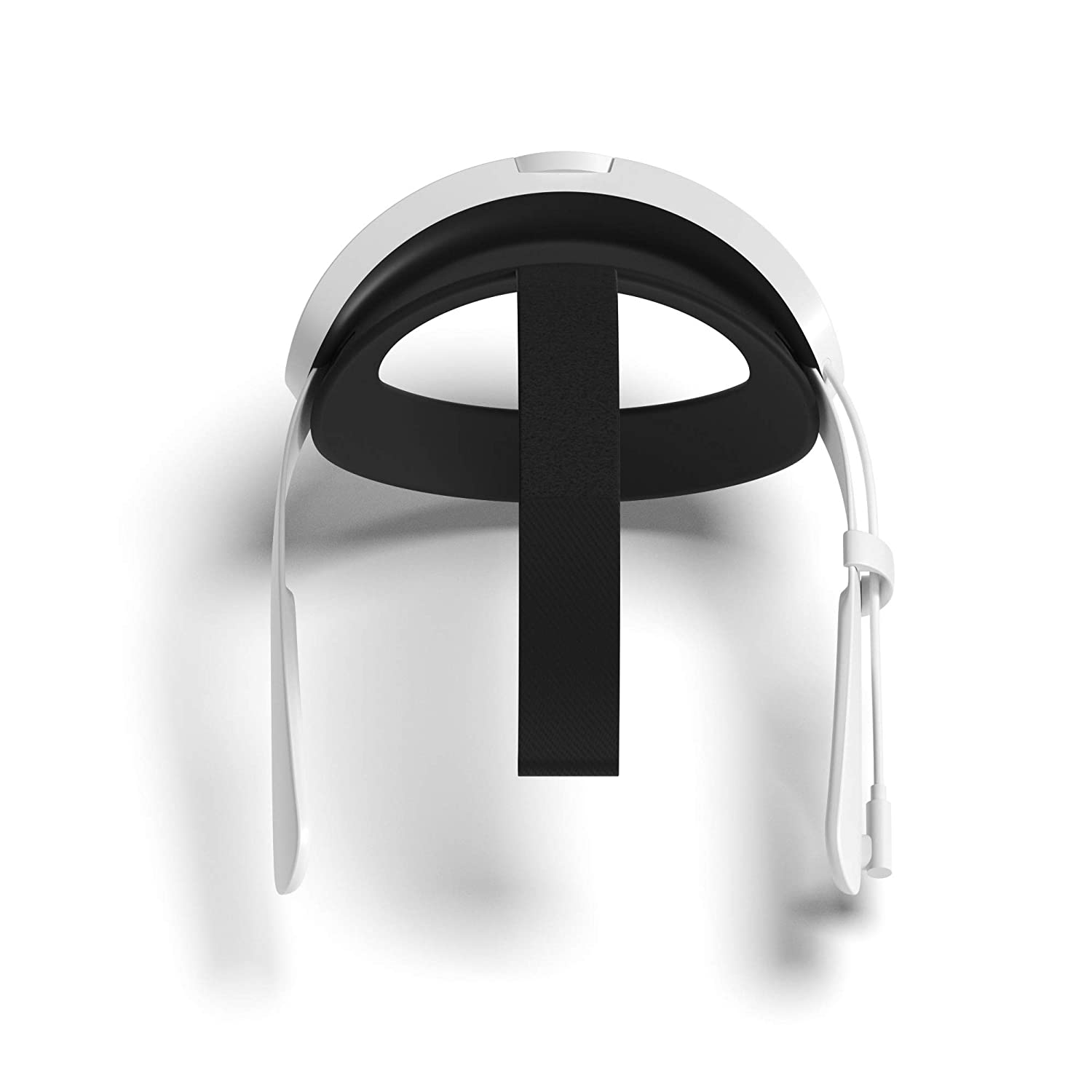
When you first try on the Oculus, you’ll notice the hardware is a little bit heavy. This will lead to some discomfort, especially after a while of playing. This accessory is great for two reasons: it provides much-needed comfort (even when playing in short stints) and the battery will extend your playtime. The manufacturer claims it will double the time between charges.
What I love about this enhanced strap is the way the battery placement is engineered. It acts as a counter-balance for the VR unit to give users a more comfortable feeling. And that feeling is universal regardless of whether you’re stationary or moving around. At first, when my kids told me to get this, I was a bit skeptical, but after playing with this additional hardware, I’m grateful we got it. It’s easy to adjust (the current default strap takes a while to adjust and get used to). The Elite Strap is definitely one to add to your cart. If there was only one Oculus accessory to buy, this one would be at the top of the list.
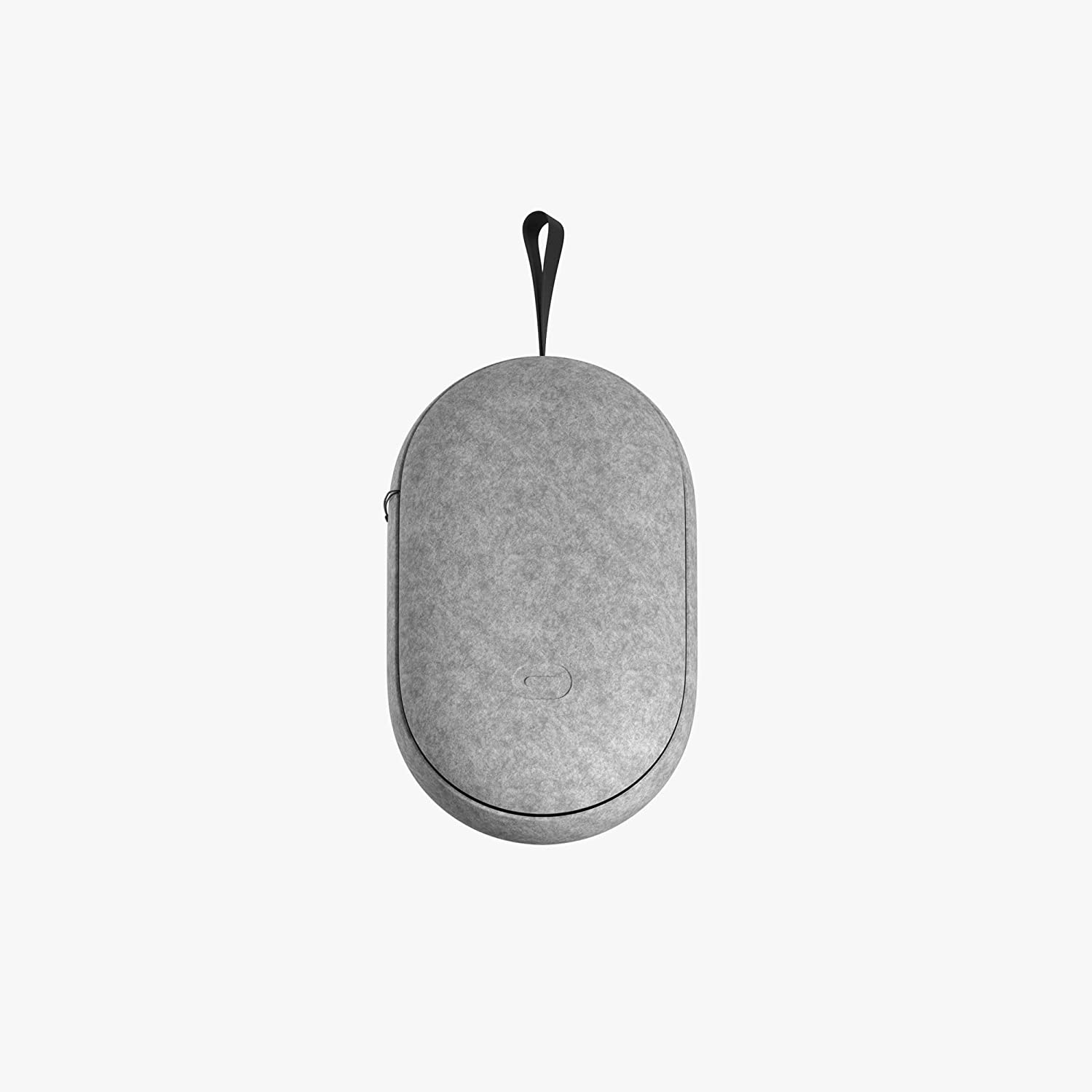
At first, I was against getting a carrying case because it would incentivize the kids to take the VR set to their friend's house, which we didn’t want. For some odd reason, we made it a rule. Probably didn’t want the thing breaking like our first Nintendo Switch did. But we found ourselves taking the Oculus Quest with us on vacations, work trips, and family gatherings. Not having a carrying case was a pain in the butt. We used the box it came in, but it was still awkward and I didn’t want to bang up the box in case we wanted to sell this version when a newer one comes along.
Come to find out, a carrying case is a very useful accessory. This one fits both controllers, the charging adapter and cable, and the headset. It will also hold the Elite Strap we highlighted above, but unfortunately wouldn’t hold the power adapter at the same time. But that’s okay. It features a dual shell for protection, a foam inner lining that absorbs any harsh movements, and it really easy to use. It is a very light piece, but where it lacks in weight it makes up for in protection. Don’t be fooled. For around $50, this was a much-needed upgrade than the plastic grocery sack or cinch-bag we were using to travel with.
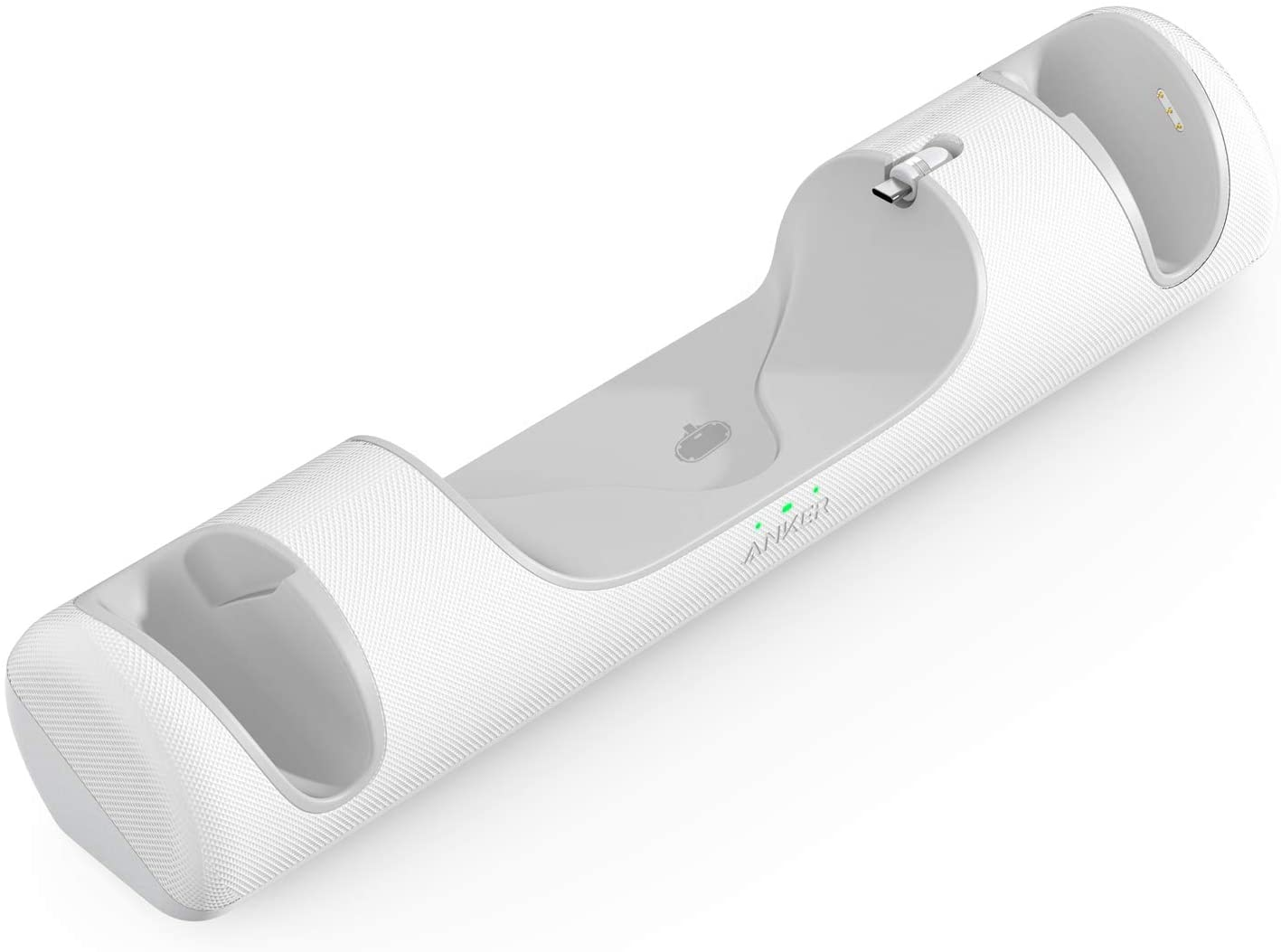
Depending on how much you play is going to determine if this is one you should put at the top of your list. We play the Oculus Quest 2 for a moderate amount of time each day and we love this accessory! For starters, it comes with 2 rechargeable batteries for the controllers that the manufacturer claims can be recharged up to 500 times. That’s a lot of gameplay. The other thing I love about this accessory is it keeps the device package tight and organized while no one is playing it.
What are some of the other features and benefits I love about this cool unit:
Ease of use. You literally just place it on the charger and it does its magic.
The kids love it because you can charge all the hardware in about 2 hours. This shaves off about a half-hour versus the standard USB-C charger and cable.
You get an 18-month warranty PLUS the customer service by Anker is decent by accessory standards (I’ve dealt with them in the past with other devices and have been impressed). On that same note, Anker is a reputable brand.
But perhaps the BEST thing is that this docking station will automatically shut off once fully charged. That means you get overcharge protection, so you’ll preserve the battery life of your Oculus Quest unit.
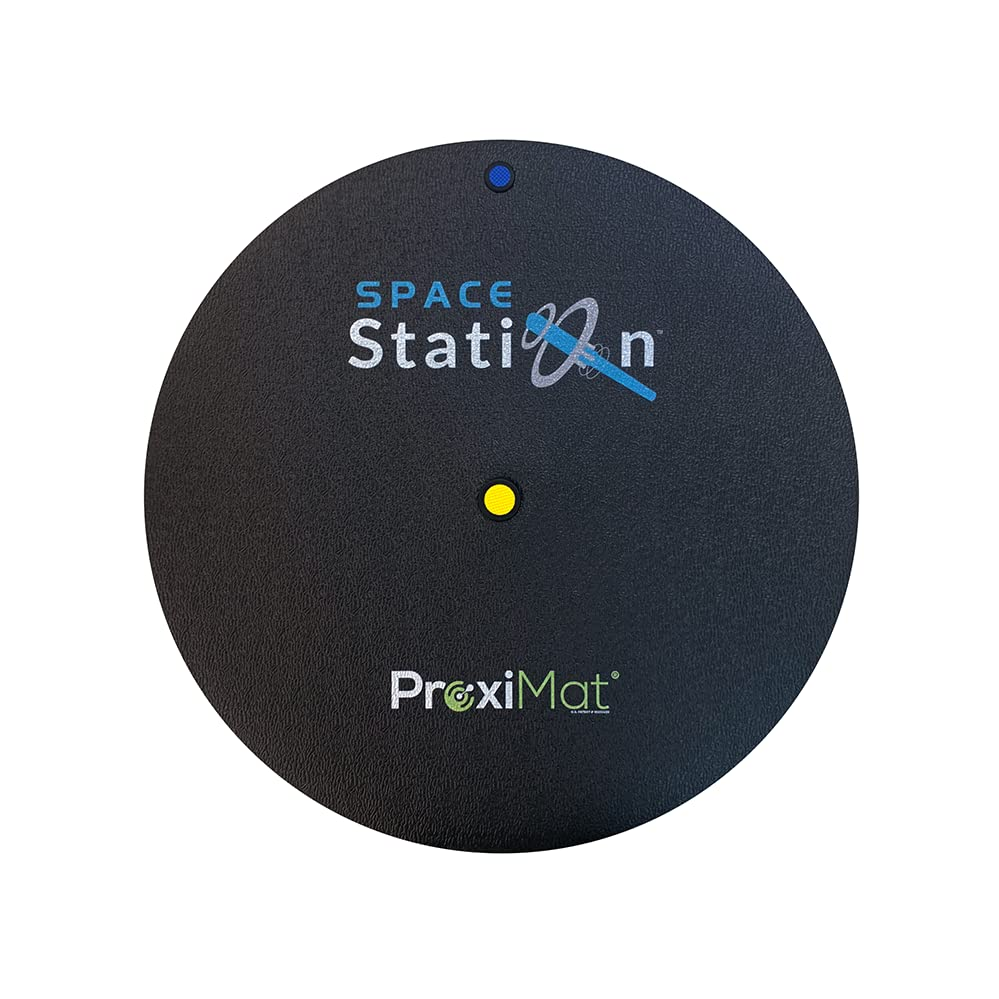
Before you roll your eyes on this one, hear us out. If you’ve ever played the Oculus Quest 2 (especially the boxing games), you know that it doesn’t take much to lose your sense of location. I’ve seen plenty of YouTube videos of people quickly losing their bearings. And that’s probably what I love most about this VR mat. It truly does help you stay centered with your VR play.
Other features and benefits I love about the VR mat:
Has super soft, anti-fatigue memory foam to help with comfort while playing. I played a couple of games without shoes and didn’t slip at all either. And it is very comfortable. In fact, I’d rather play with no shoes on now that we have the VR mat.
Allows you to stay relatively close to a central location. Not everyone has a huge space to play their VR, so this is an important benefit. Aside from the safety issue, staying centered during gameplay is actually an important strategy (the boxing game is an example of this)
This model is 35 inches in diameter which is ample length of most standard gameplay
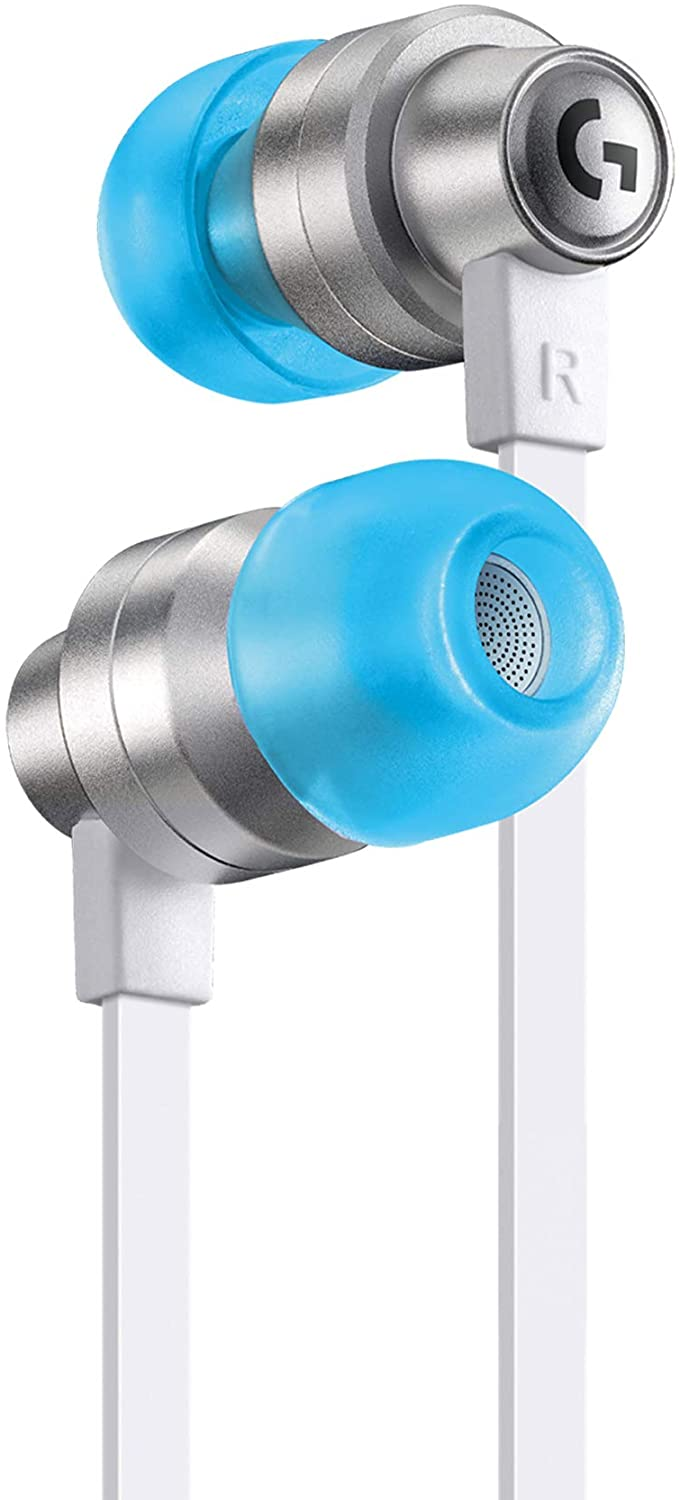
This specific model was designed specifically for the Oculus Quest 2, but that’s not the main reason why we are including it. The default sound system in the Oculus Quest 2 works perfectly fine. I’ve never run into any issues with it. And it might seem a bit superfluous to recommend headphones for a device that already has decent sound. BUT…little did I know these gaming earphones add an additional layer of augmented virtual reality that is second to none. Sound is a vital (and overlooked) component of VR gaming. It builds the metaverse world around you and allows you to completely immerse yourself into the experience. Outside noise is all but gone and you get direct audio without the outside world's influence.
Other features and benefits we love about these Oculus Quest 2 earphones:
They’re wired. For now, that is a plus. You can do wireless, but I didn’t like the results. I’ve tried two different models and there’s like a half-second (at least) audio lag that is just bothersome and hard to get over. Wired headphones, such as these, for now, are clearly the best option. This model has a 3.5 mm connection with has minimal latency for high-quality sound.
Save on battery life. The same concept with smartphone audio. I earned an extra 10-15% more battery power once I started using wireless earbuds with my smartphone. Without having done any official test on the Oculus Quest 2 yet, what I’ve learned from other devices is that default audio from a device will use roughly around 10% of battery power in a normal run of battery usage. We did notice a slight improvement in battery life using these.
Comfort and durability. There are multiple silicone tips to help you find the right comfort option. And the aluminum shell in the housing of these makes them not only look great but provides a lot of protection.
Customized experience. You can adjust the length of the cables for a custom length you want. You don’t have to worry about cords flopping around everywhere and getting in the way.
Sound quality. The sound is crisp, clear, and I love the bass level. It’s not over-powering, but it’s there at just the right level to help add to the premium sound. I noticed a massive improvement in gaming experience when it came to sound with Beat Saber
Oculus Quest 2 Accessories Will Empower Your VR Experience!
If you’re looking for ways to enhance your Oculus Quest 2 experience, then consider purchasing some of these great accessories. The strap will help keep you comfortable during long VR sessions. The carrying case will protect your device from any bumps or scratches. The charging dock will ensure that your device is always ready to go. And the Vr mat will provide a more comfortable gaming experience. Plus, the earphones add an extra layer of augmented reality that takes your VR game to the next level. So don’t wait – buy these accessories today and enjoy all the benefits they have to offer!
Firewalla Purple is a device that can help you monitor your home network and keep your kids safe while connected online. I usually don't all-in on products with so much fervor, but Firewalla Purple is the best device for monitoring your home network. Period.
Our Quick Thoughts On Firewalla Purple
Pros: A very effective piece of hardware for monitoring your home network. You get incredible support and protection from cyber-attacks. We love that this device is small and you can take it with you on the go. Up to 1 Gbps speed so you won’t notice a lag on your network. Blocks ads. Has safe search. Geo-IP filtering. It is easy to use and easy to install.
Cons: Although we didn’t find installing and using Firewalla Purple to be too complex, we can understand how some entry-level users could experience a little bit of learning fatigue with this piece of hardware. But that’s normal. Most people would avoid this by spending 15-20 minutes to learn and understand how to install Purple properly and leverage all the cool features it has to offer. During the review, we couldn’t find anything of negative value about Firewalla Purple.
Verdict: If you want to get serious about monitoring and protecting your home network, Firewalla Purple should be on your radar (should be in your cart). This clever and innovative device gives you all the visibility, control, and protection that a premium hardware firewall device should.
Have you ever been worried about your kids' safety online? Let's be real, if you're like me, it's always on the mind. Here's the problem: As a parent, you want to keep your kids safe while they're online. But it's not always easy to know what they're up to, or if they're being cyber-bullied, or if they're being good digital citizens, and all that nasty stuff they're exposed to. You're also probably a little concerned about what's coming and out of your home through the internet and their devices. What are you supposed to do? Let's talk about Firewalla Purple.
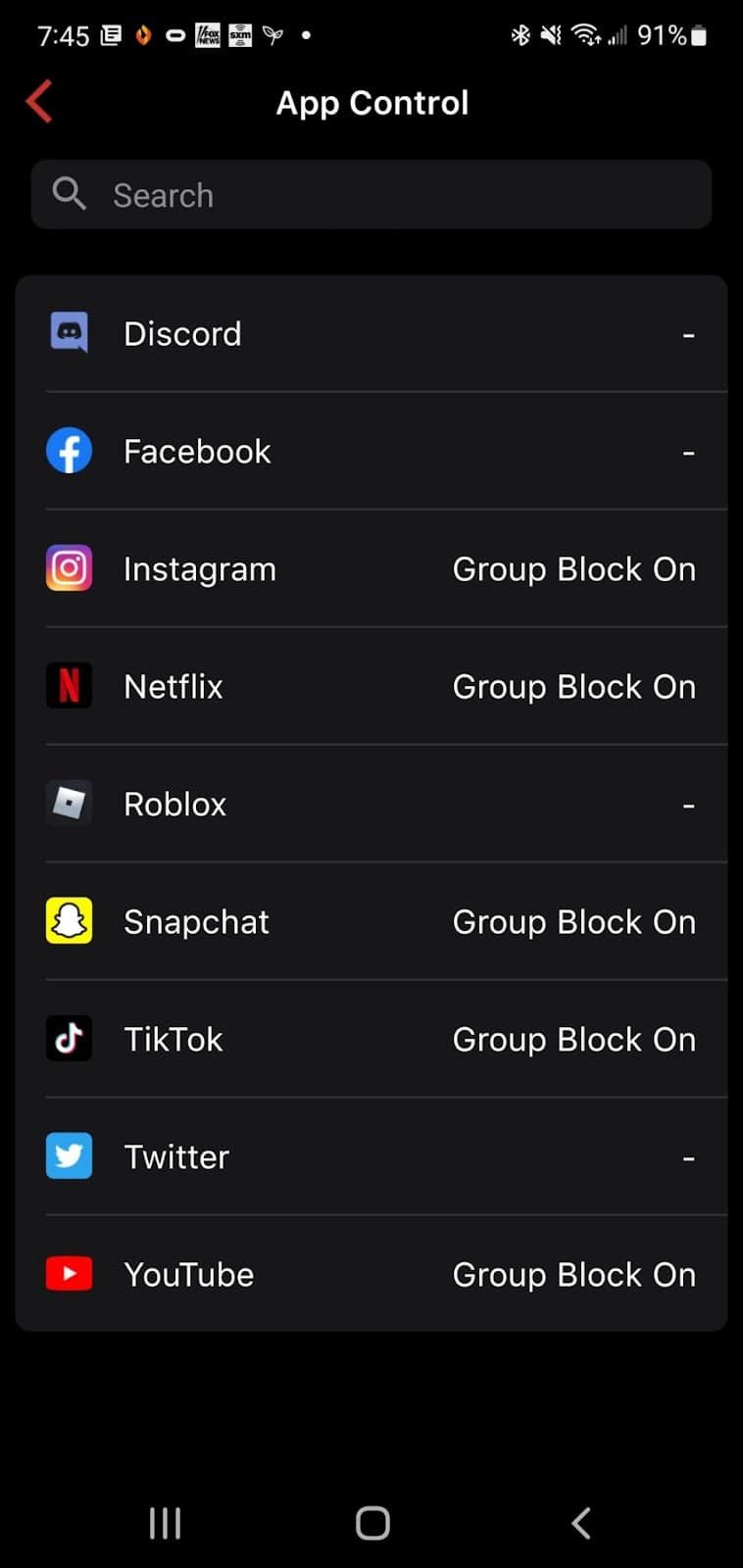
It can help you keep your kids safe while they're online by giving you a real-time view of all the devices on your network. You can see what websites they're visiting, and even block access to certain ones. You can even block specific social media services or block them all, and on top of that you can block them per device, group of devices or all devices.
With Firewalla Purple, you'll have peace of mind knowing that your kids are safe online. You'll be able to see what they're doing and protect them from any harmful content. Plus, it's easy to set up and use, so there's no need to worry about complicated instructions. It's the best device for monitoring your home network, and we wanted to offer a comprehensive review of this really sweet product every home should have.
Firewalla Purple Is The Solution For Monitoring Your Home Network
If you're like most people, you probably don't think too much about your home network security. You might have a firewall installed on your computer, and maybe you've even got a router with some basic security features enabled. Perhaps you have an app to help you as well. But beyond that, you probably don't give it much thought.
That's a mistake. Your home network is vulnerable to attacks from hackers, cyber thieves, and other criminals. Get used to it. These nefarious individuals are a normal occurrence in the digital world and they're never going away. If your data is compromised, the consequences can be disastrous. Identity theft, financial theft, and a list of other problems will greet you in life. And it ain't fun.
Trying to protect your kiddo’s? You can either block porn sites or if by chance they find a new adult site, Firewalla analyzes the site and sends you an alarm right away that tells you “Johnny is watching porn”. In this regard, Firewalla Purple is a proactive monitor for your home network and your family.
Firewalla Purple Features We Love…
Firewalla Purple is the solution for monitoring your home network security. It's a powerful firewall and intrusion detection system that will protect your data and keep you and your family safe online. A few of my favorite features of this new Firewalla launch are that it acts as a firewall, has 1 Gigabit deep packet inspection hardware (that's a lot!), and has content and policy-based routing. Other features worth mentioning is:
Built-in VPN server and VPN Client (for secure browsing and streaming, encrypts your data)
Router and Transparent Bridge Mode (which syncs seamlessly with your existing hardware)
Has 16GB of onboard storage
Is small and compact (easy to travel with) - 9x6x3cm
Some of you won't exactly know what all of this is, but for the geeks out there...you're probably nodding a big "heck yeah". What do these features mean? How do they benefit you (because that's what you really care about)?
Many of you won't know all of that technobabble geek-talk and that's okay. Gigabit deep packet inspection? I hear you! What you care about is how those features are going to benefit you! Here are some of the benefits of the Firewalla Purple that you should be excited about:
Firewalla Purple will keep your devices and data safe from cyberattacks
Firewalla Purple will monitor and control internet usage of every device connected to your network
This cool little hardware device is going to block ads, enhance your ability to be an effective parent in the digital world, and give you the most important and advanced insights into your network. You can geek out on those insights (if you're like me) or make them as simple to understand. Purple does it all. Oh...and NO MONTHLY FEES!
Did we mention that Firewalla Purple has built-in Wi-Fi so you can have all of this protection on the go! Staying in a hotel for a week with the family? Maybe staying at Nana's for the holidays? Perhaps in another country on a work trip? You still get all of these awesome features, benefits, and protection.
Firewalla Purple is the piece of hardware that will make you feel secure knowing your home network is protected. And that's what matters most to me.
How Do I Install Firewalla Purple
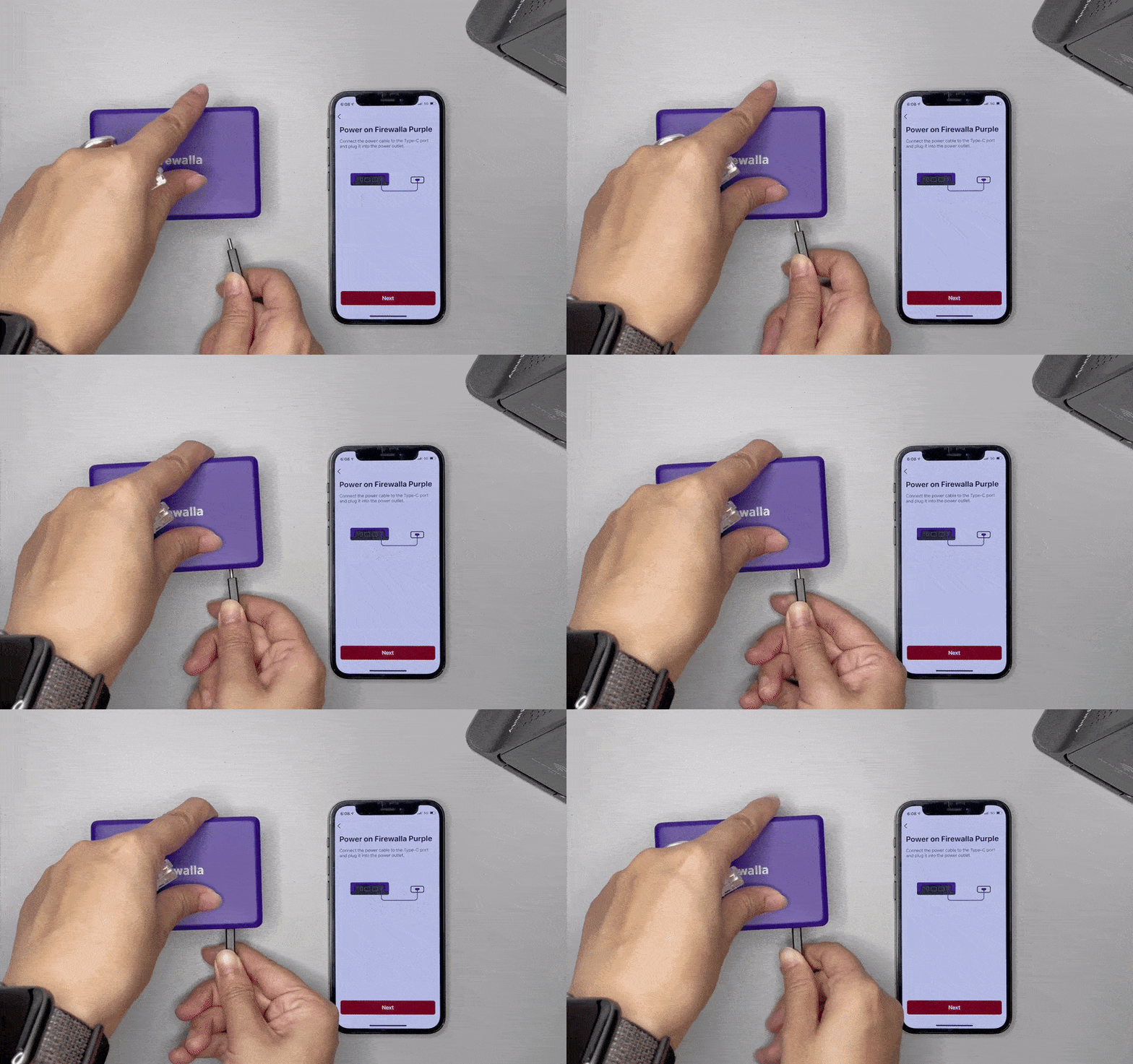
Firewalla has come a long way in making the setup and installation of its products easy. First, you’ll want to download the Firewalla app (it’s supported by Apple and Android), plug in the device to its power source (power code provided ~ sad we have to worry about power supply cords being provided with products nowadays), plug in your connections ethernet cord, and follow the step-by-step setup instructions on the app.
Firewalla Purple Help/Support
For a company that got their start leveraging crowd-funding for their products, their level of Help and Support is phenomenal. I was impressed by the development and innovation of their products, but the way their support has evolved and improved over the years is nothing short of impressive.
Their support services includes a help center, a community (and I have a lot of useful information there), router compatibility look up, install guides, user manuals, app download helps, troubleshooting guides, and your basic contact help support tickets.
Firewalla Warranties
We love brands that stand behind their products. That is a hallmark trait that is important to us. Firewalla’s warranty fulfills on that promise. All Firewalla hardware (Purple included) is backed by a limited one year manufacturer’s warranty. In the scope of hardware devices, a one year warranty is pretty good. Now, this doesn’t mean you can beat the crap out of the device. It is a Limited Warranty under normal use and service. They also have a decent return policy as well (30 days), but if you don’t buy directly from Firewalla (like Amazon, Indiegogo, or another reseller) you will have to follow those store policies on returns and refunds.
If you're a parent with kids who have devices, you need to be monitoring your home network security. If you're not, time to get serious about it. And Firewalla Purple is a great place to start. Firewalla Purple is the solution for monitoring your home network security and it's packed with features that will protect your data and keep your family safe online. With 16GB of onboard storage, this little hardware device is small and compact, and easy to travel with. It also has built-in Wi-Fi so you can have all of this protection on the go! Keep yourself and your family safe online and grab a Firewalla Purple. If you want to…
Keep your devices and data safe from cyberattacks
Monitor and control internet usage of every device connected to your network
Block ads and enhance your ability to be an effective parent in the digital world
Get real-time insights into your network that you can geek-out on or make simple to understand
...Firewalla Purple is going to be your best friend.
As a parent with kids who have devices, you're always worried about their safety online. You want to monitor their internet usage and keep them safe from cyberattacks, but it's hard to do that when you don't know how to use the technology yourself. You feel like you're behind the curve and your kids are always one step ahead of you. At least that's how I feel! I know you feel the same way. They know more about how to use the internet and stay safe than you do. They're pre-wired for this technology. But we're pre-wired in our ability to know that we need to help protect them. Firewalla Purple helps us with those noble intentions. Firewalla Purple is the solution for monitoring your home network security and it's packed with features that will protect your data and keep your family safe online.
Are you looking for a new Bluetooth tracker? Finding the perfect Bluetooth tracker can be a daunting task. There are so many different models on the market, and it's hard to know which one is best for your needs. If you go to Amazon and search for “Bluetooth trackers”, you’ll be inundated with literally over a hundred different Bluetooth trackers. Some are decent, many are horrible Asian-sourced knock-offs, and a few of them are really good. In this article, we'll go over some of our favorite Bluetooth trackers and help you decide which one is right for your needs.
Bluetooth trackers are a great way to keep tabs on where something is when it's lost or even stolen (hopefully never this). They also make it easy to find your keys or wallet when you can't remember where you last put them! There’s no need to worry about losing track of anything with the help of these amazing devices. You'll be able to find your phone, keys, wallet, and more without any trouble at all. There are some intuitive ways to use these innovative trackers. Remote controls, backpacks, pets, kids, shoes, purses, laptops…we’ve seen these trackers leveraged in some unique ways. It's important to know that not all Bluetooth trackers are created equally, so let us walk through what each of these models has in common and then what makes them different from one another. We've done the research for you! We'll dive into our top three picks that will work well in the situation that fits your needs.
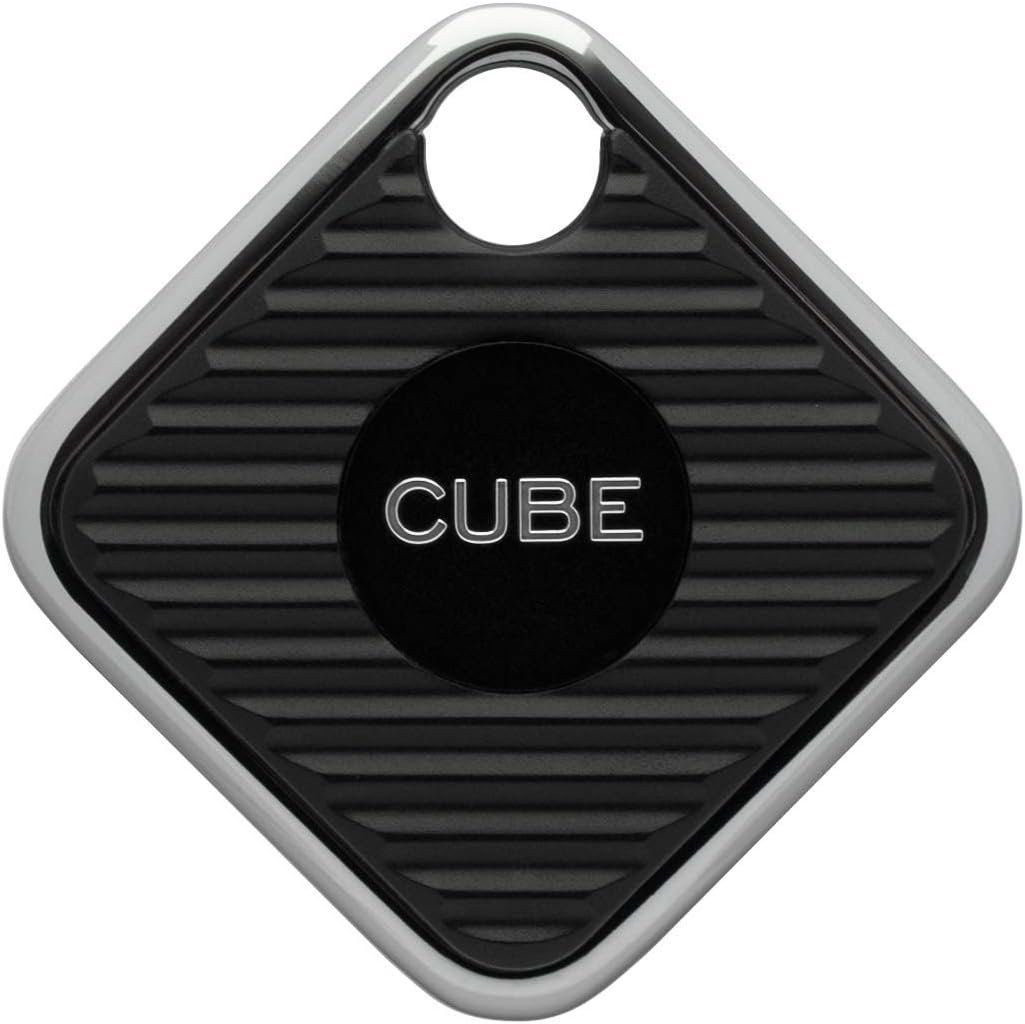
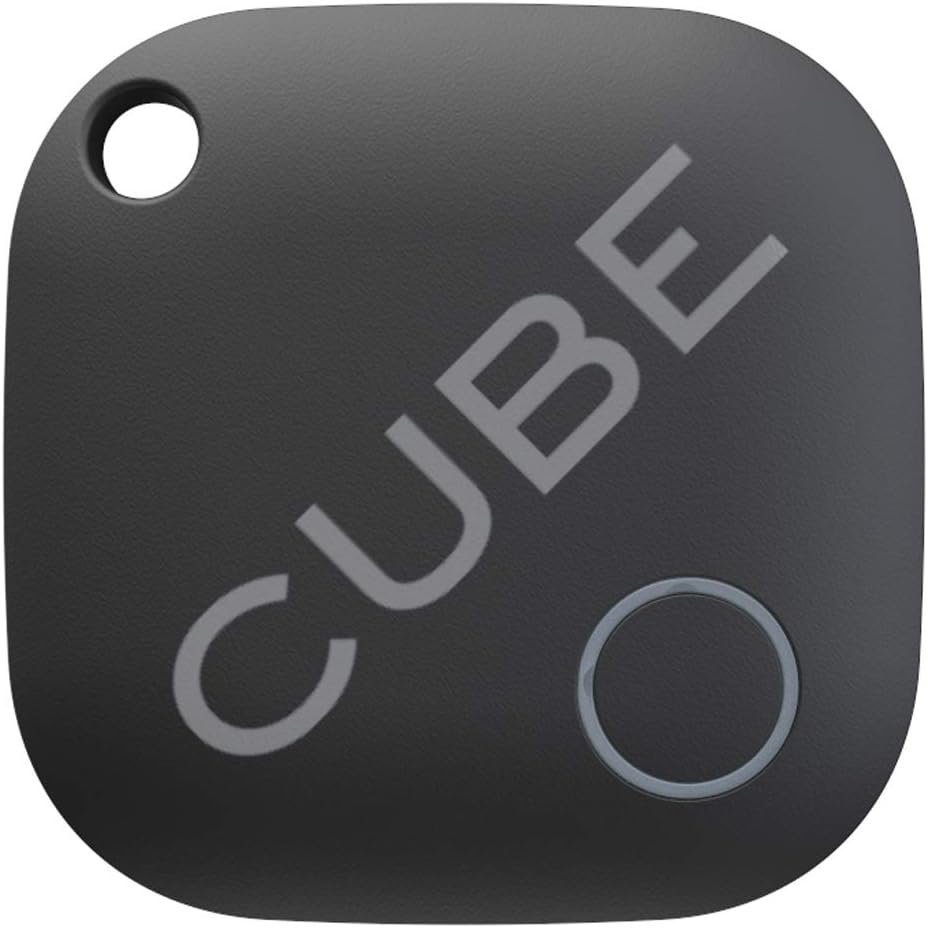
Bluetooth Trackers are a new invention in the technology world. The Cube Smart Bluetooth tracker is one of the most innovative trackers on the market. If there was an Mt. Rushmore of Bluetooth trackers, Cube would be there. The Cube Tracker allows you to find your lost phone, even if it's not running any apps. It also has a rechargeable battery and waterproof capabilities so that no matter what happens to your device, you'll be able to locate it with ease! We love Cube because it does come with its own smart app, has GPS trackability, and is one of the more durable trackers on the market. In fact, the makers claim this device works in sub-zero temperatures. We hope you never
One of the most popular uses of this Bluetooth tracker is to keep track of pets. Considering the alternative (placing a GPS chip in your pet that can be super expensive), we think it’s just awesome that smart technology can be used to make your life a little easier. How Cube leverages GPS tech is kind of cool (actually…really cool). Set up tracker boundaries that allow you to set up a virtual geofence zone in the app and get notifications when the object leaves the zone. And you can get location history on where your tracker has been. Like we said…put this device on the Mt. Rushmore of Bluetooth trackers.
Cube Tracker Benefits
There are many benefits to discussing the Cube smart tracker, but here is some that stand out:
Extremely easy setup: Pair your cube, Activate your subscription, Begin tracking.
Plethora of tracking accessories that enhance the already incredible technology and features of this smart tracker.
Multiple device types to fit your lifestyle.
Cube also has a really good return policy and impeccable customer support.
Rechargeable battery and waterproof capabilities.
Never lose your stuff again.
Feel secure knowing you can find anything you've ever tagged with the Cube Tracker.
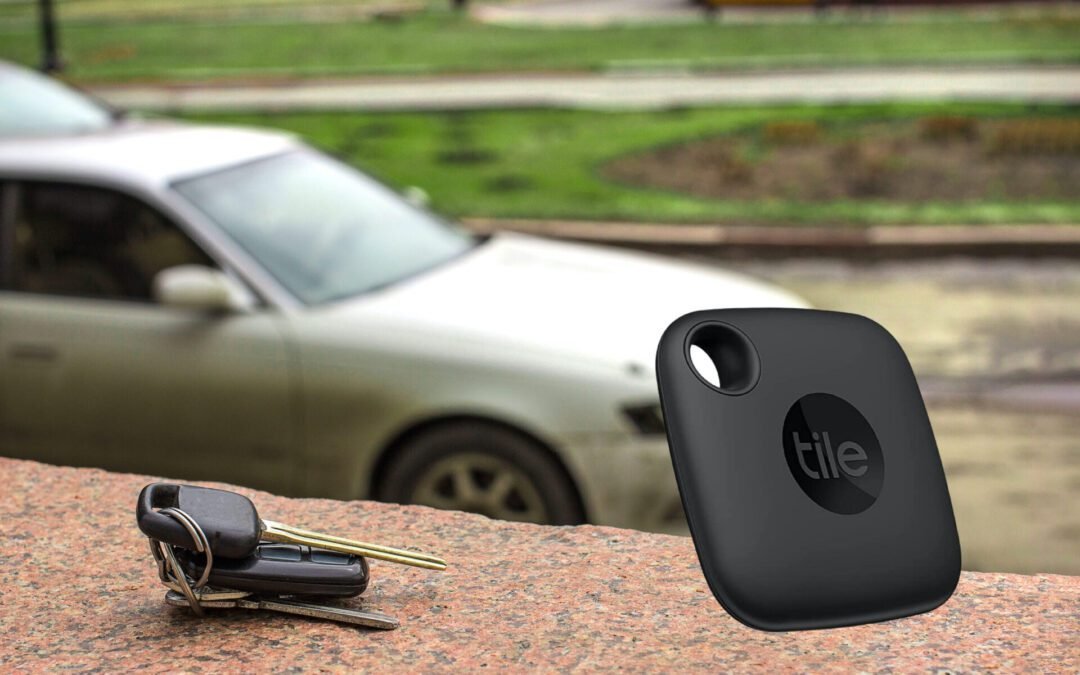
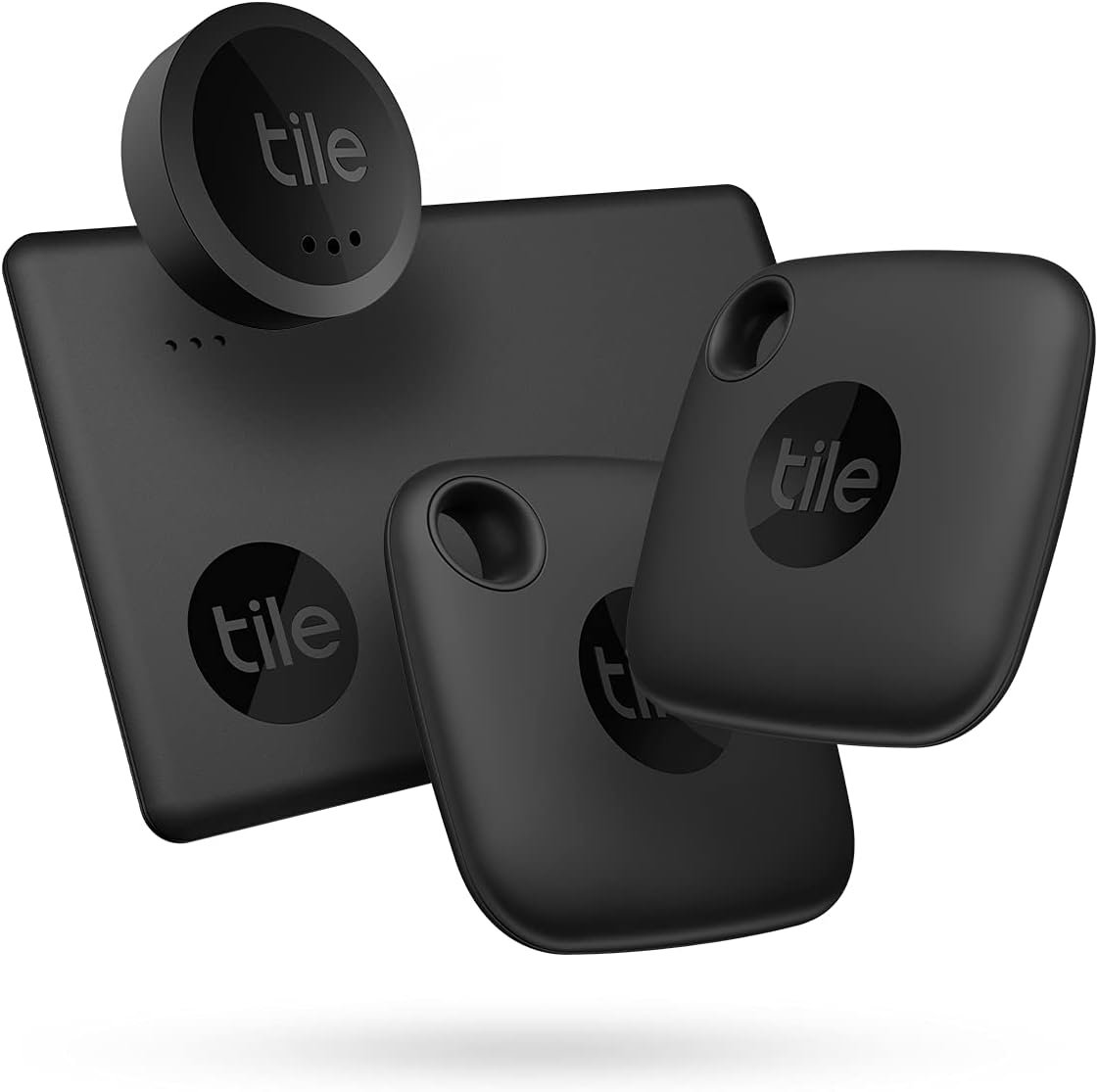
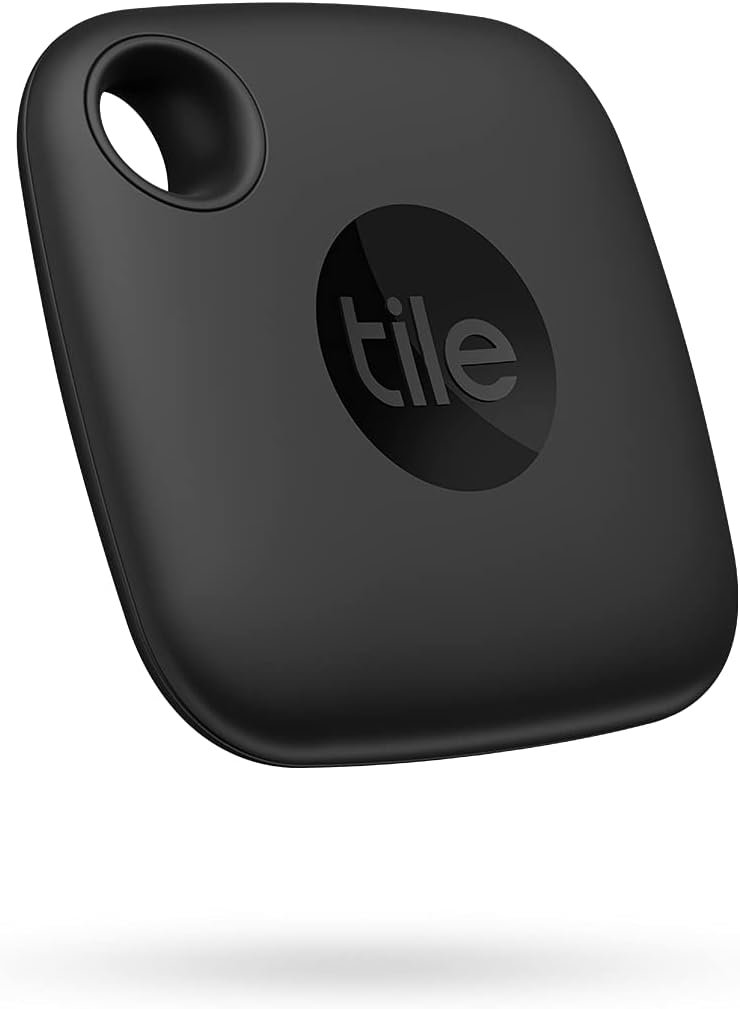
In the broad scope of technology, Bluetooth trackers are a new idea in the world of personal security and safety. The Tile Mate Bluetooth Tracker is one such device, which makes it easy to find lost items like keys or even your bike. I've seen people even use these effectively for tracking pets (and kids) like its counterpart the Cube. Aside from the base model we reviewed, Tile has several different smart tracker types to fit any situation and any purpose.
The Tile Mate is water-resistant and has an impressive range of up to 250 feet. It also works with both iOS and Android devices, making it extremely versatile for all types of users. What's more, you can attach this tracker to anything that you don't want to lose: from your laptop bag to your dog's collar! This means that if you misplace something important while out on the town, there's always a chance that you'll be able to find it again before you go home for the night.
Tile Mate Bluetooth Tracker Benefits We Love
Tile’s smart tracker just layers features on top of features that just over-deliver on value and add some really nice benefits.
If upgrading to the premium plan you get Item Reimbursement, which means if Tile can’t find your item, they literally will reimburse you for it. Kinda cool. Shows us they really stand behind this product. And a brand that has that much confidence in its product, is a brand worth trying out.
Save time and money by always finding your lost items. If your Tile gets lost, you can easily add your contact information to help find your lost Tile.
Get back to the important things in life without worrying about where you left your keys, wallet, or remote.
Tile works with your Smart Home devices like Alexa and Google Assistant
Your privacy is important to the company. You’re probably thinking, “But they literally are tracking your stuff!” That’s understood. Tile holds your data securely and is never sold to any third-party companies or used for marketing purposes. We love that policy.
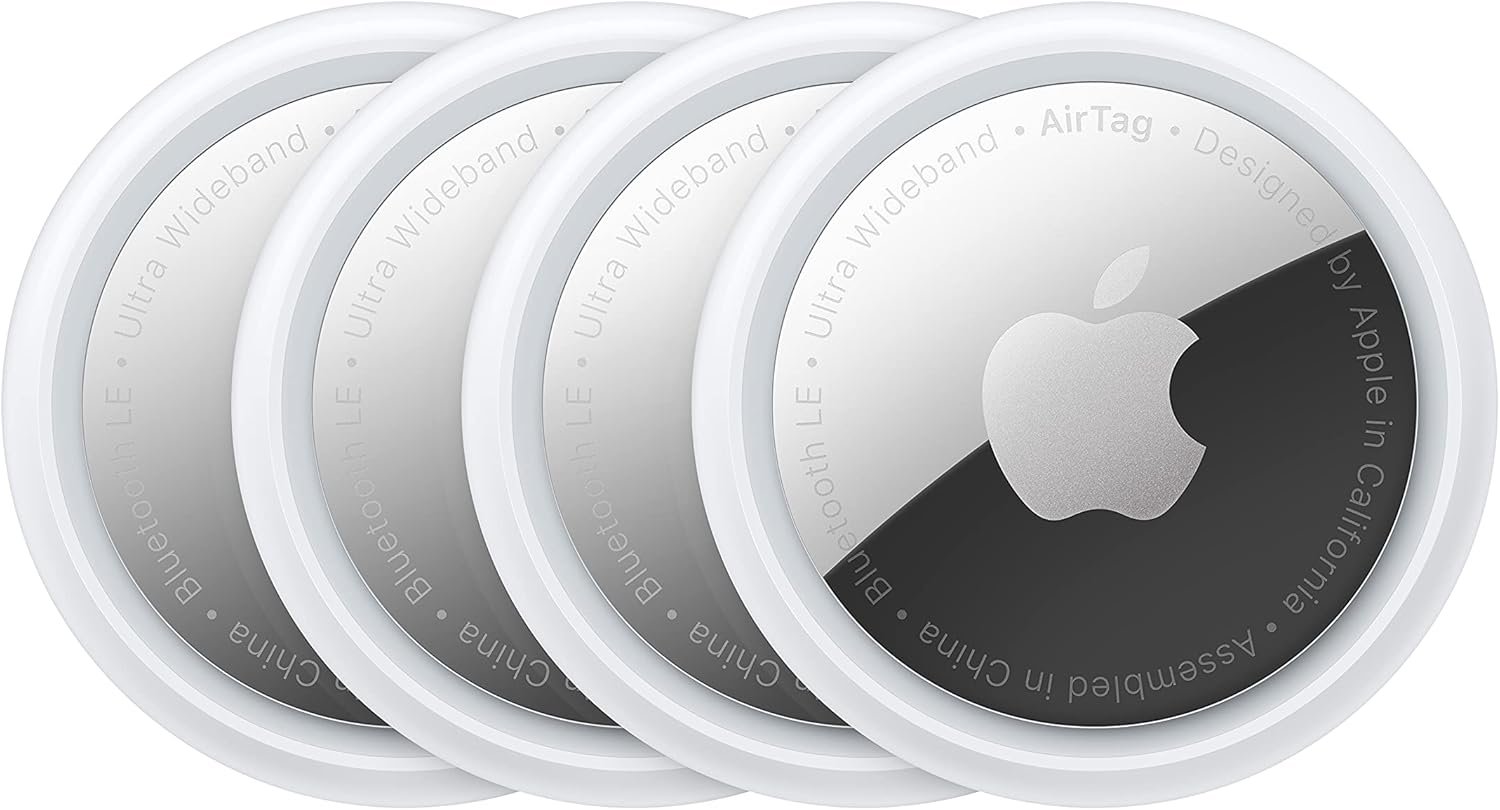
With the Apple AirTags like most Bluetooth trackers, you don't need to worry about losing your stuff. And finding it is so simple. The AirTags are small Bluetooth trackers that work with the Find My app and can be attached to anything: key chains, wallets, the standard Bluetooth tracker stuff. Utilizing this allows for more accurate finding through Ultra-Wideband technology and instant pairing with an iPhone or iPad. The tags use low-power Bluetooth to communicate their location and battery life status at any time, so you'll never have another lost item again! Apple Airtags have the added benefit of leveraging the Apple ecosystem for flawless and seamless utility and that is on full display with these clever Bluetooth trackers. Like the other Bluetooth smart trackers we’ve reviewed, Apple has placed a priority on privacy. Only you have access to where your Airtags are. Location data is never stored on the device. And even the other devices that may relay the location of your Airtag are completely hidden and anonymous.
Apple Airtag Benefits:
Here are a handful of the benefits worth mentioning for the AirTags:
The AirTags are small Bluetooth trackers that work with the Find My app and can be attached to anything: keychains, bags, luggage, backpacks, pets, you name it.
Leverage the Find My Network. This allows for more accurate finding through Ultra-Wideband technology and instant pairing with an iPhone or iPad. Again...if your devices live in the Apple ecosystem, you will benefit immensely from that.
Precision Finding is one of the most innovative benefits of Apple AirTags. Now, you have to have an iPhone 11 or newer model, but your phone will tell you direction and distance to how close (or how far away) you are to the tagged object. Like a virtual game of warmer-colder.
Lost Mode is phenomenal. Lose something, put it in Lost Mode and when one of the millions of Apple devices in the network detects it, you immediately get a notification.
So…Which Bluetooth Tracker Do We Recommend?
Which Bluetooth tracker is the best for your needs? It really depends on what you're looking for in a smart tracker device. If you want something that's small and easy to use, the Tile Mate would be a great option. It's quick and easy to set up. Almost flawless in that department. If you're looking for something with a longer range, the Cube is probably your best bet. And if you want something that integrates seamlessly into the Apple ecosystem, then the AirTags are definitely the way to go! If we had to choose one Bluetooth tracker over another, we’d lean towards the Cube smart Bluetooth tracker. Some of the features of this product just differentiate them from the competition. They’re not just featured for the sake of adding something different either (we hate that). They are truly utility functions that serve a purpose and augment the experience of using a smart tracker.
No one is immune to losing things. It's easy to misplace your phone, keys, or wallet, and if you're like most people, it can be a pain to track them all down. That's where Bluetooth tracking devices come in handy. They allow you to keep tabs on your belongings by connecting with your smartphone or other devices. We wanted to break down what Bluetooth trackers are, what they do, how they work, and how to choose the best Bluetooth tracker for your lifestyle.
What Are Bluetooth Trackers And What Do They Do
Bluetooth trackers are small devices that connect to your phone or other electronic devices using Bluetooth. They work by emitting a signal that helps you locate the item they're attached to. This could be your phone, keys, purse, or anything else you want to keep track of. They are one of the handiest tech gadgets that can really make your life easier. Bluetooth trackers come in a variety of shapes and sizes (and prices), and there are a variety of different trackers on the market to choose from. Amazon has a plethora of Bluetooth tracker options to choose from, but be careful…because not all of them are the same.
One of the best things about Bluetooth trackers is that they can help you find your phone even if it's on silent. This is because most trackers emit a loud alarm when they're near your phone. This alarm can help you find your phone even if it's buried deep in your bag or pocket. But it’s not just phones they can find. You can use a Bluetooth tracker to track wallets, purses, backpacks, books, keys, and yes…your pets! They are such a clever gadget. They not only will make your life easier, but if you’re the type who loses track (no pun intended) of things, they’ll save you a ton of time!
Bluetooth trackers work by using a Bluetooth signal to connect with your phone or other devices. This connection can be used to help you find your lost phone or keys, among other things. The connection also allows the tracker to send alerts and notifications to let you know when they're nearby.
There are many options available for Bluetooth trackers, making it tough to decide which one is best for you. We want to help you choose the perfect tracker by breaking down the different types of trackers, how they work, and how to choose the right one for you.
The Different Types Of Bluetooth Trackers
There are many different types of Bluetooth trackers on the market today. Some are small and can be attached to a key ring, while others are larger and designed to be attached to a pet's collar. Some trackers come with a built-in alarm, while others only provide location updates. Again…there are many varieties in this niche.
It's important to choose the right tracker for your needs. If you're looking for a tracker that will help you find your lost phone, then you'll need one that has an alarm feature. If you're looking for a tracker to keep an eye on your pet, then you'll need one that is water-resistant and has long battery life. No matter what your needs are, there is sure to be a Bluetooth tracker out there that is perfect for you.
How To Choose The Perfect Bluetooth Tracker For You
When it comes to choosing the perfect Bluetooth tracker for you, there are a few things you'll want to take into account. One of the most important factors is deciding which type of tracker you need. There are several different types available on the market, so be sure to do your research and find the one that best suits your needs. Are you wanting a Bluetooth tracker to track keys? Your phone? Your pet? Maybe the remote to your TV? Make sure to match the type of Bluetooth tracker with the purpose.
Another important factor to consider is price. Bluetooth trackers can vary in price, so be sure to find one that's within your budget. And the prices range. Apple Airtags are around $30 apiece…for one. Additionally, make sure to read reviews before purchasing any tracker to get an idea of what others thought of it. We’ve covered how to read and assess reviews on Amazon, but expand your research outside of the Amazon bubble (Consumer Reports, Reddit, etc).
Finally, decide which features are most important to you. Some trackers offer a variety of features, while others are more basic. Choose a tracker that will best fit your needs and lifestyle.
Some Of Our Favorite Bluetooth Trackers
We will have a more in-depth look at each of these Bluetooth trackers and dive into how they work and some of the incredible benefits each one offers. Until then, here are a few of our favorite Bluetooth trackers and why we would recommend them.
One of the best features of the Tile Mate Bluetooth Tracker is the “Find” functionality. You can “Find Nearby” where you use the Tile app to notify your Tile tracker when it’s within Bluetooth range. Or you can “Find Far Away” where you leverage Tile’s app to find devices when it’s outside of Bluetooth range. And yes…Tile works with Alexa and Google so you can sync your Tile account with these smart home platforms. The Tile Bluetooth tracker is very easy to use and just over-delivers on value, which is why we just love this little tracking device.
Losing stuff isn’t that hard. Finding it shouldn’t be hard either. This is where the Cube smart Bluetooth tracker comes into play. It’s literally as easy as tagging, pinging, and finding lost items. It works similarly to other Bluetooth trackers (has an app, integrates with smart home devices, etc), but we love the rechargeable battery feature, the GPS tracking capability, and its sleek design. Aside from being water-resistant (almost a must-have feature in the Bluetooth tracker market), the Cube smart Bluetooth track is super durable and can handle sub-zero temperatures.
Aside from the price (around $30), the Apple Airtag is what we’d expect from an Apple product. You are getting premium technology and software integration when you buy a product. If you own an Apple iPhone, you’ll love the seamless integration in the Apple ecosystem (works flawlessly with the Find My app, connects instantly between iPhones and iPads, and has live precision finding). If you lose an item, put it in Lost Mode and you’ll be automatically notified when it’s found. Oh…and all data shared within the Find My network is encrypted and never stored on the AirTag. The battery isn’t rechargeable BUT…it is replaceable and lasts for over a year. If your devices live and exist in the Apple ecosystem, you may want to opt-in for the Apple AirTag from the get-go.
Bluetooth Trackers: Leveraging Tech To Make Life Easier
If you're looking for a way to make the process of finding your everyday things easier, consider purchasing a set of Bluetooth trackers. We consider them one of those tech gadgets every home must have; right along with smart plugs and smart lights. They truly are that handy. There are various types of Bluetooth speakers and features available, so be sure to do your research before deciding which is best suited for you. Don’t buy cheap because it has a ton of reviews and the price looks good. Again…like with a lot of tech devices sold on Amazon, there are many products sourced from China that are cheap and don't work. Once you know what type of tracker will work best, it's time to decide on the price range. You'll want something that fits into your budget but also has quality reviews from past customers who have purchased them in the past (one of the first filters I’ll perform is recency). Finally, be sure to think about which features will help mold this purchase into one that suits both your needs and lifestyle preferences!
There are a ton of smart plugs on the market. You know you should buy a smart plug, but which one? Dale Dumbs It Down is going to share some of our favorite smart plugs we’ve seen on the market. We’ve already discussed what you look for in a smart plug and now we want to get into the specifics of which smart plugs we like.
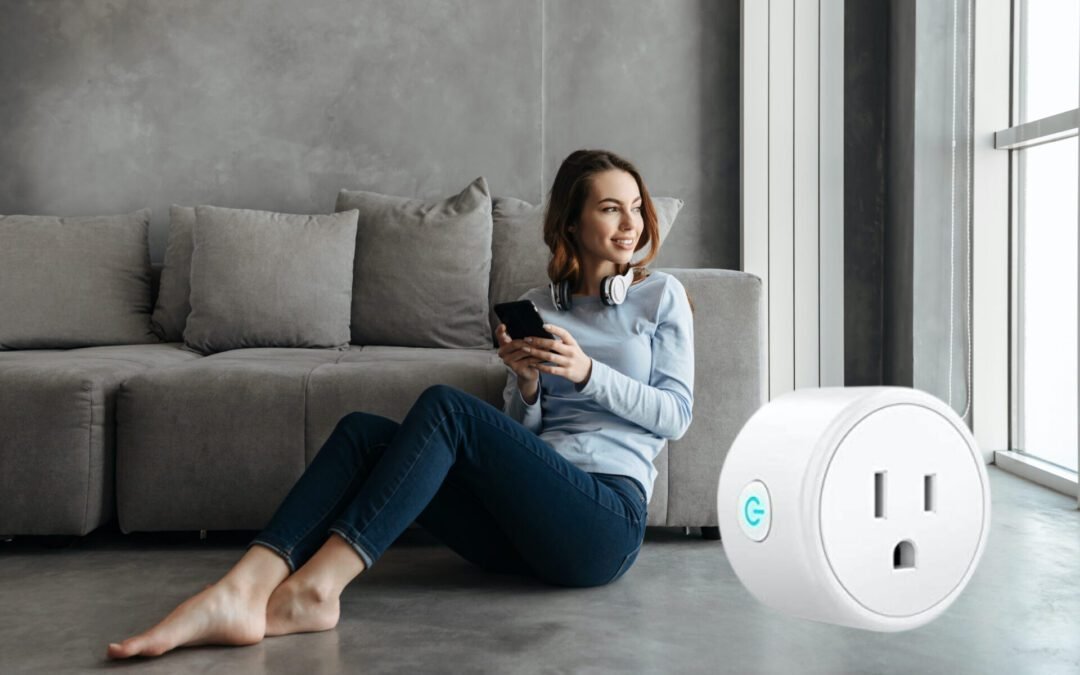
We believe EVERY home should have at least one of these awesome little smart tech wonders. Why? Because they are relatively inexpensive and the value they deliver is just awesome. “Hey Alexa, turn on my bedroom lights.” “Hey Google, turn on my Christmas lights in 10 minutes.” Yes…these are actual prompts you can command with a smart plug. Smart plugs are easy to use, simple to set up, yet…not every smart plug is created equally.
So we gave you a little insight on what to look for in a smart plug, but we want to dive into the specific brands we kinda like. We’ll dive a little bit into what we like and don’t like about smart plugs through the perspective of looking at four of our favorites we’ve had our eye on for quite some time.
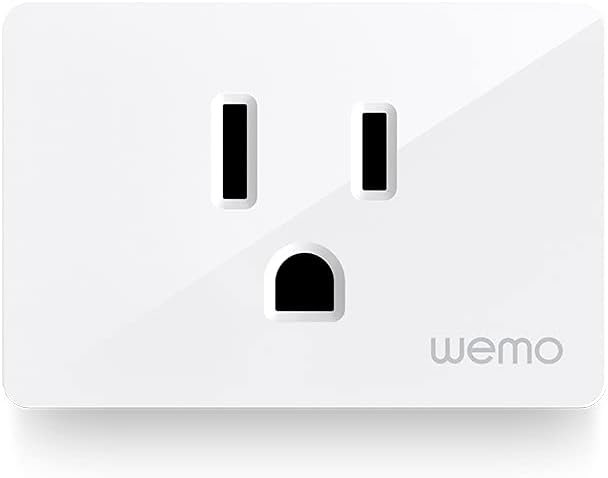
Let’s chat a bit about the Wemo WiFi Smart Plug. Has a cool name. Sold us there. But this thing comes in at around $20 on Amazon and has a four out of five-star rating. Sometimes you have to take Amazon reviews with a grain of salt, even the verified ones. A couple of the things we like about this plug right here is that it is nice and slim, so you can stack two of them per outlet. A simple design feature that does matter. The Wemo smart plug also has features like setting up schedules and an auto-off timer. This is going to allow you to turn your device on and then have it automatically turn off after a certain amount of time. Kinda cool. This little bonus is nice.
The Wemo smart plug also has some cool features like Away Mode which is going to simulate you being at home even when you're not by turning lights or devices on and off. This is kind of like a home security feature. This device also integrates with Apple's HomeKit, Amazon Alexa, and Google Assistant so you’ve got most of the popular integrations with this smart hardware. What about what we don’t like? One thing we didn't like about this device is that it is a bit pricier than its competition with similar features. Also, it doesn't have any in-depth features as far as monitoring your power usage or the actual run time of your devices. This can be utilized through Google Wifi on your Google app, but being able to measure it directly from the plug is a nicety they could have added.
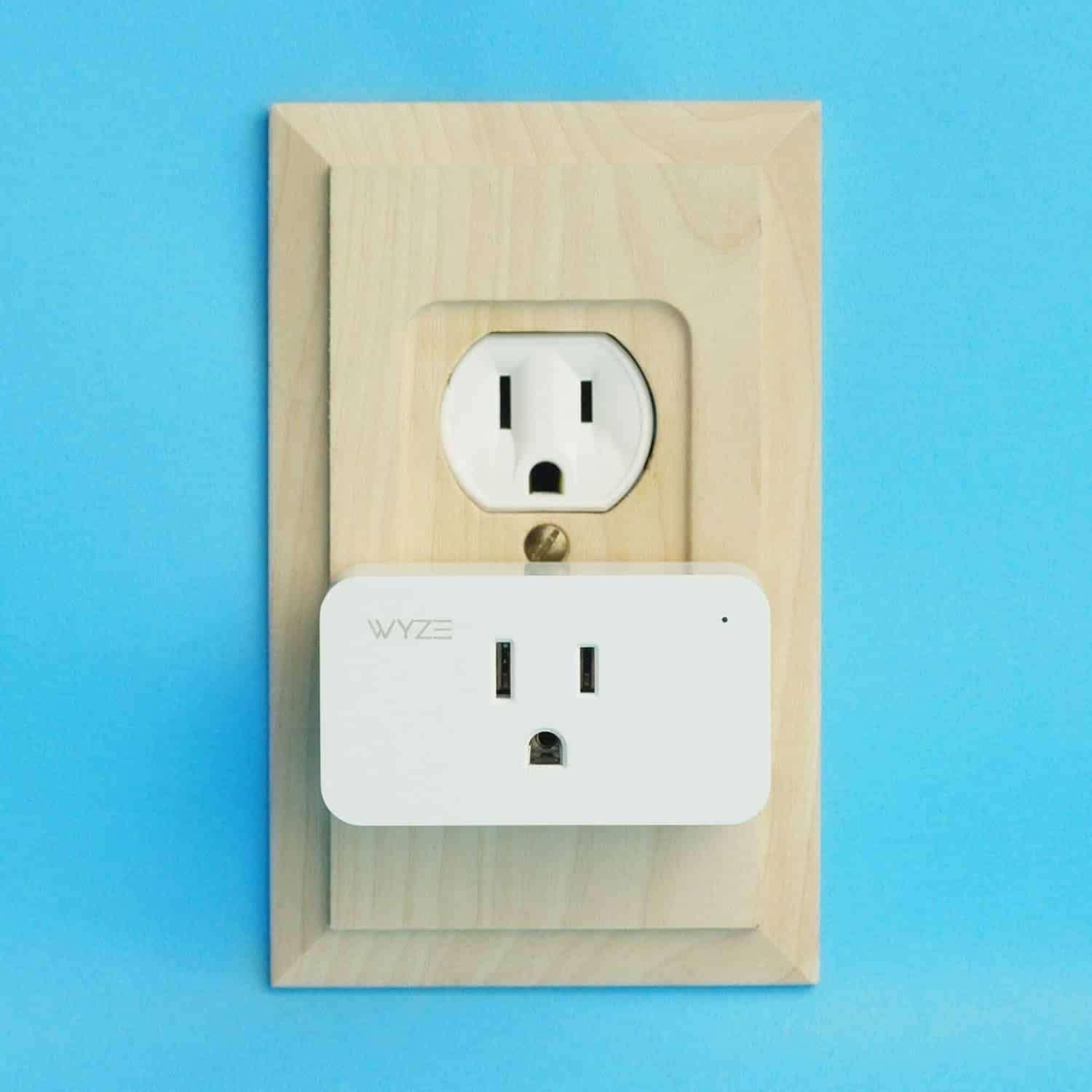
The next one we want to dive into is the Wyze Smart Plug. This one comes in at around $12 and has a four and a half out of five-star rating on Amazon. Not bad of a rating. The Wyze smart plug has a lot of great features for its price. It packs value on top of value with smart tech which we love! You can set up things like schedules, on and off timers, and…it's got Vacation Mode. The Wyze Smart Plug also integrates with Amazon, Google, and IFTTT for some extra home automation. Home automation is something you need to invest in if you want to really leverage the value of smart devices! This smart plug device also provides a runtime report so you can see how long a device has been on. Do you have kids who like to game a lot? Hook this up to their gaming platform for accurate monitoring. Another thing we love about the Wyze smart plug is that it is extremely affordable. We told you about the great things about the Wyze and there are many. In fact, the good far outweighs the bad! But what about what we didn’t like? One thing we wish this smart device had is that it monitored your power usage. It has a run time report, why not a power usage report? Seems like a simple addition that would have really pushed its value prop to the next level. For a device this inexpensive that little feature would be just icing on the cake because it is so affordable.
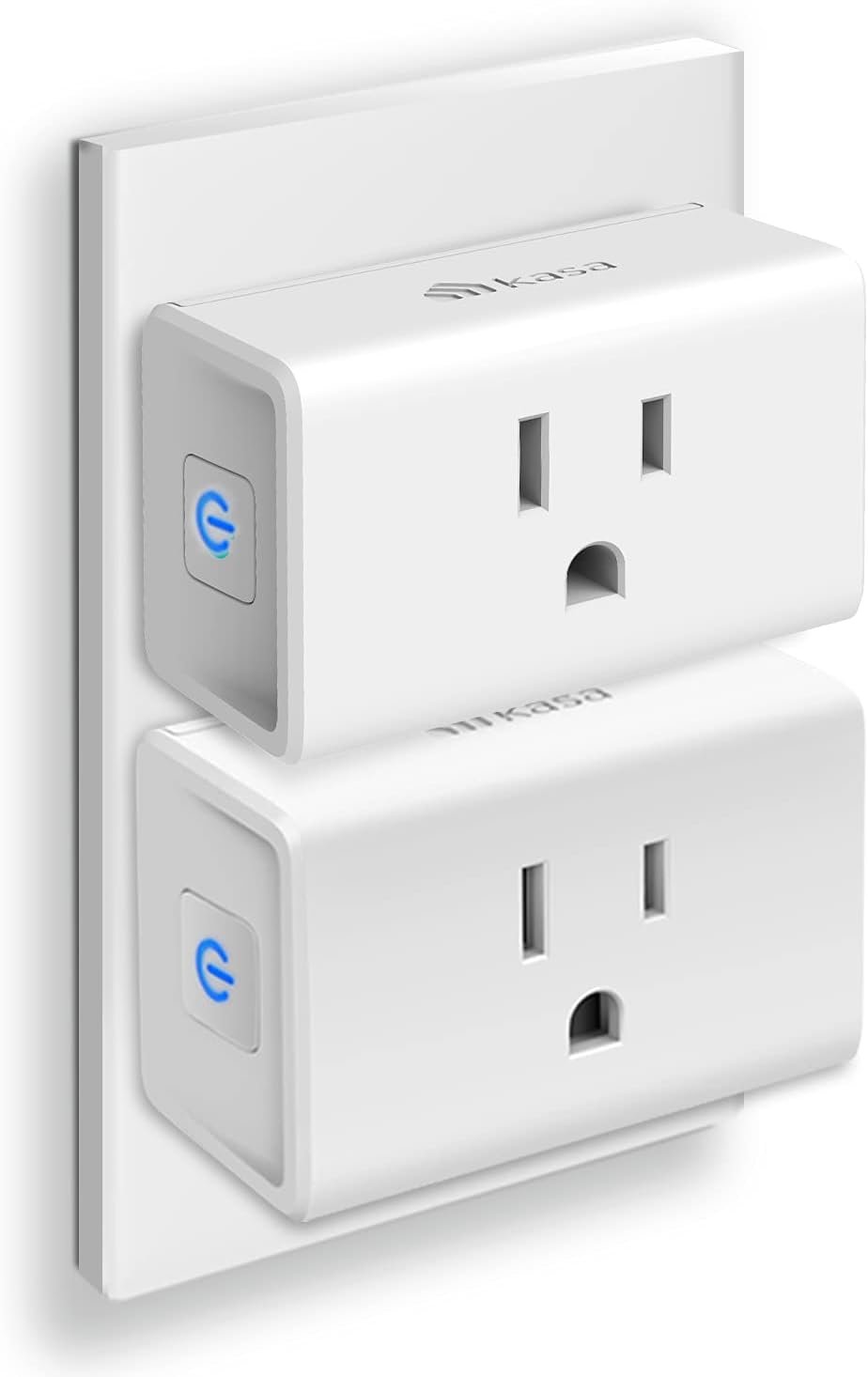
Next in the lineup is the TP Link's Kasa Smart WiFi Plug. This cool smart wifi plug retails at around $17 on Amazon for a two-pack! It also has a four and a half out of five-star ratings. This wifi smart plug is very comparable to the Wyze Plug. One of the things we love about this smart device is that you can set schedules, timers, and scenes in the mobile app. It also has group control which is nice. The Kasa integrates with Alexa and Google Assistant for some additional smart home automation. The Kasa does have Home and Away Mode, so it can turn your lights and devices on and off if you're not home. We love this feature.
This cool little smart plug also has a runtime report so you can see how long devices have been running. What about what we don’t like? With the Wyze Plug, you're not gonna be able to monitor power usage with this device. Again…we think that is a simple feature TP-Link could have added at a relatively low cost. How much more would be willing to pay for this smart device if it had that added benefit? Probably around $3-$5 more dollars. The mini model is much nicer than the stand-alone device because it can feel a bit bulky and takes up the entire outlet. So you can't plug anything in next to it.
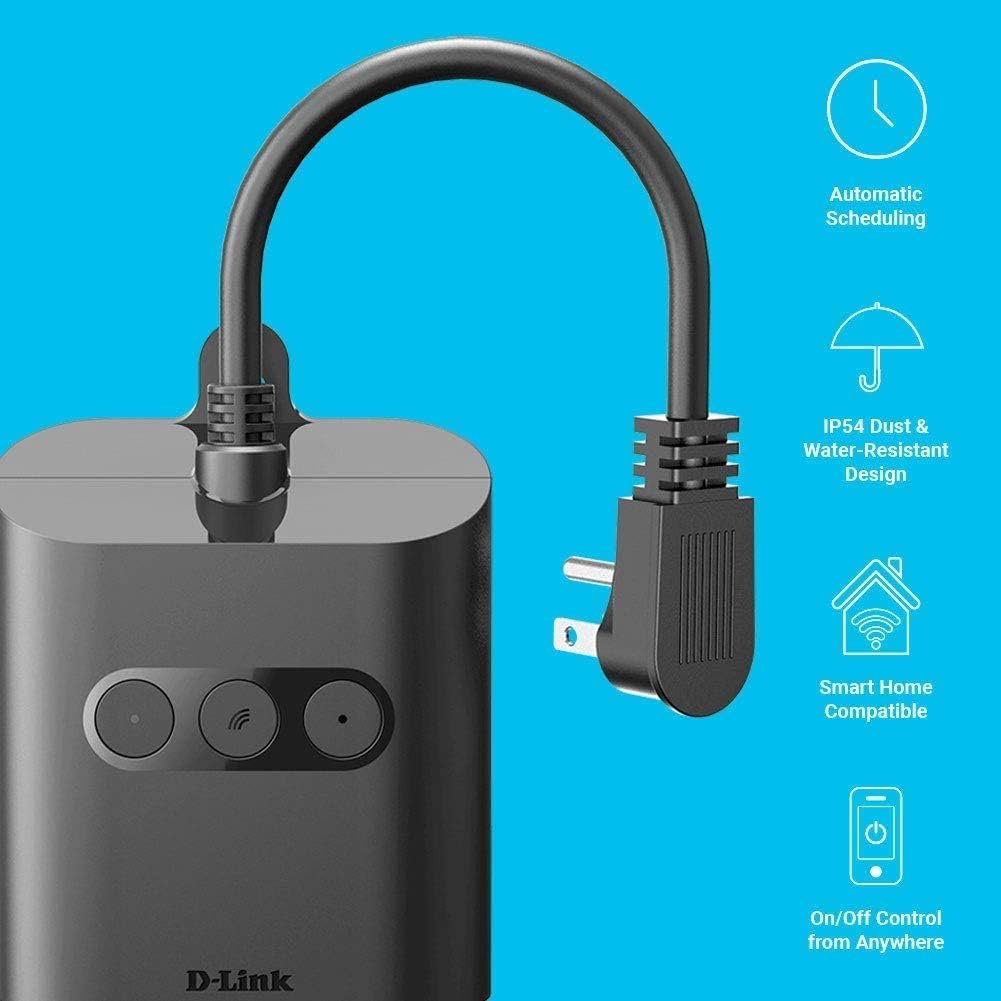
The D-Link Wi-Fi Smart Outdoor Plug is a great option if you're looking to control some devices outside. This thing is IP54 dust and water-resistant. That is such a cool feature! You can set up schedules and on and off-timers. It works with Amazon, Google, and IFTTT for that smart home integration you should be striving for. And the great thing about this device is it has two outlets that work independently of each other. Again…another simple feature we love. In addition to that, it also has a USB outlet. What about some of the things we’re not too hot about with the D-Link smart outdoor plug? With the smart plug for the outdoors, you can't turn it on and off. Not that big of a downer. But it's always on but it's nice to have it.
Not a deal-breaker, but perhaps on the next version we’ll get a toggle on/off feature. The D-Link smart outdoor plug retails on Amazon for around $35 and has a four out of five-star rating. Another thing we’re not too keen on is it's not Apple HomeKit compatible and has no power monitoring. There’s also no runtime monitoring or actual power usage monitoring in this device. Again…not a deal-breaker, but some features they could possibly add to the next version of this cool outdoor smart plug.
With most smart devices, we love smart plugs because they do have a pretty high value-to-cost ratio. For what they do and how much easier they make our lives…getting a smart plug is a no-brainer. So our favorite plug out of all the ones would be the Wyze Smart Plug. This smart tech device is honestly the best bang for the buck, works with all the major systems like Amazon, Google and IFTTT for any home automation that you want to set up, and it is super reasonable on price. If you have any questions about smart plugs or how to set up your home to make it the best smart home, follow us at Dale Dumbs IT Down for more smart home tips.