Are you looking for secure and safe ways to manage your passwords? Do you get tired of sticky notes and want peace of mind? Sick of storing all of your sensitive and important passwords and logins in a spreadsheet or Google sheet? We took some time to review some of the best password managers that you can use to safeguard your passwords.
Memorizing every password can be complex, and it is also not a good thing to use the same password for everything. You should take it easy when it comes to online privacy. Whether you are an employee working remotely or acting personally, it is vital to make sure that your online presence is safe and secure from poking eyes.
Unless you want to have a hard copy of all of your passwords and notes on your mobile that can be compromised, you might need to consider a password manager. It can help safeguard your login credentials and identity for any online account.
What is a Password Manager?
A password manager is an encrypted digital vault that helps store the passwords login details you use to access different accounts and apps on your mobile. Password managers enable secure your sensitive data, credentials, and identity from online theft.
Additionally, it has a password generator that creates unique and strong passwords and makes sure that your password does not match your other passwords. A password generator is a helpful feature of a password manager when it comes to creating a unique password for any online account.
A password manager not only provides security to your login data but also helps in solid password suggestions through a password generator. With all the security breaches, increased cyberattacks, and online theft, it is crucial to have a unique password for your online apps and accounts.
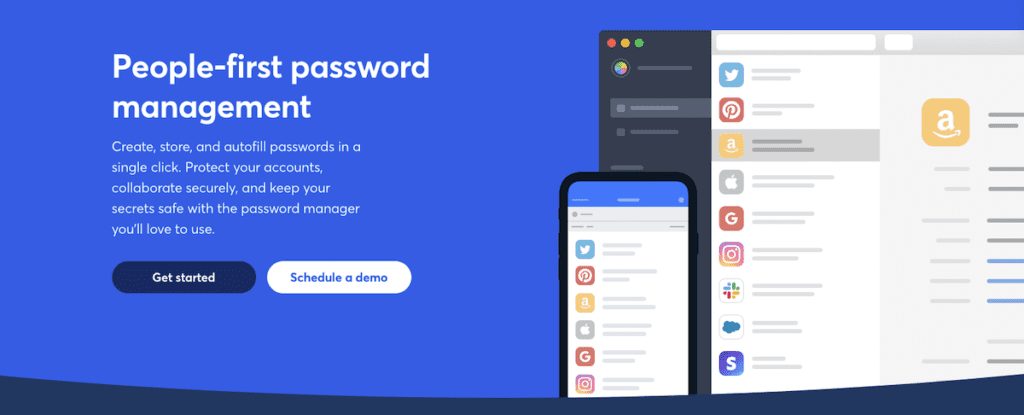
Additionally, with a manager, you don’t need to memorize the various pieces of information, such as credit card information and shipping addresses. You can set one master password or in some cases fingerprint or PIN to autofill your password field and form.
Best Password Managers Today
The list of best password managers keeps on updating every year. They are gaining in popularity and use so more and more password managers enter the market. Due to much competition in this field, users can get some high-quality options for choosing their password managers. For this review, we honed in on three of the top password managers which have been selected to give you a better version of password security.
Bitwarden is the top password manager for 2022 due to its open-source roots and its unlimited, unbeatable, and free version. Don’t confuse the word “free” in this case as cheap or inadequate either. This free version can help in generating, storing, and automatically filling all of your password details across all the known devices and websites.
Some of the crucial features of this software are as follows
Secure, open-source, and transparent
Free version that can be used across multiple devices
Premium subscriptions start just at $10 per year
Works with: macOS, Windows, Linux, iPhone, Android, iPad
Browser extensions for Firefox, Chrome, Edge, Opera, Safari, Brave, Tor, and Vivaldi
Its free version has only limited features but its premium version is feature-rich. Just like its competitor, Bitwarden allows its users to share memberships, passwords, and other items in premium subscriptions.
LastPass is also one of the top password managers that you can use to secure your personal details on the internet. It’s my personal “daily driver”. Its free version allows you to store passwords, sync all credentials and login information, and use them across multiple devices and internet browsers. .
While you can choose a free version of Lastpass to use on desktop and mobile devices, recent updates have confined the role of the free version. It also has the following features:
Offers free and paid versions
Paid version price starts at $36 per year
Works with: iPhone, Android, iPad, Windows, Linus, MacOS
Browser extensions for Opera, Chrome, Firefox, Brave, Safari, and Edge
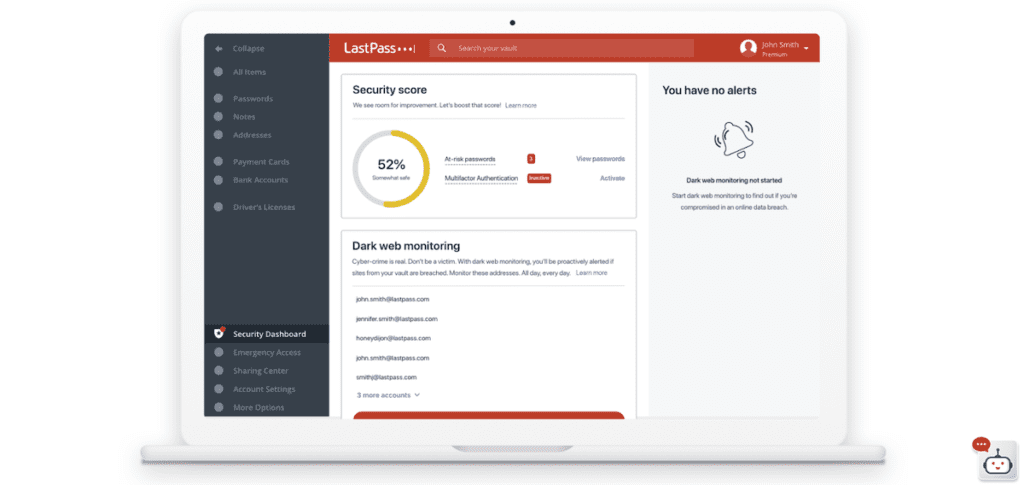
Upgrading to the Paid version (starting as low as $3/month or $4/month for a family plan…yes if you kids are on devices, they need to protect their passwords) is going to unlock some really cool features. You’ll get a security dashboard, priority tech support, group and the ability to share your passwords with others (no they can’t see your password, LastPass just fills in your password for them), and encrypted storage. You can also store passport info, serial numbers, bank info, credit card info and even just notes you want to keep private.
1Password is also one of the top and unique password managers that allow you to access it on multiple devices. If you are looking for a trusted and strong password manager app that keeps your personal information secure and safe, then 1Password is the ultimate solution for your online problems.
The major features of this password manager are as follows:
It does not offer a free version
Only offers 14 days trial, then you have to buy the premium version
You can buy the premium version for $36 per year
Works with: Linux, Windows, Chrome, iPhone, Android, iPad, macOS
Browser extensions for Opera, Chrome, Firefox, Brave, Safari, and Edge
The best password sharing options of any password manager we looked at
Has extensive (and free) online security resources for any level of learner
Features both password manager options for families and businesses
If you've ever struggled to remember a password, you may have considered using a password manager. But let’s recap exactly what a password manager is and really hone in on if you really need one. A password manager is a piece of software that helps you generate and store strong passwords for all your online accounts. That way, instead of trying to remember dozens of different passwords, you only need to remember one master password (and please don’t use “password123” as your password!). And if that sounds like a lot of work, don't worry. Most password managers can automatically fill in your passwords for you.
Those we’ve reviewed here are work phenomenally on desktop, tablet, and mobile. So do you need a password manager? That depends on how many online accounts you have and how concerned you are about security. If you only have a few accounts, and you're not worried about anyone hacking your info…then maybe pass on one (no pun intended). However, if you have a ton of accounts across multiple platforms, software, services, devices, etc…you may want to consider taking the plunge and checking it out. At the very least, opting in for a free trial is worth your time and energy. I did an audit on my account, and I have over 300 passwords (accounts, apps, websites..they add up fast) and I don’t know what any of them are! I don’t have to! A password manager tracks, changes and fills in the random password that it’s tracking when I need it!
Final Thoughts On Password Managers
An extensive and highly effective password manager is one of the best solutions to protect you against online-based theft and security breaches. A quality password manager allows you to store, secure, and safeguard your login information, personal details, and important credentials. Multiple password managers are available today. When it comes to choosing the best password version for you, keep in mind your personal preferences and what you think a password manager should do for you. If you’re looking for something simple and effective, Bitwarden is your best bet. If you’re looking for one of the best premium password managers with all the bells and whistles (think business, multiple device and platform sharing, etc), you’ll want to target something like Lastpass.
Are you looking for a NAS (Network Attached Storage) device that can provide you with plenty of storage space and also allow you to access your files remotely? If so, then you may want to take a look at the WD 8TB Cloud Home Duo. This device not only provides you with ample storage space, but it can also be easily accessed from anywhere in the world. In this post, we will provide you with a review of the WD 8TB Cloud Home Duo and discuss some of its key features. For home users, file storage can be a hassle. We want something we can just set up and forget about, not fumbling with external hard drives or countless USB thumb drives. And transferring it to one device then transferring it to another.
My Cloud Home Duo connects straight to your Wi-Fi network at home and allows you to save all your files in one location to keep all of your digital stuff. A NAS can be complicated, but this is a straightforward method for storing all of your images, movies, and other digital media. You can view, upload, and share your material from any location with an internet connection with the My Cloud Home app.
Even though power users like us would be more than happy to set up a primary NAS at home, many home users do not want or need something complicated, so WD's My Cloud Home Duo is a viable option. I’m all about simplicity and ease of use being front and center with tech!
WD My Cloud Home Duo Features
WD My Cloud Home Duo comes in many storage configurations, including the one-bay and two-bay models. You can get the two-bay unit we tested with 4TB, 6TB, 8TB, 12TB, 16TB, and 20TB of storage, with prices going up accordingly. Ultimately, you get a better price per TB the higher you go. But…if you don’t know how much memory, the 8TB model is a perfect choice. Home Duo is for people who need a lot of data to be available across their network, and if you do not need that much, this might not be the drive for you.
You might have to wait a little while if you have a complicated network setup or if your computer is too far away from the router, but we were able to transfer five gigabytes in just under four minutes. Even when it may not be as fast as an external drive, you get the added benefit of accessing your files from any device on your network.
And that file access system is hard to fault, even if more advanced users will probably want a more advanced hardware and software package (Western Digital makes network drives if you need them). Whether you need access to files from the office or share a folder, everything is fast and easy. WD My Cloud Home Duo lets you set up multiple family members on the same account, so everyone has their little bit of private storage. The My Cloud Duo is a great option for centralized storage for videos, photos, files, basically anything you want to save and access. And the ability to access this content from anywhere you have internet is great.
Other features worth mentioning:
The ability to stream music, movies, and other media flawlessly (while connected to the internet)
Simple and easy app to operate (My Cloud Home app)
No subscription fees or monthly premium services.
Compatible with PCs, Macs, Apple iOS, and Android.
Sync backup for multiple devices
Dual hard drives with Mirror Mode (duplicate content storage)
Organization and integration with Box, Dropbox, Facebook, Google Drive, Google Photos, OneDrive, and more.
The My Cloud Home Duo Design
Cool, futuristic design (white)
Minimal LED lights
Easily serviceable
Size: 6 x 4 x 7 inches (so it’s not super bulky)
WD's My Passport series got a new look recently, sporting a futuristic geometric design and color scheme. This design inspiration has carried over to My Cloud Home Duo. It's time to say goodbye to bulky black boxes with bright LEDs in the front (which can be annoying). With this box, you get a chic white and grey box that goes anywhere in your home and doesn't look garish.
A horizontal LED strip on the front indicates the drive's status, while you can find its connectivity options on the back. You get a power button, two USB 3.0 ports, Gigabit Ethernet, and a reset button.
Do You Really Need A Network Attached Storage (NAS) Device?
So this leads us to an important question. Do you really need a NAS device? Well…it depends. Before you roll your eyes at that canned response, consider this. If you're like most people, you probably have a ton of digital stuff: photos, videos, music, documents, and more. And it's only going to get bigger as time goes on. And what’s worse, our smartphones and the devices we use are coming with higher pixeled cameras which means…BINGO…our digital data will be larger!
So where do you keep all this stuff? Sure, you could just store it all on your computer's hard drive. But what happens if something goes wrong with your computer and you lose everything? That's where a network attached storage (NAS) device comes in. A NAS is basically just a storage device that you can connect to your home network. That way, you can back up your data and access it from any device on your network. Plus, NAS devices are usually much faster than external hard drives, so you can access your files
Price Point and Final Verdict
Back to the WD review. The WD My Cloud Home Duo is one of the best network storage solutions. It is excellent for people who want to get started with networked storage or who do not want to deal with all the options and settings you get with a fully-featured NAS drive. Standard NAS drives can be very difficult to set up and cumbersome to operate. After setting up WD My Cloud Home Duo, you can easily transfer files in minutes.
Although an external drive connected directly to your computer via USB will be much faster, access speeds are on par. Nothing jaw-dropping quick, but decent when it comes to speed. I will say that you probably need to think rather precisely about what you want from a storage solution before buying one of these (considering the $$).
Another thing to consider is the price. At the time this review was published, the latest WD My Cloud Home Duo prices vary by storage capacity. You can get the two-bay 4TB model for $339 or the 8TB model for $379 on Amazon. In the grand scheme of storage capacity, you get a lot of storage for your money, BUT…these drives are a bit expensive (and because there are two hard drives inside the two-bay model).
All in all, we are impressed with what the WD My Cloud Home Duo has to offer. As long as you do not need advanced networking or file-sharing features or super-fast transfer speeds, this is a solid external hard drive. It's small, easy to use, quiet, and has ample storage space you can get to from anywhere.
If you're like me, you're always on the lookout for new pieces of technology to improve your home network. Recently, we had the chance to test out the Synology RT2600AC wifi router, and I was really impressed! Not only is this thing a workhorse when it comes to throughput and range, but it’s also packed with features that make it a great addition to any home network. The router market is snowballed with various options. There are many huge brands with excellent offerings, making it difficult for a newbie to choose the right one. Synology is one of the most popular companies for routers.
Synology RT2600AC Router Review - Everything You Should Know
As for a specific router, Synology RT2600AC is by far the most popular of the brand. Just on Amazon alone, this product has already yielded 3K+ reviews with an average of 4.4 out of 5 ratings. It truly is a poster child for Synology. And for good reason…
Let’s Talk About The Synology RT2600AC WiFi Router
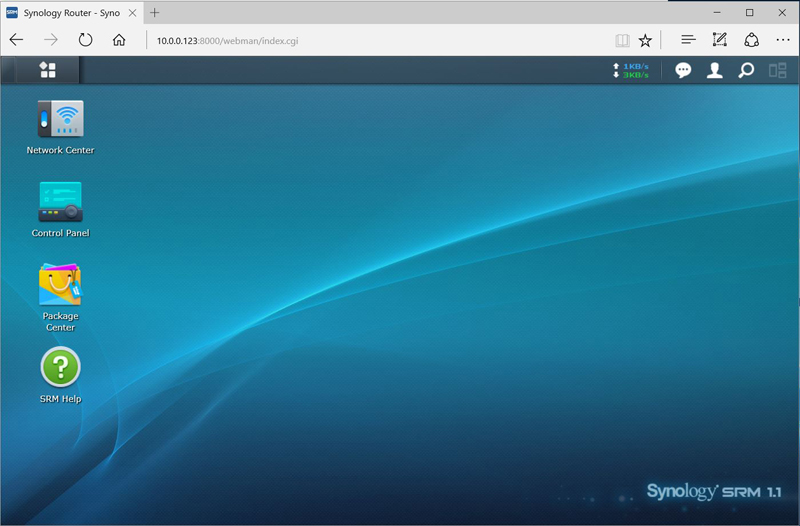
Synology RT2600AC is the upgrade to its previous year’s release RT1900AC. As you may expect, it is a bit more pricey than the last but surely worth the cost. What this new version delivers on specs and performance more than triples the value compared to the previous version’s price. Many times, consumers will opt-in for the earlier versions because of price (they don’t see the increased value in newer versions). This is partly because they may not understand all the new tech involved with newer versions. And in some cases, opting in for older versions is cost-effective. But with the Synology RT2600AC router, you’ll be glad you spend a little more coin for a better product (a much better product). The router can support a quad-stream with 1733 megabits per second on the 5GHz band. The other band, 2.4GHz, can support 800Mbps. And that’s not even the best part. Are you sitting down? This Wifi router comes with an operating system, Synology Router Management (SRM). That’s pretty cool and I personally believe it lends itself to a better user experience. But I’m geeky like that. While most other routers rely on websites for management, the OS makes Synology RT2600 a standout.
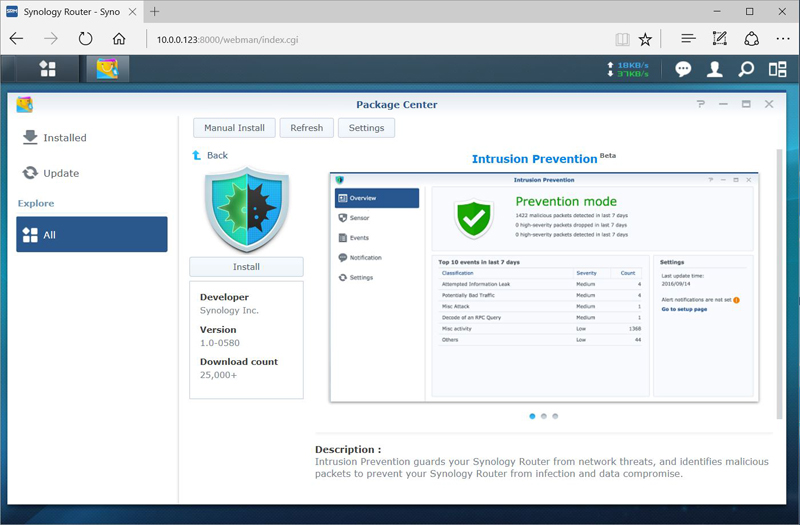
As for user experience and ease of use, the Synology RT2600AC is easy to use (for novice users as well), even more, if you have experience using Windows or macOS. You can use it for search, get notifications, transition, open multiple windows, and more! Plus, the router keeps things very organized. This way, you can easily keep track of everything without a lot of hassle. The most impressive feature about the router is its Package Center. It enables users to add more features to the device, such as VPN server, Download station, Intrusion Prevention, etc. Synology currently offers eight free applications to support packages. The router is equipped with 512 MB of memory, which might seem a little inconvenient for many. But, it also comes with a solution. You can insert an external hard drive or SD card to add more storage. More memory in your router allows you to install more packages. That’s more of an advanced feature, but it will only take you about 20-30 minutes to research those extra packages to determine if that’s something you want or need.
Some of those additional packages include:
VPN Plus Server: turn your router into a powerful VPN server
Download Station: easily download files from the internet through BT, FTP, HTTP, and more.
Media Server: Easily stream files located on SD cards or attached storage
DNS Server: host multiple zones and provide name and IP address services
RADIUS Server: provides centralized authentication, authorization, and account management
Threat Prevention: protects your network from threats and malicious activities
Cloud Station Server: sync data from multiple platforms
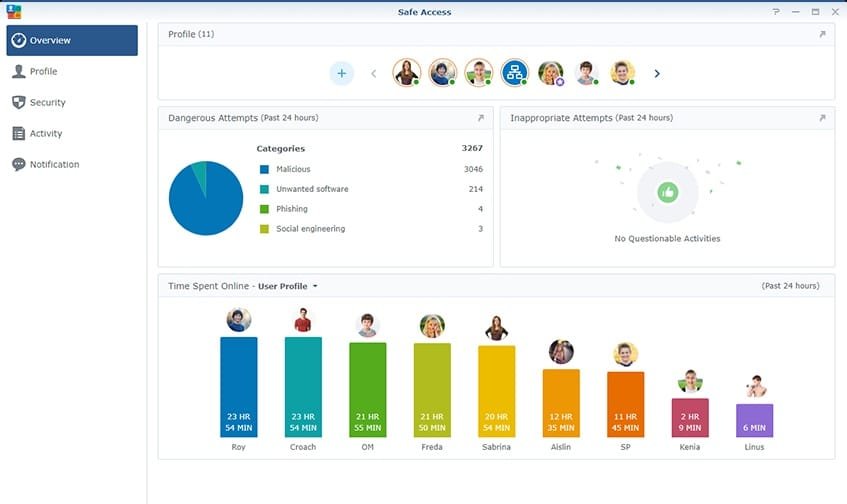
It is also important to talk a little bit about security protocols in this Synology RT2600AC review. And, the router exceeds its older brothers and most other routers with strong parental controls. It features web filtering, HTTPS Sites blockage, and Ads reduction. On top of all, Synology RT2600 also features Traffic Control, which allows you to monitor your internet bandwidth with detailed reports and activity analysis.
Parental Controls and Content Filtering At The Router Level?
Yes! This is becoming a very popular and effective way of implementing parental controls. In this regard, Synology makes it easy. With their powerful traffic monitoring tools, you can easily set up bandwidth prioritization so your gaming console or smart TV always gets enough speed and never stutter or lag. Plus, you can keep kids away from harmful websites with just a few clicks by using custom profiles for different members of the family! Like most parental control features it includes the ability to assign devices to profiles (Gabe has one with his tablet, desktop, and phone linked to it). You can control the times those profiles have access to the internet, and set content filters for each profile based on their ages. Before I discovered the Firewalla, this was my go-to parental control system for the DDID Home.
Support? Other vendors should follow these folks.
Synology support is the best in the business for a number of reasons. First, Synology offers a wide range of products that are designed to meet the needs of a variety of users, so their support team is well-versed in all kinds of users. From entry-level to enterprise-level, Synology has a product and a support team member there for you to fit your needs. Synology offers a high level of customer support and their team of experts is available 24/7 to help you with any questions or issues you may have. The support via chat is second to none. I’ve personally resolved most issues in 15 minutes or less. If it takes longer (or is more complicated to handle over the phone or chat), there’s an option to allow them to remotely resolve the issue. And that remote access is an encrypted connection and the security for this is crazy cool. When it comes to tech support…compared to every device or service I’ve engaged with, Synology is the best I’ve ever experienced.
This wifi router is packed with features and can deliver great performance. Small, medium, or large home? Doesn’t matter. This is a great device all around. But is it the right router for you? Let’s take a quick look at the pros and cons of the RT2600AC to help you make an informed decision.
Pros
MU-MIMO Data Streaming
Package Center makes various tasks pretty easy; allows for some sweet add-ons for protection as well
Great performance with 2.4GHz and 5GHz bands
Several management and monitoring tools
Powerful WiFi range
Setup, Management, and Connectivity are seamless and easy to understand
Simple yet Professional level controls for those wanting it
Comprehensive VPN server
Intrusion prevention
Regularly updated (a must-have option for Wifi routers)
No monthly fees!
Cons
Some would prefer that there should be support for combining LAN ports into a single connection. This is picky, but something some have said they wish it had (I don’t think it’s too much of an issue, but wanted to mention it).
Compared to premium VPN services, it’s not as good (again…compared with premium VPN services).
Lackluster options for VLAN (but this is again being picky and only advanced users would understand).
The Final Verdict For Synology RT2600AC?
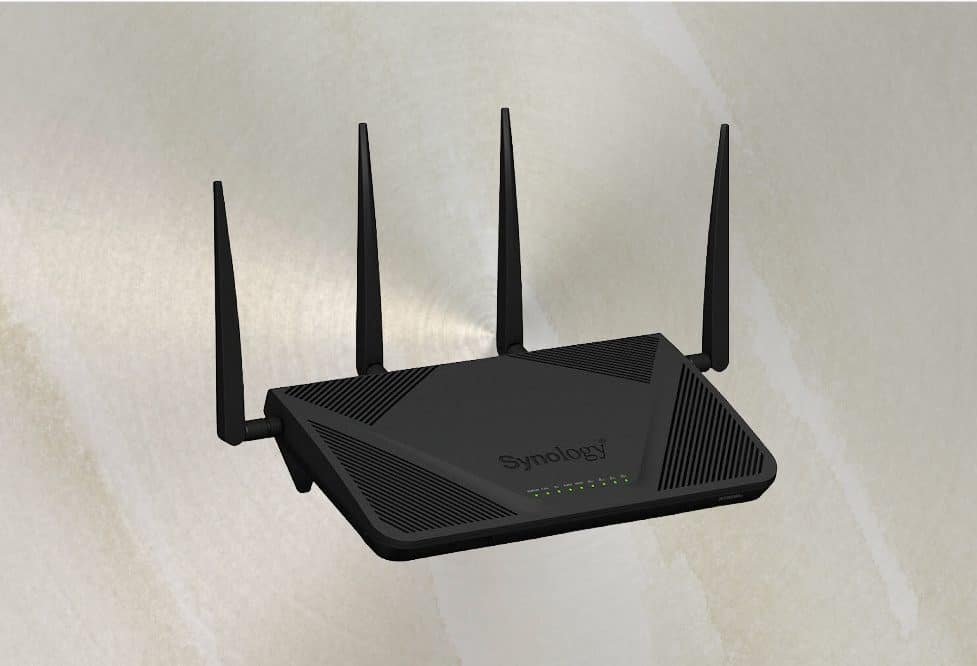
Do you really need the Synology AC2600RT wifi router? Again, I’ll just say this was the device I use personally for my home network. When it comes to routers, there are a lot of options on the market. A lot of easy to operate, but lacking in other features. There are also a lot of complex and advanced routers that the everyday person would have no clue how to operate. But what about this one? Do you really need the Synology AC2600RT wifi router? Let's recap briefly some of the features of this router to see if it's worth the investment. The Synology AC2600RT router has incredible Gbps speeds, supports MU-MIMO technology for efficient data streaming, has efficient parental controls, and includes content filtering. It allows you to extend its functionality and offers stellar security protocols. This Wifi router also comes with four external antennas for stable signal performance. In addition, the router includes a built-in VPN server and firewall for security. And it's easy to set up and use, even for beginners. To combine all of that into one device, this router is very powerful and offers ease to users. That’s a tough ratio to peg in today’s tech world. If you want to upgrade your old Synology routers or even upgrade from another brand, RT2600AC is one of the best options for you.
So you’re probably in the market for a router? You’ve maybe looked at a couple of places and have settled in on a mesh router. Maybe you’ve heard about the Gryphon AX and really want to know what the buzz is all about. I remember first seeing the Gryphon AX when a neighbor called me about helping him set it up. At first, I was like “Why didn’t you go with Google Nest Wifi?” And he said, “This came highly recommended from a friend at work.” I have to be honest, the Gryphon AX is a pretty sweet piece of mesh Wifi tech. With a flooded market of mesh routers, it can be difficult to pick the right one. Some of us default to what our friends recommend. Some of us hit the interwebs to find out. Gryphon is a popular brand offering these types of devices. One of their most talked-about mesh routers is Gryphon AX. But is it worth the hype? Should you buy it? Does it really deliver the blazing fast speeds it claims with Wifi 6? We’ll answer all these questions in this Gryphon AX review. So, let’s look at its features, pros, cons, and more!
The Ultimate Gryphon AX Review
Some of these specs are definitely worthy to geek out about, and a lot of these you may not understand. For those of you that may not have any idea what AC speed is and why that’s important, just briefly glance through this next section knowing that these specs are what we’d expect from a premium mesh Wifi router.
Gryphon AX Specs
Advanced Internet Protection: Provides next-gen firewall security that keeps your devices safe while using the internet
Wifi Guest option
Gryphon Homebound which is on the go security + enhanced parental controls
Powered by WiFi 6 (Gryphon claims a 40% increase in WiFi speed and total WiFi data throughput)
Speed: Can deliver up to 4.3 Gbps of total Wifi data throughput
Wireless Specification: 802.11ax
AC Speed: AX4300
Bands: 3
Antennas: 6 high-powered internal antennas
1 WAN Port + 1 Gigabit LAN Ports w/ Ethernet Backhaul
MU-MIMO: Yes
Quality of service (QoS): Yes (this allows you to prioritize the internet traffic of specific devices
Ipv6 compatible: Yes
Security Protocol: WPA2, WPA3
Area Coverage: Up to 3000 square feet
Nodes: 2
Anti-malware tools: Yes
Wired backhaul: Yes
DD-WRT: No
USB Ports: No
About Gryphon AX
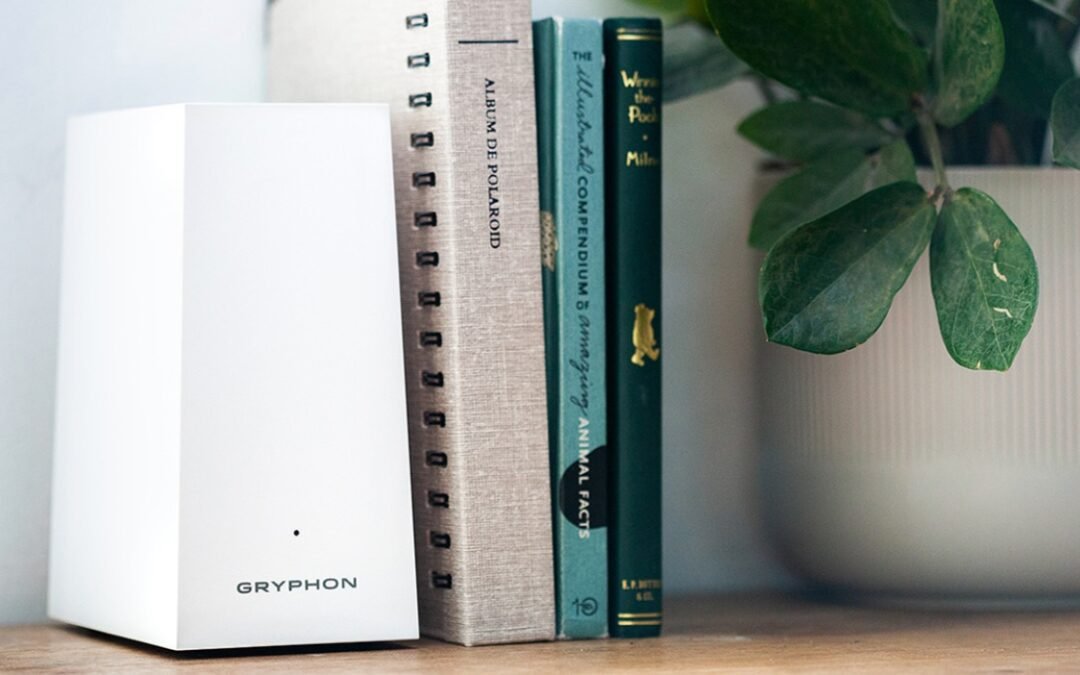
The Gryphon AX comes in single and dual-router devices. The latter consists of identical white towers with an area coverage of 5000 square feet. However, the single node can still cover up to 3000 square feet, which is one of the highest square footage coverage areas in the mesh WiFi router market. Just one unit is perfect for small and medium-sized homes.
The mesh router offers an additional 40% faster WiFi connectivity. It means you can use several devices simultaneously and face no connectivity or speed issues. The device is tested to ensure no connection issues within its area coverage. My buddy has over 40 devices connected to his and noticed zero slow-down in speeds. That’s pretty impressive.
Gryphon AX also ensures reliability. Whether you are playing games, live streaming, or simply surfing the internet, you will notice a balanced and uninterrupted speed. Gryphon AX makes setup and management as easy as it gets. Thanks to the Gryphon app, you get full control over the mesh router. The app has all the basic and advanced options, including WiFi settings, band steering, and IoT networking. Plus, it is available for both iOS and Android. By scanning the QR code on the bottom of the router, you can get started with the application. I love how companies have really put a priority on easy setup and installation. It really shows with this device as well. I should note that at the time of this review, the only control method is through the app. You won’t be able to configure or do anything on a web-based interface. Not a deal-breaker, but I’ve read where some users wish this was an option.
However, one of the best things (maybe the BEST) about the Gryphon AX review is the device’s security features. It outsmarts most other mesh WiFi routers in this aspect. It allows you to set up a secure connection and monitor throughout. I love that it prevents unknown connections (like when my kids give away our Wifi password) and I love that I can track traffic history on my network.
Gryphon AX also offers parental controls, allowing you to manage an entire network from your mobile application. It is equipped with Intelligent Intrusion Detection, which quickly notifies you of any malware device connection in the network. The mesh router also features Malware Filtering, Regular Security Updates, and Ads reduction.
Gryphon AX has Device Vulnerability Scanning. It allows the mesh router to scan all the connected devices to give security updates (it runs the scanning on your smart appliances as well). Although it has top-notch security, you can upgrade to advanced protection. It comes free for 90 days. After that, you will have to pay $7.99 per month. Again, I don’t think that’s necessary, but is an option. The choices are good.
Gryphon AX Pros & Cons
Pros
Easy to install and manage
Strong security protocols and parental controls
Solid signal strength
Uninterrupted performance
Blazing speeds
Provides regular security updates
Blocks ads!
And a ton more!
Cons
Advanced security tools require a subscription
Compared to rivals in the market, it’s an expensive piece of hardware
The only control method is the Gryphon app
Have been some reports of being buggy with the Android app
So…Is The Gryphon AX Really Worth All The Buzz? Does It Really Deliver Blazing Fast Speeds?
The Gryphon wifi Router is definitely worth all the buzz! It's a great router with tons of features and it's very user-friendly. I highly recommend it! But..the question remains, should you buy it? Well, it depends entirely on your requirements. Depends on what you’re looking for in a mesh Wifi router. If you want a secure and strong mesh router with great parental controls and the capability of handling fast speeds, the Gryphon AX is a solid piece of equipment. For this price point, there are better options on the market (the Google Nest Wifi, for example).
Here’s Why You Should Buy Gryphon Ax Router From Amazon
Amazon is probably the best place to buy electronics because of its unbeatable prices, large selection, and convenient delivery. We’ll even add to that their return policy. With the Gryphon Ax router specifically, you get free returns and the process (if you’ve never done it) is amazingly easy. For the most part, you get pretty solid product support from Amazon. They won’t hassle you about returning an item. In fact, most of the time it’s all automated so there’s no one to talk to.
Gryphon Ax aside, electronics, in general, can be expensive, but Amazon offers great deals on all kinds of gadgets. You can also find rare and discontinued models on Amazon (even eBay for that matter), as well as the latest releases. Plus, Amazon Prime members enjoy free two-day shipping on most items.
Eero Pro is a new type of mesh WiFi router that promises to blanket your home with fast, reliable Internet. We put it to the test to see if it lives up to the hype. Spoiler alert: It does! The Eero Pro is hands-down, one of the best mesh WiFi routers we've ever used. If you're in the market for a new router, or even if you're not, this is one piece of tech worth checking out.
EERO was a start-up that got money from venture capitalists. It sold mesh Wi-Fi networks through many stores, like Amazon and Best Buy. Fast forward a little bit and now Amazon owns EERO. Extending your Wi-Fi network throughout your home or office with the EERO Pro Mesh Wi-Fi system is a fantastic option for improved speeds anywhere in your home. This device connects to your wireless network using a base station router and beacons. EERO Pro routers can be used together, or you can use a single EERO router with many beacons or any combination of these. If you want to buy this product, a few things have been tried and should be kept in mind. Read on for our full review of the Eero Pro mesh WiFi router.
Sleek Design + Easy To Match with Other Decor
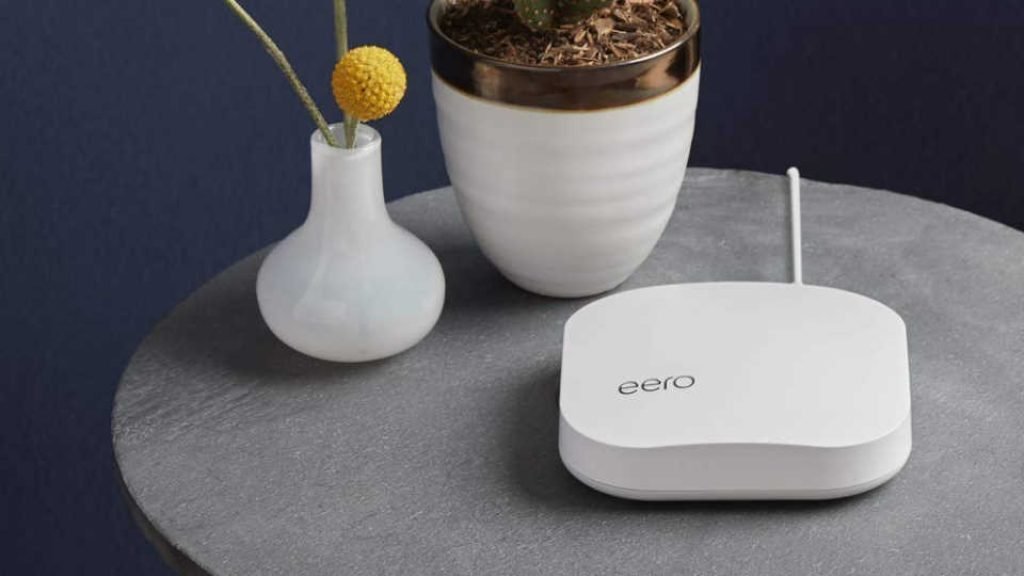
With its sleek design and smaller size than most routers, the EERO Pro is a great device. Even more simple: There are no antennas on this one. There are just two Ethernet ports. It wasn’t as big of a feature in the past, but more and more consumers want their technology to look good, especially in their living areas. We don’t want these big, bulky technological eyesores right in the middle of the living room and kitchen. This is why I love the idea of beacons and waypoints. All you need is an outlet and they’re very discreet.
Installation Process: Setup Is Easier Than You Ever Imagined
Assuming you have a basic understanding of WiFi and routers, the eero Pro is actually quite easy to install. Simply follow the directions that come with the product and you should be up and running in no time! Plus, if you have any trouble, their customer support is excellent. If using a mesh network or setting up your own wireless network seemed too complex in the past, and you avoided it, then the EERO Pro will change your mind. We've never seen anything quite as simple as this, and it's accomplished using a Smartphone app that guides you through each step. As we’ve talked about before in the past with other reviews, the amount of time and energy these hardware companies are pouring into their app development and design is manifesting itself with incredible ease of use and functionality. I don’t think integrated apps have EVER worked as well as they do now across the board. I only expect it to get better as time progresses.
Best Locations & Customized Suggestions for The Best Places To Go
With EERO Pro and beacons, you are free to place them wherever you want, but with the app, you can find the best spots in your living area. You can use the app to see suggestions that are specific to your home by telling it how many floors it has and selecting a floor plan that resembles yours. This simple feature is one of the most innovative functions for those who are unsure where to put beacons for the best signal through their living area.
Mesh WiFi routers are becoming increasingly popular due to their ability to create a strong and reliable network by using multiple routers. The more routers you have in your mesh network, the stronger and more reliable your network will be.
One of the benefits of using a mesh WiFi router is that it can provide better connectivity in areas of your home or office where traditional routers struggle to reach. Additionally, mesh WiFi routers are often easier to set up and manage than traditional routers.
With the EERO Pro, it comes with WiFi 6. This type is the latest version of WiFi and it provides faster speeds and improved reliability. It's backward compatible with previous versions of WiFi, so you don't have to worry about compatibility issues.
WiFi 6 is also known as 802.11ax and it offers several improvements over older versions of WiFi. For example, it can handle more devices at once without experiencing a slowdown, and it's better equipped to handle interference from other devices in your home or office.
The Pro version can cover up to 2,000 square feet for one unit and can support speeds up to a gigabit. The standard 6 version can get you speeds of up to 900Mbps.
On your iPhone or Android phone, you can download the EERO Smartphone app. When you start the network, you need the app to do it. You also need the app to keep the network running after you set it up. You can tell EERO has put a lot of ingenuity and innovation into the app platform. Simplicity is a theme we noticed throughout every aspect of EERO Pro.
Easy To Use
There is no web interface for managing EERO Pro, but don’t worry. Most routers have an app for management. I personally prefer the accessibility of using an app vs a web interface. The app is the only way to manage your router. I can see how that might steer someone away from getting one of these, but it shouldn’t. It’s the 2020s and it’s time to ditch your landline. Time to ditch your flip phone and get an upgrade.
Robust Parental Controls + Advance Features
If you’ve read anything we’ve posted about parental controls in the technology in our homes, you’d know it’s a high priority. The EERO checks the box on just about every parental control feature you’d want. Robust parental controls are built-in in EERO Pro, and you can control them through an app on your phone or tablet. In order to use it, you have to set up profiles for everyone in your family and assign devices to them. If you don't want your kids to be online during homework time or at night, or if they don't want to be online when it's time for them to do homework, you can set up parental controls and internet pauses for them. This takes a little bit of time initially setting up and is relatively easy to do so, BUT…an ounce of prevention is worth a pound of cure (or so the saying goes). Taking that time upfront to set up the parental features and advanced settings is worth it.
Pros and Cons
Pros
It's easy to set up with a phone app.
You won’t have Wi-Fi “dead zones”, especially if you get a beacon or two. Something that you can experience with mesh routers.
Parents are all in charge.
Easily expandable
With no prior experience, it is easy to set up.
Fast wired and wireless speeds
Leverage the power of Wifi 6
Cons
There are only two Ethernet ports in the whole house (not a deal-breaker, but has been noted by some users that this is a pain point).
It is a little bit costly IF you don’t take advantage of all the amazing features.
There is no way to put devices or traffic first.
Concluding Thoughts On The EERO Pro
If you’re in the market for a new mesh wifi router, we highly recommend checking out EEOR Pro. It’s super easy to set up, comes with great parental controls, and has amazing connectivity and speeds. Plus, it comes packed with features that make it perfect for any home. There are a lot of different wifi routers on the market, and it can be tough to decide which one is right for you. If you're looking for a router that will provide fast and reliable internet coverage throughout your entire home, then the Eero Pro mesh wifi router is a great option. Just remember: when it comes to tech if you buy cheap, you usually get cheap.
There are numerous methods to strengthen the security of our home network and one of those ways is through a bit of nifty gadget called Firewalla Red. Once connected to your network, it offers us a ton of information on what happens in it: what mobile devices, laptops, smart gadgets, and others connected to the network do. If you’re a casual internet goer and want some basic protection for your network, Firewalla Red is great.
Firewalla Red is an all-in-one solution to the difficulties we face with network security with all the many devices. Firewalla Red does an optimal job at securing all of your digital stuff by connecting to your router. It can safeguard your family from cyber risks, prevent advertisements, regulate kids’ internet usage, and even protect you when you are out on public WiFi. We’re going to walk you through what we found with this small, yet effective firewall hardware.
Incredibly Easy Installation
The app can be easily installed on your mobile device. All you need is your WiFi router and a power source, the app on your mobile device, and a barcode scanner. To get started, simply scan the barcode on the box and connect to your WiFi. You can manage and monitor your device from anywhere on the globe, thanks to this functionality. Both iPhone and Android versions are available.
Compatibility
100 Mbits is the limit for IPS functionality. Depending on your router, this gadget works well with most routers and not as well with others. For router compatibility, you can check out the website to make sure yours is on the list before getting the device. For configuration, depending on the router you may have to log in to the router to perform a handful of configurations. Overall, there should be many compatibility issues with Firewalla products. We’ve heard from users that they run into issues when using Firewalla with Google Mesh Wifi, but it took us maybe an extra 4-5 minutes of setup to overcome that small hurdle.
It’s hard to imagine, you get this much protection in a small device. Your Firewalla Red home and wireless internet of things devices all are protected by its unique intrusion prevention system (IDS and IPS) against threats, including viruses, malware, hacking, phishing, cyberattacks, unwanted data theft when using public WiFi, and a slew of other protections.
Filtering Of Content and Blocking Functionality
You don’t have to unplug the power cord from the dusty old router anymore to get your kids to stop using your network. No more wondering what devices are accessing what content. You can check out what any device is doing on your network straight from your Smartphone. Want to block all access, or block off just gaming or social networks? Done with a click. As the primary account and keeper of the network, you can easily keep online activities on your network cyber-healthy and safe by enabling Family Protect, which screens out adult content and blocks malicious content. It’s a set it and forget it feature we love.
Ability to Activate Protection
With Firewalla Red, you can get a deep knowledge of your network and cloud-based behavior with an analytics engine that identifies and blocks problems as they arise. As a result of continuous monitoring, you will have complete visibility into all IoT devices within your network and will be able to monitor comprehensive network flows, bandwidth analysis, and internet troubleshooting. Nothing is bulletproof in the world of cyber security, but we can have safe online surfing and free from hacking the internet with Firewalla Red.
Alert Messages, Configured Successfully
Once Firewalla Red is linked, you will receive the first alert messages, which indicates each of the devices it discovers connected to the network. These notifications are configured by default. Some people get annoyed with over notifications of apps and devices. I am one of those people who hate getting unnecessary notifications. But if those notifications are purposeful and lead to value, that’s all that matters. You can customize in the app AND on your smartphone device just how frequent and aggressive you want those notifications.
Keeping your gadgets safe from cyber attacks and cyber threats
Advanced information for your network
Keeping confidential company information safe
Filtering content dynamically
Client-server VPN functionality is incorporated right into the operating system.
Services are free of charge every month. No monthly fees is fantastic!
30-day return policy and a one-year warranty
Cons
Unless you have a router that is compatible with it, do not purchase it. Be sure to check first! One you’ll want to look at is that some routers (although not officially supported) can still be used, but it requires a geek in the home. Using DHCP Mode. I did when I ran my Blue with my Synology Router and was able to get it to work. But again…you’ll need a geek in the home.
Creating a VPN server can be complicated for most people, but there is a vast Firewalla community to help if you are confused
100 Mbps speeds may seem slow for internet super users. If this is an issue for you, upgrade your expectations with Firewalla Purple.
Alerts can be a nuisance until you learn how to fine-tune them to your preference.
So…Should You Get Firewalla Red?
Despite having a few cons, Firewalla Red is a fantastic product that we highly recommend! You can secure your home networks with this stylish, comfortable, and practical solution. Many folks will breathe a sigh of relief knowing they can have a simple home network security option like Firewalla Red. The Firewalla app allows you to share data, hide your IP address, and secure your network, all from the convenience of your mobile device (making it very accessible). Custom settings give you more control over the security of your home wireless networks while also providing you with greater transparency into the choices you’ve made.