Are you looking for ways to make your life easier? Maybe you want a better way to make your smart devices help you create the smart home that works for you. Google has a host of great tools and features that can help. And one of our favorites is Routines. With Routines, you can create custom commands that run multiple actions with a single voice command. This can save you time and hassle in the morning, during your commute, or when you're winding down for bed.
If you’re not using Google Routines right now, you’re doing the whole smart home automation thing wrong. In this guide, we'll show you all of the best Google Routines. We'll walk through some of our favorite routines. Whether you're looking to get organized, stay in the know on news and weather, or just want an easier way to do things around the house, check out these fun and effective Google Routines ideas.
Before we get in too deeply on these, let me explain what a Google Routine is in the first place. Some of you reading this might be thinking, ‘What the heck is a Google Routine?’ They’re actually a pretty easy concept to understand. They’re even easier to implement as well. Straight from the Google website, it says, “A routine is a series of actions you want your devices to take automatically when prompted by voice command or through the Google Home app. You can speak the command through a Nest speaker or display (Nest Audio, Nest Mini, or Nest Hub Max ) or even your phone.” I’ll add to that by saying that it’s simply a set of actions you want smart devices in your home to do based on criteria that you personalize. You need other smart devices (and a Google Assistant) to be able to work together to perform these routines. For example, when I walk through the front door I could say, “Hey Google, I’m home.” From there, the lights in my living room turn on, the TV turns on to ESPN, and the smart thermostat temperature gets set to 73. Pretty cool, right? Here’s why a function like Google Routines is so important, it’s because it allows you to really control the tech in your life instead of the tech controlling you.
And here’s the extra bonus with Routines, you don’t have to be at home to do them. For example, if you aren’t home and you can’t remember if you locked up the home, you can tell your Android phone (or using the Google Assistant app) “Hey Google, secure my home” and all the actions assigned to that Routine will deploy: locked doors, Ring camera armed, thermostat set at 68, flood lights turned on, and the garage door closes (if left open). And it doesn’t have to be voice-activated either. If I’m on vacation, I can set this Routine to deploy every night at 9 PM.
Some Of The Best Google Routines
There are seriously thousands upon thousands of permutations you can employ with Google Routines. As long as the device connects with Google Assistant, you’re good to go. I’ve seen some really interesting Google automation and routines. Some I think are fun to say or fun to imagine, but I’m all about practicality.
I personally use “Okay Google, Good Morning” almost every day. It’s a schedule routine that operates as a functional or informational alarm clock. If I wake up before the scheduled alarm goes, I have to manually say the words. For this routine, my speaker has a set volume (louder than when it’s at night), reports the upcoming weather for the day, gives me the news (from the source I want), tells me what I have on my calendar, reads to me my reminders, and takes my phone off silent. Boom…with one extensive routine, I’m hitting the ground running and ready for my day.
A couple of neat things you can do with a good morning routine if you have the technology is to open or close your curtains or you could have shades open or close. You can also have your coffee start to be made the minute you wake up as well.
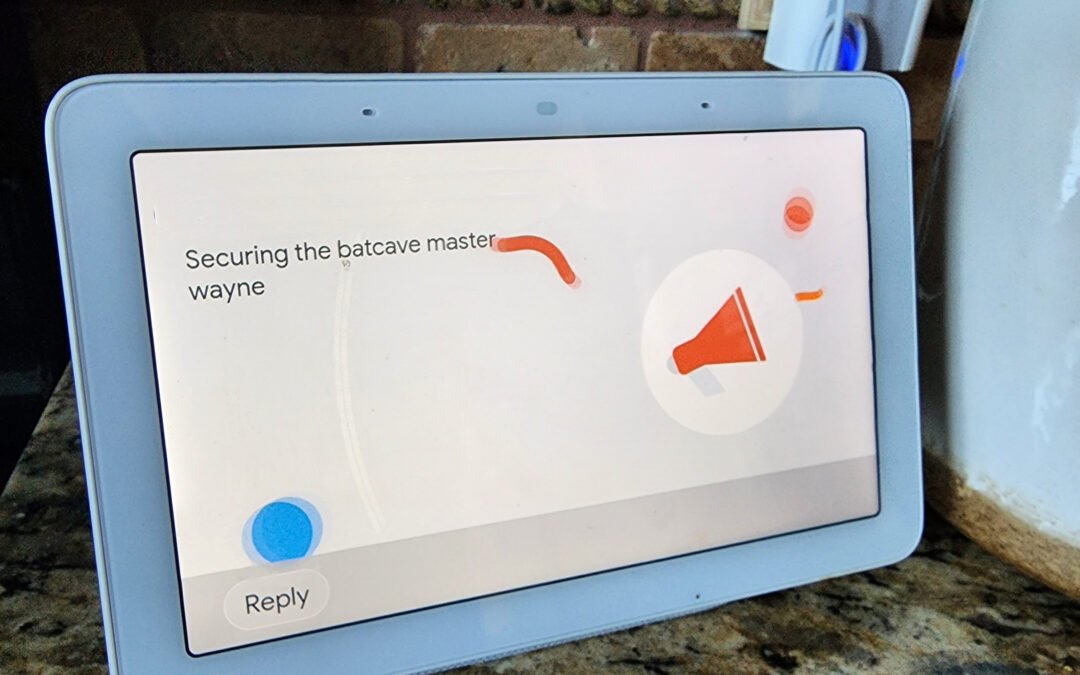
I’ve mentioned this one before. It aligns with this idea of mixing home automation devices in your life to really make tech work for you. I simply say, “Hey Google, Secure the Batcave.” Then all my doors lock (you need smart locks ____I personally have Kwikset SmartCode 916 deadbolt on all my exterior doors, including the door leading to the garage ), my Ring camera is armed, my smart floodlights are enabled, all the lights in my house are turned down, and the temperature is set at a cool 70 degrees by my smart thermostat.
I’m Going Downstairs
I have a personal den. It’s where I like to hangout. Sometimes I work there. Sometimes to get away. When I go downstairs, I can say, “Hey Google, I’m going downstairs.” My den lights get turned on to a specified brightness. I have a set of string LED lights that turn on. My TV turns on to my favorite streaming channel. And a portable fan turns on. I’ve thought about having an air freshener or air purified turn on, but don’t know yet if that’s taking this overboard 😉
I’m Getting Ready For Bed
This is one I didn’t think I’d use that much, but I’m finding that I love it more and more. I find I use it about 30 minutes to an hour before my head hits the pillow. I’ve also found new tweaks to add to this routine as well. I’ll say, “Hey Google, I’m Getting Ready For Bed.” From here, all the smart lights in my home drop 30% brightness. My bedroom fan turns on at low speed (I like fresh air when I sleep). And each of my kids gets a notification that they need to get ready for bed.
When we watch movies, this one is fun. I can say, “Hey Google, It’s movie time!” The lights in our living room get turned off, (if I had them) the smart blinds could close, the TV turns on to Netflix (or your favorite streaming channel), and we’re ready to watch our favorite flix.
Vacation Mode
This is another go-to favorite. When engaged, my Phillips Hue lights (color versions) will light up and flicker in my bedroom and living room with various colors during the night until about 1 am. From the outside it looks like someone is literally watching TV (I could have the TV turned on as well in this Routine as well, but I like the way the Phillips Hue lights work). Then at various times during the night different lights will come on and off making it look like someone is up and moving around. This is a clever Google Routine trick, but it’s effective.
Why I Love Google Routines
There are so many things to love about Google Routines! They are one of the most important factors in making your home truly smart. First of all, they make it super easy to manage your day-to-day tasks and make your tech work for you. With just a simple voice command or a click, you can create and edit your routines, schedule reminders, turn a light on or off, lock doors, enable your security cameras, set goals, and a slew of other amazing combinations. Plus, the Google Home interface is extremely user-friendly and the features are constantly updated. But perhaps my favorite thing about Routines is that they help me stay in control of the tech in my home and allow me to leverage what smart devices are really intended to do.
Yes, it’s cool to be able to turn lights on or off with a simple prompt. But to say, “Hey Google, I’m stressed,” followed by my lights being dimmed, a relaxing tune then being played from my smart speaker, followed by my doors being locked, and outside cameras turned on is the key to unlocking the “smart” in our tech.
I love technology. Love devices. I’m a big believer that they can make your life a lot more chaotic, but if you get the right ones…can make your life a lot better. There are different gadgets that solve different problems for us to make our lives easier. You’ll want to check this list of some of my favorite gadgets and devices that truly help not hinder your life. From smart home automation to home security, you’re going to want to check out this list.
Best Devices And Gadgets To Make Life Easier
Whether you're a busy mom or dad trying to keep up with the kids, or an older adult struggling with daily tasks, some great devices and gadgets can make life easier. Now…you don’t have to get every one of these. I’m not about to tell you to drop a lot $$$ and get every device listed here. BUT…I truly believe each of these, in its own unique way, can help dial down the chaos in life and really help you organize and increase the efficiency in which we operate. Heck…some of these devices even do some chores for you!
A Portable Battery
Imagine a world where you're always tethered to a wall. Your phone dies every few hours, your laptop only lasts for a couple of hours on a charge, and you can never stray too far from an outlet. Portable batteries make life much easier by freeing us from the tyranny of the plug (I’m waving my Les Mis flag). Whether on a long flight, stuck in traffic, at the park with the kiddos, or taking a hike in the middle of nowhere, portable batteries allow us to stay connected and keep our devices charged.
Portable Power Station
You have emergency food storage, right? That’s kind of how I view these portable power stations. Our devices are essential to our everyday lives. We rely on them for work, school, and staying connected. But what happens when our devices run out of battery or worse…the power goes out? A portable power bank can be a lifesaver in this situation. Portable power banks are small, portable chargers that can give your devices the boost they need to get through the day (and sometimes a week). And with so many different sizes and capacities available, there's sure to be a portable power bank that's perfect for your needs. The best thing about portable power banks is that they’re relatively lightweight, small and have enough power to charge our phones and other devices a dozen times or so.
A Roku Media Streamer
Or if you prefer…an Amazon FireStick. If you’re looking for the most efficient method to stream media from the most diverse sources, the Roku streaming device is your most efficient solution.
It’s compact enough to carry with you on your travels. These streaming devices provide access to more content than you’ll ever be in a position to access. And there are a lot of streaming apps that have access to free content.
Ring Camera System
Imagine never having to worry about whether or not your home is secure. That’s a hard feeling to achieve, but with Ring, you can rest easy knowing that your property is well-protected. Ring's camera system offers a wide range of features that make it an essential part of any home security setup. If there’s one device I’d recommend EVERY home have, it would be this one. Perhaps most importantly, Ring's cameras provide live streaming of what is happening on your property at all times. This means that you can check in on your home whenever you want, and be immediately alerted if there is any suspicious activity.
Additionally, Ring's cameras come equipped with night vision and two-way audio, so you can keep an eye on things even in low-light conditions or when you're away from home. Best of all, Ring's camera system is easy to set up and use, so you can start protecting your home with just a few simple clicks (and about four screws).
Google Nest Wifi
Google Nest Wifi is not your ordinary wifi system. This powerful little device not only provides a fast and reliable connection for all of your devices, but it also comes with a host of features that make life easier. For example, the built-in Google Assistant makes it easy to stay connected and control your smart home devices. And if you ever need a hand, the Nest Wifi app can help you troubleshoot any problems. Best of all, Google Nest Wifi is easy to set up and use, so you'll be online in no time. Whether you're streaming movies, playing games, want to control a device connected to the network, or just staying connected, Google Nest Wifi has you covered.
One of my favorite features is just having the ability to have insight and control into which devices are connected to my network. It’s not just making life easier in this regard, but making your digital life easier as well.
Amazon Echo Dot and Google Nest Mini, both are awesome. Google Nest Mini is a small, affordable, and easy-to-use smart speaker with Google Assistant built-in. It has all the features of Google Home, but it's even more compact and it comes in multiple different colors. You can use Google Nest Mini to control your smart home devices, play music, get weather and traffic updates, set alarms and timers, and much more. Plus, you can ask Google questions and get answers just like you would on your phone or laptop. Simply put, Google Nest Mini makes life easier by giving you access to the power of Google Assistant in a compact and affordable package.
The same goes for the Amazon Echo Dot. The only reason why you’d prefer one over the other is based on how your smart home ecosystem is set up. Some people like to utilize Google Home for their smart home automation. And some prefer Alexa. Regardless, any of these home assistants are going to make your life easier.
With this type of vacuum, you won't have to worry about lugging around a heavy machine or dealing with cords. Instead, you can simply set it up in one room and let it do its thing. Smart vacuums are also great for people who have allergies or asthma because they can really help to reduce dust and other allergens in the air. And if you have pets, a smart vacuum can be a lifesaver. It will pick up all the pet hair and dander that normal vacuums leave behind.
Hands down, the best smart vacuum robot cleaner is the iRobot Roomba. Not only can it be controlled with Alexa, but it does an amazing job cleaning both hardwood floors and carpets. My only complaint is a manufacturer needs to figure out the whole stairs issue. I hate having to physically move my vacuum to another level and reprogram with the floor plan it’s now on. We put a man on the moon, can’t we figure out how to get these things to climb stairs?!
Firewalla Purple
Once you get this device set up and running properly, it will give you peace of mind when it comes to monitoring your home network. It makes life easier because I don’t have to worry about cyber attacks, internet ads, monthly fees, what bad content my kids might be exposed to, and a slew of other nice features. Quite honestly, I don’t want to think about what my digital life was like before Firewalla.
Smart plugs are devices that allow you to control your home’s electronics via an app on your smartphone. You can use them to turn on and off lights, TVs, and other appliances with the touch of a button. Smart plugs can also be used to create a schedule, so you can automatically turn on the coffee maker in the morning or have the lights turn on when you get home from work. I absolutely love smart plugs. I bet I have close to 15 in my home. One of the best things about smart plugs is that they can make life much easier. For example, let’s say you forget to turn off the straightener before you leave for work. You can simply open the app and turn it off (or have Google Assistant or Alexa help). No more coming home to a burned-out straightener! Smart plugs are also great for people who have a hard time reaching certain switches or outlets. With a smart plug, you can control any electronic from anywhere in your home.
My favorite smart plug? I really like the WeMo Smart Plug. The WeMo Smart Plug is a smart plug that allows you to control any appliance that is plugged into it. The WeMo Insight Switch can be controlled via a smartphone app and can be used to schedule timers, set up rules, and monitor energy usage. The WeMo Insight Switch can also be integrated with other smart home devices, such as the Amazon Echo, Google Nest Mini, and Philips Hue Smart Bulbs.
Smart Lights
I love smart lights. One of my favorites for smart lighting is the Philips Hue Smart Bulb. This advanced smart light is a line of smart bulbs that can be controlled via a smartphone app or home assistant. The bulbs can be used to create custom lighting scenes, schedule timers, and turn on/off automatically based on your location. There are some clever IFTTT recipes you can program with smart lights as well to take your smart home automation use to the next level. The Philips Hue system can also be integrated with a variety of other smart home devices, such as the Amazon Echo, Google Nest Mini, and Nest Thermostat.
The Nest Learning Thermostat is a programmable thermostat that can be controlled via a smartphone app. The thermostat can learn your heating and cooling preferences over time and can automatically adjust the temperature to save energy when you’re away from home. The Nest Thermostat can also be integrated with other smart home devices, such as the Philips Hue Smart Bulbs and the Google Nest Mini. My favorite smart thermostat? The Google Nest Thermostat is next-level smart technology. I’ve had Honeywell devices before, but this is the smart thermostat that is keyed-in to making life easier and more efficient.
Have you ever lost your keys? Or been locked out of your house? Or needed a neighbor to get into your home while you’re on vacation and have no spare? If so, you know how frustrating it can be. With smart locks, you can use your smartphone to unlock your door (or even 4 digit code). No more fumbling around for keys. No more hiding the spare in the all-too-obvious spots. Smart locks are also convenient if you have guests coming over. Instead of having to keep track of a key, you can just give them a code that expires as soon as they leave. And if you're worried about security, don't be. Smart locks are actually more secure than traditional locks because they're much harder to pick. And these smart locks aren’t just for the outside doors either. Yes, I put a smart lock on my pantry door to keep the kids (mostly my teenage boy’s friends) out.
And mixing home automation is extremely helpful. Have you ever gone to bed and thought “Did I lock the doors”? Well, I can just say “Hey Google, Secure the Batcave” and all my doors lock. To unlock I simply say….wait a second, you thought I’d tell you that one?! I’ll let your imagination fill in the blanks, but I do have a Google command that when I say it…all the lights in my house turn on, my outdoor lights start flashing, and all cameras go into record mode. Some notifications are sent to the Just-Us-League (friends and family) who will come to our aid. Did I mention how much I love technology?
When it comes to smartphones (Android and Pixel), you've probably already heard of Google Assistant, the voice-activated virtual assistant that's built-in. You’ve probably also heard of this incredible, hands-free companion whether you use your AI-powered companion on a Google Home speaker or your phone. If you have a decent internet (or data) connection, you can make use of Google's powerful search capabilities to accomplish some pretty cool things. Some of these are very practical and you can incorporate them into your regimen of everyday tasks. We played around with Google Assistant and took an inventory of the cool things you can do with it. In order to get the most out of Google Assistant, we'll take a look at 10 practical things to really engage and leverage this amazing tech.
Cool Things to Do with Google Assistant
Google Assistant is a powerful tool with a lot of potential uses. Below we explore some of the coolest things you can do with it. Whether you're looking for ways to simplify your life or just have some fun, Google Assistant has something for you.
We took into account what kinds of questions you could have when using a Google Home device in any given location. We also assessed a wide range of abilities that may aid with housework, errands, scheduling, and just general communication. These Google Assistant command categories have been tested and rated by us in order to make sure that our suggestions are accurate. For your convenience, we've tried out the below strategies to make sure they work and that Google Assistant is the most useful personal assistant it can be.
1. Find Your Phone
Let's assume your Google Pixel 5 is missing, or at least out of your general vision. You can use Google Assistant to find it, whether it's slipped under the sofa cushions or you can't remember which jacket you've left it in. With a Google Home speaker, you may ask it to call your phone if your phone is in the vicinity of the speaker, like the Google Nest Mini. Even if your phone is on mute or in Do Not Disturb mode, you may still use this command to discover your phone effortlessly. This is one my significant other uses quite frequently.
Let's imagine you want to check your Gmail alerts while washing your hands. Just say, "OK, Google, open Gmail," and you'll see it open right away. Easily access other applications, even third-party ones, with this useful Google Assistant command.
3. Screen Your Phone Calls For Scams
Are telemarketers driving you crazy? You're in luck since this is one of the BEST Google Assistant tricks. A Pixel 3 or later phone will let Google's virtual assistant answer those unpleasant and unwelcome calls. The Assistant will answer your phone using the Call Screen feature on the newest Pixels. Even better, you'll be able to read a transcript of the conversation on your screen so you know who's calling and can securely ignore them. Spam calls should be marked as such if they are from telemarketers. But Google promises that this function will eventually be made available to older Pixel phones through a software update, even though the new Pixels are the first to receive it.
4. Have Web Pages Read Aloud
Whenever you have a web page open in your Android phone's browser, you may say "Hey Google, read it" or "Hi Google, read this page," and Google Assistant will read the published text of that web page aloud. With this command, you may control the speed at which Google reads and keep track of the highlighted text as the pages automatically scroll by. Translating a website to your preferred language may also be done using Google Assistant. This little Google Assistant hack is one of the most underrated Google Assistant commands.
5. Search For Images
Work hasn't been kind to you today? An image of a cute, cuddly kitten may do wonders for your mood. Search for images of baby animals or funny memes on Google and you'll feel much better in no time. If you're looking for a picture, this Google Assistant hack will get the job done. If all you want to do is grin or are in need of an instant dopamine hit, this is a great Google Assistant command for you.
6. Find Out Where To Dine, Drink, Dance, And Shop.
We’ve all been there. Friday night is here and you just can’t make up your mind on where to eat. Help is right around the corner thanks to one of the coolest Google Assistant commands: If you use the Nearby option, you can learn about nearby establishments that provide just about whatever you're craving. Finding a wonderful new restaurant is as simple as asking Google Assistant to "show me local restaurants." On the Google Assistant menu, touch on a restaurant name to see its star rating, as well as the location, directions, and a phone number to contact the company. There have been a couple of instances where I’ve asked Google, “Tell me where to eat tonight” and I’ve taken her up on her recommendations. It’s fun and it’s a great little hack to help you find something when you need a little help.
7. Get Suggestions For Vacation Spot
Google Assistant may act as a virtual travel planner if you're planning a trip. Just ask Google Assistant, "What are some fantastic vacation ideas?" if you're open to anything. To narrow your search, try asking a more specific question, such as "Where are the finest locations to visit in November?" Google Assistant will bring up search results that you may touch on to learn more. Now…are you going to drop some serious coin on an international vacation based on what Google recommends? Probably not. BUT...just beginning the search can lead you down a road of possibilities to get the ball rolling on your next vacation.
8. Play Your Favorite Netflix Shows And Movies
Just tell Google Assistant to start streaming your favorite Netflix program or movie, and then kick back with your loved ones. The specifics are up to you: Watch the Hawkins kids escape from the Demogorgon at any moment by saying, "Play Stranger Things on Netflix." If you want to watch Adam Sandler in Murder Mystery on Netflix, all you have to do is say, "Play Murder Mystery on Netflix," and Google Assistant will do the rest. If only we could say, “Hey Google, make me some popcorn” then we’d have some amazing tech at our fingertips. Who knows…maybe one day.
Even the smallest details, like where you parked your vehicle or where you left your keys or wallet, might be difficult to remember. If you use Google Assistant's ability to send reminders, though, it's rather simple for the digital assistant. Using the Google Assistant is as simple as saying "OK, Google, remind me that my vehicle keys are on the counter in the kitchen." Or you could say, “OK, Google…remind me that I parked on the 2nd level in lot B at the mall.” I use Google Assistant for reminders all the time.
10. Translate From One Language To Another
Traveling to a new nation where you don't speak the language might be a daunting experience. For travelers in an area where they may not know the language all too well, this is quite possibly the greatest Google Assistant hack you can get your hands on (outside of Google Maps). It's as simple as asking Google Assistant, "How do you say supper in Spanish?" or any other phrase or word that you'd want to be translated into your preferred language. The translated sentence will be spoken aloud by your personal assistant. I’ve personally used this numerous times to communicate while on vacation (mostly for fun) and I’m very impressed with its ease of use and effectiveness in communicating with a complete stranger, in a foreign land, in a foreign language. Yes…it’s that impressive. You may ask Google Assistant to repeat a phrase by saying, "OK, Google, repeat that" if you didn’t quite get it the first time.
My Favorite Google Assistant Commands
Those are some of the cool things you can do with Google Assistant commands. But what about commands that are some of my favorite or most frequently used?
1. "Hey Google, set a timer for 5 minutes."
This is my go-to command when I'm in the kitchen cooking or only want to spend a set amount of time on a task. It's so much easier than fumbling with my phone and setting the timer there. Leveraging IFTTT, you can also have your smart lights flicker on and off when the timer is up.
2. "Hey Google, play some music."
I use this one all the time when I'm working from home. It's a great way to get into a productive mindset and it helps to drown out any distractions. I also use this sometimes at night while I’m laying in bed and want some relaxing rhythms playing to help me sleep. It’s not just music either. You can ask Google to play podcasts and even get news updates as well.
3. "Hey Google, what's the weather like today?"
This is a great way to start my day, especially if I'm planning on going for a run later. I can quickly check the temperature and see if I need to dress accordingly. Yes, I know there are weather apps, but getting a weather or temperature update in a hands-free way is an efficient way to start the day.
4. "Hey Google, set an alarm for 6 am tomorrow."
You might be thinking, ‘I have an alarm on my phone.’ And that’s true, but some people don’t keep their phones in their bedrooms at night. I use this command from time to time whenever I have an early meeting or an appointment. If you are one of those people who are the phone-only alarm types, give this Google Assistant command a try.
5. "Hey Google, add milk to my shopping list."
I love using this command because it means that I never forget to buy milk (or any other groceries) when I'm at the store. I used to keep an ongoing shopping list in a Notes app on my smartphone, but having a Google Assistant device in my vicinity I’m going to use this option instead.
6. “Hey Google, turn all the lights off in my house.”
It’s the 21st-century version of the clap-on clap-off lights. I’m not afraid to admit it. How many times have you rolled into bed ready for sleep and realized you’ve left the lights on? Happens to me all the time. This simple Google Assistant command is one of my favorites.
Leverage Google Assistant: It’s Life Simplified
Google Assistant can make life more fun and easier by adding a voice-controlled assistant to your Google account. Google Assistant will help you get more done in life by keeping track of your schedule, reminders, and to-do lists. This incredible AI-assistant can also control your smart home devices, play music, and provide information about the weather and traffic. One of the best things about Google Assistant? It is always available to help you. All you have to do is just ASK!
Google Assistant and Google Home commands are something we spend a lot of time using and for good measure…they WORK! Come back to this page periodically, because we'll check in with the assistant to see if it has any recommendations or easter eggs or new hacks we deem cool enough to share.
When it comes to home security, there are a lot of options to choose from. Two of the most popular ones are SimpliSafe and Ring. Both have their pros and cons, but which one is the better option for your family? You can’t go wrong if you choose either one of these, but not all home security systems are created equally and some are just more suitable for the different needs of each family. We take a brief dive into both security systems to help you choose which one is right for you.
Home is where you should feel safe and secure. To make your home achieve that sense of security, you should have an efficient security system that keeps you protected 24/7. People often get confused about two of the most famous home security systems when comparing the SimpliSafe vs Ring Alarm.
SimpliSafe vs Ring Alarm
Home is where you should feel safe and secure. To make your home achieve that sense of security, you should have an efficient security system that keeps you protected 24/7. People often get confused about two of the most famous home security systems when comparing the SimpliSafe vs Ring Alarm. I take a look at the details of the SimpliSafe vs Ring Alarm across multiple criteria: the cameras, installation, customization, and the plan each offers.
Let’s Talk About Cameras
The number of different cameras with Ring systems is four. You can get an indoor, and indoor/outdoor, and then two different types of outdoor cameras. All cameras are high-definition, two for indoor and the rest for outdoor use. You can charge them with batteries or use solar energy. With Ring’s basic alarm packages (8-piece and 10-piece kits), you won’t get a camera. You’ll have to buy those extra. You can find them on Amazon for as low as $50 in some cases and depending on the current deals. Ring also has several different doorbell products I’d highly recommend as additions to their home security system. You can score one of these for as low as $64.99 on Amazon. Now, you might be a little worried about having to purchase extra equipment and having to install it, and sync it with the rest of the system. Rest assured, adding additional Ring equipment to your existing home security ecosystem is really easy. In fact, the Ring app basically does it all for you.
On the other hand, SimpliSafe’s 10-piece wireless home security kit does come with one wireless outdoor camera and another wireless indoor security camera that is also in 1080p HD. It’s also worth mentioning that you can also buy a doorbell camera add-on from SimpliSafe. Their base model will run you for about $170.
So…which cameras are better? Honestly, they’re tit-for-tat when it comes to resolution and clarity. I’ve tested both out on the same wifi connection and although Ring’s cameras have about a half-second lag (which isn’t that bad), SimpliSafe’s camera lag is a little more than one second. Because of that camera lag, I’d give Ring a slight edge when it comes to cameras.
The Installation Process
In the case of Ring Alarm, it requires a simple-to-follow installation process. After getting the equipment and monitoring delivered to your doorstep, you can use adhesives to create the setup. If you do not want to self-install, many professional technicians can help you for a small, nominal fee. Moreover, the process includes downloading the Ring Home app. This app will let you control the system and will walk you through the installation process. I’m still amazed at how simple Ring makes it to install their products (from scratch or adding a new piece of hardware to the existing home security setup).
While in the case of SimpliSafe, the installation process is pretty much the same. Although I really like the SimpliSafe mobile app, I don’t think it’s as intuitive or as easy to navigate as the Ring app. It’s still a solid app and will lead even the most novice tech users to a successful installation. However, I’d give Ring a slight edge in this department. SimpliSafe does pride itself on being the go-to platform for the best and easiest DIY home security alarm system, but in my experience in reviewing and testing out the technology of a handful of DIY home security systems…I’d give the slight edge again to Ring with this criteria.
Home Security Customization
A customizable home security system holds many opportunities for users to personalize the experience for themselves. I know some people who are okay with one outdoor camera and one indoor camera and a few sensors. On the other hand, I know some people who want 4 cameras for the outside, one doorbell camera, a couple of indoor cameras, and sensors for every door and window. When it comes to customization options for Ring and SimpliSafe, it’s a toss-up. You’re probably thinking, ‘PICK A SIDE!’, but it is indeed a toss-up. Adding extra equipment to either home security is a seamless process for both brands. I believe that is by (smart) design as well. Many first-timers with a DIY home security system don’t really know what they want (or what they will need) until they get their feet wet with the systems. I commend both companies for tackling this issue and making it really simple to create home security system customizations for their users.
But when it comes to customizations via home automation, Ring is just awesome. It’s one of the top-rated IFTTT-enabled home security systems on the market. IFTTT is essentially an automation tool that allows you to connect other devices and other services to work together. For example, you can program (rather easily too) your Ring doorbell camera to send you an alert and turn on your family room lights when someone approaches your property. Those types of customizations put Ring ahead of SimpliSafe.
When it comes to monitoring plans, there are things I like and don’t like about each brand. For starters, I love that I don’t have to get involved with long-term contracts. Some of your higher-end professional grade home security cameras do this and I’m just not a fan. The fact that I don’t have to sign up for contracts is great. Both SimpliSafe and Ring have relatively low-cost monitoring plans. One thing I do like about Simplisafe is their 60-day and 30-day trial offers. But what I don’t like about SimpliSafe is you have to subscribe to a monitoring plan to access certain features like remote monitoring and smart home integration. On the other hand, with Ring, their monitoring plans deliver the best value out of any DIY home security system. You can get in on one of their monitoring plans for as low as $3/month (and that plan comes with an extensive 60-day video history).
SimpliSafe or Ring: Which DIY Home Security System Is Better?
So…which is better? SimpliSafe or Ring? In my opinion, both are extremely affordable home security options and smart ways to make your home a secure place. If you’re looking for an effective method to give your peace while your family sleeps or is away…either one of these is a solid option. Both have pros and cons, as mentioned above, regarding cameras, monitoring, installation, and customization. SimpliSafe has better options when you buy the bundle (you get a camera with some of their kits). I really wish Ring would throw in the camera to one of their kits, but buying an extra piece of equipment isn’t a deal-breaker for me. I don’t like that you have to buy a monitoring plan for smart home integration. Other than that…SimpliSafe is a solid DIY home security option.
But what one do I like the best? I love that Ring has a wide variety of equipment you can easily add on to your existing home security system. I also love Ring’s low-cost monitoring plans. I love Ring’s neighborhood function on the app which keeps me up to date on crime in my community. I love the seamless smart home integrations I can enable with Ring’s technology as well and because of these things (and a handful more), I’d highly recommend and personally use Ring as my pick for the best DIY home security system.
Are you trying to decide between Ring Security and ADT Security? They are both great choices, but which one is the best for your needs? We wanted to compare Rings security products and ADT Security products so that you can make an informed decision, but one that is tailored to what you want out of a home automation security system. We break down some of the features of each system, as well as which one I personally recommend and use in my own home.
Most of us start our path toward a smart house at the front entrance by installing a smart doorbell. Most of the time, the smart doorbell is going to be your first smart home purchase. In my opinion, it should be the first thing you get with smart home security. Your home's security is significantly increased with a decent video doorbell. You can keep track of all activity on your front porch area with real-time notifications delivered straight to your smartphone or home intercom.
Both ADT and Ring are well-known manufacturers of security systems. Which, however, provides the best balance of cost, utility, and security? ADT Security offers expert monitoring and installation, whereas Ring Security concentrates on cutting-edge wireless technologies and do-it-yourself setups. It’s very easy to compare the two because each offers something unique and a lot of times those variations don’t always apply to shoppers looking for home security.
What Do We Know About ADT Security?
Since ADT has been around for a very long time—more than a century—everyone is likely familiar with the brand. ADT would be the first name that sprang to mind if you conducted an on-the-street interview and asked everyone you could see to identify one home security provider. That brand awareness is not undeserved either. Out of all the home security companies I know of, ADT offers the widest range of equipment and the widest range of monitoring options in the market. They’ve really polished up their customization game as well.
What Do We Know About Ring?
Ring Alarm is a relative newcomer to the scene. The system made its debut in 2018, making it around one hundred years younger than ADT. However, Ring is a system for the people because it doesn't require expensive technology and can be set up by anyone. One reason people choose ADT is that it’s a done-for-you installation. BUT…it will cost you a lot of money for that professional-grade installation. On the flip side, Ring was engineered and designed to be extremely easy to set up. This is one reason why Ring offers the best value when it comes to home security.
And we really do mean it when we say you don't need to spend a bunch. Ring offers the most reasonable prices for professional monitoring and technology that we've ever seen. Additionally, you may monitor and control the system for free using the Ring smartphone application if you don't want to pay for expert monitoring.
Similarities Between Ring And ADT Security System
Both Ring and ADT's home security systems are wireless, so neither has to be plugged inside or outside the house (though ADT can be used on a wire). Since they are installed wirelessly, they are simple to incorporate into the house and do not have any exposed cables that potential thieves may cut to disable the security system.
There’s also some basic cross-platform integration between these home security systems. They may be utilized in combination with some features and accessories offered by ADT and Ring. For example, the Ring app allows users to control both ADT Pulse and Ring Alarm, and ADT also sells Ring doorbell cameras. Cooperation between companies of this kind is becoming more frequent. And we enjoy it, really!
Depending on if you get a deal or not with ADT, in some cases, you will not have an activation fee. You will most likely have to pay an installation fee with ADT as well. Additionally, both Ring Alarm and ADT provide a refund policy that is definitely fair. ADT's substantial 6-month warranty is the finest in the business, while Ring Alarm provides you with 30 days to respond to the system for a refund. If you buy your Ring through Amazon, you can get a longer window to return the product.
Differences Between Ring And ADT Security System
First off, Ring Alarm does not have a cost of installation whereas ADT does. That ADT installation cost usually starts at about $150, which is crazy because that’s still more money than a Ring Doorbell camera. This is due to the fact that Ring is a DIY system whereas ADT needs professional installers. Nevertheless, there are benefits to both approaches, so it depends on your personal opinion.
When it comes to quality automation hardware and connections, ADT offers more choices. Ring exclusively sells its smart lighting system and a few 3rd-party door locks as its robotic systems. Once more, this is a personal choice and has nothing to do with how well either of the two security devices would safeguard your property. However, if you want the same branded products for your entire system we believe ADT is the best option if you want to add smart locks, lighting controls, a temperature controller, etc in an all-in-one suite.
Another distinction between ADT and Ring Alarm is that Ring may be set up and deployed almost anywhere, but ADT security systems demand that you are the homeowner. Due to this, Ring Alarm is a fantastic option for usage in dorm rooms, flats, and event rentals. Offerings from ADT are designed with more established homes in mind.
Ring Vs ADT: Cost And Pricing
Equipment from Ring costs as little as $150 for a basic 5-piece kit and as much as $650 for a complete 14-piece system that can safeguard a sizable property. We frequently advise starting off with more basic gear and gradually upgrading as your needs change. Since it's a DIY system, you may gradually add it to your Ring Security system. I also love the IFTTT (If This Then That) integrations when it comes to Ring.
Ring Alarm is far less costly than ADT, but you do get what you spend. The monthly charge of their ADT’s Basic plan is roughly $28.99, compared to Ring's $3.99/month charge (or $39.99/year). It has three keypads, motion sensors, window detectors, an alarm, a backup power, and remote control in addition to 24-hour monitoring.
Which Home Security System Do I Recommend?
People are getting more interested in home automated products that can offer relaxation and the best experience as a result of technological advancements. Security is one of the most important aspects of home automation. Two automation technologies that provide home security systems are Ring and ADT. Both have value in the home automation sector and are distinctively different yet similar in some regards.
As a homeowner, you want to do everything you can to protect your property. That's why it's important to choose a security system that will give you peace of mind. When it comes to home security, there are two main providers: ADT and ring security. Both offer reliable services, but Ring security has some distinct advantages. For starters, no installation fees and no long contracts. When it comes to customer satisfaction ratings, Ring outperforms ADT. Personally, I don’t mind the DIY aspect of Ring and I kind of prefer it because I’m able to build a robust home security system at my own pace. I started out with one Ring Video Doorbell camera. I now have two and a bunch of other Ring products. This personalization and customization is just not possible with ADT.
People may now take control of their own home security, thanks to advances in technology. Vivint and Ring Security are two home security companies from where the best security equipment for your home can be purchased.
Vivint is a more service-oriented company that requires a contract as well as expert installation and monitoring. Ring, on the other hand, is a home security system that you can install yourself and works effortlessly with other home automation devices and processes.. However, Vivint and Ring both provide credible and dependable home security services. They are, nevertheless, very different in many ways.
Price Comparison
Vivint installation can cost up to $250, however, it is sometimes waived. If you time it right and don’t need a home security system right away, you can get in on some Vivint deals that will waive those fees. Furthermore, it never hurts to ask to get them waived. Vivint is available in two setups: the Basic plan and the Smart Home Plan. The Basic Plan costs $29.99, while the Smart Home Plan starting out will cost $39.99. The overall cost is determined by the devices you choose to add to the system you wish to purchase.
Furthermore, because Vivint does not sell its equipment individually, looking up costs online is futile and very difficult (I believe it’s by design). You can expect to pay around $600 to get started unless you sign a contract and pay for your equipment in installments. They also have financing for as much as 60 months, which will lower the monthly cost of your equipment, but you’re still paying a lot of money for it. Granted, the equipment is phenomenal and premium, but you’re going to pay the top price for it.
When it comes to Ring, the buyer will have to spend less money in advance. You can get started with Ring’s basic protection plan + an older generation Ring Doorbell Camera for less than $200. However, you will have to spend more money on upgrades and equipment. The Ring's basic home security system costs roughly $199 if purchased straight from the company (and currently on Amazon). If you only want the smart doorbell, they start at $99 and go up to $349 for the most costly version.
If you want to have Ring’s monitoring service, the Protect Basic plan starts at $3 per camera per month, which means $30 annually. You can upgrade to the Protect Plus plan for $10 per month or $100 per year for an unlimited number of cameras and an extended warranty. You can also buy additional devices, like sensors and smoke or CO detectors, which range in price from $20 to $50.
Installation
As Ring's home security system has a DIY option, it may be installed for free. Moreover for your ease, Ring can offer expert installation starting at $100 per device installation. Additional devices, such as Ring's security cameras, will require a separate installation fee. Fortunately, Vivint's installation fee is much more transparent. Professional installation costs $99. A technician would install all of the system's required components selected by the client. In this regard, I think this puts Vivint ahead of other high-end professional home security systems.
But don’t let the DIY aspect of the Ring home security system deter you. Usually, when we hear DIY, we think it’s going to take hours and hours to learn and set up. This is not the case with Ring. You can have your Ring doorbell operating in about 30 minutes, add another 30 minutes to install, and another 15-20 minutes to get comfortable with the app. And if I’m being perfectly honest, I like to install the equipment myself because you get to understand on a personal level how the smart devices work and operate. In fact, I love installing Ring’s security component because it’s really easy and you get complete control over the install. Installing door and window sensors is as easy as peeling and sticking on the tech. So if you run into a situation where something doesn’t work, it’s a lot easier to fix it yourself than to have a technician come out and look at it.
Accessories
Both Vivint and Ring provide a wide range of accessories, cameras, locks, and other devices to guarantee your property is entirely secure. The key benefit of Ring is that it has slightly more camera possibilities. Ring's cameras are more abundant and use newer technologies, ranging from video doorbells for the front entrance to outside cameras that can detect activity using radar technology. Furthermore, the Alexa integration is an amazing benefit. You get the ability to see someone at your door on your Alexa Show.
The camera options at Vivint may be limited compared to other professional-grade home security systems, but, other smart home gadgets can be installed in your house including a smart thermostat, smart lock, garage door controller, smart lighting, and many more. If you’re one who wants all of your home security tech to be the same brand under the same umbrella of service, Vivint is the way to go. But that doesn’t mean Ring devices can work interdependently with other smart home devices from different brands.
Contracts and Warranties
Vivint's contract of five years is lengthy, which is longer than the average security system monitoring agreement. You may avoid the contract by purchasing the equipment in advance, but this will cost you at least $600. We can have a debate about contracts and why they’re good and bad for the consumer, but for this article, we’ll just keep to the facts and inform you that there is a robust contract with Vivint. Ring, on the other hand, does not require a contract, but you are responsible for all equipment expenditures from the start.
Ring's Protect Plus plan includes a lifetime guarantee, whereas Vivint gives a four-month warranty. If you need to repair equipment after four months, Vivint charges a fee.
Apps and User Interface
The Ring and Vivint have applications that are highly rated by their users, with 4.5/5 on average across iOS and Android users. You may use the applications to:
Activate and deactivate your system.
Close and reopen doors
Change the lighting and temperature.
Smart gadgets (such as wall plugs) and appliances may be controlled.
View, record, and share video from various cameras and places at the same time.
Add users and visitors
Ring and Vivint applications are nearly identical. However, Ring does have one distinct advantage: the Neighbors function. You can obtain real-time crime and safety updates in your neighborhood thanks to a growing community of Ring users and cooperation with local law enforcement organizations. As a result, you will be notified of any nearby break-ins. Even if you don’t have a Ring device, you can still get access to this feature (which again…is another reason I love Ring).
Ring or Vivint: Which Home Security System Do You Get?
The right choice may come down to which equipment you like, what type of installation you desire, and if you prefer to pay now or over time. Vivint is the alternative to choose if you want a technologically advanced home security system with all the bells and whistles. It is more expensive than standard home security systems, but it provides significantly greater security and convenience.
The ring is also an effective alternative for providing you with the necessary home security at a much more reasonable price. Ring offers home automation as well as a video doorbell for added convenience at an affordable price. I personally use Ring for my smart home security for many reasons. I love the customization and personalization aspects. It connects with other smart home devices seamlessly. I don’t have to buy into long contracts. If something does go down, I can easily fix it or affordably replace it. But most importantly, I love how efficient and simple it is to use.