We all know what cables are and what they’re used for. But do you know how they can get remote access to your devices? It’s a bit more complicated than just plugging them in…or is it? We dive into OMG cables and discuss how these deceptively dangerous cables can gain access to your devices and cause security headaches for you down the road.
USB cables are a valuable tool to connect your phone to your computer to access your phone’s data on your computer. They’re also used to charge your devices. Most people connect their USB cables to their computers without thinking twice. In fact, more people just buy replacements without even thinking. Even worse, sometimes we just find a random cable and assume everything is fine. However, you need to be very careful while connecting just any random USB cable with your computer from now on. Here’s why…
A Little History Lesson On The OMG Cable
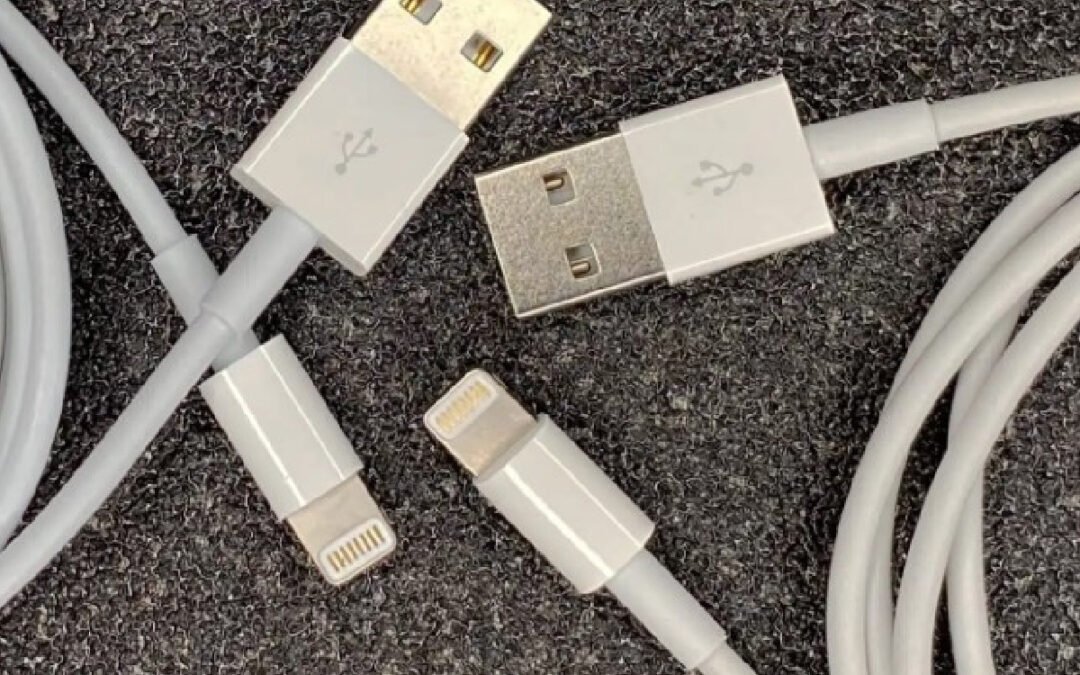
A security researcher known as “MG” launched a cable called an “OMG cable,” which can access your data remotely when connected to your computer. This cable hacks iPhones, iPads, Samsung tablets, Android devices, and computers to give third-party users remote access to all of the sensitive data stored on your device. The OMG cable looks exactly like any other USB cable, but when you plug it into your computer or phone, it lets a potential hacker control your data remotely. For lack of a better term, it’s a rather clever invention. Deceptive with undertones of malintent? Sure.
Potential hackers use this harmful cable to access your data through a smartphone app. It does not even let your computer or smartphone device even recognize that a potential attacker has taken remote access to your computer through OMG cable.
What Is An OMG Cable?
The OMG cable is a new version of a hacking puppet that is hardly different from the genuine cable authorized by Samsung, Android, or Apple. Like any other cable, this cable supports power and is a source of transferring data from your phone to another computer. Essentially, it works and functions the exact same. However, this cable hacks iPhones and Android devices and remotely accesses the data.
It was first introduced in 2019 by MG, a security researcher. He presented this hacking apparatus at a hacker panel and manufactured it in large volumes. Multiple other versions of this malicious OMG cable have been introduced, ranging from lightning cables to USB-A and USB-C used by Samsung, Android, Apple, and other devices.
After the launch of OMG cable, the security researcher presented another hacking tool known as “OMG Keylogger Cable”, which acts as a secret keylogger hacking tool. Hackers use this cable to replace detachable keyboards cables and steal login details and other sensitive information by collecting keystrokes.
A keylogger cable is a device that can be used to secretly record keystrokes. The keylogger cable is inserted for example between a keyboard and the computer. It then records every keystroke that is typed into the keyboard. Keyloggers are often used by criminals in order to steal sensitive information, such as passwords or credit card numbers. However, they can also be used for legitimate purposes, such as monitoring employees or children. I don’t recommend that because there are other more efficient methods out there to monitor employees and children. Keylogger cables are relatively inexpensive and easy to use, making them a popular choice for both criminals and your normal, law-abiding citizens alike.
How Can An OMG Cable Gain Remote Access?
The OMG cable is a typical cable consisting of two connectors and a set of wires protected through insulation. However, one of the connectors of this malicious cable hides a memory chip and Wi-Fi transmitter. The Wi-Fi transmitter is also similar to those present in iPhones, Androids, Samsungs, or other Wi-Fi-enabled gadgets.
When you connect this OMG cable with your device (and it doesn’t matter if it’s mobile or tablet or laptop), the cable creates a Wi-Fi hotspot. Then the hacker can gain remote access to your devices through a smartphone application. Hackers can control your device and run commands through this cable as they are using your devices themselves.
On a more advanced level, this ingenious cable hacks your device and also contains geofencing features that allow hackers to generate the provision of a virus payload in your computer. Cybercriminals take advantage of the prospective target’s location. The cable with keylogging features can log keystrokes from hacked devices and remotely send them to the cybercriminal or hacker.
Strikingly, the OMG cable possesses a unique accessory inside that circumvents USB implantation. This tool eradicates the suggestion or proof that your computer will connect with a tinkered cable. When MG inserted the IP address of the cable that hacks the smartphone in his phone’s browser, he was able to proceed with many options to invade someone’s personal space. Truth be told, it’s not vital to know how an OMG cable works. What should be of concern to you is how to protect yourself and spot one of these.
How To Protect Yourself From An OMG Cable Hack?
The reason people are falling into this cable hack is that the cable is no different from a regular cable you use for your devices. At a superficial, surface-level…you can’t tell a difference. In fact, I bet 99% of cable users wouldn’t know one of these OMG cables possessed the potential to access so much information. A few versions of an OMG cable are identical to the human eye. Here’s how you can escape from this trap that hacks your smartphones and other connected devices.
Critically examine the connection cable before using any. Look for an official MFI badge on the packaging of original cables certified by Apple or your phone’s manufacturer. It also possesses a serial number of 12 digits. Besides carefully examining both connectors of your device’s cable, if you notice any rough edges or an unusual increase in the insulator’s width, you are dealing with an altered or OMG cable that hacks phones. This is another reason why you should only buy from respected and trusted brands. This is also another reason why you should be careful whenever you’re using someone else’s accessories. And it doesn’t matter if you know the person. How do you know they didn’t just randomly find a cable and started using it?
You should regularly check for hacking signs on your phone, tablet, or computer. The signs that support someone hacking your device include sudden spikes in the network activity, unusual pop-ups requesting your login details, the accidental opening of terminals, and seized social media accounts. You should regularly keep track of such suspicious activities. And as an extra precaution, enable two-factor authentication on every account that has this feature.
Best Way To Protect Yourself: Be Smart
The malicious OMG cable is hardly distinguishable from the legit cables certified by Apple, or Samsung, or your devices’ manufacturers and is freely sold on the internet. So it is wise to stay alert to it and always examine your device’s cable critically before purchasing for yourself. If the cable isn’t yours…don’t use it. You should never use any random cable. Even if you’re at a workplace around people you know and trust. Just don’t do it. Furthermore, it might benefit you to invest in some reliable malware protection software.
What Alternatives Should I Buy?
So…what are you supposed to do if your factory-supplied cables go missing or get damaged? As tempting as it is to buy the cheapest alternative on Amazon, I wouldn’t. There are literally thousands of knock-off, generic branded charging cables for Apple and Android devices. In my experience, they are low-quality products that usually last about 2-3 months. Ironically, they usually last just a little bit longer than your Amazon guaranteed date for refunds. If I were to prioritize where to buy a charging cable, I’d buy direct from Apple or Samsung. You’ll pay about the same price as you would on Amazon (but you won’t get free prime shipping). Another viable option is to just go to a mobile carrier store (preferably where you bought from) and get a branded replacement. If those aren’t options and Amazon is your jam, I have the appropriate links for each device brand below.
Best Charging Cord For Android and Samsung Devices
These two are the options I would get if I had an Android or Samsung phone. It’s a USB Type-A to USB Type-C connection. This Samsung USB-C comes in black and is approximately 4 feet long and the other Samsung branded cord I’d recommend comes in white and is 1 meter long.
Best Charging Cord for Apple Devices
Believe it or not, some Apple devices do use a USB Type-C (the newer versions of the iPad Pro). The iPhone still uses a lightning cable (I won’t go on the 2000-word diatribe I could easily whip up on why that annoys me, but I digress…). The two options I would get for Apple devices on Amazon (and remember these are Apple-branded products) are the Apple Lighting USB cable and the Apple USB-C charging cable (for Ipad Pro).
Again, the prices on Amazon are comparable to buying directly from their website. If you don’t mind paying a little in shipping, that’s the route I’d recommend.
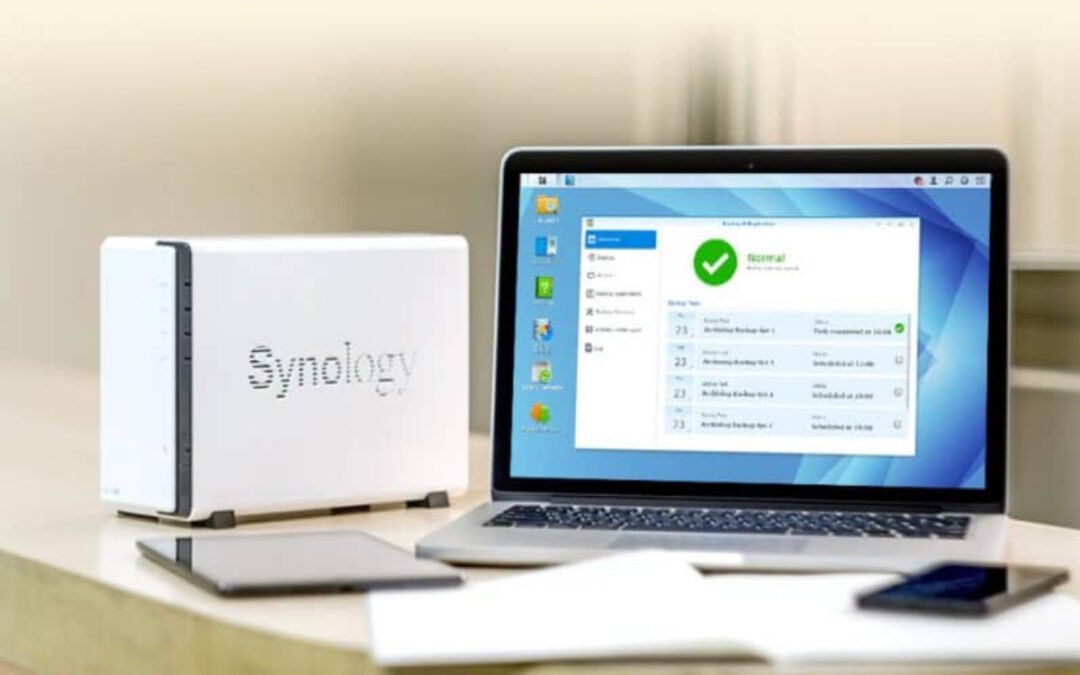
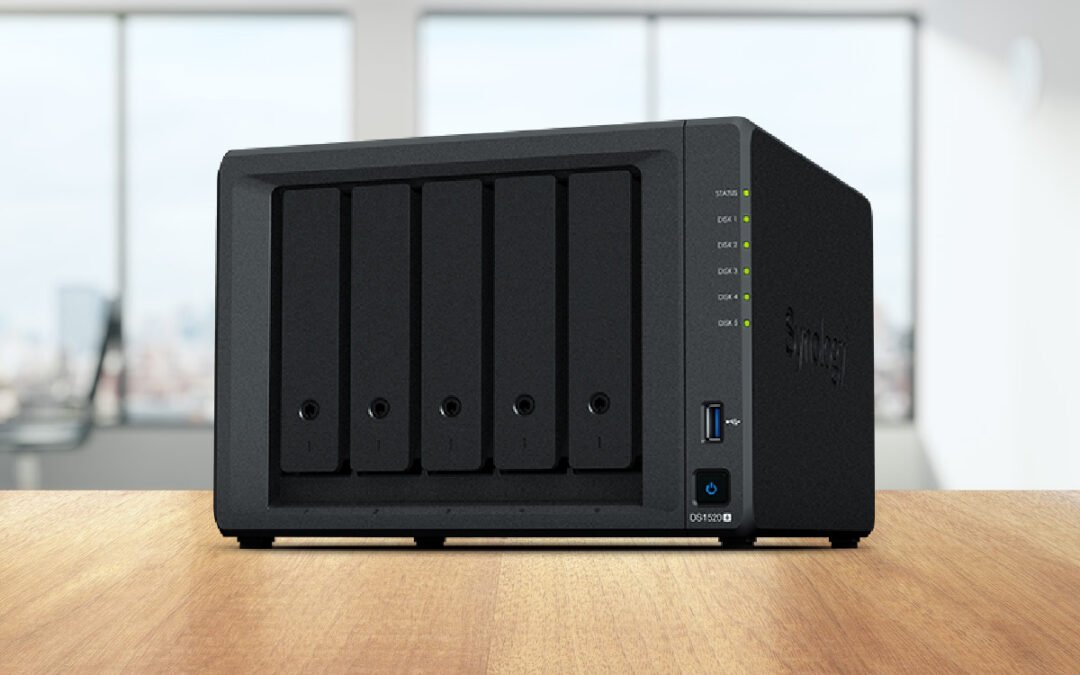
Synology is a network-attached storage device that helps you to manage your data profiles. DiskStation continues to provide exceptional solutions and a comprehensive guide for your data managemental problems. And I say problems because our devices and lifestyles just lend themselves to collecting a ton of data. Issues like sharing files, media management, storing important media, and minimizing the cost of backup queries and requests.
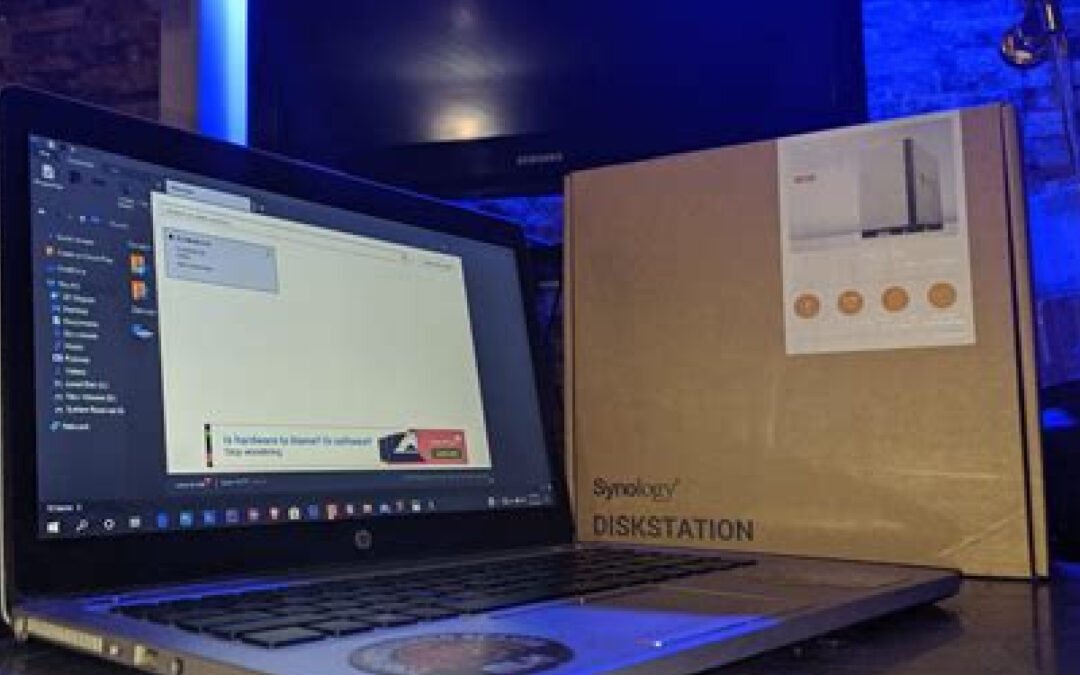
Maybe you’ve already dropped coin and got yourself a Synology DiskStation. Maybe you’re still on the fence and need a little nudge or a couple more logical reasons before buying one. Regardless, I’ve compiled a handful of my favorite tips, tricks, and uses of this awesome network-attached storage device.
Connected Remotely To Your NAS
Synology’s QuickConnect service allows you to connect your NAS anywhere with just one click, without having to mess around with port forwarding or setting up a username/password. Plus it works seamlessly in combination with almost all their mobile clients so that when I’m on the go, I have all of my favorite songs and media right at my fingertips! The QuickConnect feature also allows you to use an easy-to-remember (customizable + unique) name. For example, I only have to use dalerocks.quickconnect.me (this link doesn’t work so don’t try using it) to gain access via a web browser. Additionally, with any Synology App when you do the setup (Photos app, Drive app, etc.), you’ll be asked for your QuickConnect name and immediately it finds it and connects.
There are a couple of ways to set up QuickConnect. You can do it during the initial configuration (which I highly recommend) or you can head to your Control Panel and select Quick Connect then General. You will need a Synology account so you can assign an ID to your NAS. From there you’ll be supplied (or you can create your own) with a unique URL to connect to your DiskStation.
NAS Backup
The best way to ensure your data doesn’t get lost is by setting up regular backups. If you don’t spend enough time doing this, then the next thing that will happen could be something as drastic and unexpected as hardware failure or something similar. I’m a big proponent of backing up my devices and use my NAS to do so frequently. In fact, it’s important to know that drives will fail and I even back up my NAS in case something happens.
There’s no better place for storing these vital copies than in an easily accessible location like NAS (Network-Attached Storage). With its high-speed connections and access from just about anywhere, it makes recovery quick & easy should anything go wrong. Backing up your smartphones on Synology is another really powerful hack that can free up a ton of storage on your device. I’ve stopped using Google Photo because of Synology’s Photo app that not only backs up all my family’s phone images almost immediately, but their AI will help to organize your photos based on facial ID, objects, or locations. I love this app!
Virtual Machine Access
The Synology DiskStation allows you to have smooth access to a virtual machine. These virtual machines are significant for the maintenance of different sorts of operating systems over your PC network. Essentially, you can effectively install these virtual machine managers and make them run for efficient data management activity. Furthermore, these VM managers are easily supported by all the versions of windows without any further concern.
What about running Docker containers on Synology NAS? Docker containers are a lightweight alternative for running applications on your Synology NAS. You should know that Synology NAS does have official support for Docker. I think they’re great because they require less memory and system resources. If you don’t have enough memory for a virtual machine, you can run a Docker container. Personally, I use a Docker container to run my CrashPlan backup which gives me unlimited backup space for $10 a month.
Create Your Own Personal Streaming Service
You’ll need the help of Plex on this one. The media streaming service, Plex has been around for quite some time now. It’s powerful and easy-to-use offering an unlimited number of features at no cost! One of my favorite hacks with my Synology Diskstation is connecting it to Plex where I can store virtually all of my media to stream on-demand. And no worries, you don’t have to be a tech wizard to set this up. There is a manual and an automated method for installing Plex Media Server on your Synology NAS. This is one of the best tutorials on how to do that.
Do you want to host a small family website inside your LAN or perhaps create an online journal for the outside world? Most people would need to hunt down reliable web hosting services and pay monthly fees, but all this can be done on Synology NAS servers without any cost at all. I wouldn’t recommend hosting a website if you plan on having a lot of traffic or want to provide a shopping site. But the option to host your own website is there with Synology’s DiskStation.
Leverage Synology’s Mobile Apps
Synology has a ton of mobile apps available for Android and iOS, allowing you to back up data (as we’ve seen above) or stream media. These apps are free of charge (although there are some that require a subscription). There’s DS Video and Video Station for streaming your media to any device. DS Photo and Photo Station allow you to back up all your photo files and immediately access them from a computer or phone.
With photos becoming more of a memory hog on our smartphones (we take more photos + camera phones are better and they require more space), DS Photo is a must-have. The interface and organization are phenomenal as well. If you are into smart home automation and have a home security system with an IP camera, DS Cam and Surveillance Station will allow you to view image and video files from your home security network. You’ll need an extra license for this and a supported IP camera (Synology is compatible with about 7K+ security cameras), but it does work smoothly. Looking for a VPN solution to connect to home while traveling? Synology has you covered
Don’t Have A Synology DiskStation Yet?
If you haven’t figured it out by now, I really love this technology. If I find something new that I can find a use for, I’ll get it. Technology should make our lives easier. They should save us time, save us money, and reduce effort on menial tasks. Do Synology’s NAS devices do that? If you know how to use them, absolutely! I’ve said quite a bit of Synology in this review and will continue to bang that drum for getting one of these amazing storage devices. So if you haven’t gotten one yet…what are you waiting for?
As the name says, NAS is a network that attaches a storage drive. Indeed, the term can be misleading because NAS is so much more than that. And most novice tech-users hear the name “Network Attached Storage” and immediately want to run. The concept really isn’t that hard to grasp once properly explained, but aside from that…, there are some really cool things you can do with this technology. Imagine saving files on one computer and accessing the same files from another computer without transferring them using a USB? This is one of the many cool things you can do with NAS. A Network Attached Storage (NAS) device is a great way to share files between devices on your network and can offer a lot of extra features depending on the model you choose.
There are some awesome things you can do with NAS. Below are just the ones I think a lot of people would enjoy that fit their lifestyle.
#1: Make Your Own Spotify/Netflix Setup
NAS can be your perfect content streaming platform. The best thing is that it even works for old audio and video files that are now abandoned on your old computers. All you need is a third-party app like Plex, that can serve as a video server app or just get a server. This will complete the setup for you. Now you can stream your favorite old movies to your mobile phone, tablet, etc.
This feature is not limited to movies only. You can also get old MP3 or other format audio files back into a functioning state.
Surveillance Systems are a must these days, be it for your home or office. Did you know that you can create a surveillance system as high-grade as enterprise-grade using your NAS? It is quite feasible and easy to do this.
You can purchase efficient cameras (like Blink) and connect them with your NAS Drive using an internet connection. The connected cameras will send recordings to the drive automatically.
NAS can be an excellent storage service like iCloud and Google Cloud. Suppose you do not prefer storing your data on any Apple, Google, or Microsoft storage services for whatever reason. In that case, that is fine because you can easily survive digitally without them by building your Cloud using NAS.
You can sync your created NAS Cloud with your mobile phone. This way, while you are away from home taking pictures, they are automatically saved in the NAS Cloud library.
Which Is The Best NAS Device?
I’ve written an extensive review on the Synology DiskStation models. I highly recommend the DiskStation DS220j as your first entry-level NAS. Plenty of memory. Easy to set up. Easy to use. The most user-friendly operating system ever when it comes to NAS devices. And I absolutely love Synoloy’s App Catalog. Check out the NAS review to get all the details. Quite frankly, if you capture any kind of media (whether it be pictures from your phone, video from your phone, music, movies…literally any kind of media), you need a NAS.
There’s More To NAS Then Just Storage
A NAS Drive has many hidden functionalities that are only revealed and discovered once you start exploring them. I’m sure there are dozens of other really unique things you can do with NAS that I have yet to figure out. Bookmark this page and come back as I’ll regularly update this with new cool things I find.
When it comes to creating passwords, many of us just aim to make them strong enough and unique enough without much thought to other security measures. And some of us just have one password we use for all of our accounts. Let’s be real, that’s not the best practice in internet security. You do have an obligation to your own digital citizenship and to be smart when it comes to creating passwords. There are a few things you can do to make your passwords even more secure and I want to dish on some easy ways to do this. One of the most significant issues in the digital world is weak passwords. Sadly enough, passwords are like our last line of defense against hackers attempting to access our personal information. Most users are unaware of the importance of the strength of passwords. And because of this, we make it too easy for hackers to invade our personal digital spaces.
Ways To Make Passwords Strong
We all know that we need to create strong passwords for our online accounts, but sometimes it can be hard to come up with something that is both unique (at least unique enough not to be hacked) and easy to remember. With how many times we’re asked to create a new online account for this service and that app, it’s no wonder we get lazy with password creation. Here are some tips for creating passwords that will keep your information safe.
Password Tip #1: Make it Long
Hackers try every possible way to invade once they have fixed their gaze on an account (or service). The first thing they want to do is guess your password. This step is done by taking help from all the data they have collected about you. You’d be shocked how much personal information of yours is on the internet widely available to the public. Do I like that? No. But that’s a debate and an issue for another day.
One clever tactic they use is something called Brute Force Attack. Each password is nothing but a combination of letters, symbols, and numbers. Brute Force Attack is a type of hacking where a hacker uses a “brute force”, or an automated trial and error method, to discover the password or key to a system. Hackers use brute force attacks when they don’t have any other way to access the system or if they want to take over a large number of accounts quickly. A brute force attack can be very time-consuming and expensive for hackers, so most of them only use this method as a last resort. However, brute force attacks can be very successful and lucrative, especially if the hacker has access to a large amount of computing power.
For this method to be successful for hackers though, a computer program tries every single combination possible. The shorter your password, the easier it is for the program to find it. So, make sure to make your passwords as long as possible.
Password Tip #2: Make it Nonsense
Your password should be long but being long is not enough. Make it so nonsensical that it means nothing in the world at all. You might be thinking, “What’s that going to do?” Quite a lot.
A few years ago, online data breaching and illegal account invasion got the limelight on social media platforms. It’s one reason why 2FA really picked up steam.
I remember watching a few YouTube channels doing pranks on people for the sake of both entertainment and awareness. They would go to random people in public and ask them a few questions about their passwords. Most of the people disclosed their passwords by answering a few questions. And these YouTubers were able to easily hack them. Why? It’s because most of us make passwords out of special memories, events, dates, and things like that.
My favorite password principle: No Normal Words! For example, I’ve created a personal (and effective) way to make hard-to-crack passwords. It’s easy to remember, yet hard to crack. Use the syntax of the internet as part of your password. Don’t use “jokersucks”, but something like “WWW.j0k3r$uck$.c0m!”.
Password Tip #3: Do Not Renew Every Time
We are flooded with passwords. There comes a point in our lives where it is physically and mentally impossible to remember every single password because the number of accounts you hold is many. So what most people do is come up with one password and recycle it whenever they need a new one. From their point of view, it reduces the probability of losing a password. They’re trying to make it easy on themselves. I get it. But from a security perspective, it’s probably the dumbest thing you could do.
Why? It significantly increases the chance of getting all their accounts hacked after having only one getting hacked. If you find it challenging to manage all passwords, use a good password manager like LastPass. It will help you in today’s digital world of massive vulnerability.
Should I Use A Password Manager?
We’ve gone into quite a bit of detail about the essential use of having a password manager. When you figure most people have at least 50 online accounts, it’s a smart idea to use a password manager. In my opinion, LastPass is the best password manager I’ve ever used. It has everything that you need in one place: easy access, encryption, and security tools like two-factor authentication or secure sharing with family members and colleagues.
MFA is an abbreviation of Multi-Factor Authentication. It involves not just typing in your password but proving it for the second time by Google Authentication or some other way. Hackers cannot invade your account when it requires two-factor authentication.
The Bottom Line!
A study was conducted on the passwords of users. The results showed that most users use the simplest passwords, with 111111, QWERTY, 123456, and abc123 being the most commonly used ones. In fact, it is estimated that 24% of Americans have used words like “password” in their passwords! Don’t be that person, please. Make your password long and nonsense for absolute security. And just practice common sense digital governance.
Opting for a NAS (Network Attached Storage) system in today’s era is a tough choice, especially when plenty of options are available in the market. When it comes to network-attached storage, there are a ton of options. Some are decent. Some are really bad. So if you are looking for a NAS system, you should take a serious look at what Synology has to offer in its NAS product lineup. An entry-level NAS like Synology DS220j or DS420j is perfect for small businesses starting from scratch and home usage.
Let’s Review What Network Attached Storage Is
A Network Attached Storage is a storage system that you access via a network instead of connecting directly to the computer. It contains a processor and an operating system to run applications and enable authorized users to share and backup important data, files, and other information. So if you are confused about making a decision, here is a quick review of entry-level Synology DiskStation DS220j and DS420j.
Synology DiskStation DS220j Review
With Synology DiskStation DS220j, you can effortlessly set up and manage your cloud server. It is a two-bay Network Attached Storage device that offers an easy-to-use and user-friendly operating system with fast speed for data transfer enabling you to run multiple apps and store your data, including files, documents, music, and many more. It also possesses numerous RAID configuration options that help protect your sensitive data.
Synology’s DS220j is perfect for small businesses and homeowners to create their cloud storage. The reasonable pricing, speedy performance, and a wide range of apps make it more appealing to the customers. It provides you with a user-friendly operating system to effortlessly configure drives. You can also easily create and share folders making it a multimedia server. Definitely a solid entry-level NAS device. Would highly recommend pulling the trigger on getting one of these as your first NAS.
Synology DiskStation DS420j Review
The Synology DiskStation DS420j is another perfect fit for small businesses, especially those just stepping into the corporate world. You can also use it for casual home usage to store and backup data, including files, documents, images, and many more.
The DS420j is powered by Synology’s excellent DiskStation manager and possesses multiple valuable tools. DS420j is a four-bay Network Attached Storage device with RAID configurations to protect your sensitive data.
Pros and Cons Of The Synology DiskStation DS420j
Just like DS220j, DS420j also possesses its pros and cons that are listed below:
Pros
DS220j comes with twice as much storage as DS220j.
Easy to set up and user-friendly Operating System.
Synology’s NAS contains RAID configurations to secure your essential data.
It supports a wide range of applications and the latest HDDs.
Cons
The internal hard drive is not included.
Drives are not swappable without shutting or rebooting the device.
Design and Features Synology DiskStation DS420j
DS420j is a four-bay storage device that is small enough to fit on a desktop easily.
Its front side consists of a power switch and four LED indicators for drive and LAN status.
The back panel possesses two USB 3.0 ports, a single LAN port, a reset button, and a power jack.
It also possesses Synology’s extraordinary DiskStation manager, just like DS220j, which makes the device’s configuration easier.
The performance of DS420j was fast during testing and performed exceptionally well for the given use cases.
The Synology DiskStation DS420j is perfect for small businesses and home users to create private cloud storage. The four-bay DS420j possesses a capacity of about 64TB with four 16TB HDDs. You might be thinking that’s too much storage capacity, but when you consider the trajectory technology is going with increased file sizes (images, video, etc)…you can burn through a lot of terabytes. With a robust DiskStation manager, you can effortlessly set up other facilities like establishing surveillance solutions that support up to 16 IP cameras. You can also backup and sync your files and documents across all connected devices. This is my pick for the best NAS device for homes and small businesses.
Some Concluding Thoughts About Synology NAS Devices
Synology DiskStations DS220j and DS420j are suitable for small businesses and home usage since they are reasonably priced with great features. A Synology NAS is perfect for you if you want to share your media files with your family, keep your office documents in a single accessible storage, or backup your media files from PCs, Laptops, tablets, and phones. Personally, I use a Synology DS1019+ NAS because it supports up to 10 drives which allows me to have up to 2 drives fail simultaneously without any data loss. I also run my Plex multimedia server, and a cloud backup application. Listen I trust the hardware, trust the software, and truly believe they are the best network-attached storage devices on the market.
Data is a vital asset of any organization or home. It’s hard for employees (whether they work for a big business or small business) to perform their roles and functions properly if they don’t have access to corporate data. Poor data management can lead to business volume loss, poor customer service, and poor business liquidation. Because of this, it is essential to have an effective data management tool to create a smooth flow of information.
Organizations require a large data storage facility to house their data and make it accessible from anywhere. Network Attached Storage or NAS is an effective solution to a lot of problems faced by any large or small organization as it not only provides storage and protection but also ensures online availability. We wanted to explore the basics things you need to know about NAS, how it works, some of the benefits of having a NAS, and answer if you really need one.
What Is NAS?
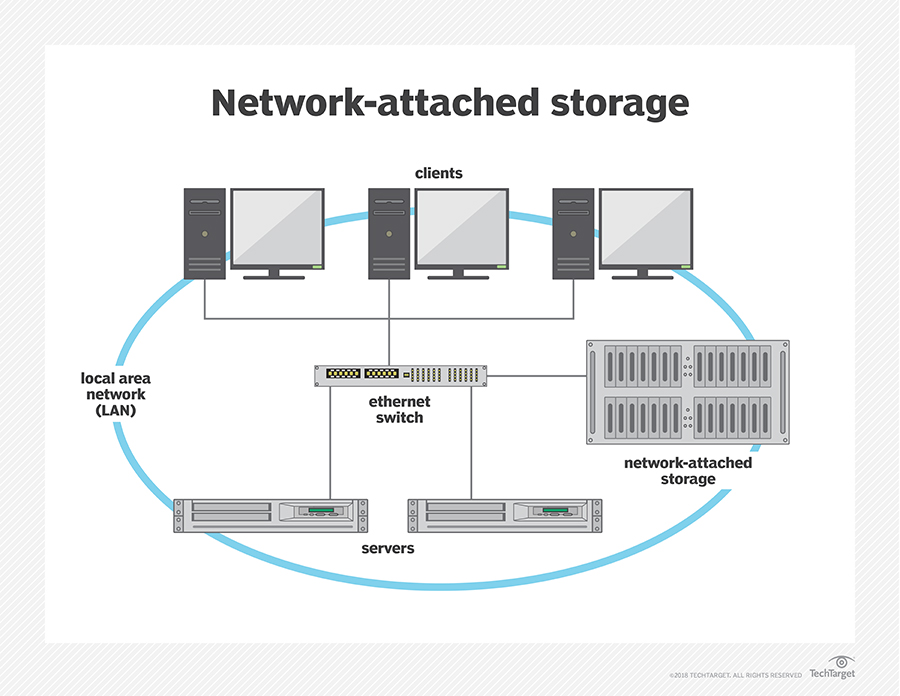
NAS is the short form of Network Attached Storage, a file storage system that allows multiple users and different client devices to connect to the centralized disk capacity and retrieve the required data. NAS devices are adaptable and robust, so you may expand your storage capacity as needed.
NAS is similar to having your private cloud at work. It’s quicker, less costly, and gives you total control over all the cloud platform features. Data is always available with a NAS, making it simple for staff to communicate, reply to clients quickly, and follow up on purchases or other concerns because everything is in one place. Because NAS functions similarly to a cloud infrastructure, data can be monitored remotely via an access point, allowing workers to work from anywhere. It has become efficient data storage and access platform for employees.
How Does NAS Work?
A NAS is essentially a little host/box that fits on your desk or some other surface. You can use a USB connection to link it to your system, eliminating the network’s primary usefulness. There are some that also come equipped with wireless connections and others that you can connect via a network cable. A NAS generates its remote system that any equipment can access with the proper credentials (ID and password).
A NAS is an upgrade from a simple external hard drive and the first step toward constructing your private cloud computing. This technique eliminates the dangers and obligations of file-providing from other systems, resulting in a customized and enterprise backup system that is as cost-effective and efficient as the cloud.
Image Source: Tech Target
NAS equipment has different elements built into its designs to enable the various ways for its use:
Storage
The fundamental role of a NAS device with hard disc drives is to preserve your contents. Two to 5 hard disks are included in the most common NAS devices for homes and offices, local firms, and corporate workgroups.
Networking
You can use a hardwired or Wi-Fi connection to connect to the network. Whereas many NAS equipment has USB ports, with most of them you can’t use them to link the NAS to your pc or laptop. Instead, you can use these connections to attach additional objects to your Operating system, either for power, backup, or data transmission.
CPU
Network Attached Storages also contain a built-in CPU as they require computational power to manage the file system, read and write activities, run apps, manage users, and run security policies to protect data stored on the NAS when it connects to the internet.
Operating System
While it may not appear to the ordinary user that an operating system controls the storage medium, NAS systems require an OS to handle duties that otherwise would have been handled by a CPU for DAS devices. The NAS also requires an operating system to run the diverse applications that users can use to access data from their NAS systems, which include:
● Business Data Management
● Data Transfer
● Web Server
● Multimedia Management
● Cloud Integration
● Productivity tools
Why Is NAS Important?
Network-attached storage is an important part of any business or household. It provides a convenient way to store data and access it from anywhere in the world. The key benefits of using network access storage are listed below:
Data Storage
A NAS device will provide enough storage capacity to a computer system, thus increasing the amount of storage space accessible. It’s worth mentioning that almost all computers and laptops have limited storage capacity, which might make it difficult for them to run smoothly.
Data Automation
When utilizing a NAS system, it is possible to construct automatic backups that will represent any adjustments done locally on a computer to files or folders.
Data Protection
Think about how fragile our data is AND the devices that store them. A simple fall can destroy your laptop or you could lose all of your data by spilling a beverage on your computer and ruining it. Fortunately, your data is protected by a NAS system and local equipment failure does not impact the security of your data.
Network access storage (NAS) is an excellent data storage tool that helps the organization to overcome all the challenges related to data management. It allows users to access corporate data at any time and any place. NAS devices are often used to store and share large amounts of data, such as photos, videos, and music. They can also be used to back up important data or to create a private cloud storage system. While NAS devices can be expensive, they offer a number of advantages over other types of data storage, such as increased security and easier access. If you have a lot of data that needs to be stored and accessed, then a NAS device may be the best option for you.
In a home network, a NAS device can be used to store music, photos, and videos. For example, the iBI is one of my favorite NAS devices for families to store personal media. The iBi is fantastic as it helps families with a basic level of experience with storing personal media files. Personally, I am a huge fan of Synology NAS like the DiskStation DS models. This is entry-level network-attached storage for your home that can do a TON: data backup, file syncing, and sharing. The DiskStation is a robust private cloud for your home that can also be used to back up data from computers, laptops, and mobile devices. In a business, a NAS device can be used to store important company files or to provide employees with access to shared data.