by Staff | Sep 14, 2022 | Reviews, Tech Living
A portable power station provides stable electricity during power outages, camping trips, or just when you need portable power. We examined vital factors such as power output, battery capacity, size, portability, and feature sets in dozens of power stations to determine the best.
What To Look For In Entry-Level Portable Power Stations
When it comes to portable power stations, there are a handful of key features that are absolutely essential, and how I’d prioritize effectiveness. First and foremost, the station must be able to hold a charge for a long period of time. This goes for batteries in general. One of my pet peeves is batteries (expensive AND inexpensive not holding a charge). After all, what's the point of having a portable power station if it only lasts for a few hours?
Additionally, the power station should be able to deliver a strong charge quickly. I use to not prioritize charging speed, but my tune on this has shifted as we’ve seen battery technology innovate over the past few years. Let’s face it, nobody wants to wait around for hours while their power station slowly trickle-charges their devices.
DISCOVER: How Often Should You Reset Your Phone?
Another feature is based on the solar panel option for the unit. Most people when they initially buy one of these portable power stations don’t even think about adding the solar panel, but just having that option I believe is important for the consumer.
Finally, the power station should be easy to transport. This is one reason why I love these entry-level portable power stations. Most of them aren’t cumbersome and travel really well. What's the use of having a portable power station if it's too bulky and awkward to take with you on the go? With these features in mind, you can be sure to find the perfect portable power station for your needs.
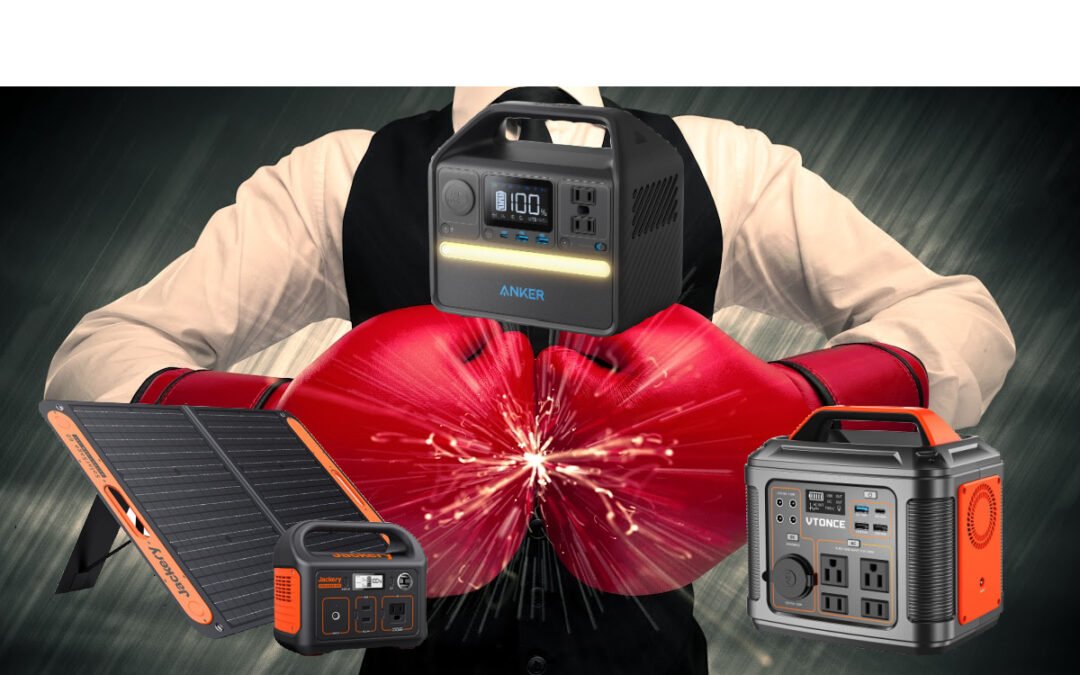
Three Entry-Level Portable Power Stations I Like
Jackery Portable Power Station
The perfect balance between performance and value isn't easy to achieve. This Jackery 240 Power Station is one of them. I’m a huge fan of the Jackery brand and a huge fan of this power station. Portable power stations like this provide outdoor enthusiasts with a solid lithium-ion battery, pure sine wave discharge, high efficiency, and a bright LCD display. Out of the power stations I like, Jackery gets the nod.
The Jackery Explorer 240 solar generator produces 200W of clean, green energy when connected to the Jackery Solar Saga 100W solar panel. You can use Jackery's MPPT technology to charge the unit from other solar panels as well. You can also charge the Explorer 240 from a 12V car charger or an AC adapter.
Another element worth mentioning with solar panels is the quick recharge. You can expect about 80% battery charge on the power station in about 5 hours.
LEARN MORE: Stop Your Smartphone Apps From Tracking You
With a 240Wh battery and just 3KG weight, the Explorer 240 is both portable and powerful. Plug in and power up or charge your electrical essentials. One AC outlet and two USB-A ports can be powered by up to 200W, with a peak of 400W. The battery management system is by far and large the best out of any portable power station as well. They have over and short current protection. Over-discharge protection. Over-voltage protection and thermal protection. You might be wondering, ‘What does all that mean?’ It means your devices will be protected if you Jackery’s 240 power station to charge your devices.
Specifications
- Brand: Jackery
- Wattage: 200 watts
- Weight: 3.1 Kg
- Color: Black
- Voltage:110 Volts (AC)
- Frequency: 60 Hz
- Output Wattage: 200 Watts
I’m usually one that steers away from mentioning price when it comes to technology, but with these power stations and the capacity of utility, it’s definitely worth mentioning. The stand-alone power station will run you about $220 right now on Amazon (the best price on the web). The solar bundle is $399 and I’d highly recommend this bundle if you’re one who likes to get away for longer periods.
Anker 521 portable power station
We just finished a full review of the Anker's 256Wh 521 Power Station portable power station. Anker is another brand I highly trust and have never had any issues with its products. If you have lost your DC charger or do not have access to your main power, you can quickly charge with Anker’s 256wh batteries via its USB port.
The display includes visible percentage meters, inputs, and outputs, along with just the right amount of information. Additionally, the front has a bright light strip, which at first I didn’t think much of, but after reviewing think this little addition is clever. Despite its small size, it is very bright. The Anker is excellent for outdoor use.
There is an option for a solar panel generator bundle but the price tag of it is pretty pricey at $549. With features that are similar to Jackery’s solar bundle, I’d still lean towards that latter brand for the solar option.
For the stand-alone unit, the Anker 521 is also reasonably priced. Power stations aren't cheap, but Anker's power station is less expensive if you shop around. In terms of portable power, Anker has one of the lowest power costs. Not as low as VTONCE and Jackery, but versus the market, it scores really well.
There are many advantages to the 521, but its most important is its portability. With a weight of just over 8 pounds, it is much lighter than most power stations on the market.
Specifications
- Brand: Anker
- Wattage: 200 watts
- Weight: 8.2 Pounds
- Color: Black
- Frequency: 60 Hz
- Output Wattage: 200 Watts
Portable Power Station 300W, VTONCE 296Wh
The VTONCE multifunctional portable power station is a compact, all-in-one power station that allows you to prepare for power outages, power failures, disasters, and outdoor activities. This temperature-controlled battery management system protects your devices from overvoltage, overcurrent, and short-circuit damage. VTONCE’s battery management system isn’t as good as Jackery’s, but it’s a solid 2nd. It also detects overloads and short circuits when performed incorrectly. Device protection is vital when it comes to portable power.
TRENDING: Find Out The Best Places To Buy Electronics
Thanks to its 13 output ports (yes..13 ports!), it allows multiple devices to charge simultaneously to meet daily requirements. Out of all the features of VTONCE’s entry-level portable power station, this is its strongest. Another key benefit of VTONCE is its warranty period for this power station which lasts 12 months.
This wouldn’t be my first pick for a portable power station, but it’s definitely one I’d have in my top 3 power stations. As for the foldable solar panel bundle, if I didn’t absolutely love Jackery I’d recommend VTONCE’s as the one to get. The solar bundle is only $325.
Specifications
- Brand: VTONCE
- Connectivity: USB Type C
- Voltage: 110 Volts
- Weight: 6.60 lbs
- Battery Capacity: 80000 Milliamp Hours
by Staff | Sep 12, 2022 | Reviews, Smart Home
When it comes to home security, there are a lot of options to choose from. Two of the most popular ones are SimpliSafe and Ring. Both have their pros and cons, but which one is the better option for your family? You can’t go wrong if you choose either one of these, but not all home security systems are created equally and some are just more suitable for the different needs of each family. We take a brief dive into both security systems to help you choose which one is right for you.
Home is where you should feel safe and secure. To make your home achieve that sense of security, you should have an efficient security system that keeps you protected 24/7. People often get confused about two of the most famous home security systems when comparing the SimpliSafe vs Ring Alarm.
SimpliSafe vs Ring Alarm
Home is where you should feel safe and secure. To make your home achieve that sense of security, you should have an efficient security system that keeps you protected 24/7. People often get confused about two of the most famous home security systems when comparing the SimpliSafe vs Ring Alarm. I take a look at the details of the SimpliSafe vs Ring Alarm across multiple criteria: the cameras, installation, customization, and the plan each offers.
Let’s Talk About Cameras
The number of different cameras with Ring systems is four. You can get an indoor, and indoor/outdoor, and then two different types of outdoor cameras. All cameras are high-definition, two for indoor and the rest for outdoor use. You can charge them with batteries or use solar energy. With Ring’s basic alarm packages (8-piece and 10-piece kits), you won’t get a camera. You’ll have to buy those extra. You can find them on Amazon for as low as $50 in some cases and depending on the current deals. Ring also has several different doorbell products I’d highly recommend as additions to their home security system. You can score one of these for as low as $64.99 on Amazon. Now, you might be a little worried about having to purchase extra equipment and having to install it, and sync it with the rest of the system. Rest assured, adding additional Ring equipment to your existing home security ecosystem is really easy. In fact, the Ring app basically does it all for you.
DISCOVER: Home Automation? What Is That? We Answer That And More!
On the other hand, SimpliSafe’s 10-piece wireless home security kit does come with one wireless outdoor camera and another wireless indoor security camera that is also in 1080p HD. It’s also worth mentioning that you can also buy a doorbell camera add-on from SimpliSafe. Their base model will run you for about $170.
So…which cameras are better? Honestly, they’re tit-for-tat when it comes to resolution and clarity. I’ve tested both out on the same wifi connection and although Ring’s cameras have about a half-second lag (which isn’t that bad), SimpliSafe’s camera lag is a little more than one second. Because of that camera lag, I’d give Ring a slight edge when it comes to cameras.
The Installation Process
In the case of Ring Alarm, it requires a simple-to-follow installation process. After getting the equipment and monitoring delivered to your doorstep, you can use adhesives to create the setup. If you do not want to self-install, many professional technicians can help you for a small, nominal fee. Moreover, the process includes downloading the Ring Home app. This app will let you control the system and will walk you through the installation process. I’m still amazed at how simple Ring makes it to install their products (from scratch or adding a new piece of hardware to the existing home security setup).
LEARN MORE: Ring Video Doorbell Tips And Tricks
While in the case of SimpliSafe, the installation process is pretty much the same. Although I really like the SimpliSafe mobile app, I don’t think it’s as intuitive or as easy to navigate as the Ring app. It’s still a solid app and will lead even the most novice tech users to a successful installation. However, I’d give Ring a slight edge in this department. SimpliSafe does pride itself on being the go-to platform for the best and easiest DIY home security alarm system, but in my experience in reviewing and testing out the technology of a handful of DIY home security systems…I’d give the slight edge again to Ring with this criteria.
Home Security Customization
A customizable home security system holds many opportunities for users to personalize the experience for themselves. I know some people who are okay with one outdoor camera and one indoor camera and a few sensors. On the other hand, I know some people who want 4 cameras for the outside, one doorbell camera, a couple of indoor cameras, and sensors for every door and window. When it comes to customization options for Ring and SimpliSafe, it’s a toss-up. You’re probably thinking, ‘PICK A SIDE!’, but it is indeed a toss-up. Adding extra equipment to either home security is a seamless process for both brands. I believe that is by (smart) design as well. Many first-timers with a DIY home security system don’t really know what they want (or what they will need) until they get their feet wet with the systems. I commend both companies for tackling this issue and making it really simple to create home security system customizations for their users.
But when it comes to customizations via home automation, Ring is just awesome. It’s one of the top-rated IFTTT-enabled home security systems on the market. IFTTT is essentially an automation tool that allows you to connect other devices and other services to work together. For example, you can program (rather easily too) your Ring doorbell camera to send you an alert and turn on your family room lights when someone approaches your property. Those types of customizations put Ring ahead of SimpliSafe.
READ MORE: Best IFTTT Home Security Systems
Monitoring Plans
When it comes to monitoring plans, there are things I like and don’t like about each brand. For starters, I love that I don’t have to get involved with long-term contracts. Some of your higher-end professional grade home security cameras do this and I’m just not a fan. The fact that I don’t have to sign up for contracts is great. Both SimpliSafe and Ring have relatively low-cost monitoring plans. One thing I do like about Simplisafe is their 60-day and 30-day trial offers. But what I don’t like about SimpliSafe is you have to subscribe to a monitoring plan to access certain features like remote monitoring and smart home integration. On the other hand, with Ring, their monitoring plans deliver the best value out of any DIY home security system. You can get in on one of their monitoring plans for as low as $3/month (and that plan comes with an extensive 60-day video history).
RELATED: Here’s A Crash Course In Home Automation Basics
SimpliSafe or Ring: Which DIY Home Security System Is Better?
So…which is better? SimpliSafe or Ring? In my opinion, both are extremely affordable home security options and smart ways to make your home a secure place. If you’re looking for an effective method to give your peace while your family sleeps or is away…either one of these is a solid option. Both have pros and cons, as mentioned above, regarding cameras, monitoring, installation, and customization. SimpliSafe has better options when you buy the bundle (you get a camera with some of their kits). I really wish Ring would throw in the camera to one of their kits, but buying an extra piece of equipment isn’t a deal-breaker for me. I don’t like that you have to buy a monitoring plan for smart home integration. Other than that…SimpliSafe is a solid DIY home security option.
But what one do I like the best? I love that Ring has a wide variety of equipment you can easily add on to your existing home security system. I also love Ring’s low-cost monitoring plans. I love Ring’s neighborhood function on the app which keeps me up to date on crime in my community. I love the seamless smart home integrations I can enable with Ring’s technology as well and because of these things (and a handful more), I’d highly recommend and personally use Ring as my pick for the best DIY home security system.
by Staff | Sep 7, 2022 | Dale's Picks, Reviews, Tech Living
Are you looking for the best drones available today in the market and online stores? Do you want to get a drone for your family but don't know which one to choose? Looking at getting a drone can be a daunting task. There are really cheap drones and really expensive, high-end drones. We’ve reviewed some of the best entry-level drones on the market and honed in on three drones that we think deserve to be on your radar.
DJI Mavic Air 2
With Mavic Air 2, you can be creative while flying. Fans of drones will appreciate their quick pace, high-res camera, and battery life. On top of that, it is affordable. In comparison to its predecessor, the Mavic Air 2 is bigger. The difference is not really noticeable, but that added tech which added more weight is worth it. With just 1.2 pounds, it is portable and foldable. When folded up, it resembles a medium-sized telephoto lens. In fact, I think my first cellphone was bigger than this drone folded up.
The camera sensor has undergone a massive upgrade as well. Still, DJI's new drone offers a half-inch sensor for better photos. Using multiple images, you can get 48 megapixels per frame, which look impressive, especially if taken under ideal conditions (e.g., when the wind isn't too strong).
While the Normal and Cine modes are good protection, it is less effective in Sport mode due to the fast-moving subject. I didn’t think I’d like Sport mode, but I’ve found myself using it a lot when I’m trying to test out the speed, and maneuvers, and push the limits of the drone. Other than that, I rarely use Sport mode if I’m recording or taking pictures.
DJI Mavic Air 2 Specifications
- Brand: DJI
- Model Name: DJI Mavic Air 2
- Color: Gray
- Control: Remote Control
- Capture Resolution: 4K HD (and it is impressive, like movie quality impressive)
- Batteries: Yes (if you get the upgraded package you can get 3 batteries)
- Item Weight: 1.2 lbs
- Maximum Range: 18.5 Kilometers (although I recommend never pushing it to this range)
- Optical resolution: 4K HD
DJI Mavic Air 2 Pros
- Long battery life (especially in ideal conditions)
- High-quality images and videos
- Anticipating and avoiding obstacles
- Automatic shots
- Raw and HDR videos
- AirSense (their alert system that uses ADS-B technology)
DJI Mavic Air 2 Cons
- Standard and flat video profiles only
- Apps can only output 1080p (but you can still transfer video in 4K)
- Raw images aren't accessible on your tablet or phone until after you transfer them
Holy Stone HS720 Foldable GPS Drone
In terms of an affordable HD camera with innovative features like GPS, intelligent flight modes, and a long flight time, the Holy Stone HS720 is a great choice. There are three intelligent flight modes, a good 4K camera, and a well-designed drone. I’d definitely say the intelligent flight mode is one thing that separates the Holy Stone from DJI. BUT…I didn’t find myself using it once I had down the basics of flying.
As a drone pilot, I enjoy flying them because many have HD cameras and the Holy Stone HS720 has a great 4K camera that lets you take aerial pictures and record HD videos. You can capture more details with a 110° FOV and 1/3 CMOS sensor. Dual GPS aids it in hovering, flying, and hovering well at high altitudes. When it comes to the Holy Stone, I can’t help but think that even a better drone would require a lot more money. The app's quality, intuitive controls, and user-friendliness stand out quite a bit too.
Holy Stone Drone Specs:
- Brand: Holy Stone
- Model Name: HS720
- Color: Black
- Control: Remote Control
- Material: Plastic
- Capture resolution: 4K HD
- Batteries: Yes
- Item Weight: 1.01 pounds
- Maximum Range: 999 Meters
- Battery Capacity: 2800 Milliamp Hours (about 22-25 minutes)
- Battery: Lithium metal batteries (included)
Holy Stone Drone Pros
- Flight Modes Available
- Control Range: 999 Meters
- Controls that work well
- Easily transportable motor arms
- The attractive design stands out
Holy Stone Drone Cons
- Charges slowly
- There have been some issues with calibrating take-off and return-home functions
Ruko F11 GIM2 Drone
These small, entry-level consumer drones are attracting a lot of attention these days. The market for entry-level drones continues to grow. Ruko F11 GIM2 has various high-end features you won't find in cheap drones. In fact, a lot of entry-level drones don’t have some of these features.
After comparing it with the Ruko F11Gim, I didn't find any differences that impressed me. Nothing really stood out with the new version. I do, however, still really like the Ruko overall for an entry-level drone.
There are now USB-C connections for the controller and batteries, which I appreciate. The controller's interface has improved as well. The controller shows you how much power it still has when it starts (this is a no-brainer if you ask me). Also, I love how the display shows distance, height, and speed when powered. The app interface is rather intuitive AND useful.
Overall, the controller and drone seem to be well-built and sturdy. It feels sturdy and felt great in my hands. It feels like it should be there. A device of this price range should have many upscale features, which this device does.
Ruko Drone Specs
- Brand: Ruko
- Color: Dark gray
- Mirror Adjustment: Remote Control
- Video Capture Resolution: 4K HD
- Batteries: Yes
- Wireless Communication Technology: Cellular
- Item Weight: 585 Grams (about 1.3 pounds)
- Battery Capacity: 2500 Milliamp Hours
- Battery Cell Composition: Lithium-Ion
Ruko Drone Pros
- Constructed to last (one of the most durable entry-level drones)
- GPS module, long flight time
- An easy-to-use 4K UHD camera
- Adaptive flight modes
Ruko Drone Cons
- Poor gimbal stabilization (I noticed some hiccups with gimbal stabilization and the gimbal motor overheating ~ this is normal with average drones)
What To Look For In A Drone If You're New
Drones can be difficult for beginners. Like really difficult. In fact, I know a dozen people who crashed their drones on one of their first three flights. Several features are necessary for successful operation AND will help you not crash this pricey investment.
Device Range
Your drone will perform better if it can fly farther from the transmitter. Some drones with lower prices range to just 30 meters or so, while those with higher prices can travel for miles without losing contact. A word of advice: don’t push the limit on the device range. I once had my DJI at about 15 km and lost connection. And DJI is known for its Return To Home (RTH) feature so if your battery gets too low or you lose connection, you most likely will be okay. Unless you are an advanced drone pilot, it’s best to hang tight and keep close to your drone (and it might be illegal in your area to push your drone to its max range). In fact, in most states, you have to maintain visual contact with your drone at all times unless you have an advanced drone pilot’s license. Again…this depends on your region’s laws and regulations. Always best to double-check them.
Camera
Drone users usually use them to place cameras in the air. Due to this, most drones feature either an inbuilt camera or can fit an external camera. Despite the decreased flight time, the drone can capture amazing images and videos that would otherwise be impossible.
Flight Time
AFTER one full charge, the flight time of a drone is how long it will be in the air. Generally, drones last 11-18 minutes. Recent entry-level drones, however, can fly up to 22 minutes and I’ve been able to push some of my DJI batteries to 30 minutes of flight time. Having a flight time tells you how long you can use your gadget without interruption. One thing I’ve noticed that greatly affects the flight time of your drone is wind speed and recording time. If it’s moderately windy, it will affect flight time as much as 20-30%.
A Word Of Caution About Flying Drones…
Flying drones is very fun. I’ve been blown away at the footage and perspective Drones can give us. Flying a drone is a great way to get an aerial view of your property or recreational activity, but there are a few things you need to know before you take off. First, check the weather conditions to make sure it's safe to fly. High winds can make flying difficult, and you don't want your drone getting caught in a storm. Even if your drone has high-tech stabilizer sensors, you need to be aware of the weather. Second, make sure you have a clear idea of where you want to fly. It's important to stay aware of your surroundings and avoid flying near power lines or other potential hazards. It’s understandable if you’re flying somewhere new, but you’d be surprised how quickly you can lose your bearings when flying a drone, especially at higher altitudes. Finally, be sure to follow all local laws and regulations regarding drones. They vary by state and region. Remember: flying a drone can be a fun and rewarding experience BUT you assume the risks and the responsibility once that piece of aerial tech takes to the skies under your control.
by Staff | Jul 18, 2022 | Geek Speak, Reviews
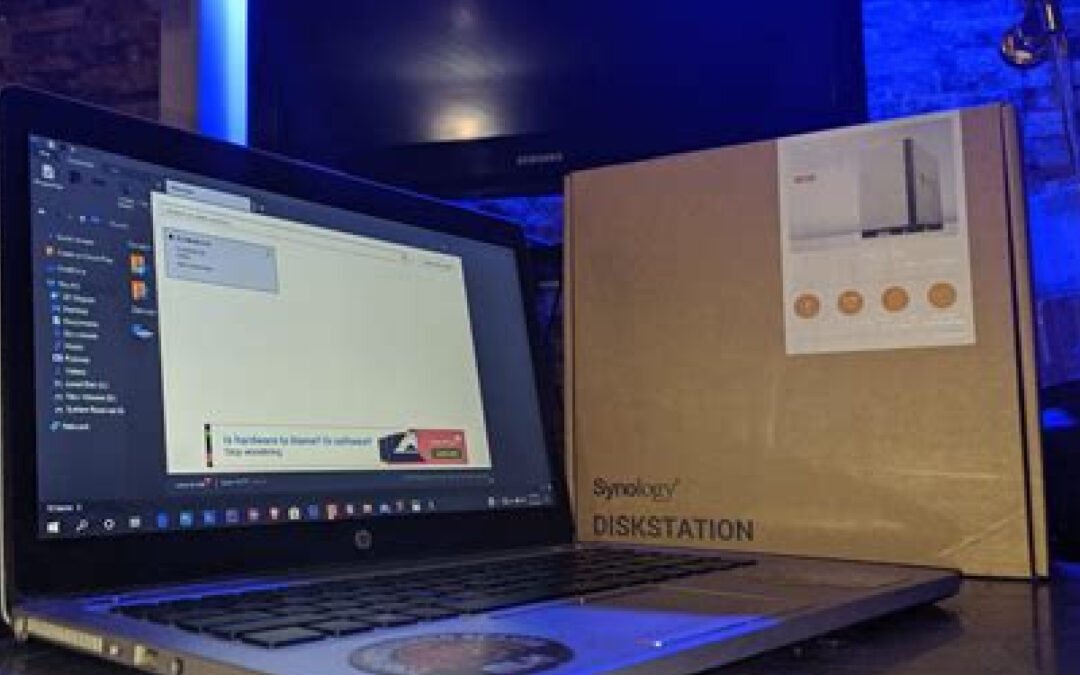
Opting for a NAS (Network Attached Storage) system in today's era is a tough choice, especially when plenty of options are available in the market. When it comes to network-attached storage, there are a ton of options. Some are decent. Some are really bad. So if you are looking for a NAS system, you should take a serious look at what Synology has to offer in its NAS product lineup. An entry-level NAS like Synology DS220j or DS420j is perfect for small businesses starting from scratch and home usage.
Let’s Review What Network Attached Storage Is
A Network Attached Storage is a storage system that you access via a network instead of connecting directly to the computer. It contains a processor and an operating system to run applications and enable authorized users to share and backup important data, files, and other information. So if you are confused about making a decision, here is a quick review of entry-level Synology DiskStation DS220j and DS420j.


Synology DiskStation DS220j Review
With Synology DiskStation DS220j, you can effortlessly set up and manage your cloud server. It is a two-bay Network Attached Storage device that offers an easy-to-use and user-friendly operating system with fast speed for data transfer enabling you to run multiple apps and store your data, including files, documents, music, and many more. It also possesses numerous RAID configuration options that help protect your sensitive data.
DISCOVER: Network Attached Storage 101
Pros and Cons of Synology DiskStation DS220j
Every NAS device has pros and cons, and so does Synology DiskStation DS220j. Below are listed a few pros and cons of DS220j.
Pros:
- The price of the DS220j device is quite reasonable, starting from $169.99.
- Great Performance
- Easy to install and manage with a user-friendly Operating System.
- App Catalog is relatively substantial.
Cons
- It consists of merely a single LAN port.
Design and Features Of The DiskStation DS220j
It consists of a glossy white enclosure similar to DS218j. It includes the following features:
- It measures 6.5 by 3.9 by 8.9 inches.
- Its front panel consists of a power switch and four LED indicators for drive and LAN status.
- The rear panel possesses two USB 3.0 ports, one Gigabit LAN port, a reset button, and a power jack.
- DS220j possesses Synology's extraordinary DiskStation manager, making the device's configuration easier.
- The performance of DS220j was quite fast during testing and great for small businesses and home users.
LEARN MORE: Our Review Of The iBi Smart Photo Manager
What Do I Think About The DiskStation DS220j
Synology's DS220j is perfect for small businesses and homeowners to create their cloud storage. The reasonable pricing, speedy performance, and a wide range of apps make it more appealing to the customers. It provides you with a user-friendly operating system to effortlessly configure drives. You can also easily create and share folders making it a multimedia server. Definitely a solid entry-level NAS device. Would highly recommend pulling the trigger on getting one of these as your first NAS.
Synology DiskStation DS420j Review
The Synology DiskStation DS420j is another perfect fit for small businesses, especially those just stepping into the corporate world. You can also use it for casual home usage to store and backup data, including files, documents, images, and many more.
The DS420j is powered by Synology's excellent DiskStation manager and possesses multiple valuable tools. DS420j is a four-bay Network Attached Storage device with RAID configurations to protect your sensitive data.
Pros and Cons Of The Synology DiskStation DS420j
Just like DS220j, DS420j also possesses its pros and cons that are listed below:
Pros
- DS220j comes with twice as much storage as DS220j.
- Easy to set up and user-friendly Operating System.
- Synology's NAS contains RAID configurations to secure your essential data.
- It supports a wide range of applications and the latest HDDs.
Cons
- The internal hard drive is not included.
- Drives are not swappable without shutting or rebooting the device.
Design and Features Synology DiskStation DS420j
- DS420j is a four-bay storage device that is small enough to fit on a desktop easily.
- Its front side consists of a power switch and four LED indicators for drive and LAN status.
- The back panel possesses two USB 3.0 ports, a single LAN port, a reset button, and a power jack.
- It also possesses Synology's extraordinary DiskStation manager, just like DS220j, which makes the device's configuration easier.
- The performance of DS420j was fast during testing and performed exceptionally well for the given use cases.
TRENDING: Is This Personal Cloud Storage Device A Game Changer?
What Do I Think About The DiskStation DS420j?
The Synology DiskStation DS420j is perfect for small businesses and home users to create private cloud storage. The four-bay DS420j possesses a capacity of about 64TB with four 16TB HDDs. You might be thinking that’s too much storage capacity, but when you consider the trajectory technology is going with increased file sizes (images, video, etc)...you can burn through a lot of terabytes. With a robust DiskStation manager, you can effortlessly set up other facilities like establishing surveillance solutions that support up to 16 IP cameras. You can also backup and sync your files and documents across all connected devices. This is my pick for the best NAS device for homes and small businesses.
>> Get The Synology DiskStation DS420j Here <<
Some Concluding Thoughts About Synology NAS Devices
Synology DiskStations DS220j and DS420j are suitable for small businesses and home usage since they are reasonably priced with great features. A Synology NAS is perfect for you if you want to share your media files with your family, keep your office documents in a single accessible storage, or backup your media files from PCs, Laptops, tablets, and phones. Personally, I use a Synology DS1019+ NAS because it supports up to 10 drives which allows me to have up to 2 drives fail simultaneously without any data loss. I also run my Plex multimedia server, and a cloud backup application. Listen I trust the hardware, trust the software, and truly believe they are the best network-attached storage devices on the market.
by Staff | Jul 11, 2022 | Reviews, Tech Living
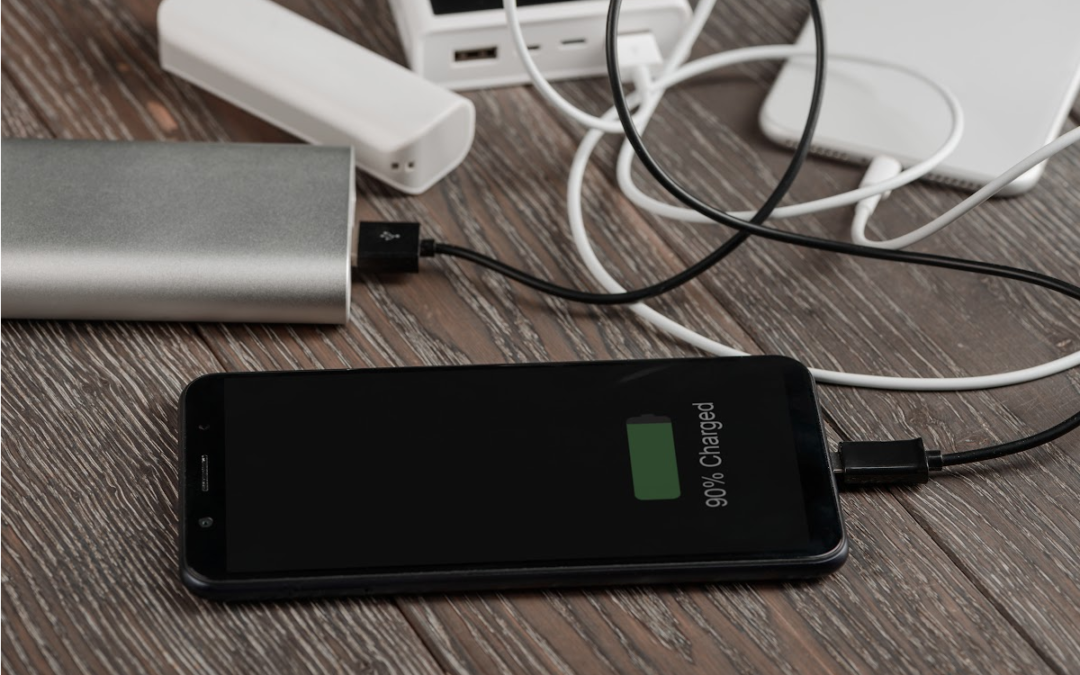
Do you ever find yourself with a dead phone and no way to charge it? Then you might need a power bank! A power bank is a device that can charge your phone (and other devices) when you're on the go. If your smartphone is running out of charge and it’s a problem you seem to have regularly, plug in with one of these effective power banks and keep your phone running for a long time. Now if you are far from home or an outlet, you can rest easy knowing you have an extra smartphone battery boost readily available.
Smartphone power banks have become an important accessory for a lot of people (not just for the constant traveler). They are growing in popularity and efficiency. It seems like there’s a new brand popping up every day. But even though there are plenty of brands and models in the market, how do you choose the best power bank for your smartphone? We wanted to look at four different power banks and review their performance and give our honest opinion about which one of these is the best. These are some of the top smartphone power banks on the market which can make your journey outside the home comfortable and convenient (and less stressful).
Best Power Banks For Smartphones
Running out of battery on your phone sucks. A lot of models have “Low Power Mode”, but you sacrifice performance and have a lot of cool features disabled when you opt-in for it. When the battery goes, you can't call or text anyone, you can't look up directions, and worst of all, you can't take any pictures! If only there was some way to keep your phone charged up no matter where you are? Power banks are a great way to keep your phone powered up while on the go. But not all power banks are created equal! Let’s take a dive into which power banks we love and would recommend.
Anker PowerCore Essential 20,000 PD is the best capacity charger at 20,000mAh. It is a fast charger model, charging within 6-7 hours. It weighs 280g with dimensions of 6x3x1 inches. More interestingly, it supplies 18W output with a USB-C port while above 18W output with a USB-A connection. If two devices are plugged in to charge, it will give 18W to both devices. One thing I’ve noticed recently is Anker’s commitment to high-quality materials. When it comes to this power bank, they’re right on target with that standard. In my opinion, Anker is the category king when it comes to these portable chargers for your devices. Here are a handful of standout features worth mentioning:
- Vast Compatibility: it’s not just smartphones. This portable power bank will charge tablets, handheld gaming systems, and just about any portable device.
- Super fast charging: out of the power banks we reviewed, this one charged our smartphone the fastest.
- Trickle Charging Mode: simply put, this allows for safe and optimized charging to all kinds of devices. It will recognize if the device is a low-power gadget and adjust output.
- Long Power Bank life: Seriously…after charging this for 7 hours I was able to charge my smartphone for multiple power cycles. It was impressive.
If I had to choose only one power bank (and I’d highly recommend every family has at least one or two of these), Anker would be my first pick.
QTshine is a good all-rounder as it supports USB and Smart Charge with a charging capacity of over 20,000mAh. It may take a little more time to charge fully to your device, about 8 to 16 hours. It comes with a lighter weight of 355g (about 12 ounces) and a size of .5 x 3 x 6 inches. Some of my favorite features include: high-performance cells (this is truly a premium battery), surge protection IC technology (automatically detects devices for efficient and safe charging), and double the ports (you can charge two devices at once).
Further, it has a USB-A-to-micro-USB cable, so you can charge well via a USB -a connector. Don't worry about charging. Play and stream favorite videos constantly while having QTshine. If I wasn’t a huge fan of the Anker model reviewed above, this would definitely be my next choice (if I was forced to only choose one).
This is the best mini portable power bank and comes with lipstick dimensions of 11x2.7x2.7 cm! It’s small. And yes…it only charges your smartphones and other low-power devices with a capacity of 5,000mAh, but it is probably the lightest and most compact power bank on the market. This latest version is longer but lightweight than the older ones. Moreover, this adorable power bank has the same micro-USB connections for charging and an additional pressing button on the top of the top. This button will activate the LED indicator informing you of the current charging level. It’s a nice little feature that if it wasn’t there, we’d notice. I was able to snag one of these and recently used it on a hiking trip and just loved it. EnergyCell also has a 10000mAH version (twice the output) that is just a smidgeon bigger that I’ve just bought to compare it with (I’ll report on it as an update to this so stay tuned!)
Out of the ones we reviewed, the Moshi Porto Q 5K is the most stylish and beautiful hybrid wireless power bank. It doesn’t look like any of the others we reviewed. You connect it to a power adapter, keep your smartphone on its fabric pad, and it will charge it up with the same speed as other models, but wirelessly. It also has a silicone surface ring to stop your device from dropping.
It charges your phone with the capacity of 5,000mAh charging wireless or with the USB-A connection. Essentially, it’s a 2-in-1 model, which is why I think it’s worth adding this smartphone power bank to your arsenal of portable charging. Moreover, if it detects any unwanted metal object on the pad, eventually, it will stop charging. Some other notable features of the Moshi Porto Q: 10-year global warranty, a breathable LED light indicating charging, 15-watt max charging (but 7.5W on the power bank cycle), has enhanced passive cooling technology for safe charging efficiency and is compact and stylish.
Final Verdict
These power banks nowadays are a dime a dozen. Many brands are selling every range from cheap to expensive power banks for smartphones. Most power banks on the market are so-so (they’re really not that great of a product), so be wary of what you buy. There are also a lot of cheaply made smartphone power banks you need to be aware of as well. You should keep your budget in mind while buying the best one. I’ve said this before when it comes to technology: you get what you pay for. If you skimp on the budget and go for something cheap, you’re going to get cheap performance 90% of the time. Yeah…you might get lucky every now and again, but most of the time you’re wasting your money. For smartphone power banks, take some time to analyze the USB connections and charging-speed ability. Do some research and get detailed information about the charging capacity, duration, weight, and output port before buying any high-quality power bank. As I mentioned previously, depending on your use and purpose any of the ones reviewed here are solid. Personally, I think everyone should have the Anker PowerCore model because it checks the box on every feature you want out of a premium power bank for a smartphone.
by Staff | Jul 4, 2022 | Reviews, Smart Home
Are you looking for a way to keep an eye on your home while you're away? Do you want a security camera that is easy to use and doesn't require any installation? If so, a home security light bulb camera may be the perfect solution for you.
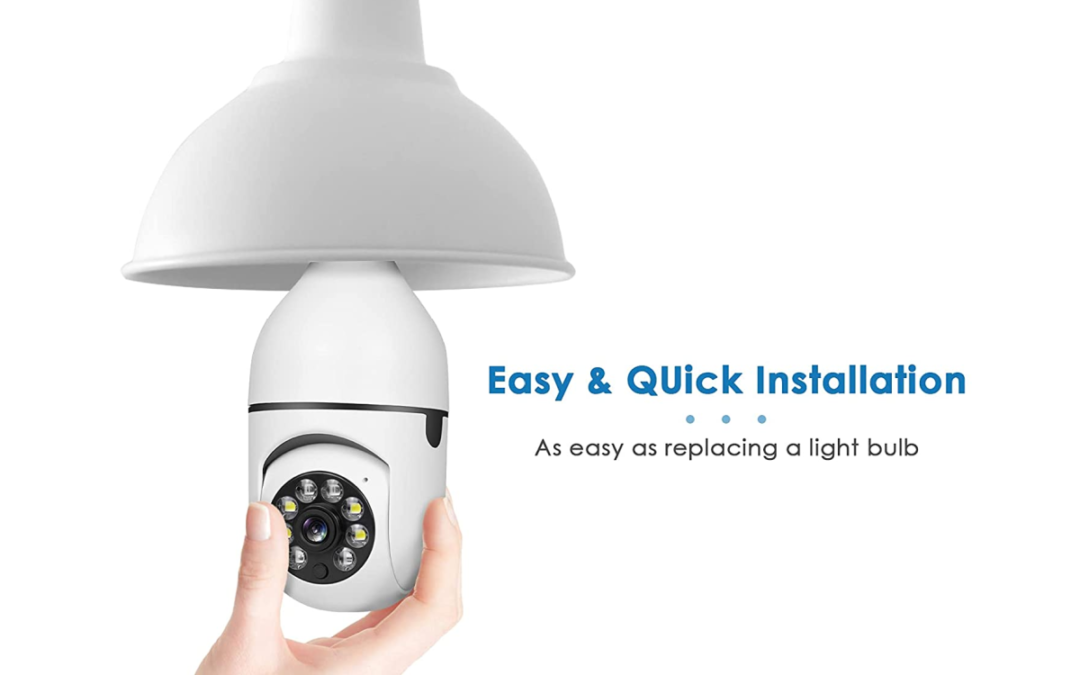
I’ve been seeing these smart bulb cameras pop up on ads and in social feeds and really wanted to know what they were all about. Did some digging and reviewed a handful of these clever home security gadgets to really see if they are truly something anyone could utilize or add to their smart home setup. A smart bulb camera is an innovative approach to maintaining your security. Security cameras are common nowadays to maintain security at homes and offices. However, one of the easiest and most affordable security cameras you can find is one of these light bulb cameras. These cameras allow you to effortlessly put in a security camera fixed in a light bulb socket.
DISCOVER: Home Automation? What Is That? We Answer That And More!
If you are also thinking about purchasing one, then here is a light bulb camera review for you to make your choice easier. All of the smart bulb cameras we looked at require a Wi-Fi connection and you can use your smartphone to activate it. Depending on where you place these smart bulbs outside, you could also use them for outdoor security and put them in your office as well.
Features Of A Light Bulb Camera
Before moving forward to the light bulb camera reviews, let’s take a look at a few things to keep in mind before purchasing a smart bulb camera:
Resolution
It is probably the most significant factor to consider when purchasing a smart bulb camera. Imagine you see someone sneaking into the backyard of your home. If your light bulb camera’s resolution is not high enough, you might not be able to recognize who was trying to sneak into your home. A higher resolution also means your camera is able to pick up detections more accurately. So it is wise to choose a light bulb camera with 1080P resolution. If the smart light bulb doesn’t have it, I wouldn’t get it. With camera technology (especially for home security use) evolving like it has, I’m still shocked at products that don’t have 1080P resolution.
Motion Detection
When buying a smart bulb camera, you should keep in mind its range and angular coverage. As bulb cameras are round, they provide 360-degree angular movement, which is the standard angular coverage. Besides, you should choose a bulb camera with a motion detector that can sense movement up to at least 30 to 35 feet.
LEARN MORE: A Smart Home Intercom System For Under $100?
Memory
Memory defines the storage capacity of your smart bulb camera. They come with their own memory and can support memory cards up to 128 GB. However, they do not come with their own memory cards, and you have to buy them separately. Is it annoying to have to buy additional memory? Yes. But this is unfortunately the standard we have to live with.
Night Vision
Keeping an eye on your place at night is somewhat hard. You hear a noise and peak out the windows…and if you’re like me can’t see anything. So a security camera with a night vision feature is crucial. Many smart bulb cameras in the market support the night vision feature. The ones we looked at below have some of the best night vision in this niche. If you can’t easily monitor your home or property at night with your device, you shouldn’t get it.
Easy To Use
Some smart bulb cameras come with remote control and you can control some with an app on your smartphone. Being able to easily control the device is paramount. Ideally (and this goes with most home security devices), if it doesn’t have an app OR it doesn’t work with Google Assistant or Alexa…it’s a hard pass.
Light Bulb Camera Reviews
For this light bulb camera review, we looked at three Wi-Fi smart bulb cameras we’ve been hearing a lot about.
This little gadget is perfect for keeping an eye on your home or office when you're not around. Just screw it into a light socket and it's good to go. You can even view footage from your phone or tablet! Out of the smart light bulb cameras we reviewed, this one was the easiest to install and get up and running. Some other features of note include:
- Its top feature is the advanced night vision feature.
- You can easily switch between infrared and white light night vision.
- You can easily replace it without extra wiring.
- It comes with 360-degree angular coverage and humanoid movement detection. So there is no risk of blind spots.
- It contains its own cloud storage and supports up to 128 GB of memory cards.
- You can playback videos any time and save your memories as well.
- If you find any issue with your smart bulb camera, connect with their customer support. It is available 24/7.
If you're like most people, you probably don't know what a PTZ bulb camera is. But trust me, once you learn about this intuitive device, you might find yourself wanting one. Aside from being a security camera that looks like a regular light bulb, it easily screws into a standard light socket and can rotate 360 degrees to give you a complete view of the room or area. Plus, this one comes with an app that allows you to watch live footage or recordings from anywhere as long as you have a stable connection to the Internet. Some other notable features of the Wyzlink PTZ camera bulb:
- 1080P resolution with advanced night vision. You can easily switch between normal and light night vision (this is a fantastic feature).
- It is easy to install since it is wireless. Once you install the E27 light bulb, you can install the app on the smartphone and connect the smart bulb camera with Wi-Fi using the app.
- Its two-way audio feature sets it apart from other smart bulb cameras. This is probably the biggest edge over the rest of the market. It has a built-in microphone and records audio as well.
- It contains 360-degree angular coverage and robust motion detection. When it notices any moving object, you get notifications through your smartphone. Out of the smart camera light bulbs we looked at, the Wyzlink probably has the best motion detection.
TRENDING: Here’s A Crash Course In Home Automation Basics
I don’t think the XVIM is as good of a smart camera bulb as the previous products reviewed, BUT…there are several features of this bulb where I think XVIM can really grow and make a name for itself in this new emerging market. There are some features where the XVIM performs well which is why I wanted to include it with these other smart bulb camera reviews.
- Like the others reviewed, it is wireless and simple to install.
- It comes with a 1080P resolution and an advanced night vision feature.
- It provides you with synchronized video and a 360-degree far-reaching aerial view.
- You can easily install it in an E27 bulb without extra wiring.
- It can only be connected to the 2.4G router and does not support 5G Wi-Fi.
- You receive a notification when the camera notices any moving objects on your smartphone.
- It has a built-in microphone to provide two-way audio, allowing you to communicate with your family via a smartphone app. It’s not as clear and crisp as the Wyzlink’s two-way audio feature, but it is something we expect XVIM to improve on in the next iteration of this product.
- You can easily control it via your smartphone.
One that I’ve recently seen make waves in the light bulb security camera market is the Keillini light bulb camera. Despite what the company says when it comes to a low price (low compared to home security options), this unit still runs slightly more than traditional light bulb security cameras. However, this compact security device does come loaded with features, which pack on the value to help justify a slightly higher price tag. And we’re not talking hundreds of dollars here either. Depending on which light bulb camera price you’re comparing it to, the Keillini is about $5-$10 more per unit.
For the most part, the Keillini light bulb camera functions and operates just like any other light bulb camera. The app is super smooth with a seamless setup. A couple of things that separate Keillini from the rest of the market. One distinct feature that I think is super clever of this and puts Keillini in a different class is the blaring alarm. Literally, with a push of a button in the app, you can send a blaring alarm noise to scare animals or intruders. It’s a clever hack and a little addition worth mentioning. And…this is a light bulb security camera that actually lights! Most of these on the market don’t have lights. Major eye-roll, I know. It was one of the first things when I started looking at these that I was shocked that they didn’t have lights that actually worked. Other notable features include:
- 360-degree panoramic camera
- Incredible night vision
- Bright LED Light
- No wires. No batteries
- Connects to both Android and iOS devices
- Impeccable 1080P HD resolution
- Easy to install and easy-to-use app.
>> Buy The Keillini Smart Camera Light Bulb Here <<
Smart Light Bulb Cameras: Simple + Easy Home Security
The smart bulb cameras mentioned above can be a fun gadget to add to your home security. It’s not a bad decision if you purchase one. The 360-degree coverage combined with 1080P resolution in each of these is excellent for security purposes. If you’re looking for a simple and affordable way to improve your home security, you might consider investing in a light bulb camera. Here are a few reasons why light bulb cameras are a great option for home security. First, light bulb cameras are relatively inexpensive (some of these are under $50) making them a great option for budget-conscious homeowners. Additionally, light bulb cameras are easy to install and can be used with most standard light sockets. Another hidden benefit of light bulb cameras is that they offer a wide field of view (360 degrees!), allowing you to monitor a large area with just one camera. Plus, light bulb cameras (at least the ones we reviewed) are often equipped with night vision capabilities, so you can keep an eye on your property even in low-light conditions. And light bulb cameras (well…any camera for that matter) can deter criminals and help you gather evidence if your home is broken into or your personal property is damaged. The sight of a camera may be enough to discourage would-be burglars and the recorded footage can be helpful in identifying suspects and catching them before they strike again.