by Maygen Brockway | Dec 5, 2022 | Family Safety
Keeping each other safe just makes sense. We strive to keep our friends and family safe, especially our children. We're always updating our articles and reviewing the newest and best electronics and gadgets to keep everyone safe. Dumbing information and technology down can and will save people. It's our mission. We're taking the steps to inform others, so no one has to learn the hard way.
We've discussed safety apps, tracking apps, and travel gadgets to keep you safe. We've discussed Bluetooth trackers to find your things, kid’s watches to help find your kids, and ways to keep your devices and network safe. Now it's time to discuss what Android and iOS apps are available to keep your children and teens safe.
Children Safety Apps
When it comes to your child's safety, there's almost nothing you and most parents wouldn't do. If you believe your kid or teenager needs a cell phone, we'd like to suggest some of the best children's safety apps on the market.
LEARN: New App for Tracking Busses
Child Safety App
Child Safety App is a child monitoring app parents designed for Android phones. Parents created this safety tracker app in collaboration with child psychologists, digital media experts, and law enforcement professionals. This app features an SOS call, allowing the user to immediately contact up to five emergency contacts when necessary and provide a GPS location. It also features real-time tracking and location logs, so parents can see where their child is or has been. The Child Safety App also features a high noise alert, so you can receive a notification if your child is more sensitive to noises. Other alerts include a high-danger, fall, and inactivity alerts. All of these will help keep your child safe while providing you peace of mind. The best features are not free, in fact, the free app only comes with the SOS, emergency contact, and emergency health info. features. If you’re interested in the other features, upgrade to PRO for $45.00 a year or $4.50 a month.
The Find My Kids App
The Find My Kids App is available for Android and iOS phones, but can also be downloaded for kids’ watches. Some of the features are not available for iPhones though, so keep that in mind. Features included for both phones are the location tracking for current and recently visited locations. Parents can set a notification for when their child has arrived at school, work, home, extra-curricular activities, etc. This feature is convenient and will help keep your child safe. The Find My Kids app also has the SOS feature that will signal parents or guardians when the child is in danger. The app also starts recording any sound to help better track the child. The Android-only features include a listening button for when the child doesn’t answer phone calls or messages. It will then start listening to ensure the child is safe. The other Android-only feature is a screen monitoring feature that shows what the child was doing on the phone and how much screen time was spent. The Find My Kids App is a free app; however, the extra features are included when a monthly, yearly, or unlimited plan is purchased. Parents can purchase a monthly subscription for $2.99, yearly for $16.99, or unlimited with up to three devices for $42.99. If you’re interested in purchasing the Live Listening feature, you can do so by buying minutes at 30, 180, and unlimited varying prices for $1.00 up to $14.99. Once again, this feature is not for iPhones.
RELATED: Heroic 9-year old
Life 360
Life 360 is a safety and family tracking app that offers similar benefits as the previous apps but is also designed so every family member can use it, not just children. Life 360 was created after Hurricane Katrina in 2005 and includes location tracking, digital safety and protection, emergency assistance, and driving safety. With Life 360, all plans include the same features, but as the cost increases, the features increase in their abilities. For example, location safety has a two-day limitation on the free plan but increases to 30 days on the gold plan for $14.99 a month and 30 days on the platinum plan for $24.99 a month. You can place alerts for your children and family members to make sure they’ve arrived at whatever location they are supposed to be including school, work, babysitters, library, etc. The location feature is accurate within 50 feet. Life 360 has plenty of safety features to keep your children and teenagers safe.
As a parent, the biggest concern is if your child will notice you have a tracking app on their phone and if they will disable it. These three apps help open the communication channel for parents, as these apps are not just tracking and location-sharing apps. The designers created these apps to help keep kids safe with added features for check-ins, SOS, and more. The best way you as a parent can explain these apps to your children is to inform them as to why these are now necessary. It’s not a trust issue for you or your children, but more of a way to keep them safe from those predators around them. We’re always advocates of real communication between you and your family. The world has evolved and so has the ability to protect our children. We’ve discussed other apps for protecting kids from spamming, hacking, bad websites, and more. You can take a look at a few of those apps to keep your children safe.
by Maygen Brockway | Nov 30, 2022 | Family Safety, Tech Living
Nowadays, you can never be too safe or too prepared. We all know our world is much more different than it used to be and a bit scarier, too. Thanks to social media, we’ve seen a huge increase in scams and hackers trying out new ways to fool and scam people of all ages. As we’ve discussed before, predators are using the newest technology to follow their victims to work or their homes using Bluetooth Tracking Devices. Although social media may share some horror stories, it is also sharing ways to prevent predators and avoid their tricks.
For example, TikTok has people sharing “what to do if you see this on your car” or “what to do if you feel like you’re being followed” etc. There are a ton of educational videos geared toward women, parents, and young adults about personal safety. Unfortunately, we still live in a world where women are more often assaulted, raped, kidnapped, and attacked. Here’s where social media and apps can actually be of use: Personal Safety Apps and Alerts.
LEARN: Scammers Leaving Fake Cash
Personal Safety Apps
Listen ladies, if you’ve ever needed to text your mom, sister, friend, or anyone else your location when you’ve gone out by yourself, then this is for you. I can’t tell you how many times I’ve been out with friends or even gone out to the grocery store, and if I don’t let my mother know I arrived safely, she’ll send the brigade out to find me. I’m definitely the type of friend that makes sure my friends get home safely, which I’m sure I got from my mother. To be honest, I learned about these personal safety apps from a friend. These apps are-game changers!
Watch Over Me
Watch Over Me is a security app for both Android and iOS systems. Xin-Ci Chin created this app after she survived a kidnapping and rape attempt in 2012. She realized that although there were plenty of GPS apps, there wasn’t the right app that would alert the police or authorities. Watch Over Me is an app that you share your location with, when you want to be “watched over,” and when you’re safe. Those are the basics, but you can shake your phone when you need the authorities alerted. The original app is free, but you can get increased text message alerts, etc. for $4.99 a year.
bSafe
bSafe is a safety and security app featuring Voice Activation, Live Streaming, Automatic Recording, Fake Call, Timer Alarm, or the Follow Me function. Creator Charlen was raped and after, she and her father discussed ways they could have prevented the attack. They started the creation process for bSafe. To me, the coolest feature is the guardian feature which allows users to have a select list of people who the app will alert for their location or in an emergency situation. It looks like bSafe is still working with investors and partners.
Noonlight
Noonlight is another safety and security app that even works with other apps like Tinder to share details that are important in an emergency. This app uses a Safety Network similar to the bSafe guardians, where users can select a number of emergency contacts in the event they need help. Noonlight is available on both Android and iOS systems and offers a three-tier pricing system. Basic is a free service and includes the safety button, timeline feature, safety network, and advanced profile. Some of these features are limited depending on your phone system. Instant Access is $5.00 per month and only works with iOS platforms. It adds in a phone widget, Apple Watch app access, and syncs to Uber and Lyft apps. The Total Protection plan for iOS platforms is $10.00 per month and includes crash response, Alexa skill, Google Home Service, and you can sync IFTTT applets.
WanderSafe
WanderSafe app is a free safety travel app available for both Android and iOS platforms. It includes a Jeni buddy, who is a digital safety companion, is available to listen when or if the user feels unsafe or safe. This app has a built-in silent SOS feature, that can be discreetly activated and let your emergency contact list and emergency responders know your location. The app also has a crisis mode that allows a voice activation SOS feature for when you may not have your phone in your hands, but it’s near you. WanderSafe is the first app to create a safety Beacon device which is a flashlight, strobe, silent, and loud alarm. It retails for $79.99. WanderSafe Shakti is a mini Beacon version that offers the same features in a more travel-friendly version. It retails for $39.99.
DISCOVER: Best Safety Travel Gadgets
One Scream
One Scream is another safety app with a unique system as it’s a voice or scream-activated safety system. Just like many of the other apps, this is a woman-created app designed to keep us ladies safe. It’s available on both Android and iOS platforms for $2.99 a month or $26.99 a year. It does have an Android-only feature of an open line when it hears the scream or panic phrase. Once activated, it sends an alert to your emergency contacts and first responders.
RELATED: Poison Napkin On Door Handle
There are more apps available for personal safety and security, too. As always, be open with your children and loved ones about safety and security on apps, the internet, and traveling. If you’re interested in other nifty tech gadgets while traveling, take a look at our suggestions.
As always, be aware of your surroundings.
by Maygen Brockway | Nov 25, 2022 | Family Safety, Reviews
If you’re pretty set on using your phone and an app to view your baby then there are a few things you should know. Parents need to understand the risks associated with using the internet for their monitor’s connection. Establishing a safe and secure home network is important when using wifi and home internet. We’ve discussed home network questions every
parent should know, simple firewall reviews, and pros and cons of a VPN. Unfortunately, there are intelligent people who choose to use their brains for poor decisions like scamming others and hacking devices like baby monitors. Using your best judgment and being prepared can save you a lot of grief and loss.
DISCOVER: Utah Influencer Warns of Wifi Baby Monitor Hack
Wifi Baby Monitors
Owlet
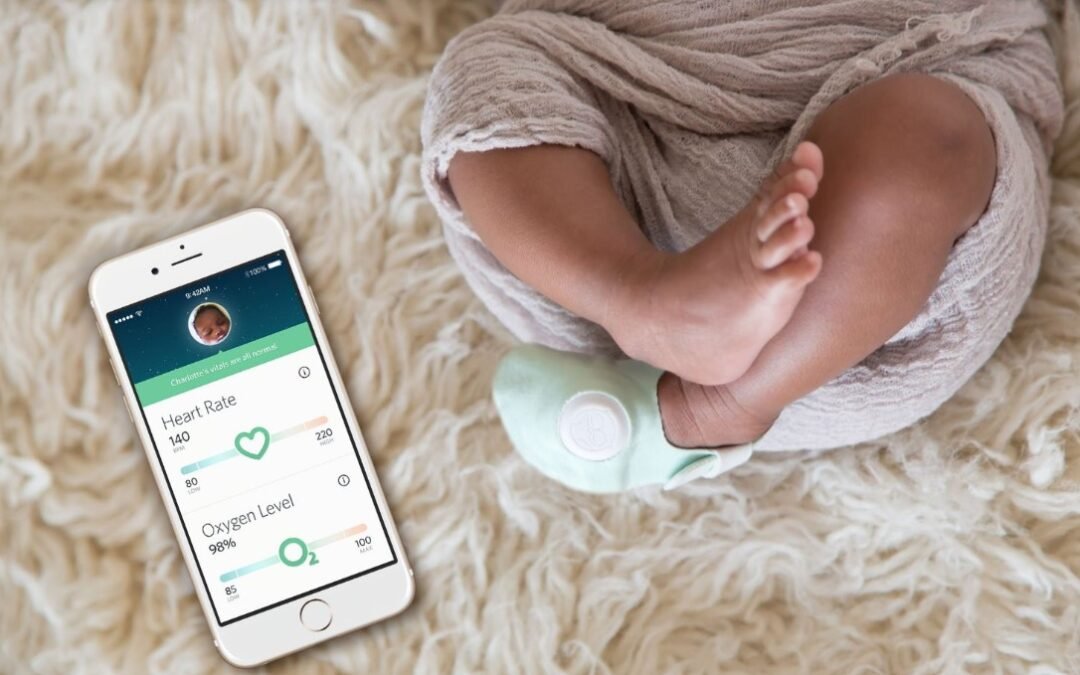
Owlet is a baby sleep monitor sock, camera, and phone app system which allows parents to not only see and hear their little one but to also check basic vitals like oxygen and heart rate. The Dream Sock and camera tracks quality sleep indicators for your little one, so you can rest easier each night. The Owlet system tracks awake and asleep times, heart rate, oxygen levels, movement, room temperature, humidity, and more. It’s one of the most in-depth baby monitor systems to date. This in-depth system alerts parents when the sleep indicators change and when their baby starts to wake. This alert goes off via the wifi app on Android and iOS systems. Owlet Dream Duo 2 retails for $399.99. It comes with free access to the online app, so you can use your cell phone provider or wifi to access your baby’s vitals and camera anytime, anywhere. The original Owlet Dream Sock combo retails for $299.99 and only has the sock and app access. Their website shows almost 150 reviews with an average of 4.2 stars. Most parents who reviewed the Owlet products say they couldn’t imagine newborn life without this baby monitor system.
Nanit
Nanit offers many options for baby monitors, sleep and breathing trackers, plus accessories for their products and baby. To be honest, looking at their site overwhelmed me. They have so many options for parents, including smart sheets. Parents can use their Nanit camera, app, and smart sheets to track their baby's height and share the information with others. Nanit also offers a breathing tracker swaddle and band system linked to the app along with its camera system. The Nanit Pro Smart Baby Monitor bundle retails at $509 but is on sale for $380. The basic Nanit Pro Camera Flex Stand retails at $199. Once again, all these run on cell phone data and wifi links. Nanit offers parents a sigh of relief with its breathing bands and smart sheets. Pretty neat technology, as long as your connection is secure. Otherwise, it’s pretty scary and creepy if someone hacked into your Nanit system and knew all that extra information about your child, right?
Safety 1st
Safety 1st is one of the top baby safety brands that almost every soon-to-be parent recognizes. Between newborn baby first aid kits to baby gates to baby nail clippers, Safety 1st is a parent’s well-favored and trusted brand. There are three different versions of baby monitor wifi systems from Safety 1st. You can shop on their website, on Amazon, or other retailers. Their largest bundle called Full Connected Suite retails for $294.95 and includes the wifi monitor, a smart soother, a smart humidifier, an under-crib smart light, and a plug adapter. The Connected Suite Illuminate Trio retails for $194.97 and comes with the wifi baby monitor, smart humidifier, and the under-crib smart light. Finally, Safety 1st offers a basic wifi baby monitor for $70. Each set provides safety and security for parents via wifi and an app. The app lets parents share and connect with other caretakers. You can even add it to your home system and listen via Alexa Echo Show or Google Home Hub. If you need a friendly reminder on choosing the Best Alexa Devices, check out our thoughts.
As we’ve discussed, the safety and security of your home and home network are everything. Not only are you protecting yourself and your data from hackers, but as a parent, you are protecting your little one now, too.
by Dale Meredith | Nov 23, 2022 | Family Safety
One of my favorite features of Google Assistant is alarms and features. What many don’t know is that Google Assistant can act as a great smart alarm clock to make your day easier or just stay on task. Not only do these smart alarms keep you on task, they really help you stay organized. Life can get busy. We waste a lot of time and smart alarms (and we can even call these smart reminders) can minimize that waste in our lives.
And it’s not just waking up at the right time each morning as the only key to getting our days going, but HOW we wake. I’ve talked in other posts about having my smart alarm do certain things and say certain things to me each morning.
DISCOVER: Smart Home Automation Ideas You’ll Love
With these smart alarms embedded in Google’s ecosystem, you can wake up to your favorite music, radio, news, or custom message. Plus, you can set morning and night routines by pairing the alarm with a playlist. No matter what model of Google Assistant smart speaker you’re using, the below smart alarm tips will work with any model. Let’s take a quick look at how to get the most out of your Google Home and Assistant when it comes to smart alarm clocks.
How To Set A Smart Alarm On Google Home
One thing I love about Google Assistant and all the tech and commands is the simplicity of it all. Don’t worry about complicated steps. Creating an alarm or reminder is as easy as it sounds. I’ll add some prompts below to help you. And if you’re worried about not knowing which alarms are set for which Google devices you can always ask “OK Google, what alarms do I have?” and the Assistant will tell you.
LEARN MORE: Best IFTTT Home Security Systems
Google Smart Alarms Features You Need To Know
Set Unique Alarms Via Google Assistant
You can set a one-time Alarm by just saying: “Hey Google, set an alarm for 8:00 am tomorrow”. You can also name the alarm like “Take your medicine” or “Let the neighbor’s dog Ace out.” I love these specific one-time-use alarms because they act as smart reminders. I use these a lot!
Set A Regular Alarm
You can also use your voice to set a regular alarm with smart alarms. You could say something like: "Hey Google, set an alarm for 8:00 AM every day". Speaking from experience, your daily routine will massively improve with regular alarms. You can also change the alarm sound on any of these.
Waking Up With Music
If you feel so irritated with the default sound of the alarm or you want to mix things up to how you start your day, you can play your favorite music. Say, “OK Google, set a music alarm for 8:00 am tomorrow” and you’ll be asked what kind of music. In a lot of these instances, you’ll need to connect your Spotify account to hone in on specific artists. For example, I could say “OK Google, wake me tomorrow at 7 AM to music from my Batman album.”
TRENDING: Setup An Easy and Cheap Smart Home Intercom System
Google Sleep Timer And Playing Bedtime Sounds
You can also set a sleep timer that helps you to go to bed. It’ll play a sound when it’s bedtime. And it stops ringing after a certain amount of time. You can say, “Hey Google, Help me relax” or “OK Google, sing me a lullaby.” When my son was young we had the song “Rubber Ducky” play at 8:30PM every night to remind him it was bath time.
How To Cancel Alarms
You can cancel your set alarms, by just saying: “Ok Google, delete alarms” or “turn off the alarm”. If you want to delete a specific or set-named alarm, you can say something like: “Ok Google, cancel my medicine alarm”. You can also find these in the Google Home app by finding the device, hitting the Settings gear icon, then select Audio, then select Alarms & Timers. You’ll see all your active alarms set for that device.
BOOKMARK THIS: Basic Smart Home Automation Tips
Snoozing Your Smart Alarm
Let’s be honest, who hasn’t used the snooze feature on a normal alarm? I get it, not every morning is the same and if you’re feeling a bit woozy (maybe you had a hard night), you can also snooze your smart alarm. Just say, “Hey Google, snooze alarm” and by default, Google snoozes your alarm for 10 minutes. If you want to snooze the alarm for a specific duration then you can say, “Ok Google, snooze the alarm for 15 minutes” or any other time length you want.
How To Set Cartoon Characters Alarms
You also add a smart alarm as added messages from cartoon characters. This is mostly for little kids, but it’s still a fun little twist to waking up. The kids love it. As of right now, you can currently use Lego Friends, Lego City, Teenage Mutant Ninja Turtles, and Hatchimals. I know, I’m really upset that I can’t get Batman to say “I am the night!”. But I can dream that one day it will be possible!
RELATED: Toddlers And Tablets: What Every Parent Should Know
All you have to say is “OK Google, set a Character Alarm” and follow the Google Assistant prompts for selecting. I can see the benefit of using these characters for waking up your kids. These alarms include jokes, music, and encouraging words from the available characters.
Smart Alarms: One Of The Best Features From Google?
As previously mentioned, one of my favorite features of my Google devices is smart alarms and reminders. Aside from staying on track, creating smart alarms can be customized to fit my needs. And it’s a great way to mix things up and variety to your routines in life.
by Maygen Brockway | Nov 21, 2022 | Family Safety
When it comes to your bundle of joy, nothing means more to your little one’s safety. New parents search for the perfect items for their children, whether a bassinet, changing station, clothing, toys, or baby monitors. In fact, baby monitors are one of the most expensive items a parent can buy for their little ones, besides furniture. There are so many options for baby monitors with sound only, video and sound, ones connected to wifi, to your phone via an app, and more. The first concern is safety; to see and hear your child and make sure no one else can watch your child through your monitoring system.
So is it really true that people can hack into your baby’s monitor and watch your child or you? It really depends on what type of baby monitor you have and what type of connection it uses. We’ve stressed the importance of making sure your home internet system is protected through various system checks and software suggestions. We’ve even gone over 5 Easy Tips to Protect Your Home Wifi Network, but what else can you do? You need to take a look at these different baby monitors and decide which system is right for you and your little one.
DECT Baby Monitors
Digital Enhanced Cordless Telecommunications (DECT) baby monitors are audio and video monitors that correspond with each other through 1.9Ghz frequency. Meaning, they don’t rely on the internet and wifi to link to each other. This frequency is less commonly used with other technology, thus offering a safer option. Not all DECT monitors run on this frequency, but similar to avoid matching on another monitor’s channel. These baby audio and video monitors allow parents to see and hear their children without the stress of security issues.
VTech
VTech baby monitors are some of the most well-known monitors on the market. You can find VTech products everywhere: Walmart, Target, Kohls', Walgreens, CVS, Amazon, Best Buy, and more. Amazon sells its full collection of baby monitors, allowing parents to find something that works for their little ones. You can pick between video and audio or just audio depending on your preference. If you’re looking for a safe audio-only version VTech DM221 as one of the best audio baby monitors around. Not only is this monitor easy and portable, but over 19,000 buyers have rated it 4.7 out of 5 stars. Pretty impressive for this DECT baby monitor with 6.0 technology providing up to 1,000 feet of coverage with clear audio transmission, no background noise or interference. For a safe and secure video and audio option, parents recommend the VTech VM819. Once again, this monitor provides a secure, encrypted signal so parents can rest assured they are the only ones seeing and hearing their child. This monitor offers the same 1,000 feet of coverage with no interference. Amazon ranks this secure baby monitor as #1 on the baby monitor list. Over 4,600 buyers gave it a 4.6 out of 5 stars.
ANMEATE
Though ANMEATE may seem like a knock off brand, as even some of our staff has never heard of it, it’s ranked on Amazon as #14. ANMEATE SM935E is an audio and video monitor that has night vision, lullabies, and reaches 960 feet for transmitting signal. Once again, this monitor uses the unique frequency of 2.4GHz for transmitting and connecting monitor to monitor. Parents can connect up to four cameras to one ANMEATE device, giving parents an extended range for viewing and additional security. Parents have rated it a 4.6 with over 4,700 reviews. ANMEATE SM24 is similar but has a smaller screen and a more modern look to both monitors. Model SM24 has over 20,000 reviews with a 4.5. ANMEATE did recently come out with a new design, but the reviews are limited and so is the information on Amazon. Check it out here.
LEARN: Hacked Baby Monitors
As a parent, you may be concerned about the quality and cost of baby monitors. However, it’s important to do the research while you’re pregnant or thinking of having a child. Monitors change frequently and the features can vary, but they come with similar features. We always encourage you to read the reviews and other parents’ experiences. Parents, be prepared to go through a few baby monitors, but keep in mind that safety and security win over the added features.
For me, VTech was a great option early on, but as my baby became mobile, he quickly destroyed the wiring on the VTech monitor. We changed to the ANMEATE model SM935E and haven’t looked back. It’s been our favorite for over two years. Our home is smaller, so the lower transmitting range works well for us.
TRENDING: Baby Monitors Market
by Staff | Nov 18, 2022 | Device Protection, Family Safety
Think back: do you remember when artists would release CDs and our friends would run to the store, buy one, bring it home, and copy it for everyone for free or at a cheap rate? Can you remember when the computer app Limewire came out and everyone would play all the new music hits? Back then, pirated music, movies, and software were foreign, but then again, the internet was also pretty foreign.
Pirating 101
What is pirating? For those who know less about pirating, let’s break it down. Pirating is the illegal download, distribution, and copying of any software, music, program, etc., to which you don’t own the rights. Technically, when a song is played on the radio, and you record it for a ringtone or playback, that’s illegal. Back in the day, we recorded songs on cassette tapes from the radio to give to our boyfriends and girlfriends. Guess what? Illegal. You can not and should not participate in pirating. Period. You can use BitTorrent, a communication protocol for peer-to-peer file sharing (P2P), which enables users to distribute data and electronic files over the Internet. This is a legitimate file transfer system as long as the content can be downloaded or uploaded legally. As with any upload and downloading system, there are pitfalls.
Pirating Pitfalls
The internet is full of different sites claiming “free downloads” for music, videos, and other software. Even torrents, though legit, can still give users massive problems like malware, viruses, hacking, scamming, and more. Pirating pitfalls can cost you your email, social media accounts, and even your identity. And for what? That new Lizzo song you’ve been dying to hear on repeat? Definitely not worth it. (No offense, Lizzo.)
DISCOVER: Why Music Matters
Malware and Pirating
Malware and pirating easily go together. Say you pick a new movie to illegally download, thinking it’s coming from a free and trusted site for downloads. You’ve checked some reviews and everything sounds reasonable or so you thought. The malware starts immediately upon “downloading,” infecting your computer programs, and software, and moving to all your stored passwords for your accounts, including your tax information and identity.
Hackers are getting smarter and using SEO practices to “up” their websites on Google and other search engines. The location a website ranks on Google seems legit and more trusted; therefore, hackers are using these techniques to hurt users. Redline Stealer and RecordBreaker are nasty malware software that steals information including saved passwords and even screenshots. Meaning, downloading that new video could cost you your job, savings, home, and identity; all because you wanted to save a few bucks. We discuss ways to secure your smartphone from these hackers, so if you need a refresher–go!
Even if you miraculously survive the initial threat, there are plenty of backdoor malware entrances that hackers install to continue to infect your device. So even if you think you’re safe, you’re probably not. Pirating not only affects you, but it also affects the owner’s rights and income. If you’re not paying for new music, then the artist is getting less money. Pirating is stealing.
Legalities of Pirating
Let’s not forget to discuss the biggest pitfall of pirating: your consequences to the government. Copyright laws protect creators and the art they create. Digital and print media formats are all protected through copyright laws. Illegal downloading, distribution, and profit can not only gain you malware and viruses but also a large fine and jail time.
Yes, we did say jail time. You can find this information anywhere you search the internet. The RIAA, which is the music and recording industry, states that individuals who pirate software can receive up to a $250,000 fine, a felony on their record, and up to five years in jail. Just in case you needed a breakdown for you or as a warning to your children, friends, or loved ones.
Most adults these days who grew up near the internet’s birth, know a thing or two about piracy. Many of us had it drilled into our brains to never download anything, anything at all. However, as younger generations hop onto the internet via their smartphones, they might not realize the song or movie they downloaded for free, is actually stealing their data and using it against them–and their parents. Once again, you need to think like a hacker to avoid getting fooled. Even the newest phone editing and picture modifying apps might be secretly coded to infect your teenager's phone. They bring it into your home, use your WIFI, and boom— your entire network is hacked.
Talk to your kids about pirated software pitfalls, and check out ways to protect your home’s devices and avoid viruses.
LEARN: Music Piracy Laws